TraderSync Alternatives
Last Updated:
October 30, 2026


Best TraderSync Alternative: 8 Trading Journals Compared for 2026
Eight journals for traders rethinking TraderSync after its redesign, compared on broker sync, phone apps, AI, how easily your data moves and what the full feature set really costs.
The best TraderSync alternative is the Deepvue Trading Journal. You get broker sync for 20+ US and Canadian brokers, R values from your stops, live risk on what you hold and an AI Journal Agent, with phone apps for iOS and Android and Deepvue’s screener and charts on the same single plan.
When TraderSync overhauled its interface in September, some of its most loyal users noticed straight away. On one Reddit thread, a trader who had recommended it to the subreddit opened a thread about the redesign, and one reply said screenshots and marked levels from past trades were gone.
Never miss a Deepvue blog post.
The redesign is rarely the only reason traders start shopping, though. The full Cypher coach sits on the $79.95 Elite plan, TraderSync’s FAQ ties the app to Elite too, and payments aren’t refunded, so trying a new journal comes down to what each one gives you for the money.
We put eight TraderSync alternatives through the problems that push people away and checked every price on each vendor’s site. One of the eight is our own Deepvue Trading Journal, and it had to pass the same tests as the rest.
Key Takeaways
- •Traders are leaving TraderSync over its September rebuild, and over features like the Cypher Coach being saved for the $79.95 Elite plan.
- •The Deepvue Trading Journal ranks first because it bundles what TraderSync spreads across tiers: phone apps, AI review and R based stats, plus broker sync for 20+ brokers and a full research platform.
- •TradeZella is built around replay and prop firm tracking, while TradesViz packs the most reports into a low price.
- •TraderSync switches exports off during its trial and refunds nothing, so export your trades, executions and tags before you cancel.
- •Lock in $490 a year for Deepvue Core + Journal by December 4, and join by November 12 for two free live masterclasses.
TraderSync Alternatives at a Glance
Here’s how the eight compare on the questions TraderSync users ask first: what it costs to start, whether there’s a free way in and whether the app is included.
| Journal | Why switch to it | Free option | Paid plans from | App on phone | Rating |
|---|---|---|---|---|---|
| 1. Deepvue Trading Journal | Journal, AI and research for stock traders in one plan | None | $99 monthly; $490 for a year on the Black Friday deal | iPhone and Android | Platform rated 4.8 in 220+ verified reviews |
| 2. TradeZella | Replay and prop firm tracking for day traders | None | $35 monthly | Not listed | Trustpilot 4.8 |
| 3. TradesViz | Heavy analytics on a budget | One stock account | $19.99 monthly | iPhone and Android | Trustpilot 3.9 |
| 4. Tradervue | Free equity journaling at low volume | Up to 30 trades monthly | About $30 monthly | Not available | Trustpilot 2.2 |
| 5. Edgewonk | Psychology and discipline work | None, but a 14 day refund window | $35 monthly | Not available | Trustpilot 4.7 |
| 6. Kinfo | Broker verified results on your phone | Includes broker sync | $24.90 monthly | iPhone and Android | App Store 4.8 |
| 7. Trademetria | AI on a cheap multi asset plan | Up to 30 orders monthly | $19.95 monthly | Web app | Trustpilot 4.0 |
| 8. Stonk Journal | Free journaling if you type trades in | Unlimited manual entry | $10 monthly for Pro | Web app | Trustpilot 4.6 |
As a benchmark, TraderSync charges from $29.95 a month after a week’s trial, lists no free plan, says in its FAQ that the app needs the $79.95 Elite plan and scores 4.2 on Trustpilot across 325 reviews.
Why Traders Are Leaving TraderSync
Any fair TraderSync review starts with what it does well: wide market coverage, Cypher AI and market replay. Most TraderSync reviews on Trustpilot are positive, and plenty praise its support:
“Excellent customer support and structured way to keep track of trades/journals.”
Levy Yakubov, 5 star review on Trustpilot
Still, the people searching for apps like TraderSync cite the same handful of problems, and the newest one arrived in September.
The September Rebuild Changed Familiar Workflows
TraderSync’s own release notes call its September update “a completely rebuilt TraderSync,” with a new design and reworked reports.
Reddit reacted quickly. A trader on r/RealDayTrading who had pointed members toward the TraderSync trading journal wrote that the people behind the redesign didn’t seem to trade:
“clearly whomever programmed it was NOT a trader.”
A TraderSync user on r/RealDayTrading
Another reply in the same thread said screenshots and marked levels from past trades had disappeared after the switch. In a separate thread, a trader asking whether anyone else was struggling summed up the experience:
“It feels very different from the previous version, and I’m finding it buggy”
A trader on r/RealDayTrading
A Trustpilot reviewer was blunter, saying they were pushed onto the new version against their will:
“they forced me to start using their new redesigned platform and its terrible.”
Will, 1 star review on Trustpilot
To its credit, TraderSync’s own account replied in the second of those Reddit threads, asking what users liked best about the old version. Whether the new layout settles down or not, a journal you’ve stopped opening is a journal you’re paying for without using.
The Best Features Sit on Elite
TraderSync’s own FAQ says you need an Elite account to use the TraderSync mobile app, though its app store listing also sells Pro and Premium plans. If a trading journal app is why you’re paying, confirm what your plan includes first.
The Cypher assistant runs on every plan, but StockBrokers.com reports daily question limits of 5 on Pro, 15 on Premium and 60 on Elite, with the Cypher Coach on Elite only.
“how many useful features are paywalled behind the elite plan which is overpriced imo.”
A trader on r/RealDayTrading in 2023
No Real Free Plan, No Refunds and No Exports on the Trial
Is TraderSync free? Not in any practical sense. Its pricing lists only paid plans after a 7 day trial, and reviewers describe the old Basic tier as retired or limited to manual entry. Its billing policy disables exports during the trial and refunds nothing.
Numbers That Don’t Always Match Your Broker
A journal is only as useful as its math. In an older r/RealDayTrading thread, a trader said P&L for some trades came out far off after re importing the same files, and was told the time to check data consistency had been the free trial.
Built for Intraday Practice Rather Than Research
TraderSync features such as market replay and Cypher are aimed at active intraday traders. If you spend more time finding stocks than replaying ticks, TraderSync isn’t a research platform, so the review and the search usually happen in separate tools.
TraderSync Pricing 2026: What Each Plan Costs
TraderSync pricing runs in three tiers, and the features most people switch for sit on the top one. The TraderSync cost, plan by plan:
| Plan | Monthly | Billed yearly | Notable limits |
|---|---|---|---|
| Pro | $29.95 | About $26 a month | 5 Cypher questions a day |
| Premium | $49.95 | About $43 a month | 15 Cypher questions a day |
| Elite | $79.95 | About $70 a month | 60 Cypher questions a day, the Cypher Coach and market replay; the plan TraderSync’s FAQ names for app access |
Every plan starts with the TraderSync free trial, which runs 7 days without a credit card. A trader who wants the Cypher Coach pays $79.95 a month, close to $960 a year at the monthly rate, for a journal with no screener for finding the next stock.
Deepvue Core + Journal costs $99 a month or $990 a year with the journal, app, AI and research platform included. The Black Friday deal brings a full year to $490 until December 4, less than seven months of TraderSync Elite.
BLACK FRIDAY
Skip the Elite Upgrade With Deepvue at $490 a Year
Phone apps, an AI Journal Agent and a full research platform, all for one price that stays at $490 for as long as you keep your subscription.
How We Picked the Best TraderSync Alternatives
We make trading software and use it in our own trading, so we tested these journals the way an active stock trader would. The shortlist started with the TraderSync competitors traders mention most in search results, Reddit threads and review sites.
Every price, plan limit and broker list came from the vendor’s own site and help docs, and ratings came from Trustpilot, the app stores and review sites such as StockBrokers.com and Capterra. Then we scored each journal against the reasons people give for leaving TraderSync:
| What we checked | Why it matters to a TraderSync user |
|---|---|
| A workflow that stays simple | The redesign complaints are about extra clicks and lost screenshots |
| The app on every plan | TraderSync’s FAQ ties its app to the $79.95 Elite plan |
| AI without a tight cap | Cypher questions are limited per day on lower plans |
| Data you can take with you | TraderSync switches exports off during its trial |
| Broker sync for your accounts | A long broker list helps only if your broker syncs automatically |
| Research next to the review | Finding the next trade usually means paying for a second tool |
| The price of the full toolkit | Entry prices hide the plan you’d actually need |
Disclosure: The Deepvue Trading Journal is our product. It went through the same seven checks as the other journals, and its entry is upfront about its limits, such as the asset classes it leaves out.
The 8 Best TraderSync Alternatives
These are the best competitors to TradeSync for anyone who needs a functional trading journal.
1. Deepvue Trading Journal: Top TraderSync Alternative for Stock Traders
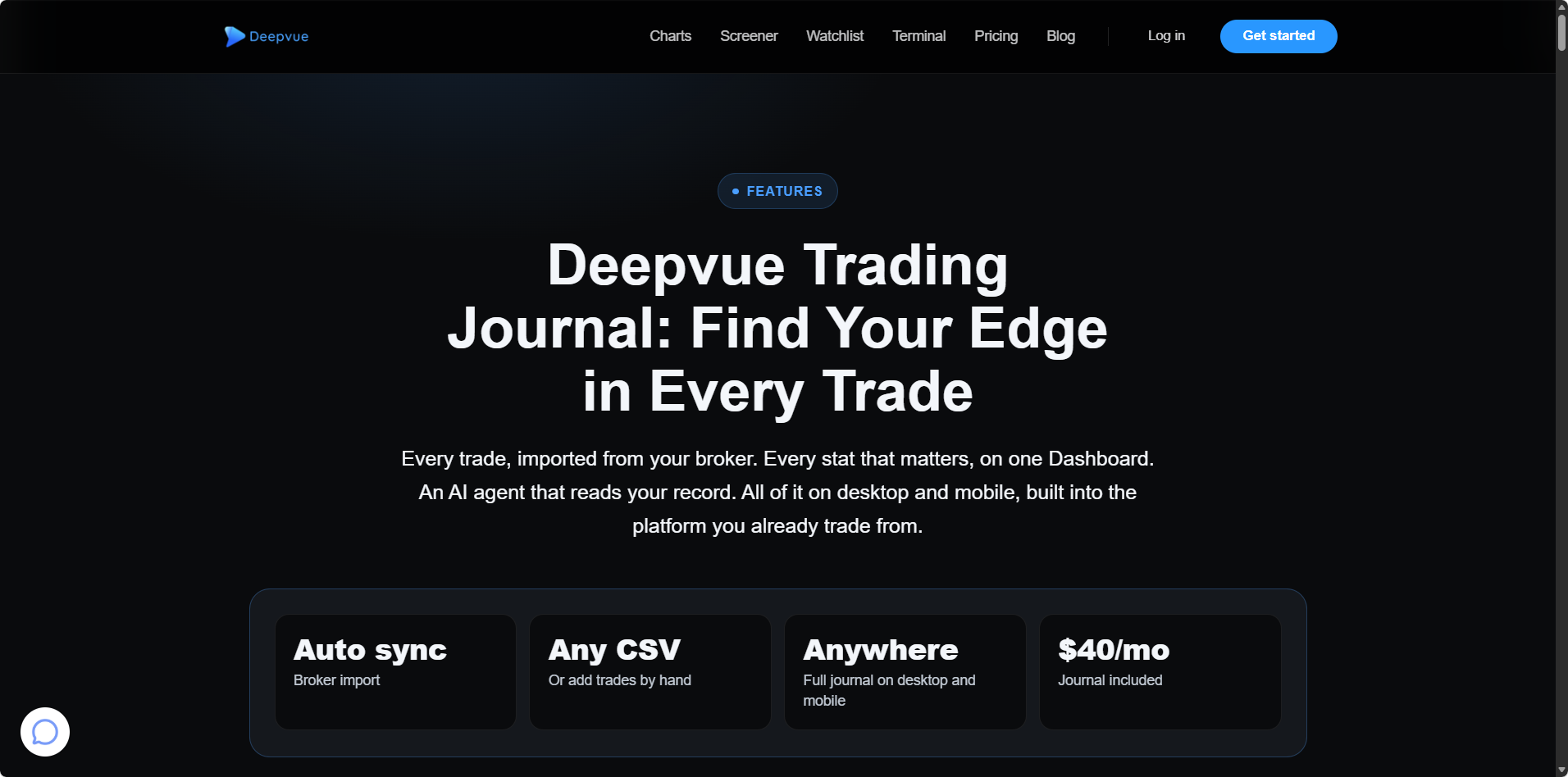
Deepvue began life as a stock research platform made by active traders, and the Deepvue Trading Journal now runs inside it as a full module. Fills land from your broker right beside the screener, charts and watchlists that surfaced the trade.
Standout Features
- •Broker sync without sharing a password. Approve the link on your broker’s own website for 20+ US and Canadian brokers, Vanguard, E*TRADE, Robinhood, Schwab, Wealthsimple and Fidelity included, or bring in a CSV laid out any way. All of them appear on the supported brokers list.
- •R and live risk. Set a stop and each trade gets an R value. Open Risk shows the combined hit if every stop fired, and Near Stops points out the positions sitting closest to their exits.
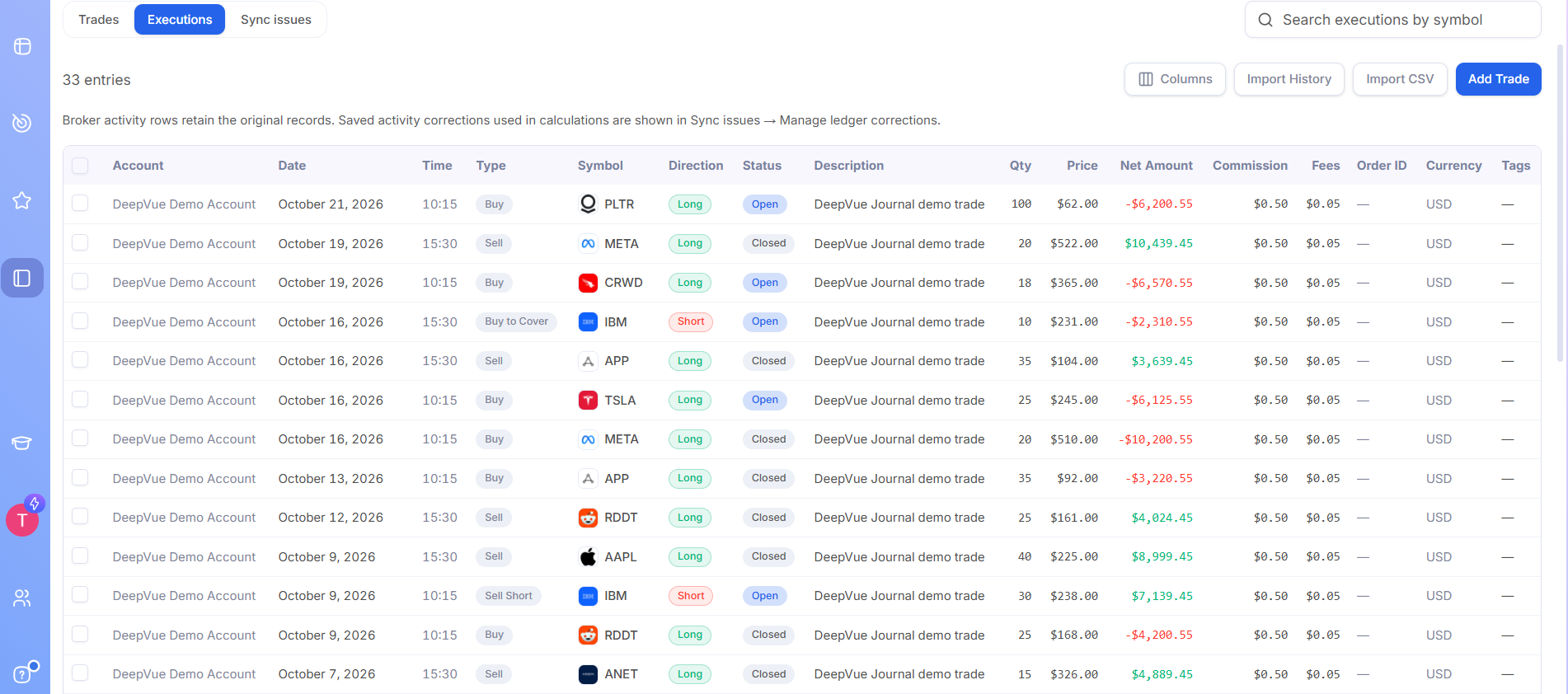
- •A review queue. Filters surface trades that still need a stop or a look, and Save and next walks you through them in a row, with each buy and sell marked on the chart.
- •Stats you can slice. Win rate, average R, P&L and profit factor broken out by setup, tag, ticker, day and mood, plus an equity curve measured against SPY or QQQ.
- •AI for your record and for research. The opt-in Journal Agent looks only at anonymized numbers and symbols, with nothing kept by the AI provider, and the AI Terminal handles questions about stocks and themes.
- •Desktop and mobile on one plan. Deepvue’s apps for iPhone and Android give you the Dashboard, trade reviews, your Notebook and the Journal Agent, all matching what you see in the browser.
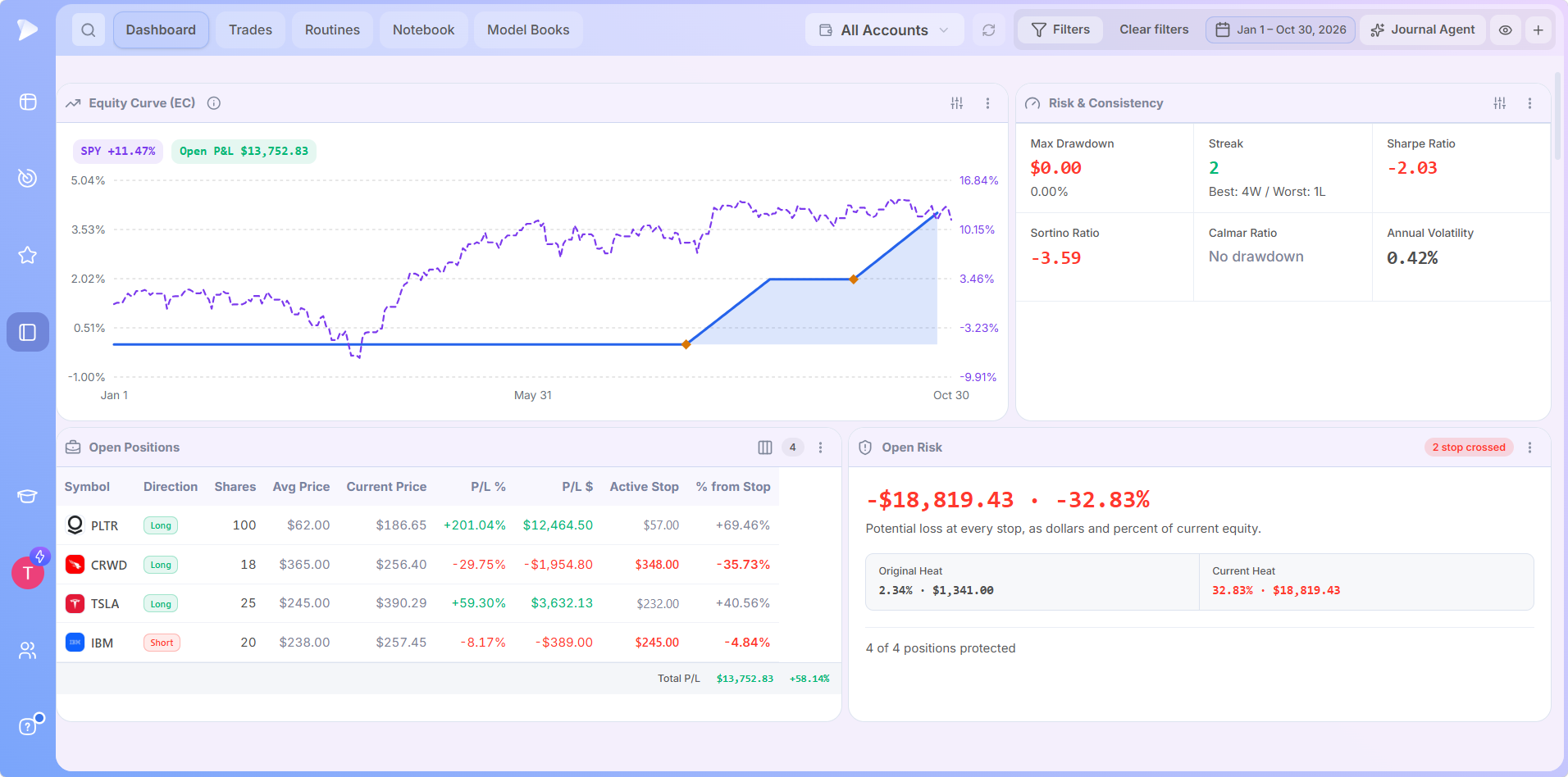
Each Dashboard app gets its own explainer in our journal features guide. For a live look, Deepvue’s team walks through the new journal in the launch webinar below.
Watch how the Deepvue Trading Journal reviews a trade here.
Pros
- Phone apps included with the only plan, no upgrade needed
- Journal Agent and AI Terminal both part of the subscription
- Live view of risk on every position still open
- Screener, charts, alerts and Model Books on the same login
Cons
- Covers stocks only, in USD and CAD accounts
- Nothing for tick replay, backtests or funded accounts
- No free tier
- Newest journal on the list, released in October 2026
Pricing
Deepvue sells one plan, Deepvue Core + Journal, at $99 a month or $990 a year, and it covers the journal, screener, charts, alerts and both AI tools. Through December 4, Black Friday pricing takes a full year down to $490, and renewals stay there as long as your subscription does.
Deepvue vs TraderSync
TraderSync saves its Cypher Coach and market replay for the $79.95 Elite tier, and its FAQ says the app needs Elite too. Deepvue ships the app, the Journal Agent and a research platform with every subscription, and it’s made for stock traders more than scalpers.
New members also get a personal onboarding call, a short email course and weekly live webinars, and sample trades are loaded so you can explore before linking a broker. Our setup guide covers the first week.
User Ratings
User ratings: Across 220+ verified Deepvue reviews, the platform that houses the journal earns an average of 4.8 stars, and 97 percent of reviewers would recommend it. On the App Store, the Deepvue app holds 4.7 from more than 440 ratings.
“The Deepvue development team is dedicated to constant improvement.”
Furskin1016, App Store review of the Deepvue app
Pick it if: You trade stocks, want your journal, research and phone app in one subscription, and would rather pay once for the whole toolkit than climb tiers to reach it.
BLACK FRIDAY
Switch to Deepvue for $490 a Year
Journal, AI, phone apps and research under a single subscription, and your Black Friday price carries into every renewal.
2. TradeZella: Made for Replay and Prop Firm Tracking
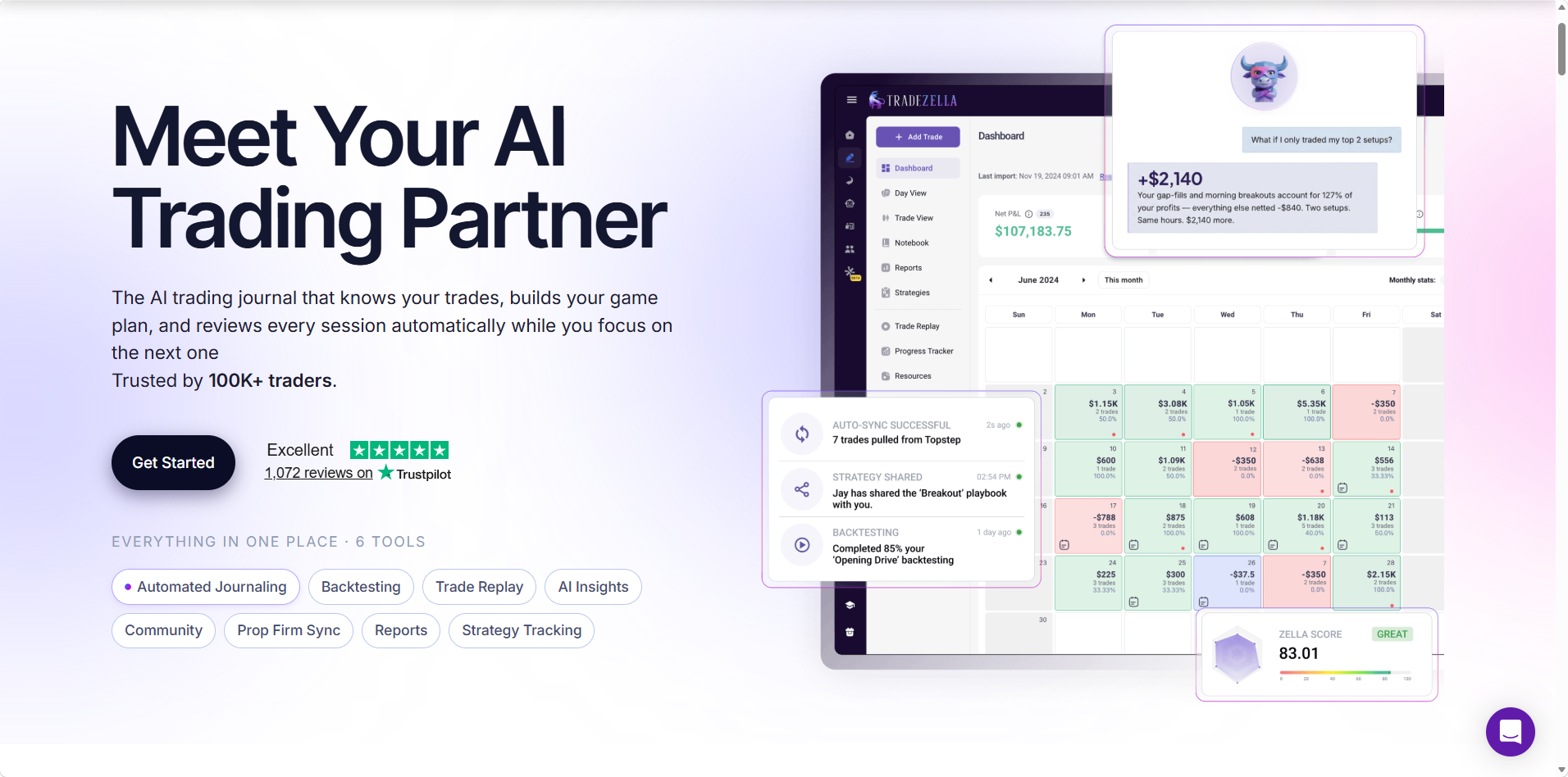
TradeZella is one of the journals most often compared with TraderSync, with 1,000+ Trustpilot reviews and a claim of 100K+ traders. It’s built around the intraday workflow: trade replay, backtesting, Prop Firm Sync and Zella AI. Our Deepvue vs TradeZella comparison goes deeper.
Standout Features
- •Replay plus automated AI backtests from the Pro tier up, and manual bar by bar backtesting on all three plans.
- •Prop Firm Sync, which tracks funded accounts at FTMO, TopStep, Apex and roughly a dozen other firms.
- •Zella AI, with 500 monthly credits on Essential and up to 3,000 on Ultra.
Pros
- Replay and backtests in the same tool as the journal
- Funded accounts tracked next to broker accounts
- Claims 500+ broker and prop firm connections
Cons
- Paid from day one, with no trial
- No phone app listed
- Crypto logged by hand and futures limited to select exchanges
Pricing
Plans run $35, $59 and $99 a month, or $26, $44 and $74 a month on annual billing. Replay begins at Pro, so a TraderSync user who relies on it is looking at $59 a month.
TradeZella vs TraderSync
Frame it as TraderSync vs TradeZella or the reverse, and both skip the free plan to target active traders. TradeZella meters AI by monthly credits and lists no app, while TraderSync caps Cypher questions daily and its FAQ ties the app to Elite. Neither base plan includes a stock screener.
User Ratings
User ratings: TradeZella carries a Trustpilot score of 4.8 across more than 1,000 reviews.
“They lag badly and can apply incorrect, contradictory tags across hundreds of trades.”
Artis Ļebedevs, 2 star review on Trustpilot
“they solved a billing issue with zero issues very quickly.”
Chad Bounous, 5 star review on Trustpilot
Built for: Day traders and funded account traders who want replay and prop firm tracking and don’t need a phone app.
3. TradesViz: Most Analytics for the Money
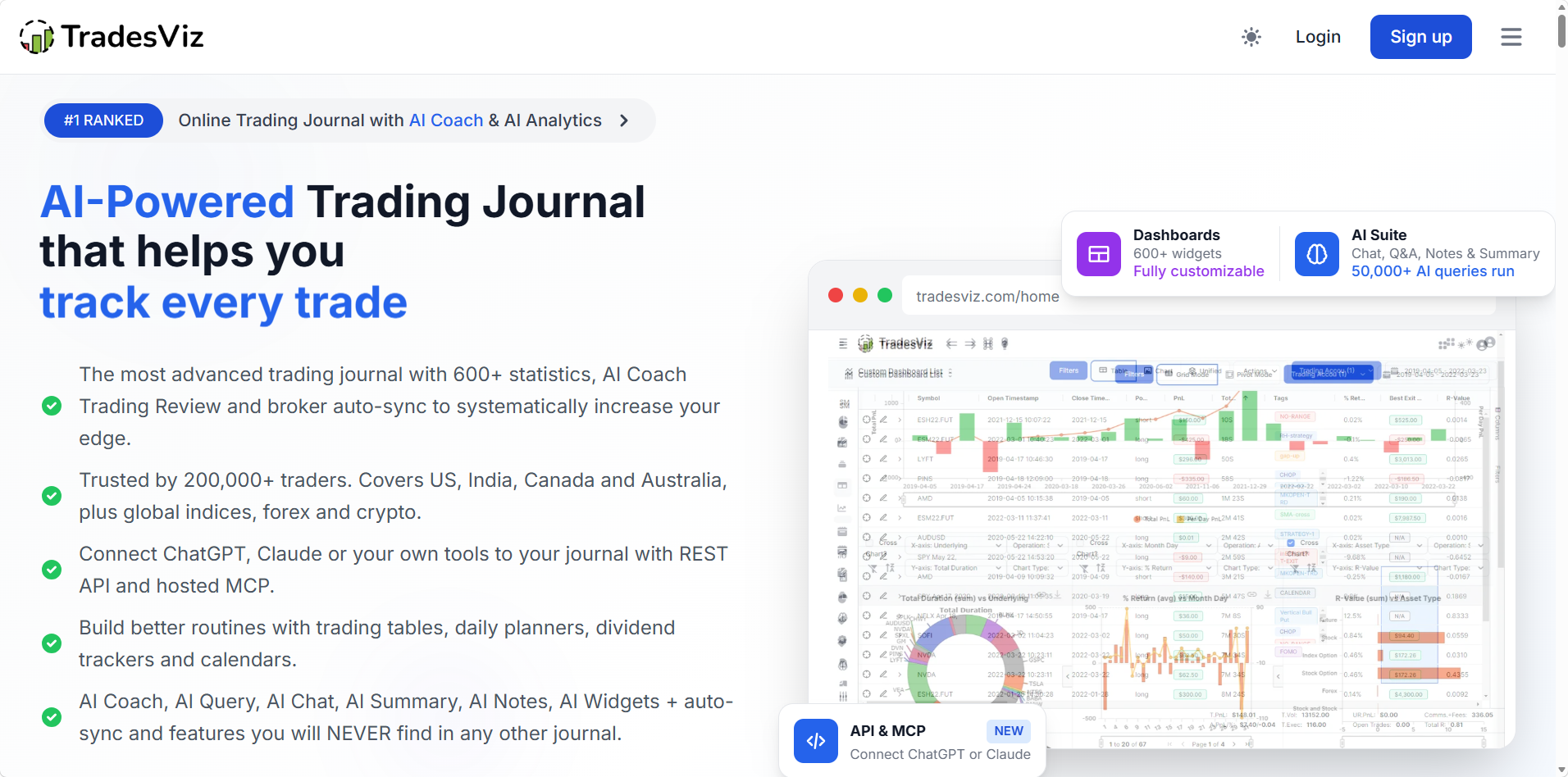
TradesViz reports more than 200,000 traders and suits anyone who likes to cut results a hundred ways. Its free tier handles one stocks only account with room for 3,000 executions every month, and the paid tiers open up every asset type.
Standout Features
- •A huge report library, with AI tools such as AI Coach, AI Query and AI Chat for asking about your numbers.
- •Platinum’s live screener, running 14 strategies, with options flow tools alongside.
- •Apps for iPhone and Android that work even on the free tier.
Pros
- Free tier that includes the phone app
- Both paid tiers cost less than $30 a month
- Covers 250+ brokers and platforms, 70+ of them synced automatically
Cons
- Dense layout that takes a while to learn
- Free tier capped at a single stock account
- Full simulator reserved for Platinum
Pricing
Basic costs nothing. Pro is $19.99 and Platinum $29.99 a month, falling to $14.99 and $22.49 on annual billing, with a week long trial on each.
TradesViz vs TraderSync
TradesViz vs TraderSync is mostly a value question. Platinum costs about the same as TraderSync’s cheapest tier yet includes the app, the screener and the simulator, while TraderSync’s FAQ links app access to the $79.95 Elite plan.
User Ratings
User ratings: TradesViz has a Trustpilot score of 3.9 across 71 reviews.
“Features have been piled on with no thought of integration and simplicity.”
A TradesViz user, 2 star review on Trustpilot
“The analytics are very detailed and useful even for a new trader.”
Millie, 5 star review on Trustpilot
Built for: Traders who want the most analytics for the least money and don’t mind learning a dense layout.
4. Tradervue: Free Starting Point for Equity Traders
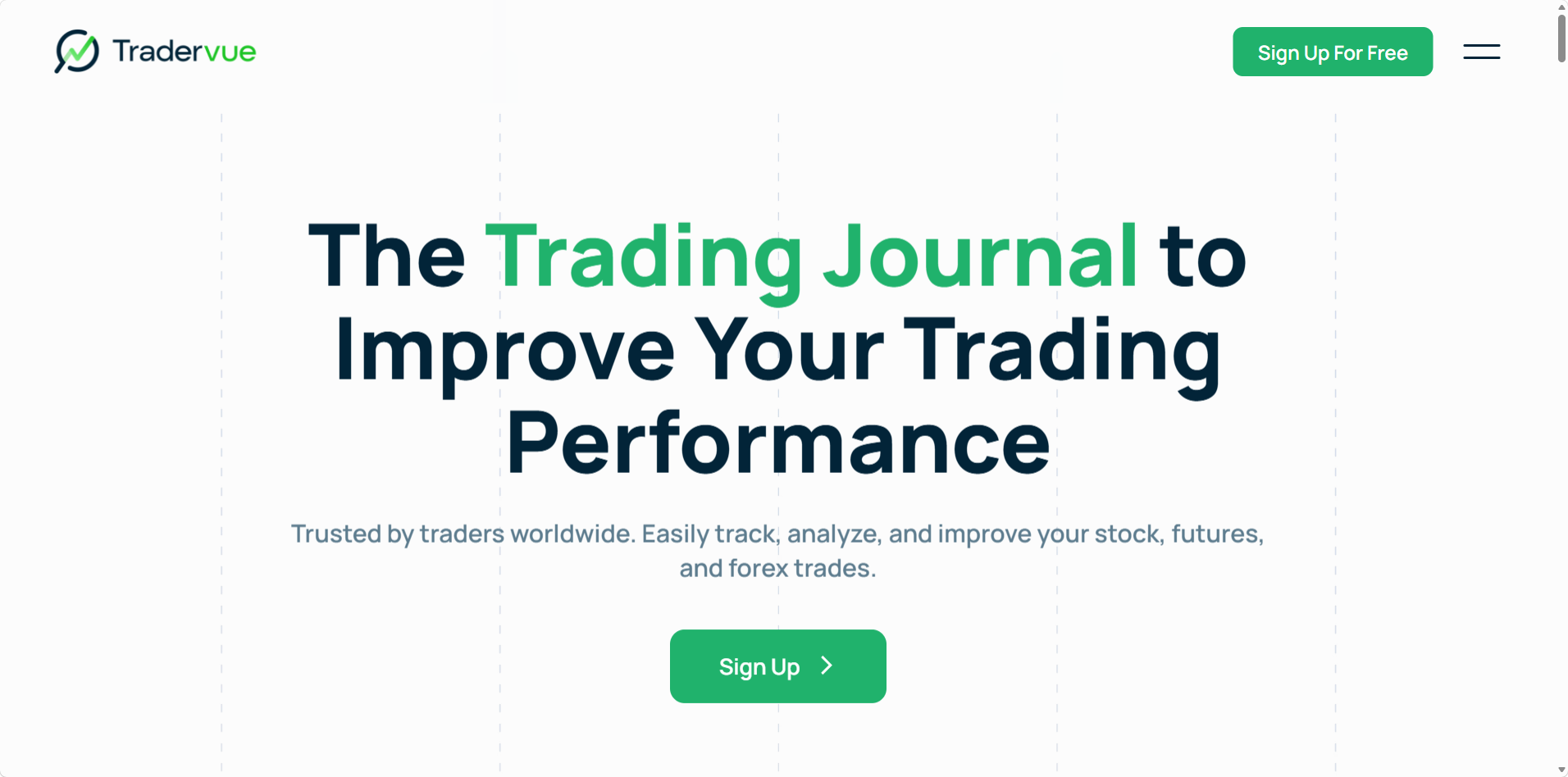
Tradervue has been around longer than most journals here and is known for equity reports and mentor sharing. Its free Basic tier covers 30 trades each month, which keeps light equity traders journaling at no cost. Our Deepvue vs Tradervue breakdown has the full detail.
Standout Features
- •MFE and MAE stats on both paid tiers, plus exit analysis and liquidity reports on Gold.
- •Mentor and mentee sharing with no cap on either paid tier.
- •Imports from 80+ platforms, and Broker Sync for a subset of brokers once you pay.
Pros
- Keep journaling for free at low volume
- Deep reports built around equities
- Built in sharing for traders working with a coach
Cons
- R reports gated to Gold, about $50 a month
- Neither an app nor AI
- Most Trustpilot reviews describe billing trouble
Pricing
Basic stays free up to 30 trades a month, while Silver runs about $30 and Gold about $50 a month. Both paid tiers start with a week’s trial that bills your card at the end unless you drop back to Basic first.
Tradervue vs TraderSync
Tradervue vs TraderSync starts at almost the same entry price, about $30 a month. Tradervue holds on to a free tier and coaching tools, while TraderSync brings Cypher AI on every plan and saves market replay, and by its FAQ the app, for Elite. Neither one helps you research the next stock.
User Ratings
User ratings: Tradervue’s Trustpilot profile shows 2.2 across 11 reviews, while StockBrokers.com gives it 4.5 stars.
“The system kept throwing error codes when I attempted to enter the day’s trades.”
David Roberts, 1 star review on Trustpilot
“I’ve already identified weaknesses in my trading”
John Palmer, 5 star review on Trustpilot
Built for: Light equity traders who want to keep journaling for free and don’t need AI or a phone app.
5. Edgewonk: Built Around the Mental Game
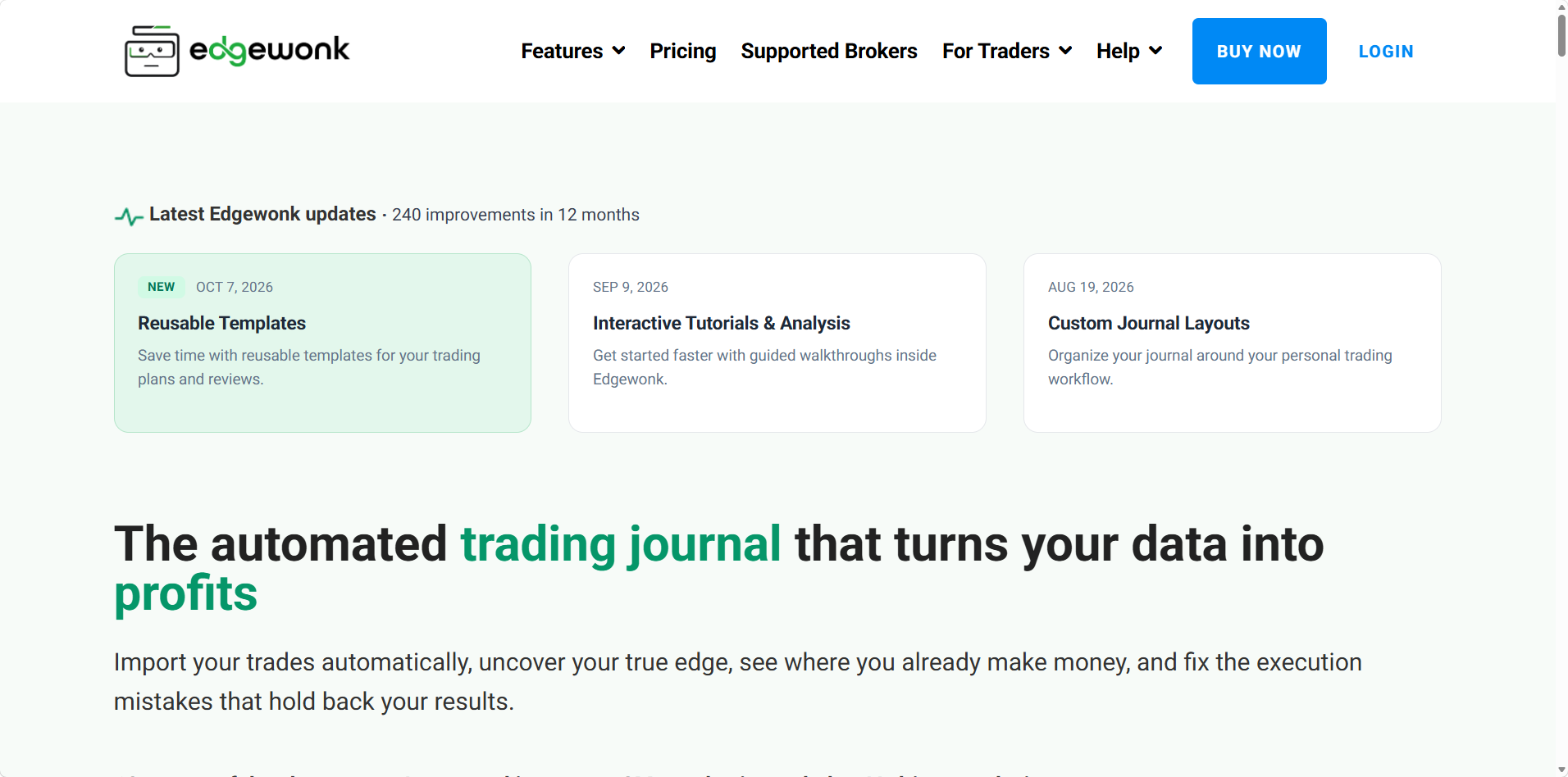
For over a decade, Edgewonk has focused on the psychology behind your results. Its Edge Finder scans your record for strengths and recurring mistakes, the Psychology Lab tracks how your state of mind affects outcomes, and checklists run before every entry.
Standout Features
- •A Sunday scan from the Edge Finder that flags performance patterns and repeat mistakes.
- •Trade checklists, mistake tracking and a diary in the same workspace as your numbers.
- •Imports from 200+ brokers, with MetaTrader 4 and 5 connecting automatically.
Pros
- Deep discipline and mindset tooling
- Every feature on a single plan
- Money back within 14 days
Cons
- Only MetaTrader syncs on its own
- Browser only, with no native app
- No free tier or trial
Pricing
Edgewonk charges $35 monthly or $197 for a year, roughly $16 a month, and buyers in the EU and UK pay VAT on top. A 14 day money back guarantee covers every purchase.
Edgewonk vs TraderSync
Edgewonk vs TraderSync pits psychology against practice tools. A year of Edgewonk costs less than three months of TraderSync Elite and includes a refund window TraderSync doesn’t offer, though stock traders at US brokers import files instead of syncing.
User Ratings
User ratings: Edgewonk scores 4.7 on Trustpilot from 44 reviews.
“I received an answer, but then responded to their answer and never heard back”
An Edgewonk user, 1 star review on Trustpilot
“The team are always innovating, releasing new updates and smartening up the user interface.”
Ricky, 5 star review on Trustpilot
Built for: Traders whose biggest leak is discipline rather than stock selection, and who don’t mind importing files and paying once a year.
6. Kinfo: Verified Track Record in Your Pocket
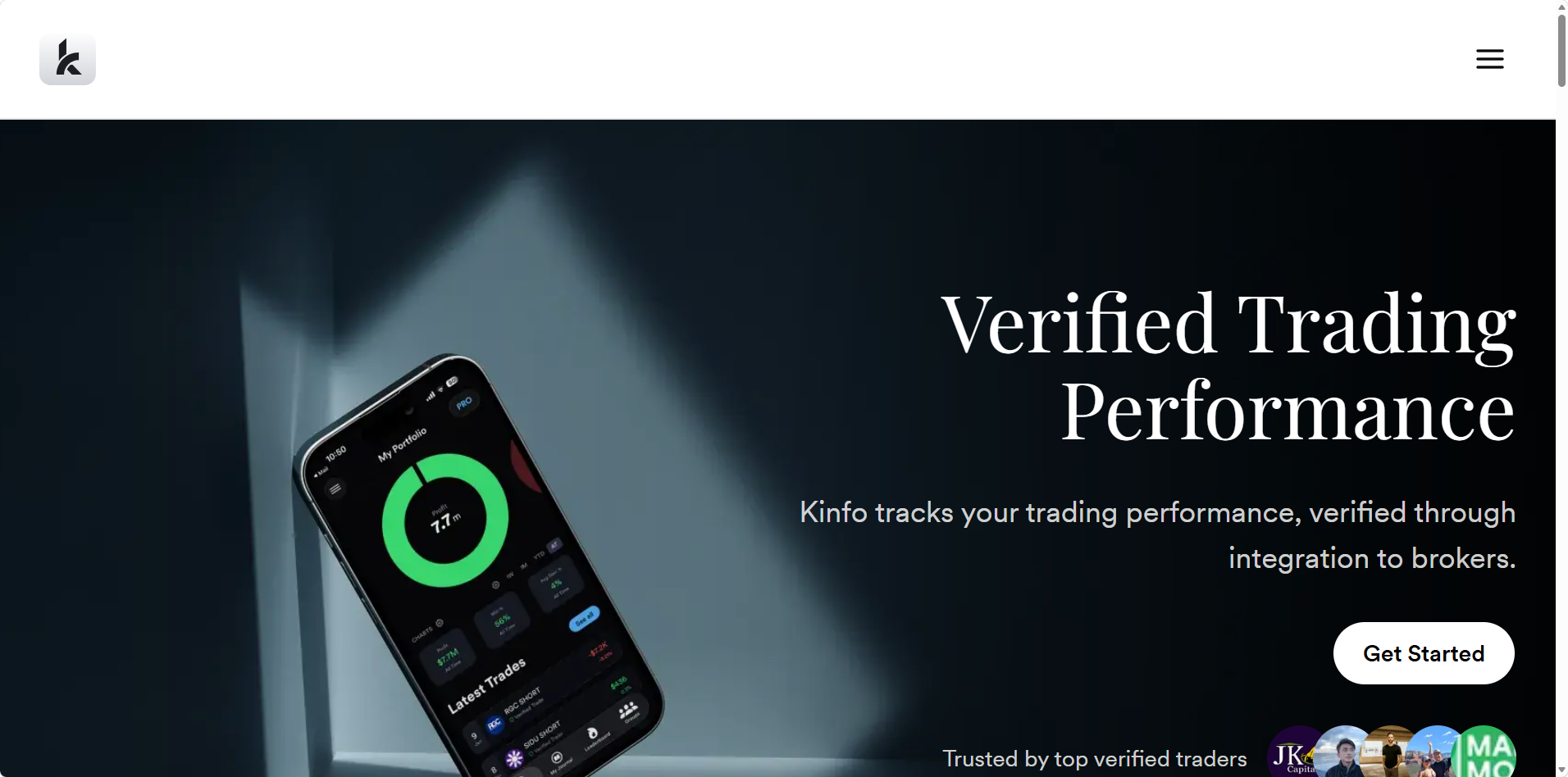
Kinfo runs on the web and in apps for iOS and Android. Once you link one of its 22 supported brokers, it builds a profile verified by your broker data, which you can keep private or publish on its leaderboard.
Standout Features
- •Performance verified by your broker, synced automatically even on the free tier.
- •A leaderboard where you can follow verified traders and compare records.
- •Spreadsheet links to Excel and Google Sheets with PRO+.
Pros
- Free tier that still syncs your broker
- Numbers verified straight from the broker feed
- Supports Fidelity, Webull, IBKR and others
Cons
- Only basic analytics without paying
- No AI, replay or backtesting listed
- Few tools for comparing setups
Pricing
Free accounts get automatic broker sync, basic stats and a verified profile. Paid tiers cost $24.90 for PRO and $44.90 for PRO+ each month, and yearly billing knocks 25% off.
Kinfo vs TraderSync
Kinfo vs TraderSync comes down to depth against access. Kinfo gives you broker sync and a phone app without paying anything, while TraderSync goes much further on review, AI and replay but charges for all of it.
User Ratings
User ratings: Kinfo averages 4.8 from 474 ratings on Apple’s US App Store and has no Trustpilot profile.
“well organized and looks aesthetically pleasing, but fails to sync a lot.”
A Kinfo user, review on the US App Store
“Easy to use and helps keep track of trades.”
Another Kinfo user, review on the US App Store
Built for: Traders who mostly check results on their phone and care more about verified numbers than a detailed weekly review.
7. Trademetria: AI Included at Every Price Point
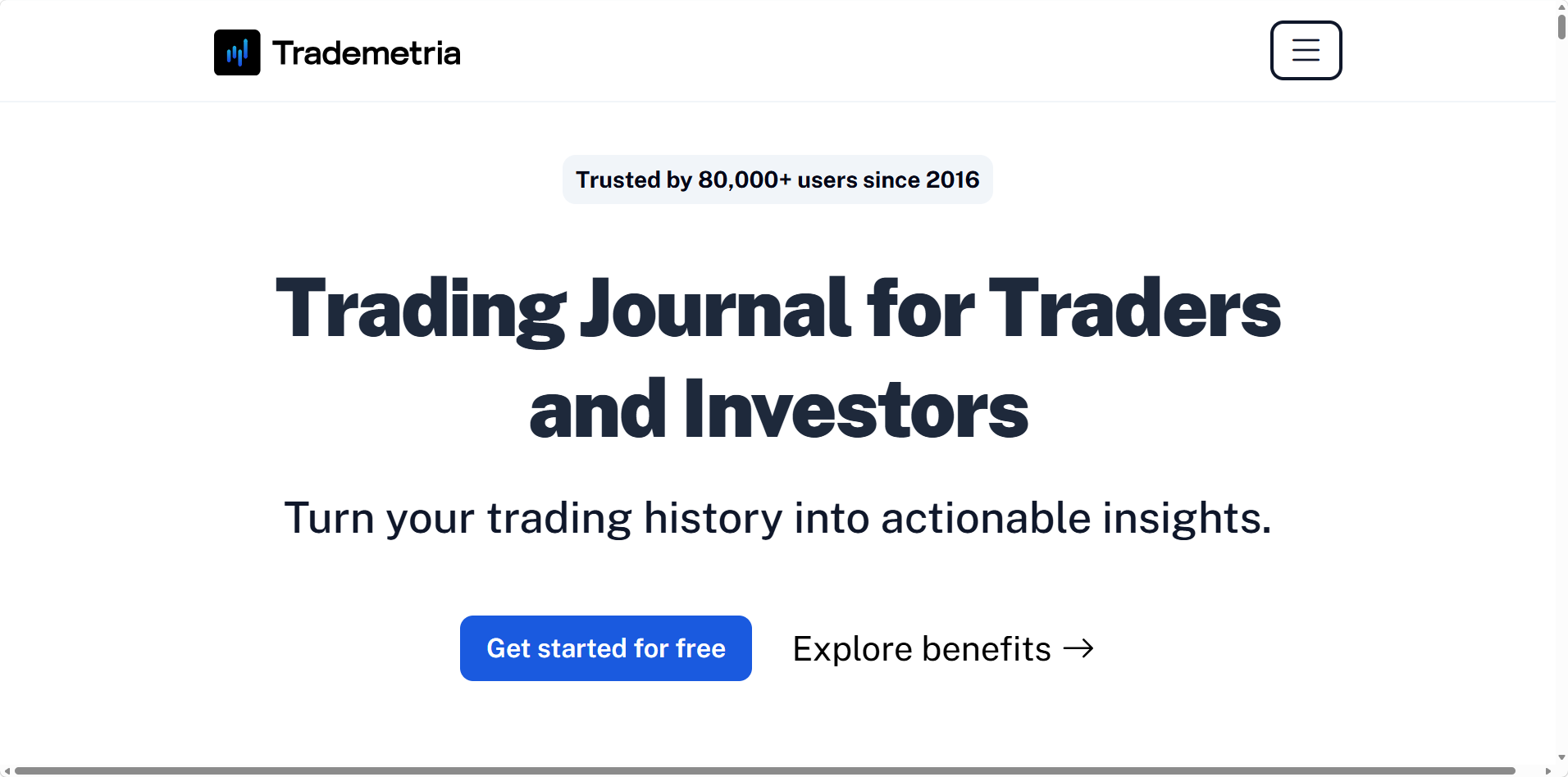
Trademetria handles six asset classes, CFDs among them, and connects to hundreds of brokers and platforms. Automatic broker sync, AI Insights and its AI Assistant come on every tier, free included, so trying them costs nothing.
Standout Features
- •AI on all three tiers, through AI Insights and the AI Assistant.
- •Fundamental research and trade simulations built into the journal, for testing a change against your past trades.
- •Room for 50 accounts and unlimited order imports on Pro.
Pros
- Free tier with AI and broker sync
- Six asset classes, CFDs included
- Pro costs the same as TraderSync’s cheapest tier
Cons
- Free use stops at 30 orders and a single account
- Installable web app in place of a native one
- Refunds only for reported bugs left unfixed
Pricing
Up to 30 orders a month cost nothing. After that, Basic costs $19.95 a month ($169 billed yearly) and Pro $29.95 a month ($249 billed yearly).
Trademetria vs TraderSync
Trademetria vs TraderSync is closest at $29.95, where both entry level paid plans sit. Trademetria includes AI and broker sync at that price and on its free tier, while TraderSync adds market replay and a native app, though replay comes with Elite and its FAQ ties the app there too.
User Ratings
User ratings: Trademetria averages 4.0 across 12 reviews on Trustpilot, and Capterra users give it 4.7 from 25 reviews.
“sold a bill of goods about trade reports with fidelity”
Steven Berliner, 1 star review on Trustpilot
“Accurate data imports from Tasty, easy to use, reasonably priced.”
A Trademetria user, 5 star review on Trustpilot
Built for: Traders in several markets on a budget who want AI included without moving up a tier.
8. Stonk Journal: Free Manual Logging Without Broker Sync
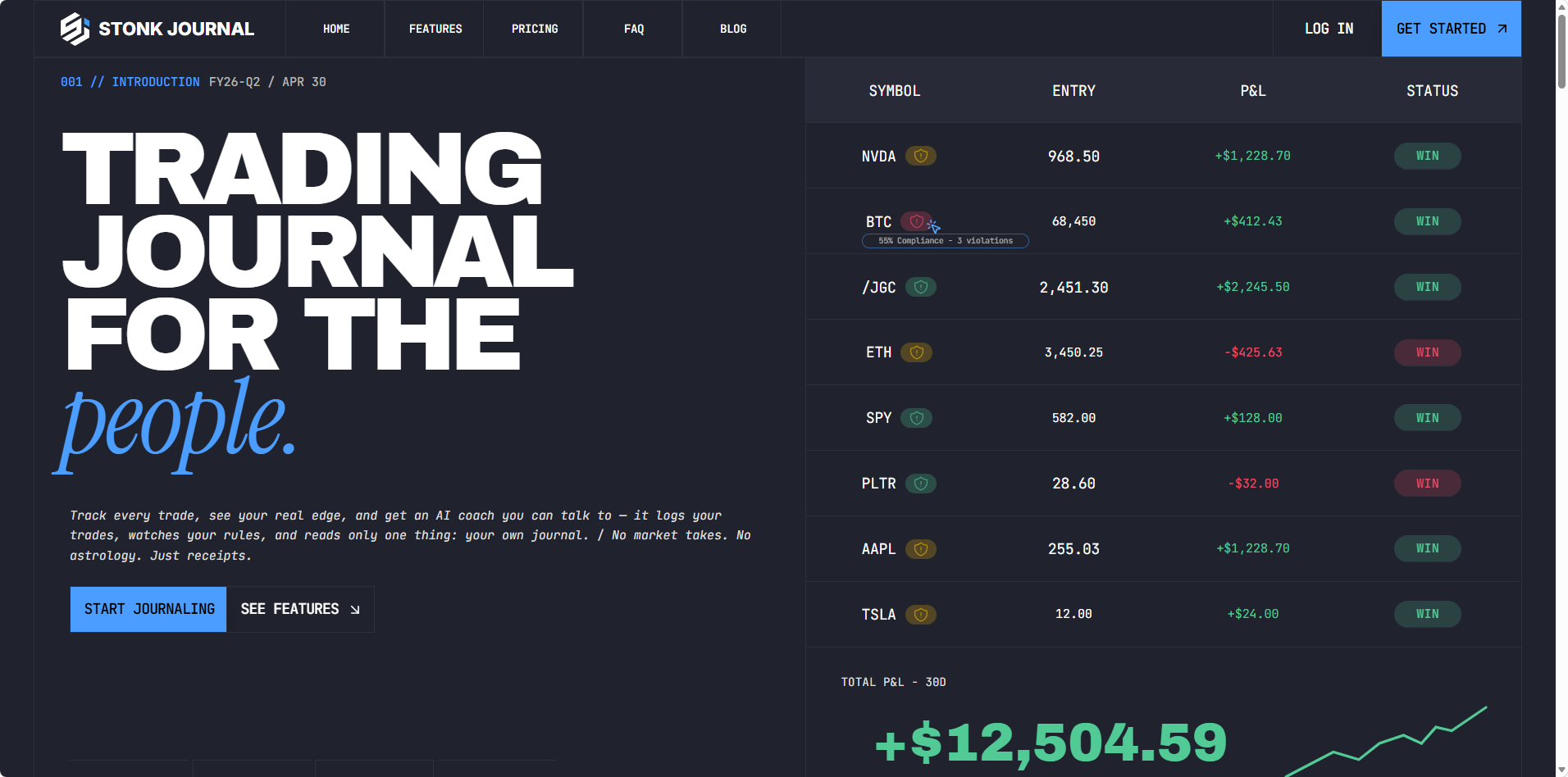
Since 2021, Stonk Journal has signed up 200,000+ traders by keeping manual journaling free, with no limit on trades or accounts. It doesn’t connect to brokers, so every trade on the free plan is one you type in yourself.
Standout Features
- •No cap on manual trades or accounts without paying.
- •More than 30 metrics, with ten rule types that go beyond risk to discipline and behavior.
- •CSV import and an AI Coach once you move to Pro.
Pros
- Costs nothing however much you log
- Pro is just $10 a month
- Installable app that works offline
Cons
- No broker sync on either plan
- Not in the App Store or Google Play
- No free trial listed for Pro
Pricing
The core journal is free. Pro adds CSV import from brokers such as Schwab, Fidelity and Interactive Brokers, one view across all your accounts and the AI Coach for $10 a month.
Stonk Journal vs TraderSync
Stonk Journal vs TraderSync is free typing against paid automation. Stonk Journal’s Pro plan costs a third of TraderSync’s cheapest plan, but you give up broker sync, replay and the app entirely.
User Ratings
User ratings: Stonk Journal scores 4.6 on Trustpilot from 205 reviews.
“I would prefer a premium option to get patch more frequently.”
Max, 3 star review on Trustpilot
“For a free trading journal, this is excellent.”
Johnathan Calvert, 5 star review on Trustpilot
Built for: Traders who take a handful of trades a month and would rather type them in than pay a subscription.
Deepvue vs TraderSync at a Glance
If you’re weighing the top pick against what you use now, this head to head covers the points that matter most to people leaving TraderSync.
| Deepvue Trading Journal | TraderSync | |
|---|---|---|
| Price | $99 a month or $990 a year, or $490 a year with the Black Friday deal | $29.95, $49.95 or $79.95 a month |
| Free plan and trial | No free plan; demo trades to explore first | No free plan listed; 7 day trial with exports switched off |
| Phone app | Full journal on iOS and Android, every subscription | iOS and Android; its FAQ says Elite only |
| AI | Journal Agent and AI Terminal, included | Cypher, with daily question caps below Elite |
| Markets | US and Canadian dollar stock accounts | Five asset classes, crypto and futures included |
| Broker sync | 20+ US and Canadian brokers, plus any CSV | 100+ brokers, by TraderSync’s own count |
| Research and practice | Screener, charts, alerts, Theme Tracker and Industry Ranks | Market replay on Elite |
Our TradeZella alternatives and Tradervue alternatives guides run the same comparison against the other two big journals, and our best trading journal roundup ranks all nine.
How to Move From TraderSync Without Losing Your History
Switching journals is mostly a data job, and TraderSync’s no refund policy means timing matters. These steps keep your record intact whichever journal you land on.
1. Export before you cancel. Download your trades and executions as CSV files from your TraderSync account while it’s active. Exports are switched off during a TraderSync trial, so a trial account can’t help you.
2. Save your tags and screenshots. Fills can always come back from your broker, but setup tags, notes and chart screenshots can’t. Copy anything you’d miss, especially after users reported missing screenshots post redesign.
3. Connect your broker in Deepvue. Link each account through your broker’s own website. History from most brokers shows up within a day, two for IBKR, so older trades come across with no file work at all.
4. Import whatever doesn’t sync. For accounts at brokers that don’t connect yet, upload the TraderSync CSV or your broker’s statement. Deepvue maps a CSV in any layout to the right fields.
5. Rebuild your playbooks and tags. Recreate your setups as playbooks, then tag the most recent trades first. A month of clean labels tells you more than years of loose ones.
6. Reconcile, then cancel. Run both journals for a week and check the totals against your broker statements. Cancel TraderSync before your renewal date and confirm the cancellation yourself.
One trader in the r/RealDayTrading thread about the new version put it neatly: export everything with your tags, because the tags are what you can’t rebuild later. Keep your broker statements too, and FINRA’s guide to investment records covers which ones to hold.
What You Get in Deepvue That a Standalone Journal Can’t Offer
Every journal on this list records your trades. Deepvue puts that review on the same platform as a full research suite, so a lesson from last week becomes a screen, an alert or a watchlist this week.
Find the Next Trade Where You Reviewed the Last One
If your best trades came from leading groups, check Industry Ranks for the groups at the top, scan the Theme Tracker for the stories moving stocks and build the pattern into the Deepvue screener. Names that qualify go on a watchlist.
The Market Brief refreshes a rundown of market news every quarter hour, and you’ll find the rest of the toolkit in the research hub and the visualizations hub.
Ask AI About Your Trades and About the Market
The Journal Agent tells you what your record says, and the AI Terminal takes it from there: tag a watchlist with @ and ask how its names are acting, or describe the screen you want in plain English. Our AI trading journal guide covers the questions worth asking.
That research side is easier to show than describe. In this walkthrough, Deepvue’s team puts the AI Terminal through a live research session.
See the Deepvue AI Terminal answer a stock question in this walkthrough.
Manage Every Open Position Against Its Stop
Open Risk and Near Stops keep your exposure in view across every account, the Position Size Calculator works out how many shares a given stop allows, and the Earnings Calendar flags reports before you hold through one. More of those sit in Deepvue’s trading tools.
Keep a Library of the Setups That Pay
Trades that play out exactly as your setup intended deserve a second life in a Model Book inside the journal. Over time it becomes your own reference of what works, and price alerts tell you when a fresh candidate gets close.
Learn From Other Members, and Win a Free Year
Deepvue’s community is where members swap screens, watchlists, dashboards, indicators, model books and AI prompts. Every month, one member who shared wins a free year of Deepvue, chosen by the Deepvue team from the posts other traders upvote and find most useful.
Take Your Journal Everywhere You Trade
Sign up for the Black Friday deal in your phone’s browser, then get the Deepvue app for iPhone or Android and connect a broker. Reviews, Open Risk and the Journal Agent come with you, with no upgrade tier in the way.
Our Verdict on the Best TraderSync Alternative
For stock traders, the Deepvue Trading Journal is the best TraderSync alternative. It puts an AI coach for your trades and phone apps on one plan, where TraderSync keeps its Cypher Coach and, by its own FAQ, its app for Elite. It also adds the research platform TraderSync doesn’t have.
Options, futures and crypto traders, and scalpers who live on tick replay, will find Deepvue isn’t made for their workflow yet. Stock traders get a journal where the review and the hunt for the next trade share one login, along with Deepvue’s core features and charts.
BLACK FRIDAY DEAL
Leave TraderSync for a Full Year of Deepvue at $490
Bring your trading history across, measure each trade in R, watch your open exposure and let the Journal Agent take the first look, on desktop and mobile, for $490 a year instead of $990. Renewals keep that price while you stay subscribed.
$990 $490 a year, locked in
Frequently Asked Questions
What is the best TraderSync alternative?
For stock traders, the best TraderSync alternative is the Deepvue Trading Journal. One plan covers broker sync for 20+ brokers, R values, live open risk, the Journal Agent and native phone apps, plus Deepvue’s screener and charts. TraderSync keeps its full AI coach, and by its own FAQ its app, for the $79.95 Elite plan.
Is there a free version of TraderSync?
There isn’t a free version of TraderSync with full journaling. Its pricing lists a 7 day trial that doesn’t ask for a card, then Pro, Premium and Elite plans, and reviewers describe the old Basic tier as retired or limited to manual entry. Exports are switched off during the trial and payments aren’t refunded, so check that your data moves before you commit.
How much is TraderSync per month?
TraderSync is $29.95 per month for Pro, $49.95 for Premium and $79.95 for Elite, with lower monthly rates on annual billing. Its FAQ says the mobile app needs Elite. By comparison, Deepvue Core + Journal costs $99 a month or $990 a year with every feature included, and the Black Friday deal brings a full year to $490.
Which is better, TradeZella or TraderSync?
TradeZella or TraderSync is better depending on what you trade. TradeZella suits day traders who want replay, backtesting and prop firm tracking, while TraderSync covers more markets and, by its own FAQ, keeps its app for Elite. For stock traders who want research and journaling together, the Deepvue Trading Journal includes both, with phone apps on every subscription.
What are the key differences between TraderSync and Tradervue?
The key differences between TraderSync and Tradervue are AI, the app and the free plan. Both start at about $30 a month, but Tradervue lets you log 30 trades monthly without paying and has no AI or app, while TraderSync includes Cypher AI on every plan and keeps market replay, and by its FAQ the app, for the $79.95 Elite plan.
What software do most day traders use?
Most day traders place orders through their broker’s platform and use separate software to chart setups and review trades. For journaling, TraderSync, TradeZella and Tradervue are names that come up often in Reddit threads. Deepvue keeps its charts and screener under the same login as its trading journal, which suits day traders focused on stocks.
Does TraderSync have a mobile app?
TraderSync has a mobile app for iOS and Android, and its own FAQ says you need an Elite account, the $79.95 a month plan, to use it, though the app store listing also sells Pro and Premium. The Deepvue Trading Journal puts its apps for iPhone and Android in the one plan it sells, with the Dashboard, reviews and Journal Agent kept in sync with desktop.
What are cheaper alternatives to TraderSync?
Cheaper alternatives to TraderSync include Stonk Journal, free with manual entry, and TradesViz, Trademetria and Kinfo, which all have free tiers. Deepvue costs $99 a month or $990 a year, and its Black Friday rate of $490 a year costs less than seven months of TraderSync Elite, with research tools and the app included.
Does TraderSync offer refunds?
TraderSync doesn’t offer refunds. Its billing policy says all payments are non refundable with no pro rated refunds, and it’s up to you to confirm a cancellation. If you’re switching journals, export your trades and executions and time the cancellation before your next renewal date.
How many brokers does TraderSync support?
TraderSync supported brokers number 100+ according to TraderSync’s own website, though some of its pages and outside reviews quote much larger figures. Check that your broker syncs automatically rather than by file before paying. Deepvue connects to more than 20 brokers across the US and Canada, Vanguard and Robinhood among them, and imports a CSV from any other.
Can I move my TraderSync trades to Deepvue?
You can move your TraderSync trades to Deepvue. Export your trades and executions from TraderSync as CSV files, then import them into the Deepvue Trading Journal, which reads a CSV in any layout. Connecting your broker also pulls your full history, usually within 24 hours, so you can reconcile both records.
Is Deepvue a good TraderSync alternative for options or futures traders?
Deepvue isn’t the right TraderSync alternative for options or futures traders today. The Deepvue Trading Journal covers stocks in US and Canadian dollar accounts, and it has no tick replay or prop firm tracking. It’s built for stock traders who want their journal, screener, charts and AI research in one subscription.
Does the Deepvue Trading Journal have AI like Cypher?
Yes, the Deepvue Trading Journal has an AI Journal Agent, included in the plan with no daily question cap listed. It sees only anonymized numbers and symbols, never your name or account numbers, its AI provider keeps nothing, and every answer ends with a change worth testing. The AI Terminal covers research questions about stocks and themes.
Can I use ChatGPT for trading?
You can use ChatGPT for trading research, such as explaining a setup or summarizing a CSV you upload, but it won’t know your stops or past reviews unless you hand them over each time. The Deepvue Journal Agent already works from your synced trades, and Deepvue’s AI Terminal is there for questions about individual stocks.