Edgewonk Alternatives
Last Updated:
November 3, 2026


Best Edgewonk Alternative in 2026: 8 Trading Journals Ranked for Psychology and Sync
Eight journals for traders who like what Edgewonk does for their discipline but want broker sync, a real phone app, AI they can question and research on one login.
If you trade stocks, the top Edgewonk alternative is the Deepvue Trading Journal. It keeps the psychology side, with emotion, playbook and mistake tags plus Routines that keep a streak going, and adds automatic sync for 20+ US and Canadian brokers, native phone apps, the AI Journal Agent and Deepvue’s stock research platform.
Edgewonk has spent more than a decade building one of the best known psychology journals in trading, and a 4.7 score on Trustpilot says most of its users are happy with it. Its Tiltmeter, Edge Finder and setup checklists are hard to give up.
Never miss a Deepvue blog post.
The friction tends to show up around those tools. Its automatic sync is built around MetaTrader, so a stock trader at Schwab or Fidelity relies on imports, and there’s no native phone app for logging how a trade felt the moment you close it.
We put eight Edgewonk alternatives through two questions: how much of that discipline work each one keeps, and how many of those gaps it closes. We checked every price on the vendor’s own website, and our Deepvue Trading Journal was held to the same standard as the other seven.
Key Takeaways
- •Edgewonk is still one of the strongest psychology journals, but its automatic sync centers on MetaTrader and there’s no native phone app.
- •For stock traders, the Deepvue Trading Journal takes the top spot, pairing emotion and playbook stats, Routines and an AI agent with broker sync and research.
- •TradesViz comes closest on rule tracking and checklists, and TradeZella fits traders who need replay.
- •Edgewonk’s export started with only a few journal columns, so copy diary entries and screenshots before you cancel.
- •Lock in $490 for a full year by December 4, and join before November 12 to add two live masterclasses at no cost.
Edgewonk Alternatives Compared Side by Side
For reference, Edgewonk charges $35 monthly or $197 yearly, has no free plan or trial, syncs MetaTrader 4 and 5 automatically and holds a 4.7 TrustScore across 44 reviews on Trustpilot.
| Journal | Best for | Psychology and discipline tools | Automatic broker sync | Phone app | Paid plans from | Rating |
|---|---|---|---|---|---|---|
| 1. Deepvue Trading Journal | Research and review in one place for stock traders | Emotion and playbook stats, Routines, Journal Agent | 20+ US and Canadian brokers | iPhone and Android | $99 monthly; $490 for a year on Black Friday | 4.8 platform rating from 220+ verified reviews |
| 2. TradesViz | Rule tracking and analytics on a budget | Rules and goals, checklists, AI Coach | 70+ platforms | iPhone and Android | Free; $19.99 monthly | Trustpilot 3.9 |
| 3. TradeZella | Replay and funded account tracking | Zella AI tilt detection, Notebook | Many brokers and prop firms | None listed | $35 monthly | Trustpilot 4.8 |
| 4. TraderSync | AI feedback across five markets | Cypher AI and pattern reports | 100+ brokers, by its own count | iOS and Android; its FAQ says Elite | $29.95 monthly | Trustpilot 4.2 |
| 5. Tradervue | Free equity journaling at low volume | Tags, notes and mentor sharing | Some brokers on paid plans | None | Free; about $30 monthly | Trustpilot 2.2 |
| 6. Trademetria | Rule challenges and AI in several markets | Rule challenges, mistake tracking, AI | Hundreds of brokers and platforms | Installable web app | Free; $19.95 monthly | Trustpilot 4.0 |
| 7. Kinfo | Verified results on your phone | None; basic stats | 22 brokers shown on its site | iPhone and Android | Free; $24.90 monthly | App Store 4.8 |
| 8. Stonk Journal | Free manual logging | Ten rule types; AI Coach on Pro | None | Installable web app | Free; $10 monthly | Trustpilot 4.6 |
BLACK FRIDAY
Start With the No. 1 Pick for $490 a Year
Deepvue Core + Journal with sync, apps, AI and research, at the Black Friday price through December 4.
What Is Edgewonk, and What Does It Do Well?
Edgewonk is a browser based trading psychology journal from Quantum Trade Solutions GmbH in Offenbach, Germany, with more than 10 years of development behind it. Edgewonk 3 moved it from desktop software into the browser, and the company counts over 8 million trades logged.
The Edgewonk trading journal is designed around the mental side of trading, and these Edgewonk trading journal features matter most for discipline:
- •The Tiltmeter, a visual read on how disciplined your trading has been, plus custom behavior stats.
- •The Edge Finder, an automatic weekly scan for strengths and weaknesses.
- •Checklists for every setup and mistake tracking split by entry, exit and trade management.
- •A built in diary with screenshots and comments, plus up to 20 custom tags for sorting your trades.
- •A trading simulator that projects account growth from your win rate, average gain and average loss.
“Incredible software and easy to work with.”
Morteza, 5 star Edgewonk review on Trustpilot
A fair Edgewonk review for a MetaTrader trader whose biggest leak is discipline still ends in “keep it.” The case for an Edgewonk alternative grows the further your trading drifts from that profile.
Why Traders Look for an Edgewonk Alternative
Reddit threads about Edgewonk tend to follow a pattern: praise for the psychology tools, then the same handful of frustrations.
Automatic Sync Is Built Around MetaTrader
Edgewonk says it supports more than 200 brokers, but the automatic sync on its import page is built around MetaTrader 4 and 5. US stock brokers such as Schwab, Fidelity and E*TRADE are listed under fast import, and Robinhood isn’t listed at all.
For most stock traders, that means running Edgewonk’s import tool instead of the auto sync MetaTrader users get, and on a busy week that’s the step that gets skipped. One r/Trading reply weighing Edgewonk, TradesViz and TradeZella put it plainly:
“the biggest problem was still getting the data in there consistently”
A trader on r/Trading
No App for Your Phone
Edgewonk runs in any browser, but there’s no Edgewonk app in the App Store or Google Play. Tagging how a trade felt right after you close it means doing it in a mobile browser, so if a trading journal app is high on your list, that’s a real gap.
A Slow Start and an Interface Some Call Dated
Even fans describe a learning curve. Another user in the same r/Trading thread said Edgewonk only made sense after watching its training course:
“Thought it wasn’t going to work for me after about a day”
An Edgewonk user on r/Trading
An older thread from 2020 opened with a frustrated new buyer who hadn’t gotten that far:
“I’ve spent hours trying to figure out how to put in trades correctly”
A new Edgewonk buyer on r/Trading in 2020
In a thread comparing the two journals, a trader on r/PropFirmTester said Edgewonk “felt kinda clunky and outdated,” and another reply called TradeZella the more advanced. Edgewonk keeps shipping updates, including deeper Chart Lab analytics in May 2026, so that gap may narrow.
AI That Scans Weekly but Doesn’t Talk Back
Edgewonk advertises AI driven analysis, and its Edge Finder scans your journal automatically each week. Its own blog is skeptical of chatbots, noting that “A chatbot can only respond to what you ask,” so there’s no assistant to ask why last month went wrong.
No Research Next to the Journal
Edgewonk records and analyzes trades, but it has no screener, live charts or market research, so finding your next setup takes another subscription and another login. One reply in an r/Daytrading thread on paid journals drew a firm line:
“Never pay for a single journal website”
A trader on r/Daytrading
That trader wanted fundamentals alongside the journal, which is the gap a research platform fills.
How We Ranked the Edgewonk Alternatives
We judged each tool the way an Edgewonk user would. Prices, plan limits and broker lists came from each vendor’s own site, and ratings from Trustpilot, the App Store, StockBrokers.com and, for Deepvue, our own verified review page.
| Test | Why an Edgewonk user cares |
|---|---|
| Psychology and discipline tools | It’s the reason most people bought Edgewonk in the first place |
| Automatic sync with stock brokers | Edgewonk’s automatic sync is built around MetaTrader 4 and 5 |
| A native phone app | Edgewonk runs in a browser, with nothing in the app stores |
| AI you can question | The Edge Finder scans weekly but doesn’t answer questions |
| Research beyond the journal | Finding the next stock usually means a second subscription |
| Full price for the tools you’d use | Several rivals spread key features across higher plans |
Disclosure: We make the Deepvue Trading Journal. It faced the same six tests as the rest, and we list its gaps as plainly, starting with the markets it doesn’t cover.
The 8 Best Edgewonk Alternatives
These are the eight best Edgewonk Alternatives to consider, starting with the top-rated pick, Deepvue.
1. Deepvue Trading Journal: Best Edgewonk Alternative for Stock Traders
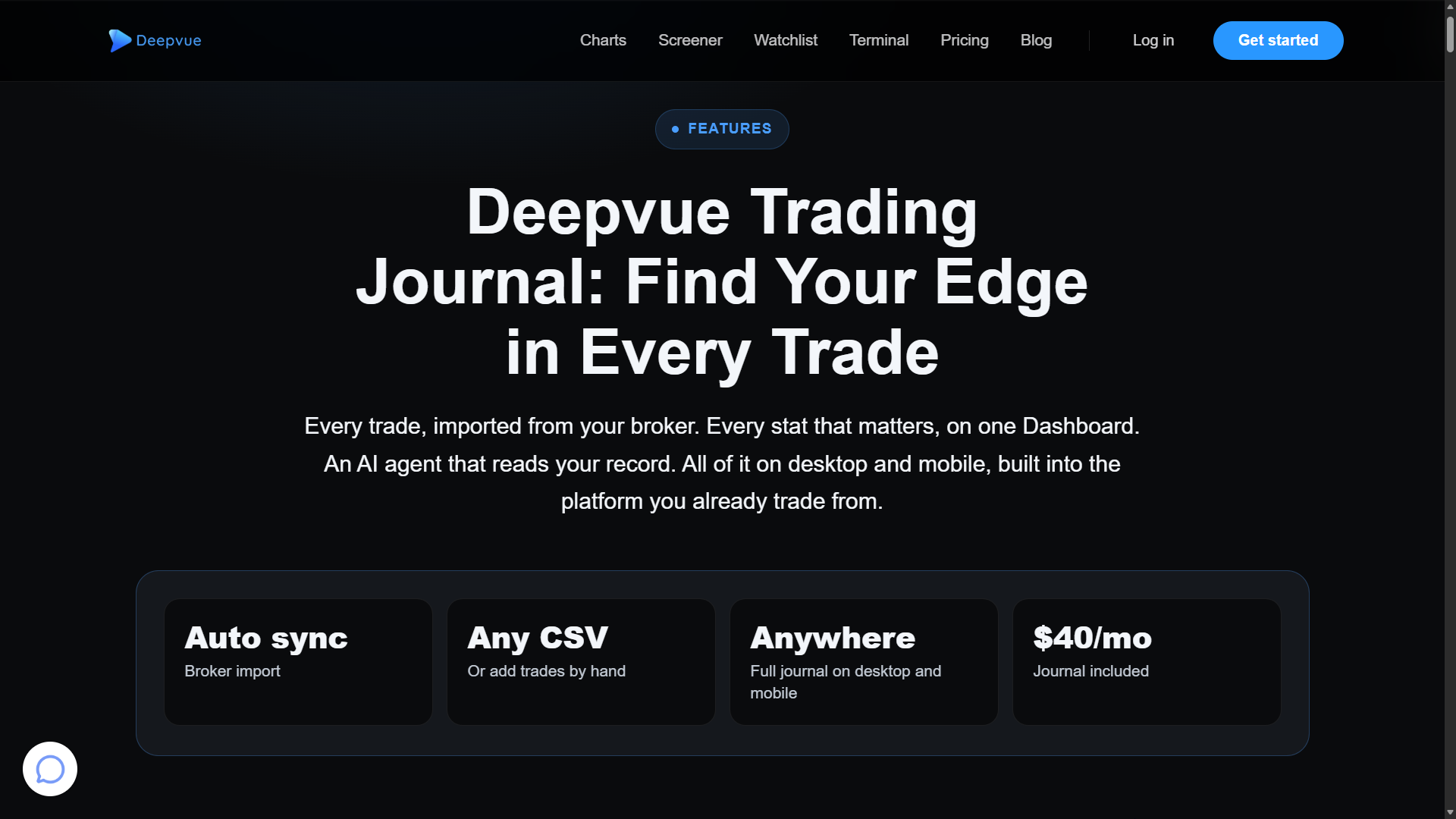
The Deepvue Trading Journal is a module inside Deepvue, a stock research platform for active traders. It records the emotion and playbook behind each trade, like Edgewonk, and collects your fills from the broker for you.
Highlights
- •Psychology you can measure. Tag each trade with an emotion and a playbook, and the Performance by Emotion, Playbook and Tag apps show win rate, average R and P&L by group.
- •Stock brokers that sync on their own. Link 20+ US and Canadian brokers, Schwab, Fidelity, Robinhood and E*TRADE included, through your broker’s website, or upload a CSV in any layout. Our broker list names them all.
- •Routines and a Notebook. Run your daily process step by step with a streak, and write reviews with folders, tags and templates.
- •A Journal Agent you can question. Ask what’s working or which setup pays best. It’s opt in, sees anonymized numbers and symbols only, and its AI provider stores nothing.
- •Desktop and mobile. iPhone and Android apps carry the journal and stay in sync with the browser.
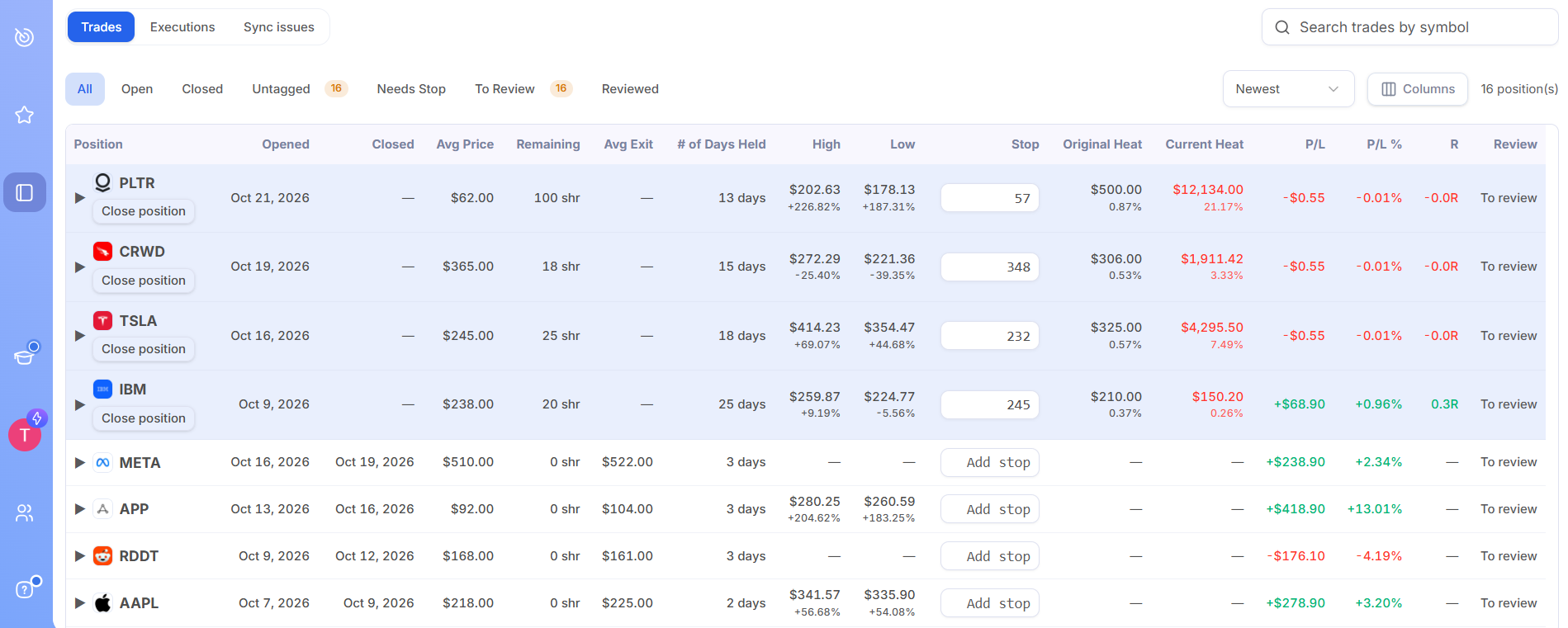
Our journal features guide explains every Dashboard app, and the setup guide starts you on the demo trades before you link a broker.
Strengths
+ Automatic sync for US stock brokers such as Schwab and Fidelity + Native iOS and Android apps with the single plan + Journal Agent and AI Terminal included + Screener, charts, alerts and Model Books on one login
Limits
× Stocks only, in US and Canadian dollar accounts × No simulator or backtesting × No free plan × Younger than Edgewonk, released in October 2026
Price
Deepvue sells a single plan, Deepvue Core + Journal, for $99 a month or $990 a year. It includes the journal, both AI tools, the screener, charts and alerts, and until December 4 the Black Friday offer takes a full year down to $490, a rate kept at every renewal while you stay subscribed.
Deepvue vs Edgewonk
Edgewonk goes further on psychology scoring and covers forex and futures. Deepvue matches the daily discipline work for stock traders, then adds broker sync, phone apps, an AI agent and the research to find your next trade.
What Users Say
Ratings: Deepvue, the platform the journal belongs to, averages 4.8 stars across 220+ verified Deepvue reviews, and 97 percent of reviewers recommend it. The Deepvue app adds 4.7 stars from about 440 App Store ratings.
“Amazing application and mobile app”
MSJR0513, App Store review of the Deepvue app
Choose it if: you trade stocks, want to keep the psychology habits Edgewonk taught you, and would rather have fills, phone access, AI and research handled by one subscription.
BLACK FRIDAY
Bring Your Discipline Work to Deepvue for $490
Broker sync, Routines, the Journal Agent and a research platform for a year, at a price that holds at renewal.
2. TradesViz: Closest Match for Rule Tracking
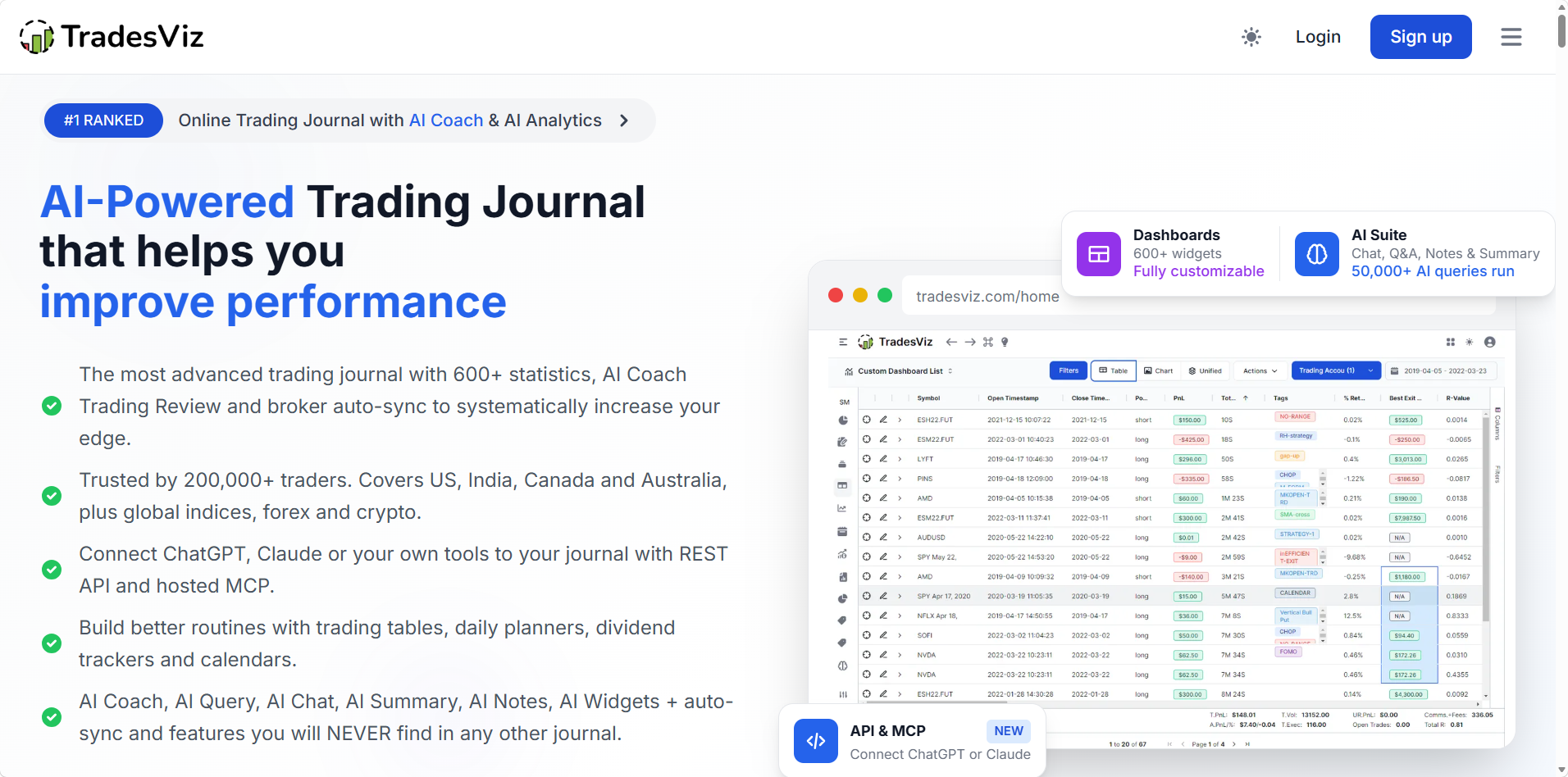
TradesViz is an analytics heavy journal with more than 200,000 traders, and it offers the most discipline tooling of the rivals here. Its free Basic plan allows 3,000 executions a month on one account.
Highlights
- •Trading Rules & Goals, with process rules such as a cooling off period after a loss, and stats you can filter by the days you kept your rules.
- •Custom checklists and plan analysis that breaks down your results by criteria you set.
- •AI Coach and an AI Daily Brief on the paid plans, plus iPhone and Android apps.
Strengths
+ Rule tracking and checklists close to Edgewonk’s + Phone apps for iPhone and Android + Both paid plans under $30 a month
Limits
× Busy screens that take time to learn × Free plan limited to one account × AI Coach only on paid plans
Price
TradesViz Basic costs nothing. Pro is $19.99 monthly and Platinum $29.99, or $14.99 and $22.49 a month billed yearly, each with a 7 day free trial.
Edgewonk vs TradesViz
TradesViz matches Edgewonk’s checklists and rule tracking, then adds AI, native apps and automatic sync for more than 70 platforms. Edgewonk keeps the deeper psychology reports and a single plan.
Ratings: TradesViz scores 3.9 on Trustpilot from 71 reviews.
Choose it if: you want Edgewonk style rule tracking with AI and an app.
3. TradeZella: Replay and Prop Firm Tracking in One Journal

TradeZella appears in most Edgewonk comparisons, and Edgewonk even publishes its own Edgewonk vs TradeZella post on its blog. It claims 100K+ traders and leans toward day traders and funded accounts.
Highlights
- •Zella AI, which flags tilt and answers plain English questions with 500 to 3,000 credits a month by plan, plus the Zella Score, a grade built from six performance stats.
- •Trade replay and automated AI backtests from Pro, with manual backtesting on all plans.
- •Prop Firm Sync for funded accounts at FTMO, Topstep, Apex and other firms.
Strengths
+ Zella AI credits on every plan + Replay and backtesting beside the journal + Funded accounts tracked with broker accounts
Limits
× No free plan or trial × No phone app listed × Replay and Zella Agents start at $59 a month
Price
Essential, Pro and Ultra run $35, $59 and $99 monthly, or $26, $44 and $74 a month with annual billing.
Edgewonk vs TradeZella
Both start at $35 a month, but Edgewonk is cheaper yearly ($197 against $315) and goes deeper on psychology, while TradeZella adds AI, replay and far more brokers. Neither lists a phone app.
Ratings: TradeZella holds 4.8 on Trustpilot from more than 1,000 reviews.
Choose it if: you day trade futures or funded accounts and want replay inside the journal.
4. TraderSync: Cypher AI Across Five Markets
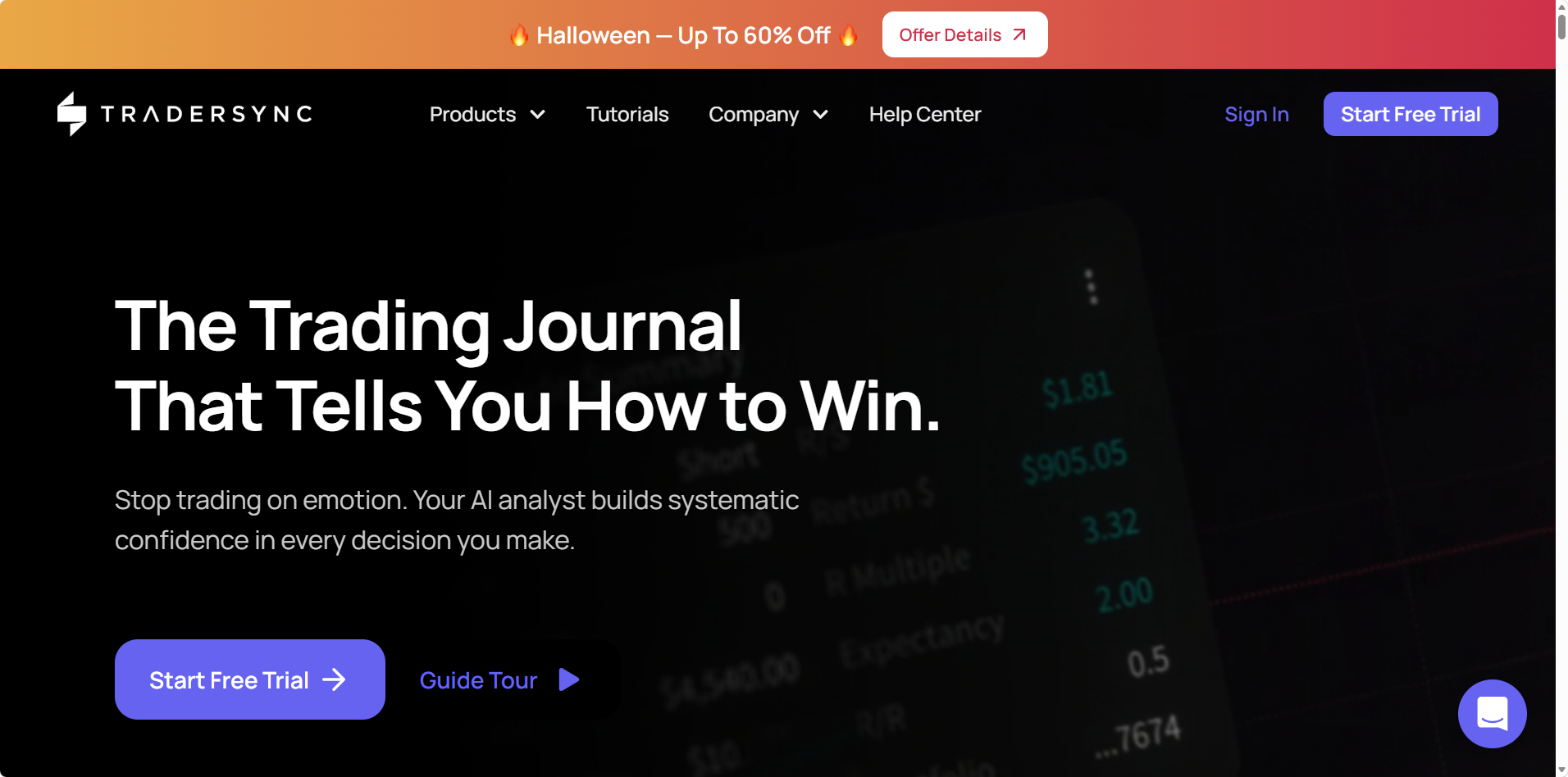
TraderSync covers stocks, options, futures, forex and crypto, and in September 2026 it rebuilt its platform around a new design and its Cypher AI assistant. Every plan starts with a 7 day free trial, no card required.
Highlights
- •Cypher, an AI trading assistant that answers questions about your numbers in plain English.
- •Stock market replay for practicing your setups.
- •Pattern reports that show which setups to keep trading and which to drop.
Strengths
+ Five asset classes in one account + Cypher AI assistant built in + Free trial without a card
Limits
× Few dedicated psychology tools × No refunds, and exports are off during the trial × Its FAQ ties the phone app to Elite
Price
TraderSync’s three plans, Pro, Premium and Elite, run $29.95, $49.95 and $79.95 monthly, or roughly $26, $43 and $70 a month with yearly billing.
Edgewonk vs TraderSync
TraderSync swaps Edgewonk’s psychology depth for AI and practice tools. Edgewonk also refunds within 14 days, while TraderSync refunds nothing and switches exports off during its trial.
Ratings: TraderSync rates 4.2 on Trustpilot from 325 reviews.
Choose it if: you trade several asset classes and value AI feedback over psychology reports.
5. Tradervue: Free Equity Journaling Since 2011
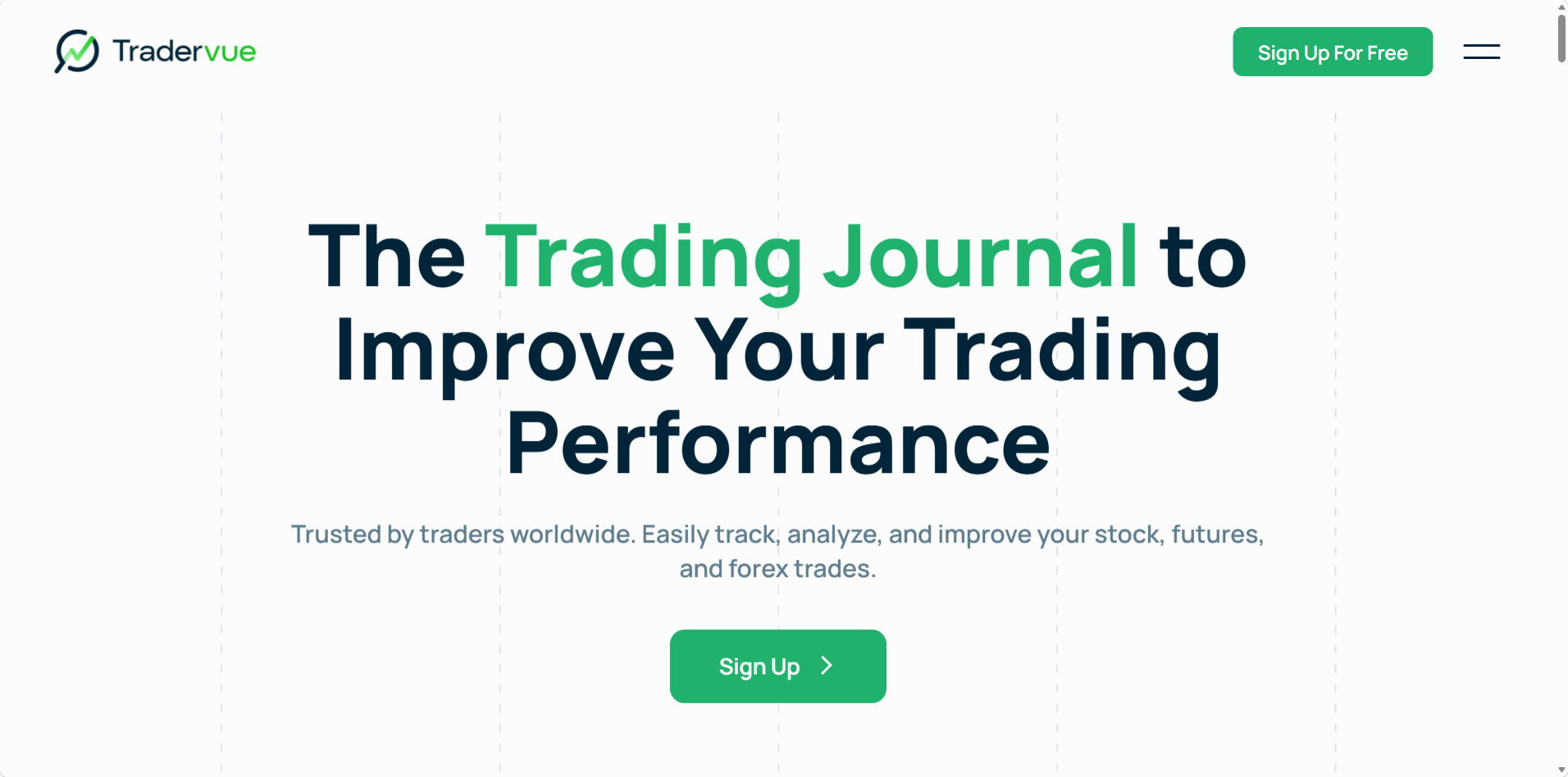
Tradervue has kept traders’ records since 2011 and is best known for its equity reports and mentor sharing, while the free Basic plan covers up to 30 trades a month.
Highlights
- •MFE and MAE on both paid plans, with exit analysis, risk reporting and liquidity reports on Gold.
- •Mentor sharing with a coach.
- •Imports from 80+ platforms, with automatic Broker Sync for some of them on paid plans.
Strengths
+ Free plan for light equity traders + Long track record with stock traders + Simple sharing with a coach
Limits
× Neither AI nor a phone app × Psychology limited to tags and notes × Risk reports locked to Gold
Price
Basic is free up to 30 trades a month, Silver is roughly $30 a month and Gold roughly $50. A Silver or Gold trial charges your card when it ends unless you move to the free plan first.
Tradervue vs Edgewonk
Tradervue’s free plan suits a light trader better than Edgewonk’s paid only model, but a year of Edgewonk costs about the same as four months of Tradervue Gold and brings the psychology tools Tradervue lacks.
What Users Say
Ratings: On Trustpilot, Tradervue scores 2.2 from 11 reviews, while StockBrokers.com rates it 4.5 stars.
Choose it if: you log a handful of equity trades a month and want a free journal, with coach sharing ready on a paid plan.
6. Trademetria: Rule Challenges and AI on Every Plan

Trademetria journals six asset classes, CFDs among them, and includes AI Insights and its AI Assistant on every plan, the free one too. Its discipline tools center on challenges built from your own rules.
Highlights
- •Challenges that show which of your rules you’re passing or breaking.
- •Mistake and habit tracking recorded next to goals, fees and strategies.
Strengths
+ Rule challenges that echo Edgewonk’s checklists + AI at no extra cost + Yearly plans from $169
Limits
× Only 30 orders a month on the free plan × Progressive web app only × Free plan allows three open positions
Price
Trademetria’s free tier allows 30 orders a month on one account. Basic runs $19.95 monthly ($169 if paid yearly), and Pro $29.95 monthly ($249 yearly), with room for up to 50 accounts.
Edgewonk vs Trademetria
At $169 a year, Trademetria Basic undercuts Edgewonk’s $197 and adds AI and automatic broker sync. Edgewonk still goes deeper on the mental side, with reports such as the Tiltmeter.
What Users Say
Ratings: Trademetria averages 4.0 on Trustpilot across 12 reviews.
Choose it if: you trade several markets on a budget and want rule tracking with AI.
7. Kinfo: Free Broker Sync on Your Phone
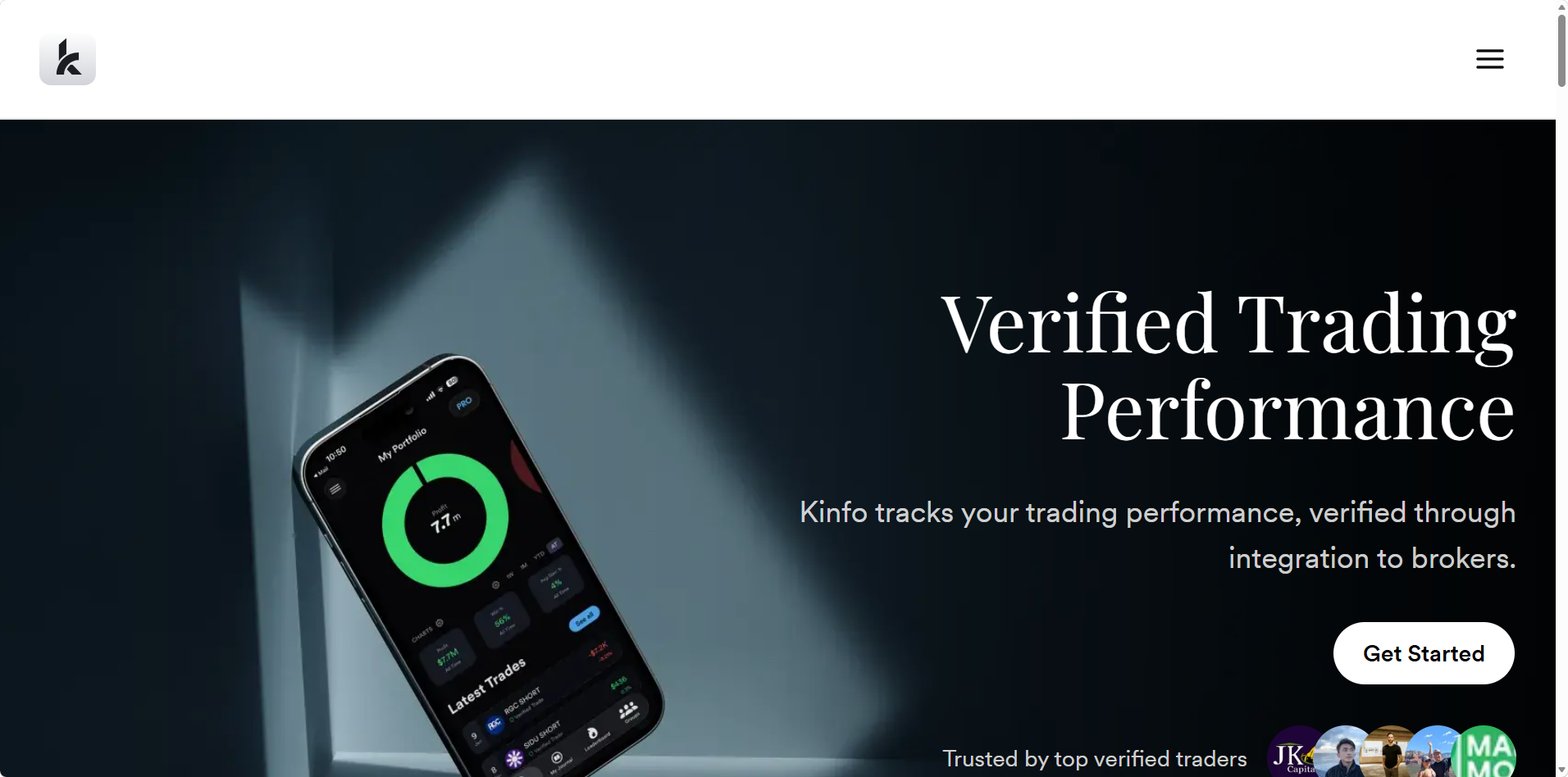
Kinfo puts the phone first, with iOS and Android apps plus a web version. Link one of the 22 brokers shown on its site, such as Fidelity, Schwab, Webull or IBKR, and it builds a broker verified record you can keep private or post to its leaderboard.
Highlights
- •Automatic broker sync on the free plan.
- •A verified profile and a leaderboard of other traders’ records to follow.
- •Excel and Google Sheets links on PRO+.
Strengths
+ Free sync with native apps + Results verified by the broker feed + Free plan with no time limit
Limits
× No psychology or emotion tools × No AI listed × Only basic stats unless you pay
Price
The free plan includes sync, basic analytics and a verified profile. PRO costs $24.90 and PRO+ $44.90 monthly, with 25% off yearly.
Edgewonk vs Kinfo
Kinfo closes two of Edgewonk’s biggest gaps for stock traders, automatic sync and a phone app, at no cost. It skips nearly all of the psychology work, though.
What Users Say
Ratings: On the US App Store, Kinfo holds 4.8 from 474 ratings.
Choose it if: you mostly check results on your phone and want verified numbers without paying.
8. Stonk Journal: Free Manual Logging With Rule Tracking
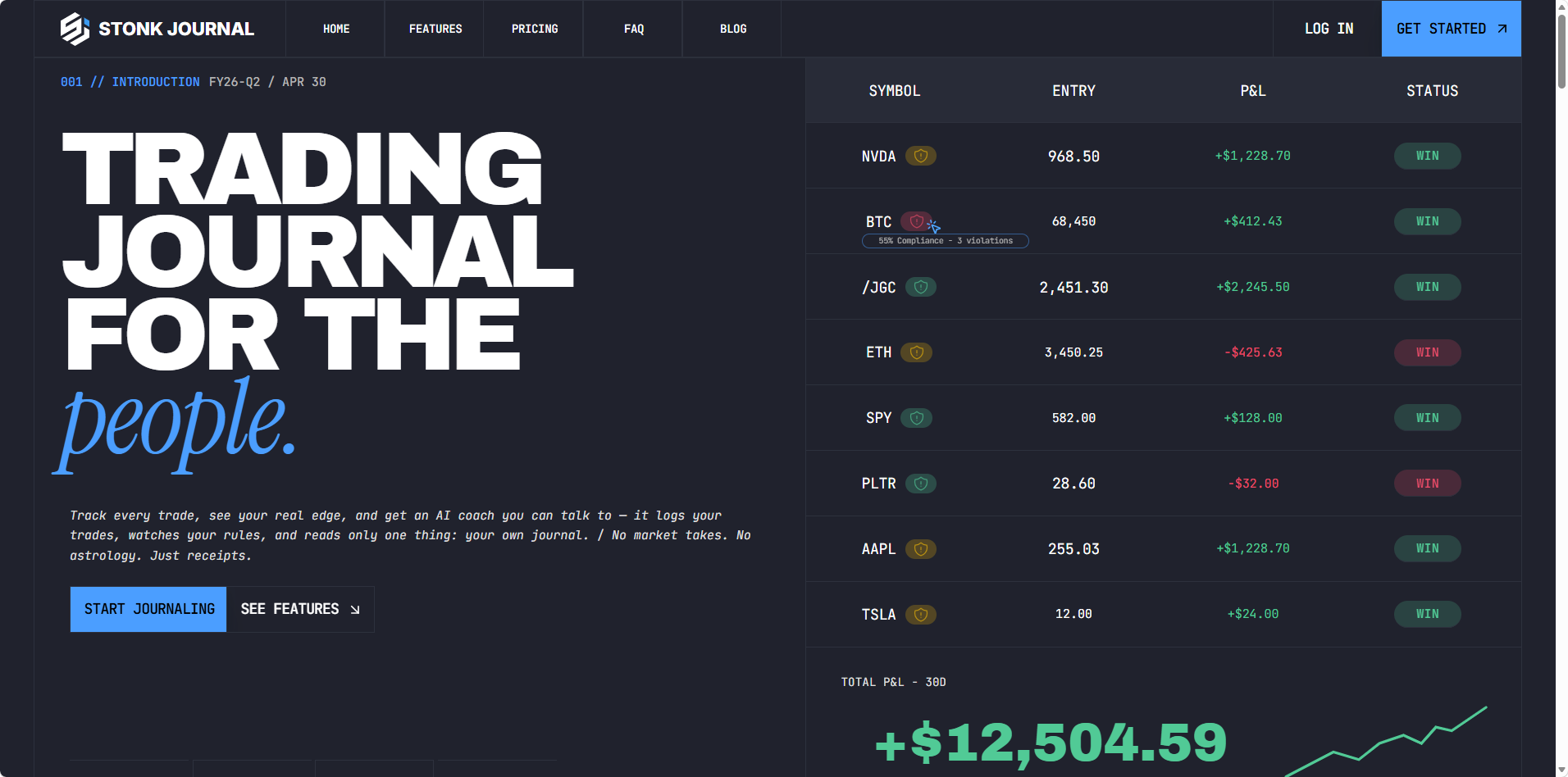
Stonk Journal has kept manual journaling free since 2021, with no cap on trades or accounts, and says more than 200,000 traders have joined. It has no broker connection, so on the free plan you enter each trade yourself.
Highlights
- •Unlimited manual trades and accounts on the free plan.
- •Rule tracking with ten rule types that cover discipline and behavior as well as risk.
- •AI Coach, AI Chat and CSV import on Pro.
Strengths
+ Free however much you log + Discipline rules beyond risk limits + Pro costs $10 a month
Limits
× No automatic broker sync × Installable web app, not in the app stores × AI only on Pro
Price
The core journal is free for good, and Pro adds the AI Coach, CSV imports and one view across all your accounts for $10 a month.
Edgewonk vs Stonk Journal
Stonk Journal covers the basics of Edgewonk’s discipline tracking for free if you’ll type every trade, and a year of Pro at $10 a month costs $120 against Edgewonk’s $197, without the Tiltmeter or the simulator.
What Users Say
Ratings: Stonk Journal’s TrustScore is 4.6 across 205 reviews on Trustpilot.
Choose it if: you place a few trades a month and prefer manual entry to paying for sync.
Deepvue vs Edgewonk at a Glance
Weighing the top pick against the journal you already use comes down to a handful of differences.
| Deepvue Trading Journal | Edgewonk | |
|---|---|---|
| Price | $99 monthly or $990 yearly; $490 for a year with Black Friday pricing | $35 monthly or $197 yearly, plus VAT in the EU and UK |
| Trial or refund | No free plan; explore demo trades first | No free trial; 14 day money back guarantee |
| Psychology tools | Emotion, playbook and tag stats, Notebook, Routines with streaks | Tiltmeter, mistake tracking, setup checklists, diary |
| AI | Journal Agent you can question, plus the AI Terminal | Weekly Edge Finder scan, no chat assistant |
| Automatic broker sync | 20+ US and Canadian brokers | MetaTrader 4 and 5 |
| Phone | Native iOS and Android apps | Browser on any device |
| Markets | Stocks in USD and CAD accounts | Forex, stocks, futures, options, crypto, indices and commodities |
| Research | Screener, charts, AI Terminal, Theme Tracker, Industry Ranks and alerts | None; a simulator and Strategy Lab for testing ideas |
Our TradeZella alternatives and TraderSync alternatives guides run the same tests on two other big journals, and Deepvue vs TradeZella goes head to head.
Rebuild Your Edgewonk Psychology Workflow in Deepvue
Most of Edgewonk’s psychology tools have a counterpart in the Deepvue Trading Journal, so switching doesn’t have to cost you the habits you built.
| In Edgewonk | In Deepvue | How to set it up |
|---|---|---|
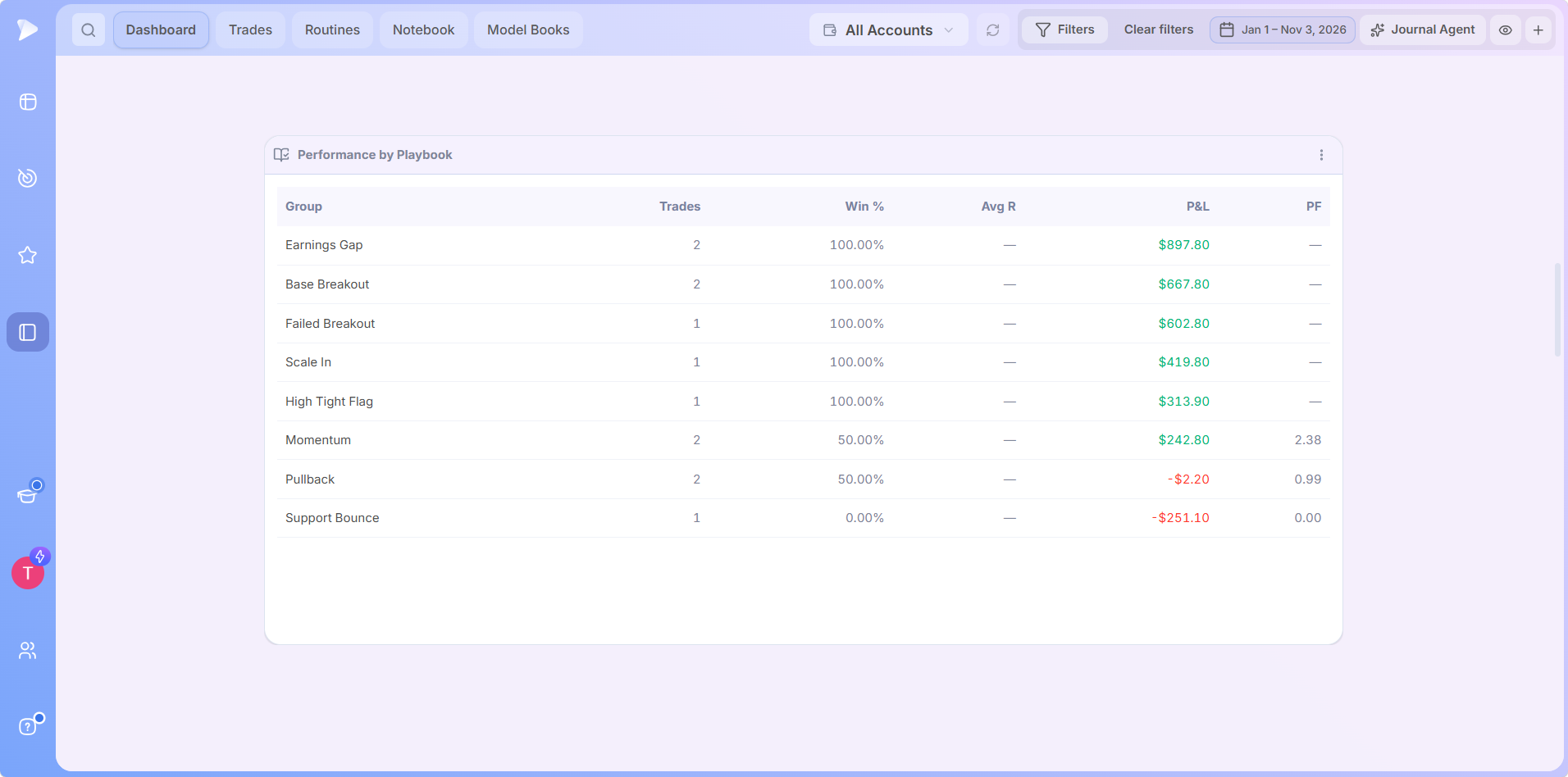
| Tiltmeter and psychology tracking | Emotion tags and Performance by Emotion | Pick an emotion as you review each trade to group results by how you felt |
| Setup checklists | Playbooks and Routines | Save each setup as a playbook and put your daily prep in a routine |
| Mistake tracking | Tags and Performance by Tag | Create tags such as chased entry or moved stop and see what each one costs in R |
| Trading diary | Notebook | Keep folders for daily and weekend reviews, tag notes and reuse templates |
| Edge Finder weekly scan | Journal Agent and Performance by Playbook | Ask the agent what’s working and what to test next, any day you like |
| Simulator and Strategy Lab | No direct match | No projections; save your best examples of each setup in a Model Book |
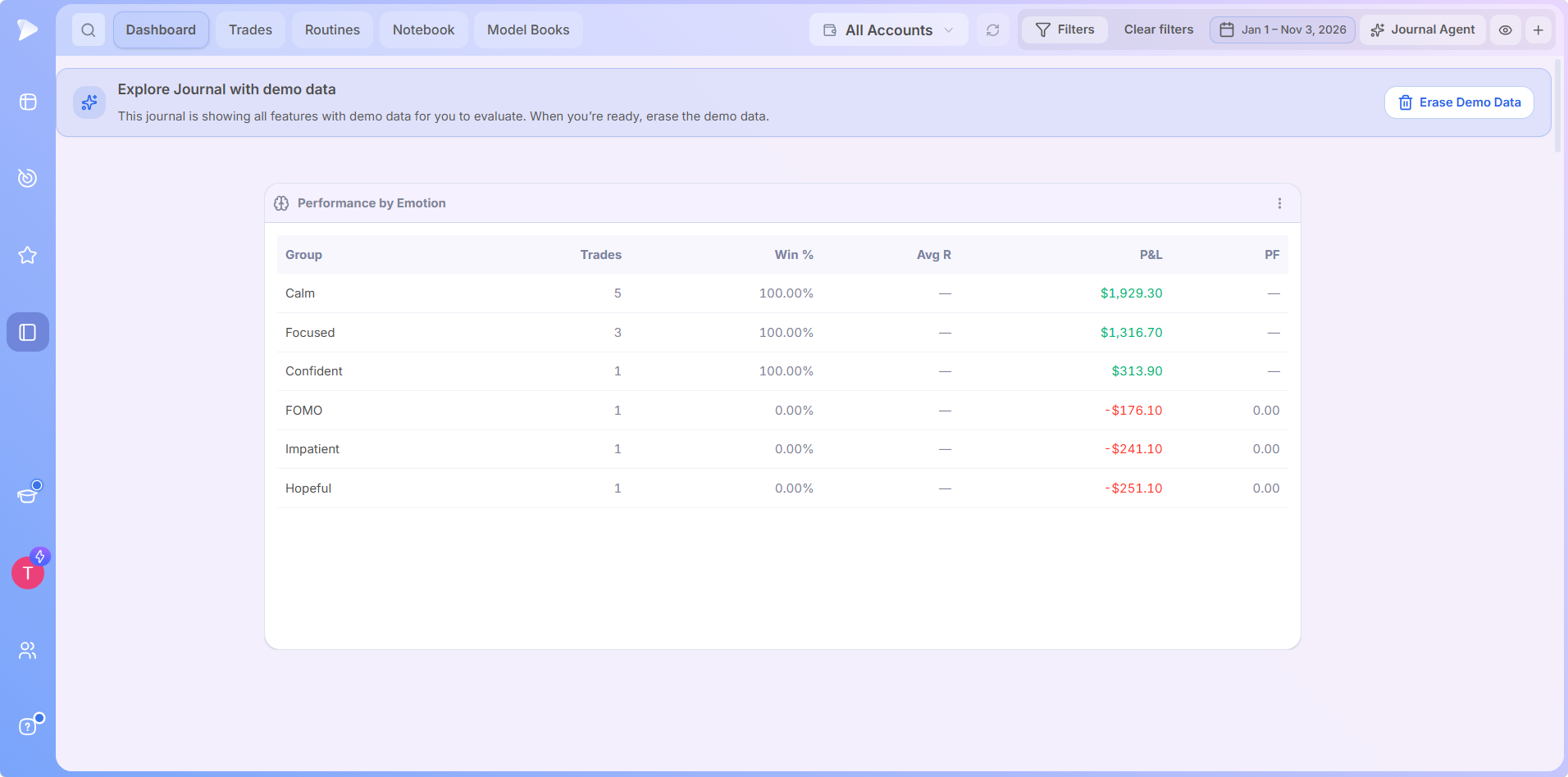
Tag emotions honestly for a few weeks, and seeing calm trades and FOMO trades side by side in R makes the next impulse easier to resist.
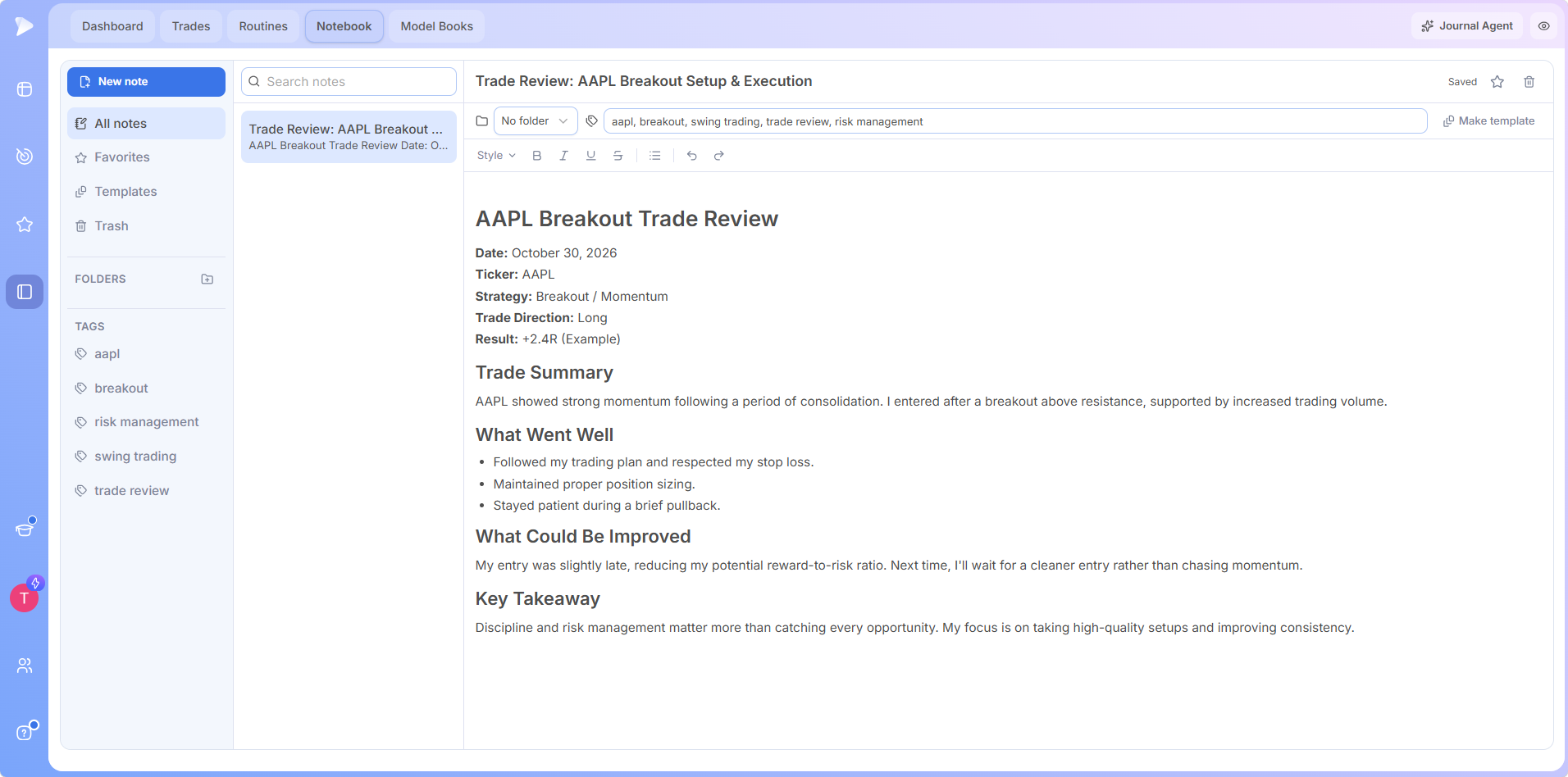
Keep a Diary the Journal Agent Can Build On
The Notebook takes over from Edgewonk’s diary. Keep folders for daily and weekend reviews, tag notes by ticker or setup, and turn a review you like into a template.
For a second opinion, ask the Journal Agent what changed in your results this month. Edgewonk’s simulator has no match, so save your cleanest examples of each setup in a Model Book and study them before the next one forms.
Make Discipline a Daily Habit With Deepvue Routines
Trading discipline tends to break down in the repetition, when the same prep and review have to happen every day. Routines, a tab in the Deepvue Trading Journal, turns that process into a daily trading routine the platform guides you through.
Name a routine, choose its days and start time, and add each action with the action builder, such as checking market health on a saved dashboard. Press play and Deepvue opens each screen in order, and every completed run adds to a streak.
Seeing it run makes the idea click faster. In this short demo, a member of Deepvue’s team builds a new routine, then plays his own eight step after market routine, which starts at 4:15 p.m. Eastern.
Watch how to build and run a trading routine in Deepvue here.
An After Market Routine to Start From
1. Check market health on the dashboard you use to judge the indexes.
2. See what led today in the Theme Tracker and at the top of Industry Ranks.
3. Scan the leaders with a heatmap of market leaders and of the S&P 500.
4. Run your screens in the Deepvue screener and add new ideas to a watchlist.
5. Look ahead to tomorrow on a post market dashboard where you look for possible gap ups on a fresh catalyst.
6. Close the loop in your journal by giving today’s fills a playbook, an emotion and a tag, then writing one lesson in the Notebook.
Add a second routine for the pre market or earnings season, or borrow ideas from our stock trading routine guide.
Then give it time. A UCL study found a new daily habit took an average of 66 days to become automatic, and that missing one opportunity didn’t significantly set it back, so just restart the streak after a missed day.
How to Move Your Edgewonk History to Deepvue
Moving journals is mostly a data job, and your broker can do most of the heavy lifting.
1. Export before you cancel. Edgewonk’s update notes describe its export as an Excel file that started with only a few journal columns, and you can’t log in once you cancel. Download it while your subscription is active.
2. Copy what the export leaves behind. Save diary entries, screenshots and checklist notes by hand, since Deepvue pulls your fills straight from a connected broker.
3. Connect your broker in Deepvue. Authorize the connection on your broker’s website. Most brokers deliver your full history within 24 hours, and Interactive Brokers within 48.
4. Import whatever doesn’t sync. Save the Edgewonk export as a CSV and upload it for any account that doesn’t connect, since Deepvue maps any column layout.
5. Translate your tags. Turn Edgewonk setups into playbooks, mental states into emotions and mistakes into tags, starting with your most recent month.
6. Reconcile, then cancel. Compare totals against your broker statements for a week. Edgewonk emails a reminder before renewal, which makes a good deadline.
Is a Trading Journal Spreadsheet Enough?
A trading journal spreadsheet in Excel or Google Sheets suits someone placing a few trades a week who enjoys formulas, but every fill gets typed in and every stat is yours to build.
| What you need | Trading journal spreadsheet | Edgewonk | Deepvue Trading Journal |
|---|---|---|---|
| How trades arrive | Entered by hand | MetaTrader sync, import tool for other brokers | Sync for 20+ brokers, plus any CSV |
| Psychology stats | Formulas you write yourself | Tiltmeter and custom psychology stats | Performance by Emotion, Playbook and Tag |
| On your phone | The spreadsheet app | Mobile browser | Native iOS and Android apps |
| Cost | Free | $35 a month or $197 a year | $490 a year with Black Friday pricing |
If you build a trading journal Excel sheet anyway, log at least the entry, exit, size, stop, setup and your emotion at entry. Without the stop you can’t measure R, and without the emotion you lose the data Edgewonk users care about most.
Research Your Next Trade on the Same Login
Deepvue puts each journal lesson beside the tools for acting on it, so a pattern in your review turns into a screen, a price alert or a new watchlist the same evening.
- •Find leadership with Industry Ranks, the Theme Tracker and the rest of the research hub.
- •Ask in plain English. The AI Terminal answers questions about stocks, themes and your watchlists, while the Journal Agent sticks to your trades.
- •Act at the right price with price alerts, and size positions and track earnings dates with Deepvue’s trading tools.
- •See the whole market through heatmaps, bubble charts and performance charts in the visualizations hub.
Journal on Your Phone, Research on Your Desk
Open the Black Friday page in your phone’s browser to join, then install Deepvue on iPhone or Android and connect your broker for the same $490 a year.
Which Edgewonk Alternative Should You Choose?
| If you | Choose |
|---|---|
| Trade stocks and want sync, an app, AI and research together | Deepvue Trading Journal |
| Want Edgewonk style rule tracking with AI on a budget | TradesViz |
| Day trade futures or funded accounts and rely on replay | TradeZella |
| Trade five asset classes and want AI feedback | TraderSync |
| Log up to 30 equity trades a month for free | Tradervue |
| Want cheap rule challenges and AI across markets | Trademetria |
| Mostly check verified results on your phone | Kinfo |
| Prefer typing trades in and paying nothing | Stonk Journal |
| Trade forex on MetaTrader and mainly want psychology reports | Stay with Edgewonk |
The Deepvue Trading Journal is our pick as the best Edgewonk alternative for stock traders. It keeps the emotion, playbook and mistake tracking that made Edgewonk popular, then fixes what holds it back for equities: automatic broker sync, native apps, an AI agent and research on one login.
If you trade forex or futures through MetaTrader, Edgewonk remains a strong pick, and Deepvue isn’t built for those markets. Stock traders get a journal that shares a login with Deepvue’s core features and charts, at a Black Friday price that ends December 4.
BLACK FRIDAY DEAL
Make the Switch From Edgewonk for $490 a Year
Bring your broker history in, tag emotions and playbooks, run your Routines and ask the Journal Agent what to fix on desktop and mobile. A year costs $490 instead of $990, renewals hold that price while you’re subscribed, and a free December bootcamp of eight live webinars is included.
$990 $490 a year, locked in
Frequently Asked Questions
What is the best Edgewonk alternative?
The best Edgewonk alternative if you trade stocks is the Deepvue Trading Journal. It keeps emotion, playbook and mistake tracking, adds Routines and an AI Journal Agent, and syncs 20+ US and Canadian brokers, with phone apps and Deepvue’s research platform on one plan.
How much does Edgewonk cost?
Edgewonk costs $35 a month or $197 a year for a single plan with every feature, with VAT added for buyers in the EU and UK. Deepvue Core + Journal is $99 monthly or $990 yearly, and through December 4 the Black Friday price for a full year is $490.
Does Edgewonk have a free trial?
Edgewonk doesn’t have a free trial or a free version. It offers a 14 day money back guarantee instead. Deepvue doesn’t offer a free plan either, but its demo trades show how the journal works before you link a broker.
Is there a free alternative to Edgewonk?
Yes, a free alternative to Edgewonk exists if you accept limits. Stonk Journal is free with manual entry, Kinfo syncs brokers for free with basic stats, and TradesViz, Trademetria and Tradervue have capped free plans. None of them matches Edgewonk’s psychology depth.
Does Edgewonk have a mobile app?
Edgewonk doesn’t have a mobile app of its own, and you won’t find an Edgewonk mobile app in the App Store or Google Play. It runs in a browser instead. The Deepvue Trading Journal has native iPhone and Android apps included in its single plan.
Is Edgewonk worth it?
Edgewonk is worth it for MetaTrader traders who mainly want to fix discipline, since its psychology reports are excellent and a year costs $197. Stock traders who want automatic sync, a phone app or AI they can question get more from the Deepvue Trading Journal.
Can I import my Edgewonk trades into Deepvue?
You can import your Edgewonk trades into Deepvue. Export what Edgewonk allows, save it as a CSV and upload it, since Deepvue maps any column layout. Connecting your broker also pulls in your full history, usually within a day.