Deepvue Trading Journal: Find Your Edge in Every Trade
Every trade, imported from your broker. Every stat that matters, on one Dashboard. An AI agent that reads your record. All of it on desktop and mobile, built into the platform you already trade from.
The Deepvue Trading Journal is a trading journal for stocks that imports every trade from your broker and turns it into the numbers that drive your P&L: batting average, average win against average loss, expectancy, profit factor and an equity curve against SPY or QQQ. Every trade with a stop is measured in R, so results compare cleanly across position sizes. The Deepvue Trading Journal runs on desktop and mobile, in any browser and on iOS and Android, and comes with every Deepvue subscription.
Your edge is in your trade history. Go find it.
Get 2 months for the price of 1, connect your broker, and the Deepvue Trading Journal imports your full trade history to desktop and mobile, for most brokers within 24 hours.
Why Keep a Trading Journal: Close the Feedback Loop
At the Deepvue Trading Journal launch, 99 percent of traders polled said journaling helps their trading. Trading journals work because every trading process runs on analysis, decisions and results, and a trade journal adds the review that feeds those results into the next decision.
Analysis
Scan, chart, build the watchlist
Decisions
Entry, size, stop
Results
P&L and R
Review
The journal feeds it all back
↺ Review feeds the next round of analysis, and every round gets sharper.
The Deepvue Trading Journal imports every fill for you, so your stock journal is complete before you sit down to review it.
One Trading Journal App on Desktop, iOS and Android
The Deepvue Trading Journal works in full on desktop and on mobile, so the same journal is with you at your desk and on your phone. The Deepvue Trading Journal runs as a trading journal online in any browser and as a trading journal app on iOS and Android, with the same trades, tags and notes on both.
Tag on the go
Tag each trade with its playbook, setup and emotion in seconds, wherever you are.
Your full Dashboard
The mobile Dashboard carries open risk, near stops, your equity curve and every stat you track on web.
Review and Notebook
Trade review, save and next and the Deepvue Notebook work on your phone exactly as they do at your desk.
Journal Agent in your pocket
Ask the Journal Agent about your own trades by typing or by voice, straight from your phone.
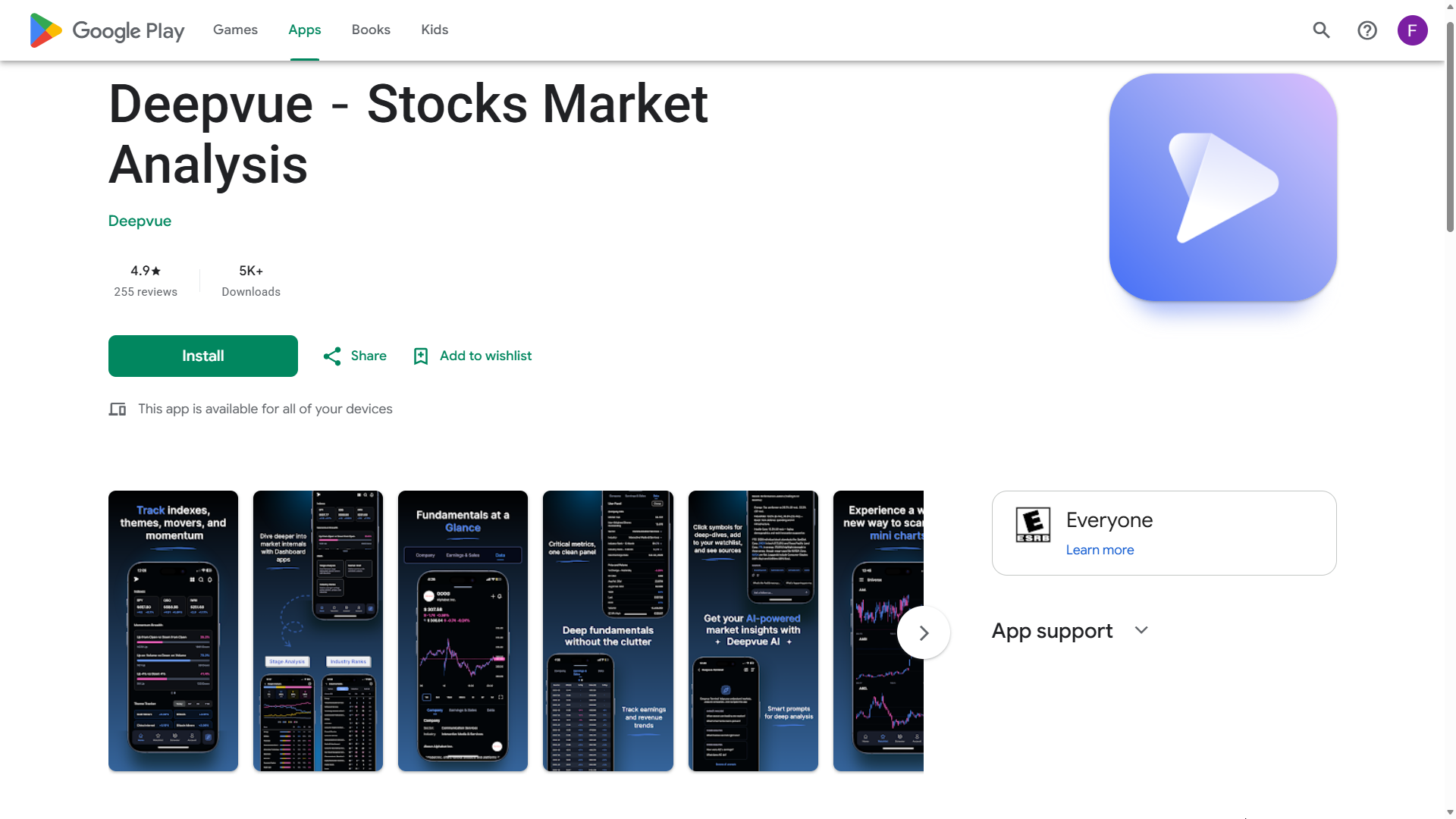
Deepvue’s stock market analysis app on Google Play, featuring journaling software, mobile charting, market tracking, fundamental analysis, and AI-powered research tools.
Join Deepvue from your mobile browser to claim 2 months for the price of 1, then download the Deepvue app on iOS or Android and the whole journal is in your pocket.
Deepvue Trading Journal Broker Integrations
The Deepvue Trading Journal connects to your brokerage account and imports your full trade history, for most brokers within 24 hours. Executions group into trades automatically, and deposits, withdrawals and interest flow in from your ledger so returns calculate correctly.
Supported brokers include Charles Schwab, Fidelity, Interactive Brokers, Questrade, Robinhood, tastytrade and Webull. Any other broker works through a CSV import in any format, mapped automatically, or through manual entry, and multiple accounts combine under All Accounts.
✓ No broker passwords
You connect through your broker’s own website, so Deepvue never asks for or stores your broker login.
✓ Encrypted connections
Your trade data is encrypted on Deepvue’s servers and in transit.
✓ Your data, your call
Any account can be disconnected or deleted at any time, and disconnected data is wiped from Deepvue’s servers within three days.
Every supported broker and sync detail is listed on Deepvue Trading Journal Broker Integrations.
The Trading Journal Dashboard: Your Edge in Numbers
The Deepvue Trading Journal Dashboard puts the numbers that move your P&L on one screen, on desktop and mobile. Like every customizable dashboard in Deepvue, the journal Dashboard is built from apps you can rearrange, and every stat shows its definition on hover.
Open Positions
Open Positions lists every open trade with P&L, active stop and distance from stop.
Open Risk and Near Stops
Open Risk totals the heat across your stops, and Near Stops ranks positions by distance to their stop.
Performance Overview
Performance Overview tracks equity P&L, open profit, exposure, batting average and profit factor.
Equity Curve
The Equity Curve plots your account against SPY or QQQ, so every new high stands out.
Trading Edge
Trading Edge measures every trade with a stop in R, with expectancy and an R multiple distribution.
Recent Trades
Recent Trades shows your last five or ten results as a streak, so you know when to press.
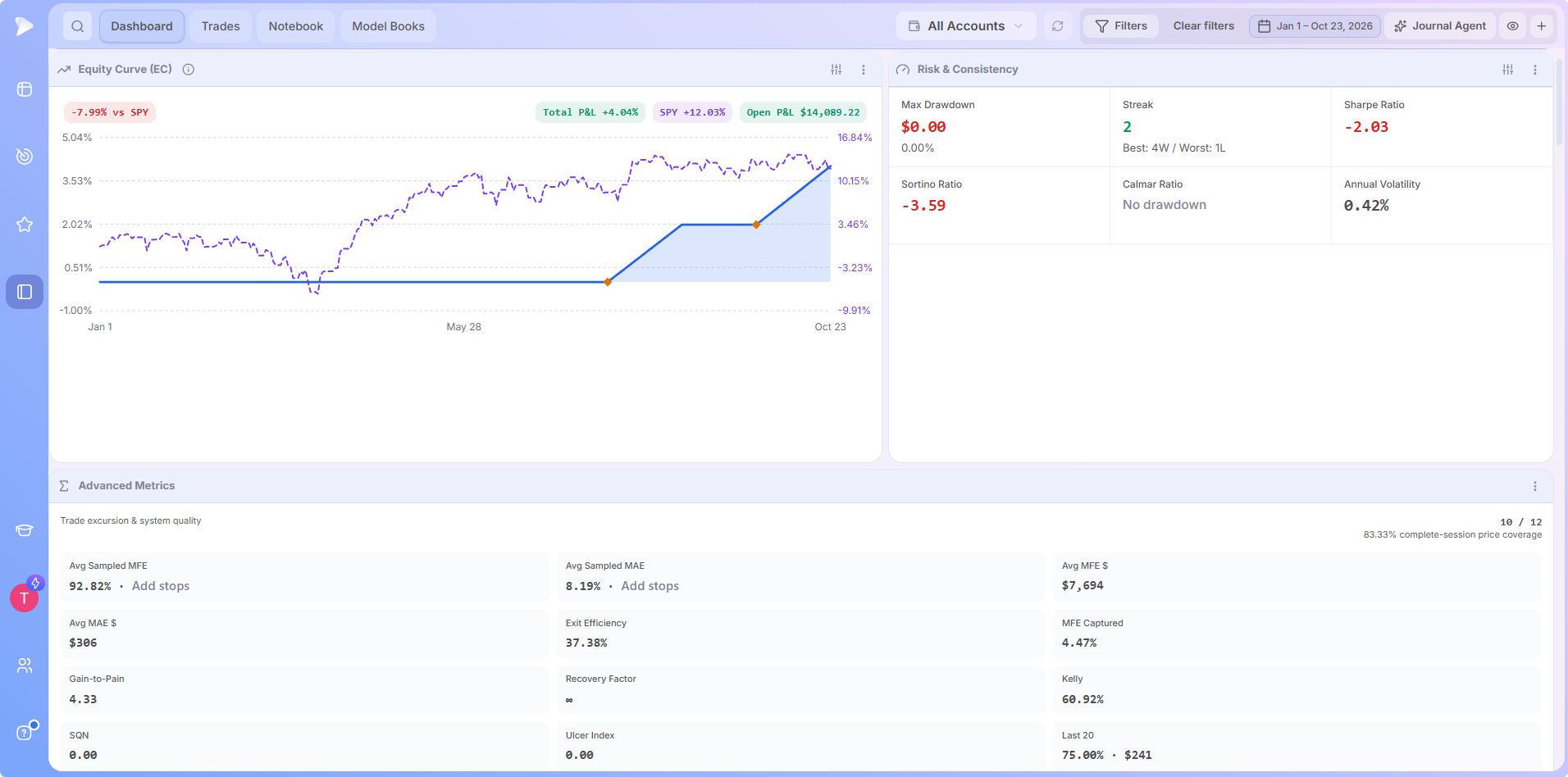
Every Dashboard app gets its own walkthrough under trading journal features.
The Trades Tab: A Trade Journal Built for Fast Review
The Trades tab lists every position, open and closed, with filters for untagged trades, trades without a stop and trades ready for review. Sorting the Trades tab by P&L percent puts your biggest moves at the top in one click.
Clicking any trade opens the review on your own Deepvue chart workspace, with buys in green and sells in red. Each trade review captures your notes, your emotion, a playbook and tags, and save and next moves straight to the following trade, on desktop or mobile.
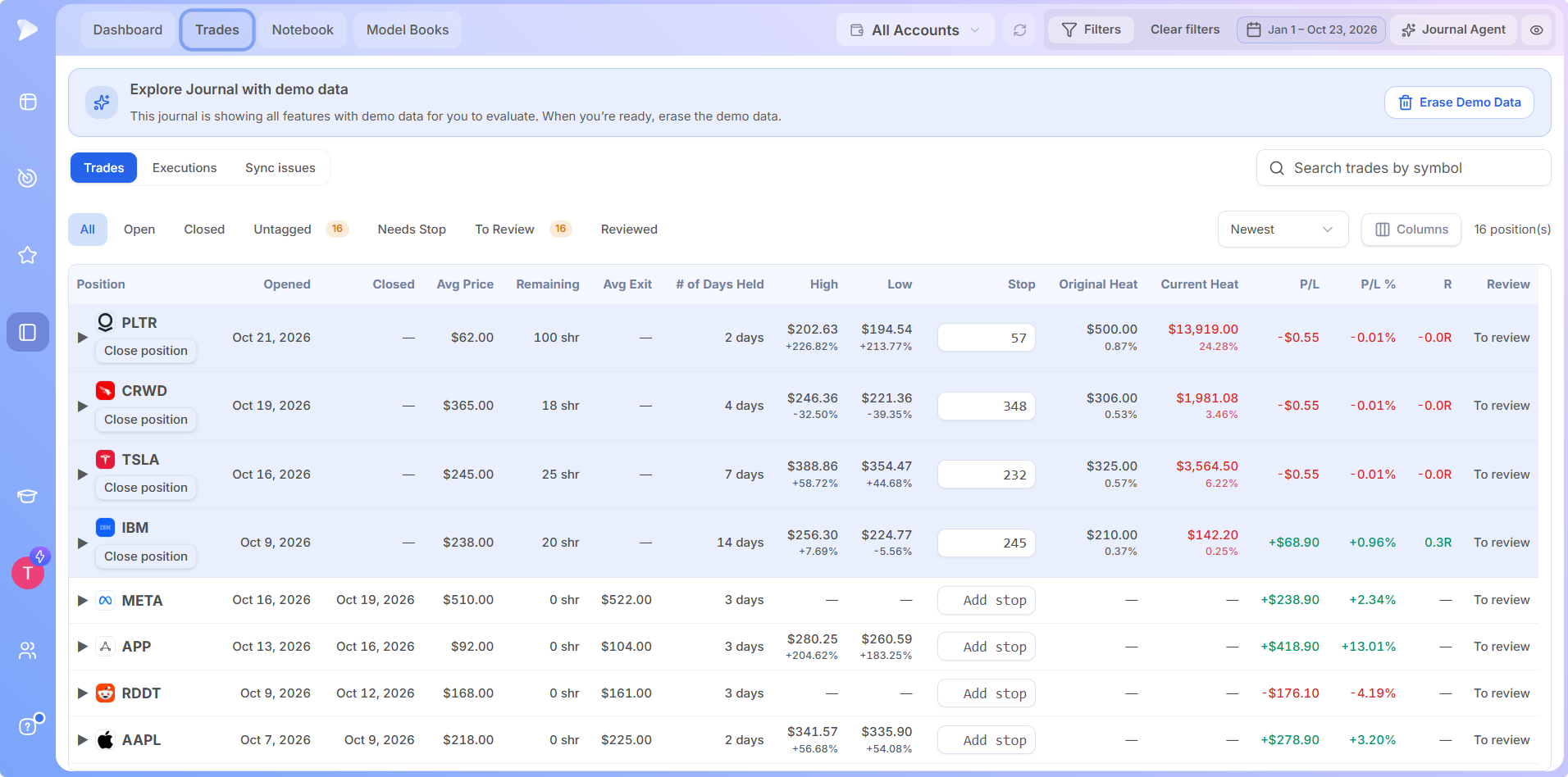
Your best trades are your playbook.
Get 2 months for the price of 1, then sort the Trades tab by P&L to see which setups pay you.
Find Your Edge: Performance by Playbook, Tag and Emotion
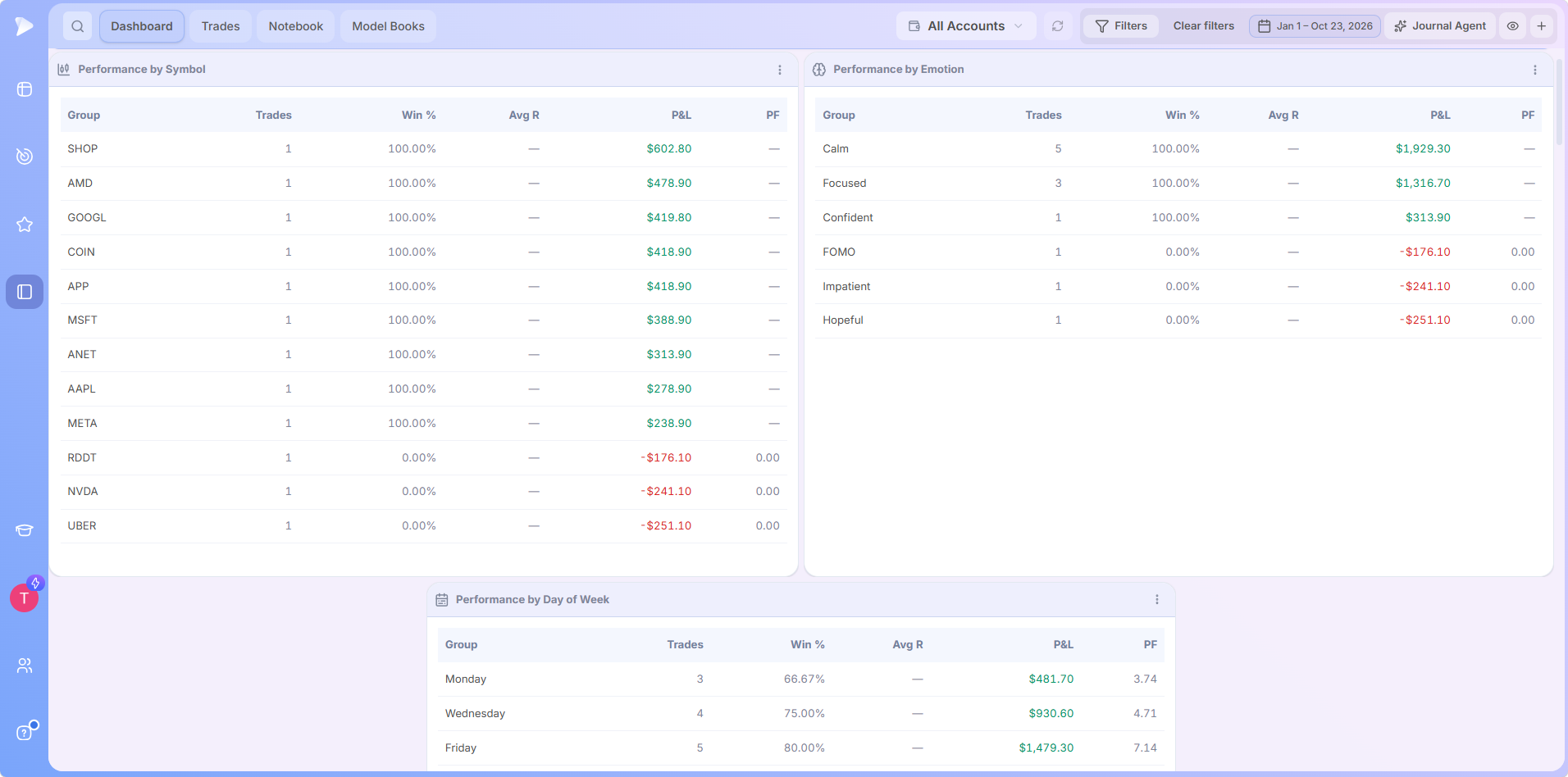
Tagging each trade with its setup, such as a base breakout, and the edge behind it, such as relative strength, turns your trader journal into a scorecard. Logging the emotion behind each trade puts your psychology right next to your stats.
Performance by Playbook, Tag, Symbol, Day of Week and Emotion breaks out win rate, average R and P&L for every group, so the Deepvue Trading Journal shows exactly which setups carry your year.
Journal Agent: AI That Reads Your Trades
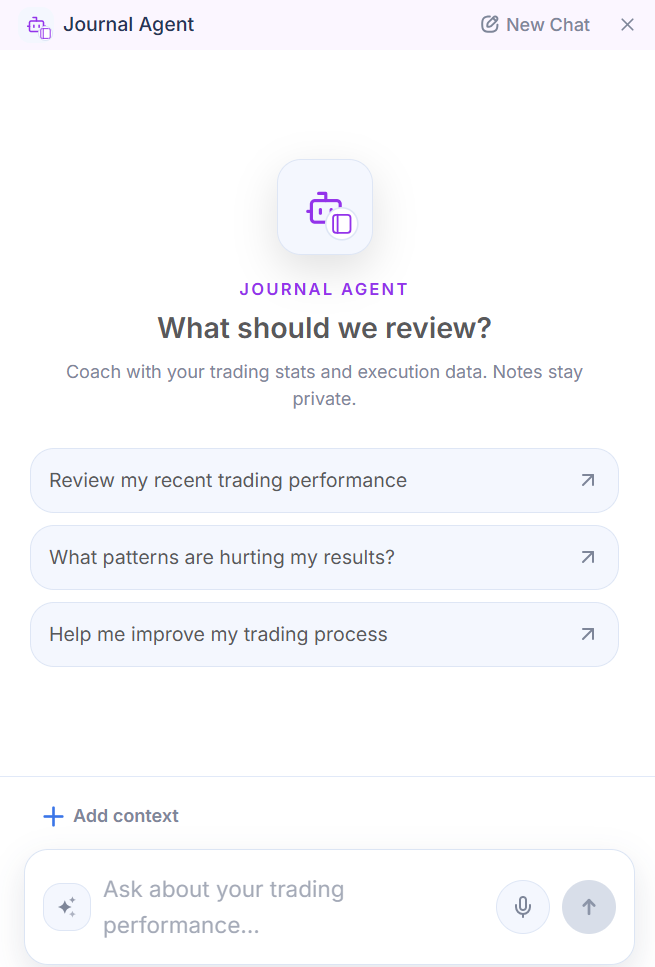
The Journal Agent is the AI built into the Deepvue Trading Journal, and it reads one subject: your own trades. Ask the Journal Agent, by typing or by voice on desktop or mobile, to review your recent performance, spot patterns in your results or sharpen your trading process. The Journal Agent shares the prompt library of the Deepvue AI Terminal, so market, theme and earnings questions work too.
The Journal Agent is opt in, sees only anonymized trades and stats, and runs on an AI provider with a zero data retention policy.
Notebook and Model Books, Inside the Trading Journal
The Deepvue Notebook holds premarket plans, daily reviews, weekend routines and lessons learned, sorted into folders, favorites and templates. Typing a slash drops a chart snapshot into any Deepvue note, and Model Books sit one tab away, so the setups you study and the trades you take stay side by side.
Your review, in your pocket.
Get 2 months for the price of 1 and ask the Journal Agent where your edge is, right from the iOS or Android app.
A Trading Journal Inside Your Research Platform
The Deepvue Trading Journal is the stock trading journal built into the platform you already scan and chart in, so research, planning and review share one login.
| Step | Where it happens in Deepvue |
|---|---|
| Find the setup | The screener, with 1,152 data points and 169 presets |
| Chart it | Your own Deepvue charts workspace |
| Track it | A watchlist beside your open trades |
| Size it | The Position Size Calculator |
| Review it | The Deepvue Trading Journal |
A Stock Trading Journal for Swing and Position Traders
The Deepvue Trading Journal is a stock trading journal for traders who hold for weeks to months and want proof their process works.
Growth and momentum traders
Track breakouts, gaps and high tight flags as playbooks and see which one pays.
Swing traders
See hold times, average R and your best trades at a glance.
Position traders
Watch open risk and exposure across your names, every stop in one view.
Spreadsheet switchers
Hand the typing to broker import and spend that time on the review.
How the Deepvue Trading Journal Works
Explore the demo
The Deepvue Trading Journal opens with demo trades, so every app can be tested before you connect anything.
Connect or import
Link a broker, import a CSV or add trades by hand, and your history fills the Dashboard.
Tag, review, repeat
Tag each trade, write the review and hit save and next, at your desk or on your phone.
Each step of the Deepvue Trading Journal setup is covered in the how to use guide.
Beyond the Trading Journal: The Rest of Deepvue
The Deepvue Trading Journal works alongside every tool on the Deepvue features hub. The Deepvue Research group reads the market before you trade it, from the Theme Tracker to Industry Ranks and Market Breadth.
What Traders Say About Deepvue
DeepVue has allowed me to cancel all of my other paid subscriptions.
SoCal Mike, investor. On the reviews wall
Deepvue is by far the best all-in-one platform for any trader.
Michael Salerno, active trader. On deepvue.com
Deepvue has more than 5,000 active traders and 220 plus verified reviews, with a 4.8 average and 97 percent who would recommend it.
What the Deepvue Trading Journal Costs
New member offer: Two months for the price of one, so $49 covers your first two full months.
The Deepvue Trading Journal is included in the single Deepvue plan at $49 a month, every journal feature included, with a discounted annual option.
The $49 Deepvue plan covers:
- •The Deepvue Trading Journal, with broker import, every Dashboard app, the Notebook, Model Books and the Journal Agent, on desktop and mobile.
- •The screener, with 1,152 data points and 169 presets.
- •Charts, watchlists and alerts, all of them unrestricted.
- •The AI Terminal, Theme Tracker and Market Brief, with no cap on usage.
New Deepvue subscribers get a one on one onboarding session, an onboarding email series and weekly live webinars that each go deep on one part of the platform.
2 MONTHS FOR THE PRICE OF 1
Journal Your Next Trade in Deepvue
That’s 2 months of the Deepvue Trading Journal and the full research platform for $49, on desktop and mobile.
Frequently Asked Questions
What is a trading journal?
A trading journal is a record of every trade you take, from entry, exit, size and stop to the reasoning and result, reviewed over time to find what works. A trading journal is also called a trade journal or a trader journal, and the Deepvue Trading Journal builds that record automatically from your brokerage account.
Do trading journals really improve your trading?
Yes, trading journals improve trading because they feed every result back into the next decision. At the Deepvue Trading Journal launch, 99 percent of traders polled said journaling helps their trading, and the Deepvue Trading Journal automates the record so traders spend their time on the review.
What is the best trading journal for stocks?
The best trading journal for stocks imports trades automatically, measures results in R and shows the stats that matter at a glance. The Deepvue Trading Journal is a stock trading journal that does all of that for swing and position traders, with the Deepvue screener and charts one click away.
How do I make my own trading journal?
To make your own trading journal, build a spreadsheet stock journal with columns for date, symbol, size, entry, stop, exit, result and notes. The Deepvue Trading Journal builds the same record automatically from your broker and also accepts CSV imports and manual trades.
Can I use the Deepvue Trading Journal on desktop and mobile?
Yes, the Deepvue Trading Journal works on desktop and mobile, in any browser and in the Deepvue app for iOS and Android. The Dashboard, trade review, tagging, the Notebook and the Journal Agent are all available on both, with the same trades, tags and notes wherever you open the Deepvue Trading Journal.
Is the Deepvue Trading Journal included in my Deepvue subscription?
Yes, the Deepvue Trading Journal is included in every Deepvue subscription at $49 a month. The same Deepvue plan covers the screener, charts, watchlists, Model Books and the AI Terminal.
Which brokers connect to the Deepvue Trading Journal?
The Deepvue Trading Journal connects to Charles Schwab, Fidelity, Interactive Brokers, Questrade, Robinhood, tastytrade and Webull, and most brokers sync full trade history within 24 hours. Traders on any other broker can import a CSV in any format into the Deepvue Trading Journal or add trades by hand.
Is my brokerage data safe in the Deepvue Trading Journal?
Yes, the Deepvue Trading Journal connects through your broker’s own website, so Deepvue never sees or stores your broker login. Trade data in the Deepvue Trading Journal is encrypted on Deepvue’s servers and in transit, and disconnected accounts are deleted within three days.
Is the Deepvue Trading Journal an app or a trading journal online?
The Deepvue Trading Journal is both: a trading journal online in any browser and a trading journal app inside the Deepvue apps for iOS and Android. The mobile Deepvue Trading Journal includes the Dashboard, trade review, the Notebook and the Journal Agent.
What markets does the Deepvue Trading Journal support?
The Deepvue Trading Journal supports stock trades in accounts held in US or Canadian dollars. The Deepvue Trading Journal is built for swing and position traders who hold stocks for weeks to months.
What does the Deepvue Journal Agent do with my data?
The Deepvue Journal Agent only sees anonymized trade data, meaning symbols, executions and stats with no name or account numbers attached. The Journal Agent is opt in and runs on an AI provider with a zero data retention policy, so the provider never stores your trade data or trains on it.