Deepvue Core Features: The Five Apps That Carry the Daily Routine
The Deepvue core features are the five apps at the top of the catalog: the Screener, Charts, the Watchlist, Alerts and the Deepvue AI Terminal. They are what a growth trader opens every session, and most traders keep at least three on screen at any moment.
The screener finds candidates, the chart judges them, the watchlist holds them, alerts watch the levels, and the AI Terminal answers whatever comes up in between. All five come with the single Deepvue subscription at $49 a month.
and run your whole daily routine from five connected apps.
The Deepvue core apps, in numbers:
Key Takeaways
Every platform has a handful of core trading tools that do most of the work, and on Deepvue those five are grouped together as Core. They earned it by being the ones a routine cannot run without: find a stock, decide whether it is set up, keep it somewhere, get told when a level prints, and understand why something moved. Five jobs, every single day.
- ✓Five apps, one workflow: screener to chart to watchlist to alert, with the AI Terminal answering questions at every step.
- ✓The screener runs on 1,152 data points and 169 preset scans in nine categories, with a chart next to every result.
- ✓The charts run on an engine Deepvue wrote itself, with growth stock studies, anchored VWAP and replay mode.
- ✓Watchlists hold a whole pipeline in one list through sections, with 34 preset lists included.
- ✓The AI Terminal belongs in Core rather than Research, which says how the platform ranks it, and it reads your lists and screens for context.
- ✓One plan, all five apps. Start your daily routine in Deepvue.
Core Features at a Glance
- Charts
- An in house charting engine with the studies growth traders use
- Screener
- 1,152 data points to filter on and 169 presets to start from
- Watchlist
- Sectioned lists with columns from the same data point library
- Alerts
- A notification when a price level or condition is reached
- Deepvue AI Terminal
- Answers that use your lists, screens and panels as context
What Are the Deepvue Core Features?
They are the five apps every Deepvue routine is built around, and the first group in the catalog. The other three groups, Visualizations, Research and Tools, add pictures, market context and utilities on top of them.
The screener and the watchlist also have full screen modules in the left sidebar, and all five run as dashboard apps, so they can work side by side and follow one stock by sharing a color group.
Who the Core Apps Are For
- ✓Swing and position traders on trades lasting weeks to a few months.
- ✓CANSLIM® traders who want RS Ratings, EPS growth and relative strength lines built in.
- ✓Growth stock traders blending technical and fundamental analysis on every candidate.
- ✓MarketSurge users looking for a modern screener and real time charts at a lower price.
- ✓TradingView users who want studies and data built for growth stocks rather than generic indicators.
No orders are placed in Deepvue. It is research software that works with any broker, and the Deepvue for hub shows how each trading style uses it.
Charts
Deepvue’s stock charts run on a charting engine the company built for the platform, designed around how growth and momentum traders read price.
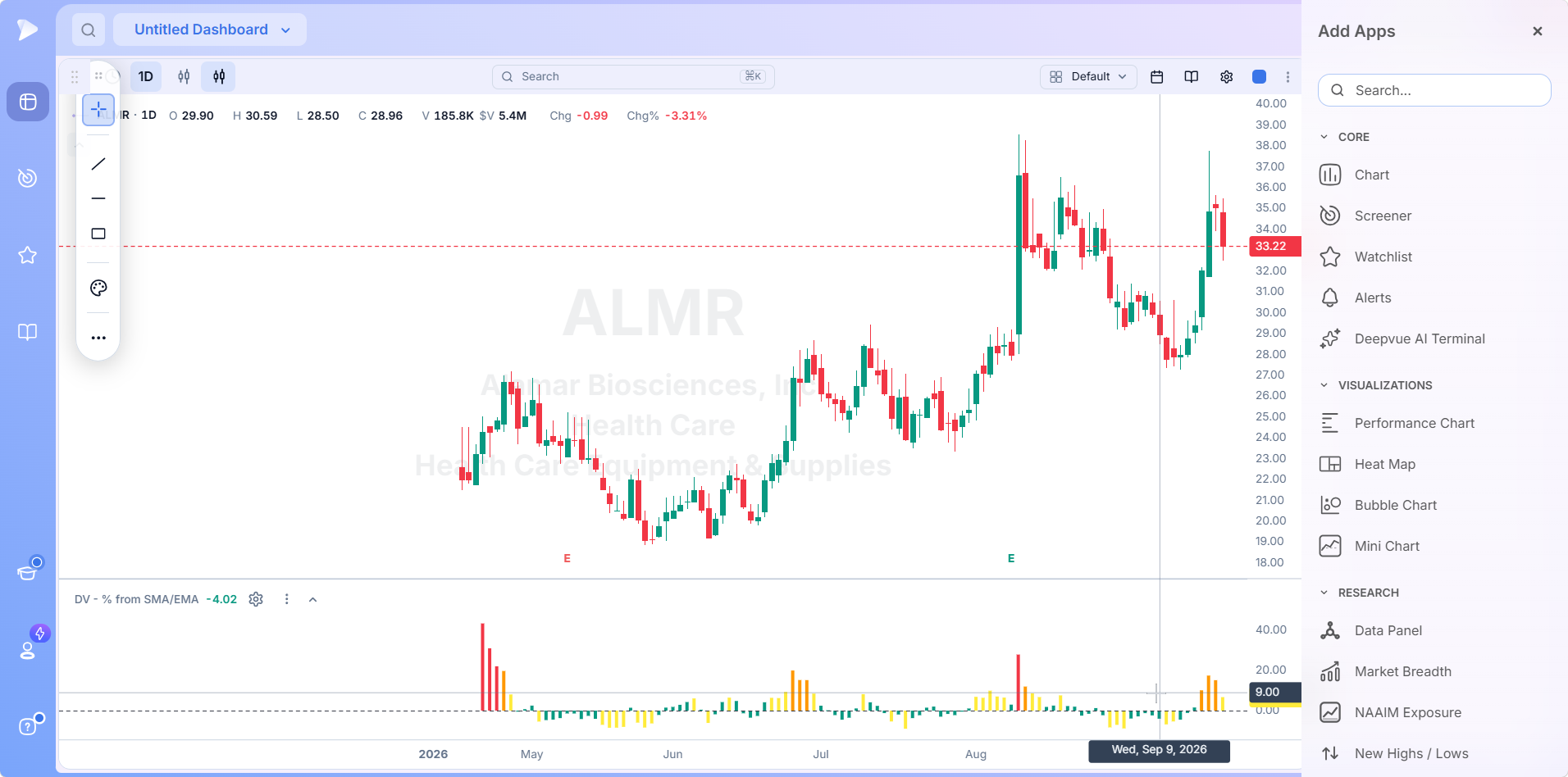
Studies include the RS Line against the market, Stage Analysis overlays, Enhanced Volume, anchored VWAP, Base Pivots and RMV Pivots. Right click any bar to ask the AI what caused the move, even years back, and replay mode steps through past price action bar by bar with every indicator recalculated for that moment.
Learn more about Charts.
Screener
A stock screener that narrows the market with 1,152 data points and 169 ready made scans across nine categories, many built on established trading approaches.
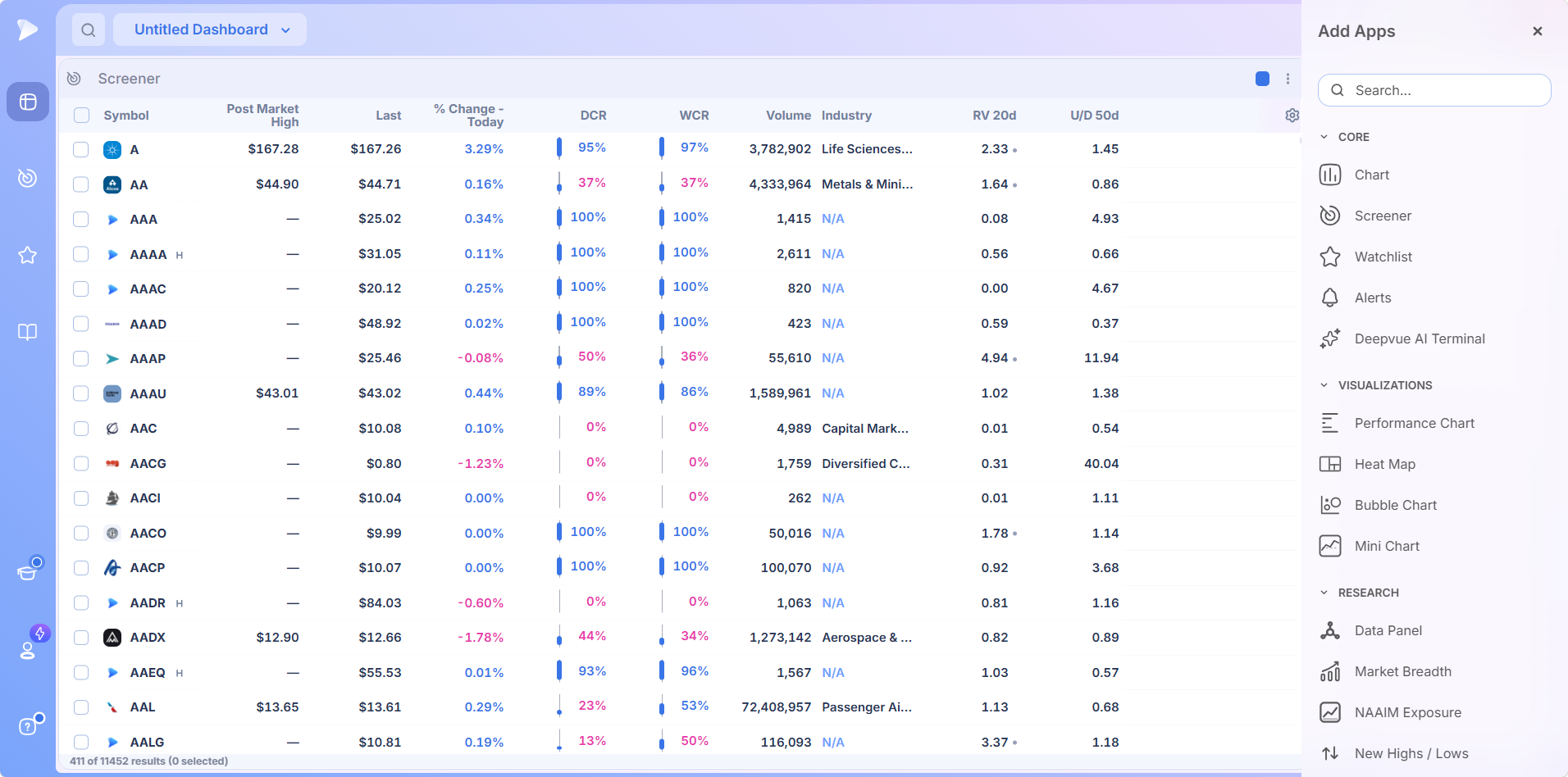
Start from a preset, duplicate it, change the criteria and save your version; the original stays untouched. Results connect to the chart, volume panel, earnings table and Data Panel, the spacebar steps through names with every view in sync, and a right click tags a stock, sends it to a watchlist or sets an alert.
Learn more about the Screener.
Watchlist
A stock watchlist organized into labeled sections inside one list, so a wide idea pool, active setups and today’s focus names can be kept apart, each section sorting on its own.
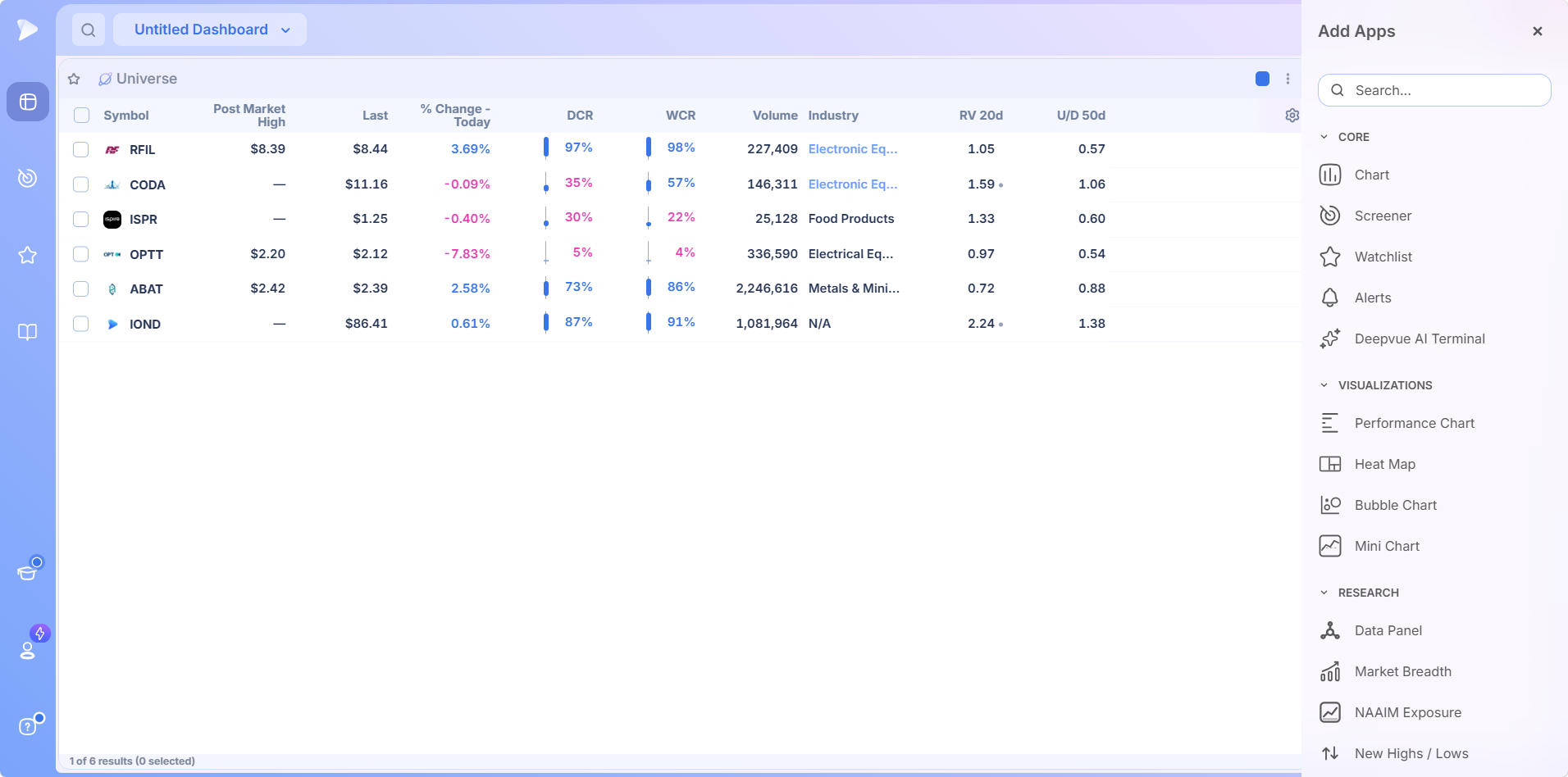
Columns come from the same data point library as the screener, and 34 preset lists in six folders cover curated themes and past market leaders. Add names one at a time, paste them in bulk, send them from screener results or pull them from an AI answer, and share a finished list as a URL instead of a spreadsheet.
Learn more about the Watchlist.
Create an account on Deepvue and set up all five core apps before your next session.
Alerts
Stock alerts that watch the conditions you set, so you hear about a level or trigger the moment it happens instead of watching the tape all day.
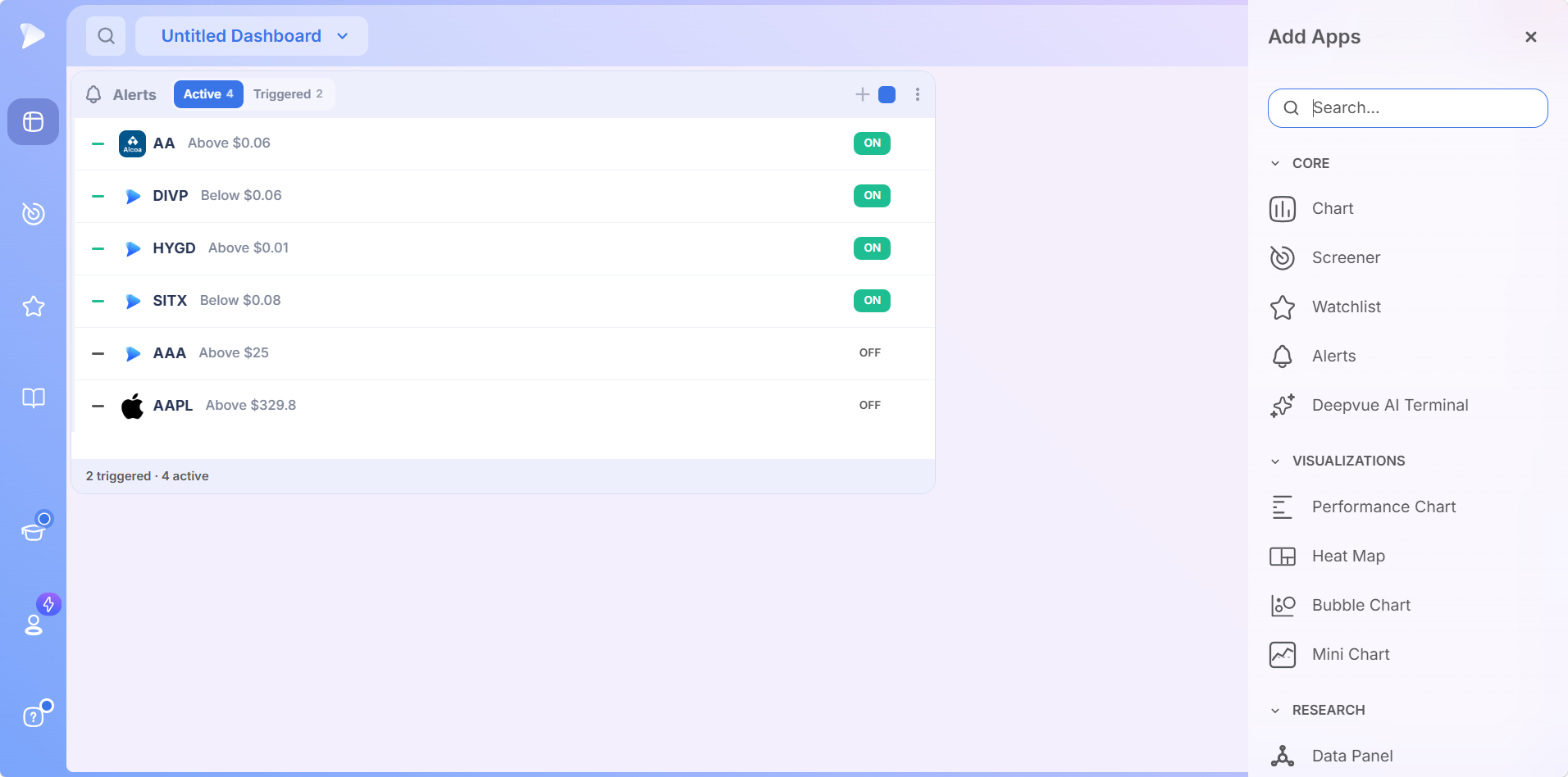
Create an alert from a screener result, a watchlist row or a chart trendline. Each one takes a direction, a price level, an optional second condition, a duration, a note and how you want to be notified.
Learn more about Alerts.
Deepvue AI Terminal
An AI stock terminal built into the platform, so it works with what the rest of Deepvue knows instead of acting as a separate chatbot.
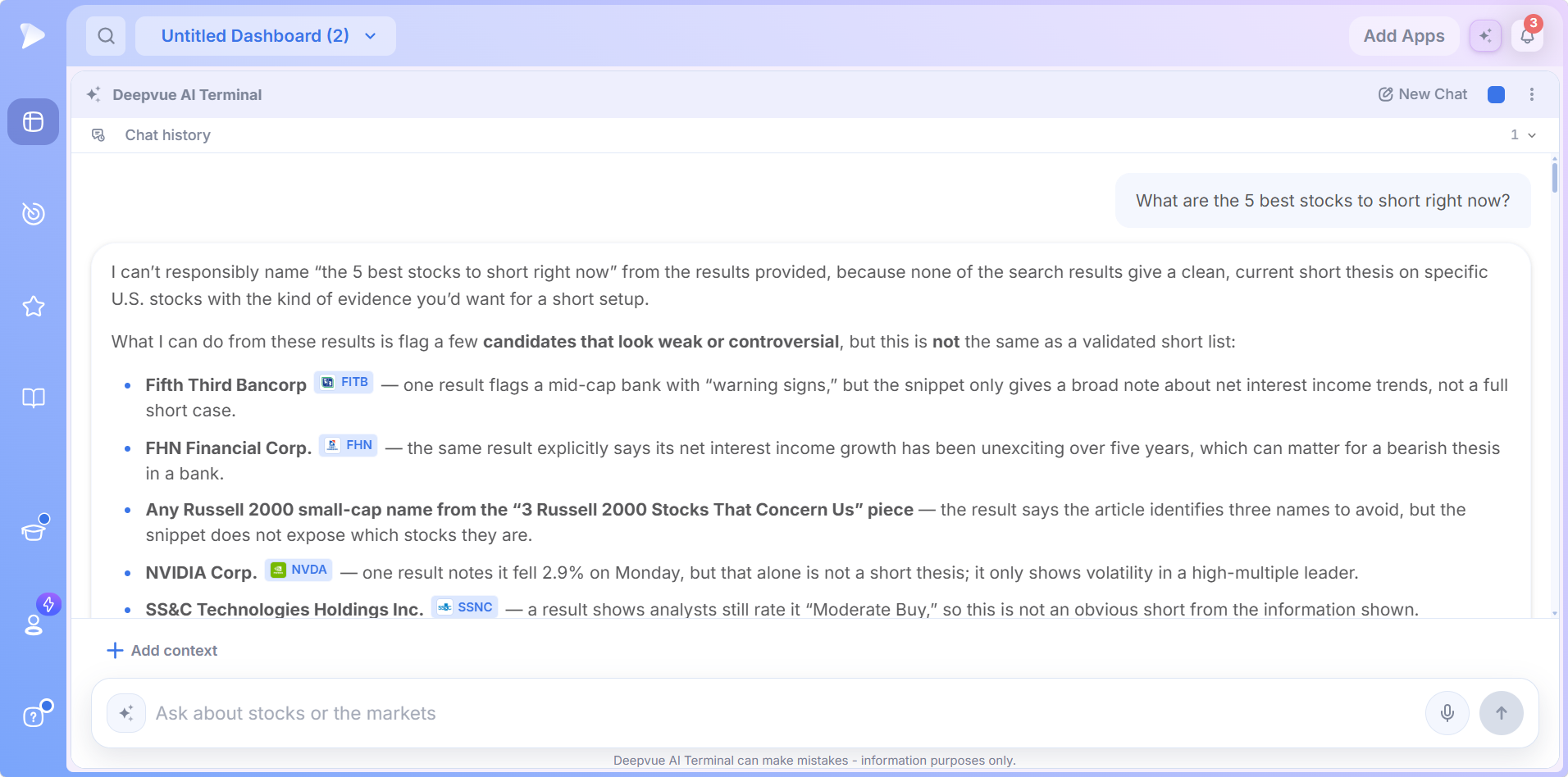
Reference a list, screen or data panel with an @ mention and the Terminal uses its symbols, filters and values as context. More than 50 ready made prompts adapt to the stock on screen, a plain language description becomes a working screen in the Screener, and tickers in any answer open charts, join lists or get alerts in one click. There is no usage allowance to manage.
WatchThe Deepvue AI is here: find trades, analyze stocks and save timeLearn more about the Deepvue AI Terminal.
The Deepvue Core Features Workflow
The core five map onto a sequence:
Screen the market and return a set of candidates.
Chart each one right beside the results to judge the setup.
Keep the survivors in a sectioned watchlist.
Alert on the names that have not reached their trigger yet.
Ask the AI Terminal whatever the chart cannot answer, at any step.
Arrange them on a customizable dashboard, share one color group between the list and the chart, and the five apps run as a single screen.
Try Deepvue and run the whole sequence tonight.
Why These Core Trading Tools Stand Out
- ✓Charts on an in house engine, with growth stock studies native rather than approximated.
- ✓A screener and watchlist sharing 1,152 data points, so a filter can become a column.
- ✓Every core app connected, with actions like tag, list and alert one right click away.
- ✓AI inside the workflow, reading your own lists and building screens from a sentence.
For the full picture against other platforms, the Deepvue comparisons hub has a dedicated page for MarketSurge, Finviz, TrendSpider, TradingView and TC2000.
Reviews From Traders Using Deepvue
Comments from Deepvue users, word for word.
“It’s really the best screener I’ve ever used.”
u/Trading_Intern987, a new subscriber posting an update to r/CANSLIM. Open that post
“Amazing charting capabilities and key financial numbers in a clean, quick manner.”
A customer quoted on the Deepvue site. See it there
“The enhanced volume indicator is awesome.”
A MarketSmith subscriber writing in r/CANSLIM. View that thread
“One of the best trading tools out there and I can’t trade without it.”
Joshua Fong, reviewing the Android app in November 2025. Google Play listing
Over 220 verified reviews make up the Deepvue reviews wall; they average 4.8, and 97 in every 100 reviewers recommend Deepvue.
Beyond the Core Apps
- •Visualizations: a treemap Heat Map and a Bubble Chart for a whole universe, the Performance Chart for rankings, and the Mini Chart for one symbol.
- •Research: market context, including the Theme Tracker, Industry Ranks, Market Breadth and the Market Brief.
- •Tools: the Stats Table and Position Size Calculator plus the earnings and economic calendars.
- •Also on the features hub: the Model Book for studying past setups, and the dashboards that combine everything.
What the Deepvue Core Features Cost
The five Deepvue core apps come with Deepvue’s single plan at $49 per month, billed monthly or annually, with nothing sold as an add on.
That one plan covers:
- •The screener and its 1,152 data points.
- •Charts, watchlists, and alerts, all of them unrestricted.
- •Fully customizable dashboards, with every app in the catalog.
- •The Theme Tracker, Market Brief, and AI Terminal, the last with unbounded usage.
Deepvue has one plan, so there are no tiers to compare. For reference, MarketSurge, the legacy platform in this niche, runs $149 per month.
New subscribers also get a one on one onboarding session with a Deepvue team member, an onboarding email series covering platform features and use cases, and weekly live webinars that each go deep on one part of the platform.
Run Your Day on the Deepvue Core Features
Stock charts, a stock screener, a stock watchlist, stock alerts and an AI stock terminal: between them, most of what a trading day actually consists of, connected so each step hands off to the next.
The five you will open tomorrow morning. Get started with Deepvue and have them ready before the open, all for $49 a month.
↑ Back to contentsFrequently Asked Questions
Answers on charts, screening, lists, alerts and AI.
What are the Deepvue core features?
The Deepvue core features are Charts, Alerts, the Screener, the Watchlist and the Deepvue AI Terminal: the five apps listed first in the catalog, and the ones that carry a trader’s daily routine.
Which apps does a trader use every day?
The apps a trader uses every day are something to find candidates, something to judge them, somewhere to keep them, and a way to hear when a level is reached. In Deepvue those are the screener, chart, watchlist and alerts, with the AI Terminal as a fifth.
Do I need a separate charting platform?
You do not need a separate charting platform if your platform’s charts carry the studies your method uses. Deepvue built its own engine so relative strength, volume signatures, base levels and anchored VWAP are native rather than approximated.
What is the best charting software for growth stocks?
The best charting software for growth stocks is the one whose studies match the method: volume signatures, a relative strength line, base and pivot levels, and moving averages across timeframes. Deepvue’s charts were built around exactly that.
What is a stock screener and how does it work?
A stock screener is a tool that filters the market down to stocks meeting the criteria you set. The Deepvue Screener works across 1,152 data points with 169 preset screens in nine categories, and shows a chart, volume panel and data panel beside every result.
How do I keep track of stocks I am watching?
You keep track of stocks you are watching with a list that has structure rather than a flat row of tickers. Deepvue Watchlist sections let one list hold a wide pool and a short daily focus list, and moving names between them is the discipline.
Is Deepvue a good platform for beginners?
Deepvue is not built as a platform for absolute beginners; it assumes a year or two of experience and a process already forming. Developing traders benefit most from its connected screener, chart and watchlist, learned once as one workflow.
Why is the AI Terminal a core feature rather than research?
The AI Terminal is a core feature rather than research because it is used the way the chart and screener are: constantly, in the middle of other work. Deepvue lets you hand it any watchlist or screen as context and build a screener from a plain English description.
Are the core features included in the standard plan?
Yes, the core features are included in the standard plan. Deepvue has a single plan at $49 per month that covers all five along with dashboards, the Theme Tracker, the Market Brief, and every other app in the catalog.
CAN SLIM® is a registered trademark of O’Neil Capital Management, Inc. (U.S. Reg. No. 3,081,940). Deepvue is not affiliated with, sponsored by, endorsed by, or licensed by O’Neil Capital Management, Inc., Investor’s Business Daily, MarketSurge, or their affiliates. Any reference to CAN SLIM® is for descriptive purposes only. Deepvue’s scores, ratings, and screeners are independently calculated by Deepvue and are not the proprietary ratings of MarketSurge or IBD.