Stock Screener by Strategy: Seven Stock Screening Strategies
Organizing screens by strategy means you start from how you trade instead of from a blank list of filters. Deepvue’s stock screener by strategy covers seven stock screening strategies: growth, technical, fundamental, momentum, swing trading, breakouts and gaps. Each one has its own page explaining the presets behind it, how to read what they return and how to trade it, and all seven run on the same 1,152 data points. $99 a month.
Key Takeaways
Every trader who sticks around ends up with a method. Buy leaders clearing a base, buy earnings acceleration before the crowd notices, trade the names that opened far from yesterday’s close. The method decides which stocks deserve a look, and a screener that ignores it hands you the same generic list it hands everyone else.
Deepvue’s screener works from the other end. Its 169 presets are grouped the way traders actually work, and the strategy pages below take one approach at a time: what it looks for, which presets run it and what to do with the names that come back.
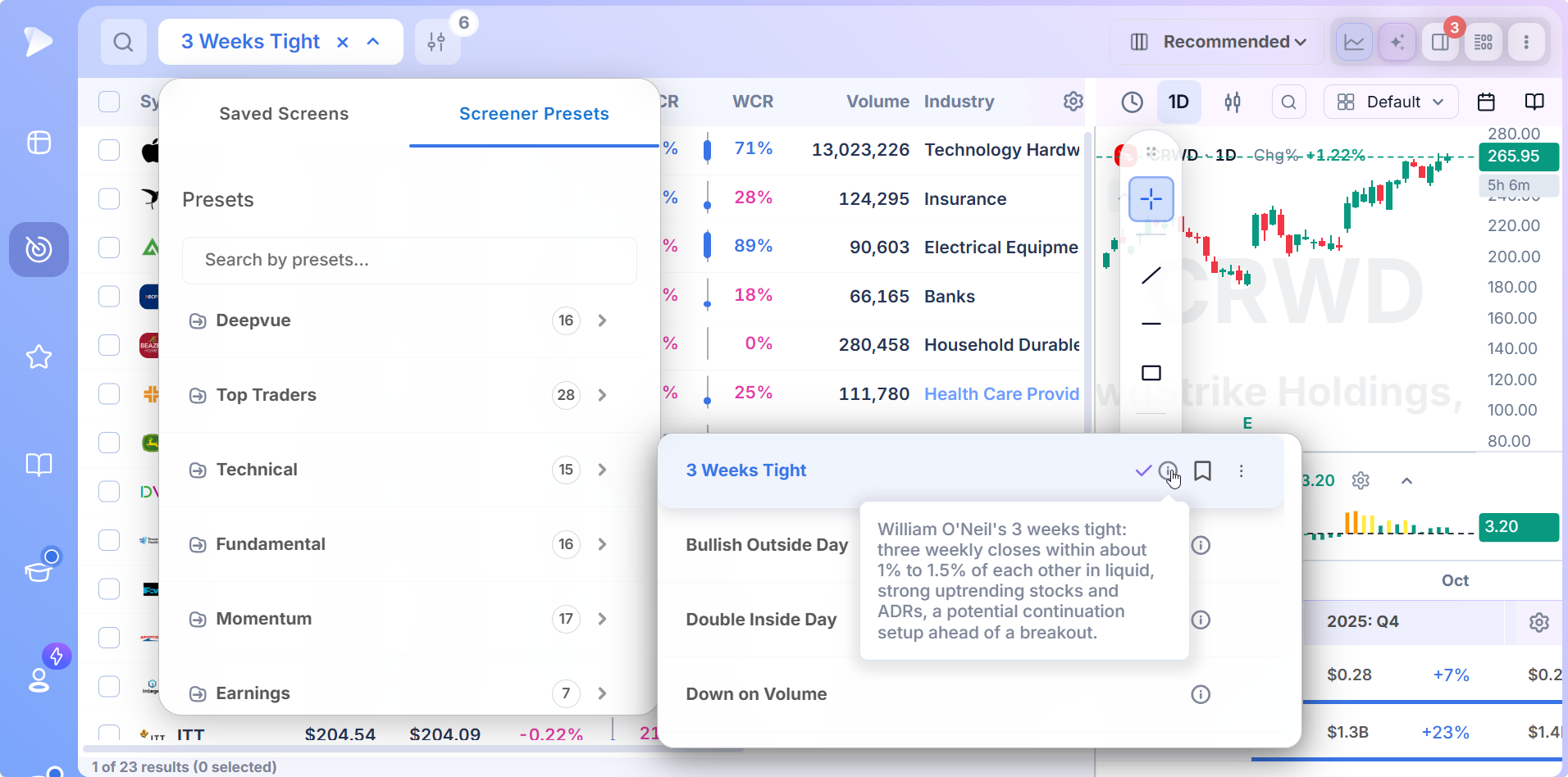
- ✓Seven strategies, each with a page of its own: growth, technical, fundamental, momentum, swing trading, breakout and gaps
- ✓The technical, fundamental and momentum pages cover a whole preset category; the swing trading, breakout and gaps pages focus on a few named screens
- ✓Holding period is the quickest way to pick a strategy, followed by where your edge comes from and the entry you act on
- ✓Any preset can be saved as your own copy and edited, so two strategies can share one screen
- ✓Results open next to their chart, and the keepers go to a watchlist or an alert with a right click
- ✓A single $99 a month plan unlocks every strategy, preset and data point
Stock Screening Strategies: Pick the One You Trade
The first four pages cover broad ways of choosing stocks. The last three center on specific screens built by well known traders and follow them closely.
Technical Stock Screener
For traders who judge a stock by its chart. Tight closes, volume spikes and dry ups, moving averages stacked in order and bars that mark a turn are all covered, with a walkthrough of each of the 15 Technical presets, from 3 Weeks Tight to Power of 3, and the technical fields you can add to them.
Fundamental Stock Screener
For traders who start with the numbers. Earnings and revenue growth, quarters where that growth picks up pace, results that beat estimates and funds adding shares are all covered, with a walkthrough of the 16 Fundamental presets such as Accelerating Earnings, Big Sales Surprise and New CEO.
Growth Stock Screener
For traders who want strong numbers and a strong chart in the same stock. The page is built around the Seven Criteria Growth preset, which checks for the traits past market leaders shared before their biggest advances, and explains how Deepvue’s proprietary ratings rank what it finds.
Momentum Stock Screener
For traders who buy strength. It covers the 17 Momentum presets, grouped by what they catch: fresh highs, relative strength leaders such as High Octane RS, orderly pullbacks to rising moving averages, and RS line screens at several lookbacks.
Swing Trading Stock Screener
Built on a single preset, Mike Webster’s Swing Trading List. The page covers its six conditions, which keep the list to liquid names with positive relative strength on short, medium and long timeframes, and the way Webster narrows it to a handful of setups.
Breakout Stock Screener
Pradeep Bonde’s scans for the start of a momentum burst. His 4% Breakout and $ Breakout presets come in bullish and bearish versions, and the page explains what each one requires and how Bonde, better known as Stockbee, trades the days that follow.
Gaps Stock Screener
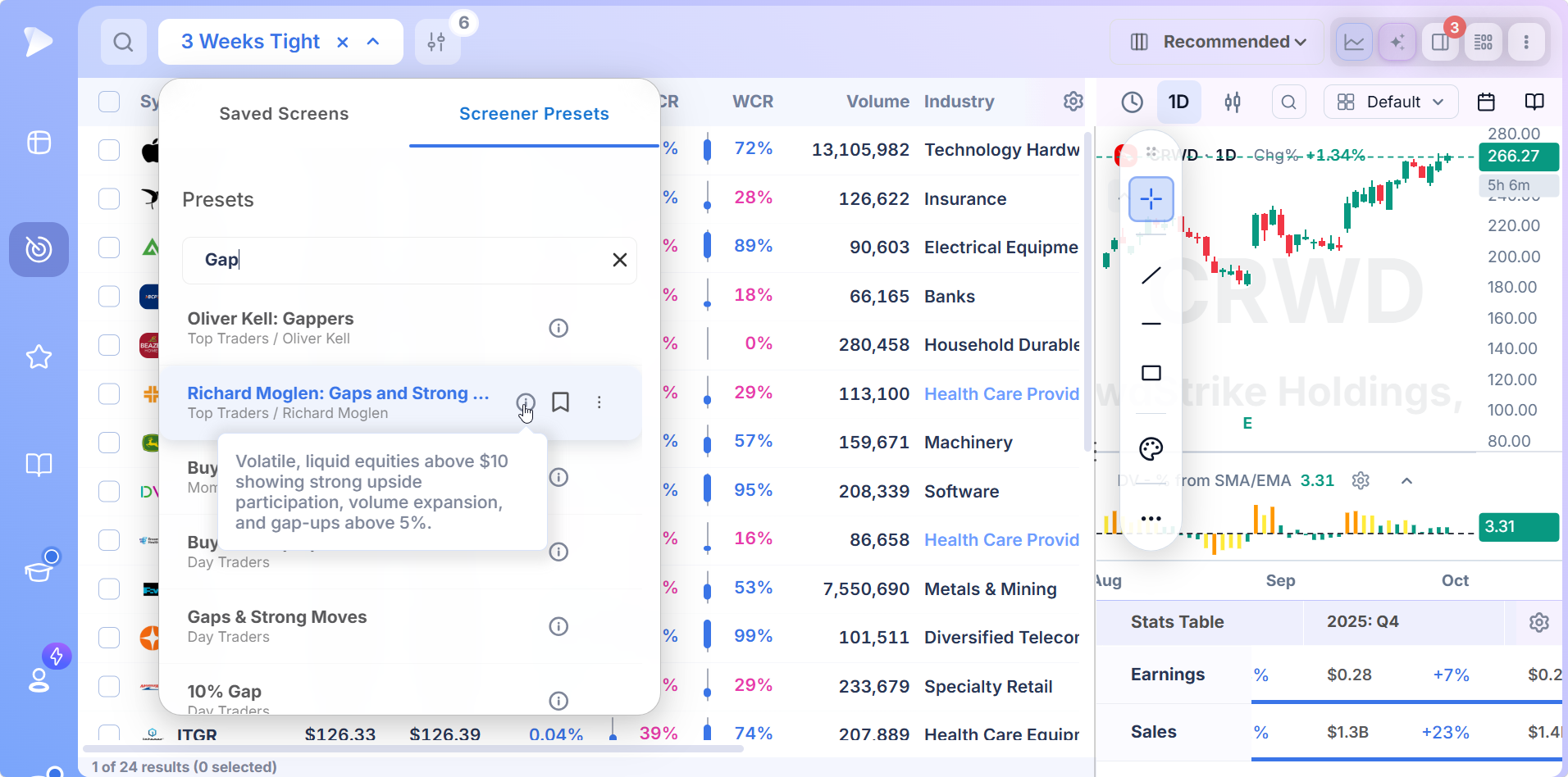
Five gap presets arranged by size, from the 2% Pre Market Movers & Gap Ups screen through Oliver Kell’s 3% Gappers and the two 5% Gaps and Strong Moves screens to the 10% Gap preset. The page shows how to grade each morning’s gappers before choosing which to trade.
What Is a Stock Screener by Strategy?
A stock screener by strategy is a set of screens organized around a method of trading rather than a single measure or chart formation. A growth trader and a gap trader both look at volume, relative strength and price. They combine them differently, set different thresholds and act on the results at different moments, so each needs a different screen.
Grouping screens this way also answers a question filter lists leave open: which conditions belong together. Most stock selection strategies come down to a handful of conditions that only work as a set, and each strategy page explains why its preset asks for what it asks. That makes it safe to adjust a threshold without breaking the idea behind the screen.
How the Seven Strategies Compare
Side by side, the stock screener strategies differ in what they look for, where their presets are and who they suit.
| Strategy | What it screens for | Where the presets are | Suits |
|---|---|---|---|
| Growth | Growing earnings and sales in stocks already leading the market | Seven Criteria Growth, plus Deepvue’s own ratings | Position traders who hold for weeks to months |
| Technical | Tight ranges, volume spikes, moving average alignment, reversal bars | 15 presets in the Technical category | Chart readers timing entries |
| Fundamental | Earnings and sales acceleration, surprises, ownership changes | 16 presets in the Fundamental category | Traders who start from the business |
| Momentum | New highs, RS line breakouts, pullbacks in leaders | 17 presets in the Momentum category | Traders who buy strength |
| Swing trading | Liquid leaders that are strong over 3, 6 and 12 months | Mike Webster: Swing Trading List | Swing traders holding days to weeks |
| Breakout | Sharp moves on rising volume, up or down, on the day they start | Pradeep Bonde’s six scans in Top Traders | Traders riding moves of a few days |
| Gaps | Stocks that open far above or below yesterday’s close | Five gap presets, from 2% to 10% | Traders reacting to earnings and news |
How to Choose a Stock Screening Strategy
Knowing how to use a stock screener starts with knowing what you want it to find. Most traders already have a strategy; they just haven’t matched it to a screen yet. Three questions usually settle it.
Swing Trading vs Position Trading: Start With How Long You Hold
Holding period narrows the choice faster than anything else. Swing traders holding for days to a few weeks need liquid names with a setup forming now, which is what the Swing Trading List and the breakout scans deliver. Position trading, where a stock is held for weeks to months, rewards the growth and fundamental screens, because the business has to keep delivering for the trend to last. Momentum screens work at both speeds, depending on the lookback you choose.
Decide Where Your Edge Comes From
Stock selection strategies split along one line: the chart or the business. If your edge is reading price and volume, begin with the technical or momentum screens. If it comes from knowing which companies are growing fastest, begin with the fundamental screens. The growth screen suits traders who want both, since a stock has to show strong numbers and a strong chart before it reaches the list.
Match the Screen to the Entry You Act On
A screen should end in a trade. Breakout traders want the day a stock clears resistance on volume, gap traders want the open, and pullback traders want a leader resting at a rising moving average. Choose the strategy whose results arrive when you are ready to buy, or the list goes stale before you read it.
Trading Styles Matched to Screens
| Trading style | Typical holding period | Start with |
|---|---|---|
| Swing trader | Days, up to about a month | Swing trading, breakout and technical screens |
| Position trader | Several weeks to several months | Growth and fundamental screens |
| Momentum trader | Days to months, depending on the lookback | Momentum and breakout screens |
| Catalyst trader | A day to a few weeks after the news | Gaps screens and the fundamental surprise presets |
These trading styles blend in practice. Plenty of position traders take swing trades when the market is choppy, and momentum traders often borrow an earnings condition from the growth screen. The strategy pages are written so each one can be read on its own or combined with another.
How to Screen Stocks With a Strategy in Deepvue
Whichever strategy you pick, the steps are the same, and once you know how to screen stocks with one preset you know them all.
Open the screener, click the name of the current screen and choose Screener Presets.
Pick the category that matches your strategy, or type a word such as “gap” or “breakout” into the search box to pull matching presets from every category at once.
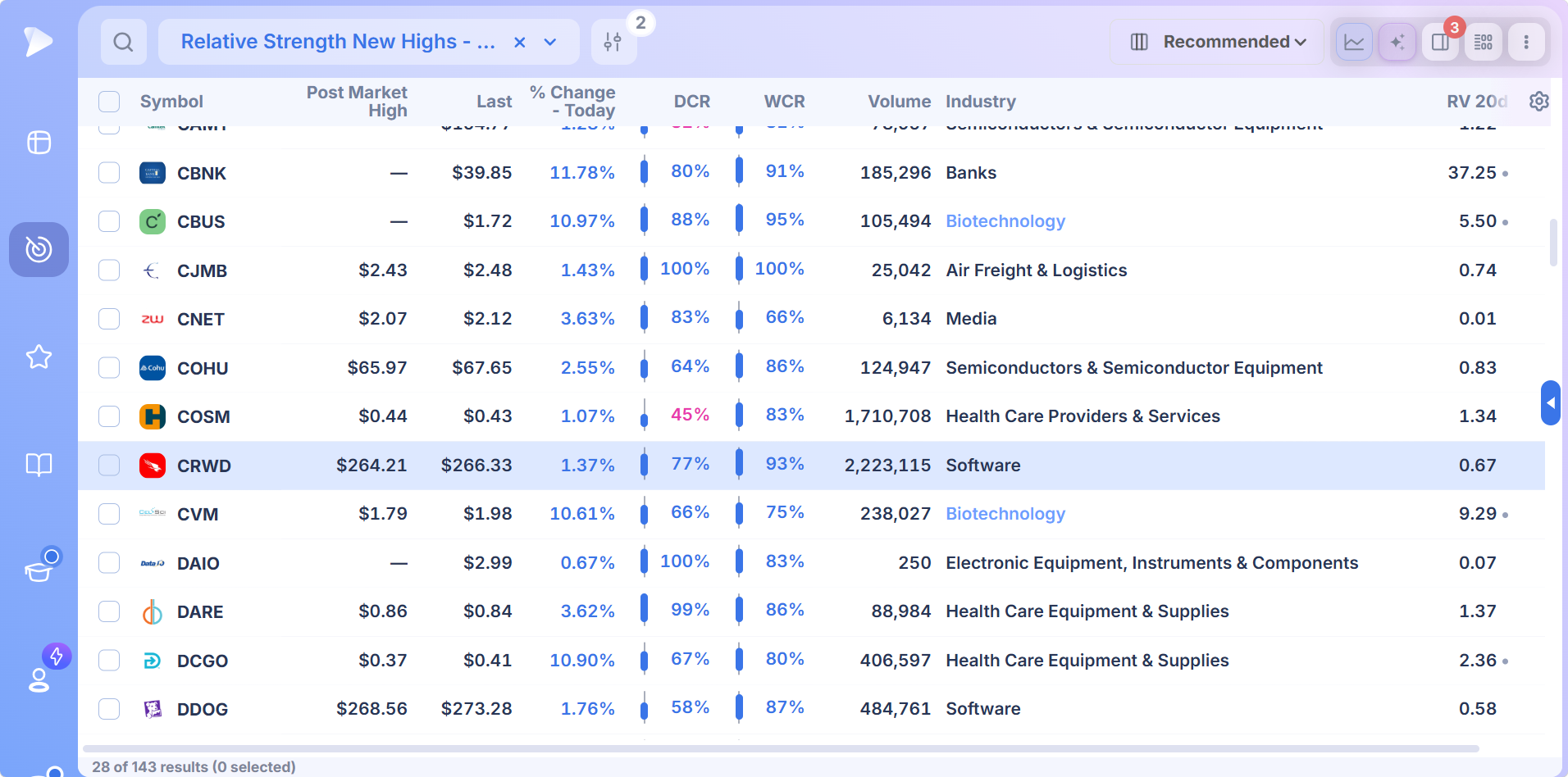
Load the preset. The list fills from live data, with the measures the preset depends on already shown as columns.
Sort by the column your strategy cares about most, then click a row to open its chart beside the list.
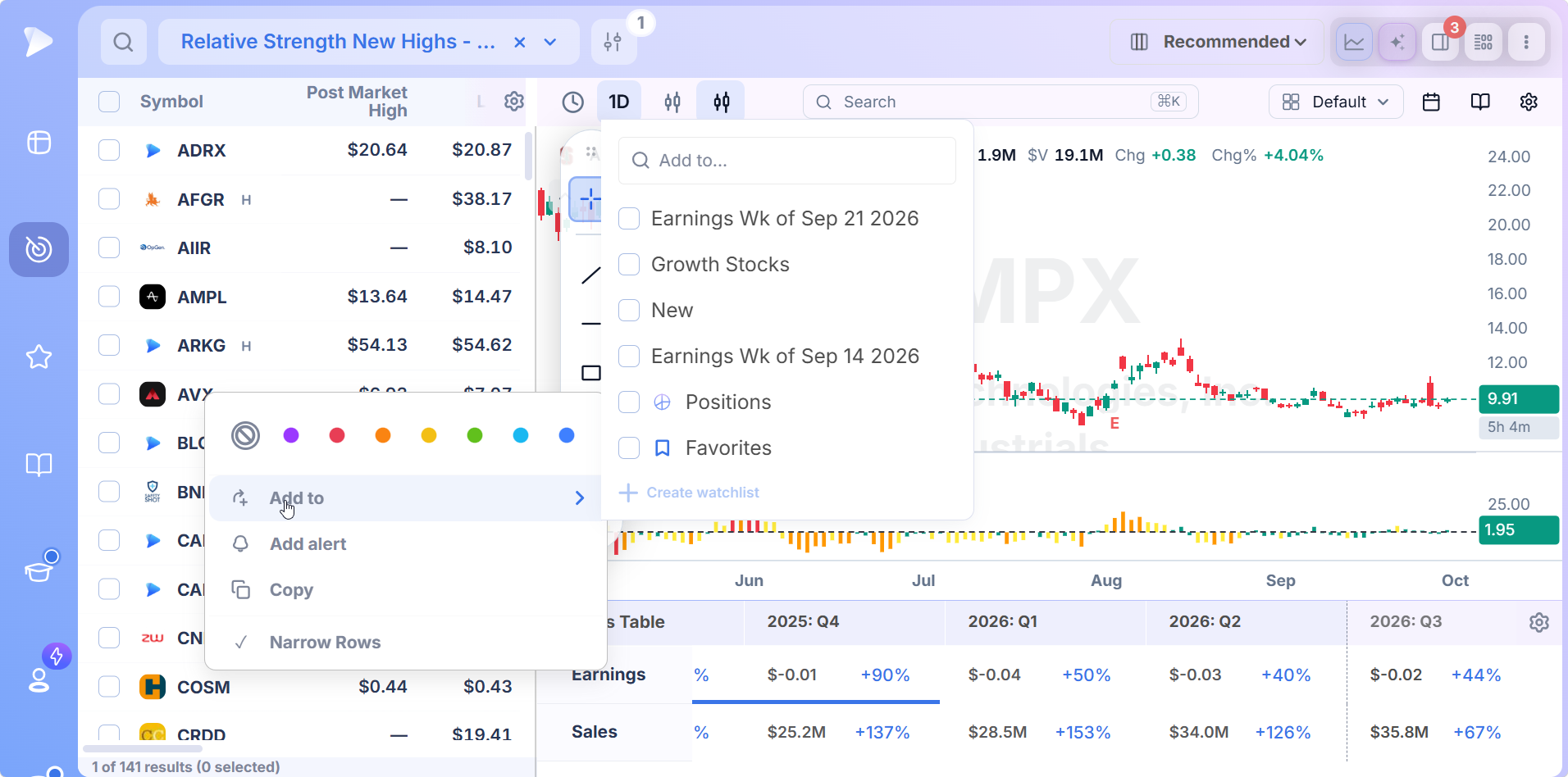
Right click the names worth following to put them on a watchlist or create an alert.
Check the Chart Before the List Becomes a Trade
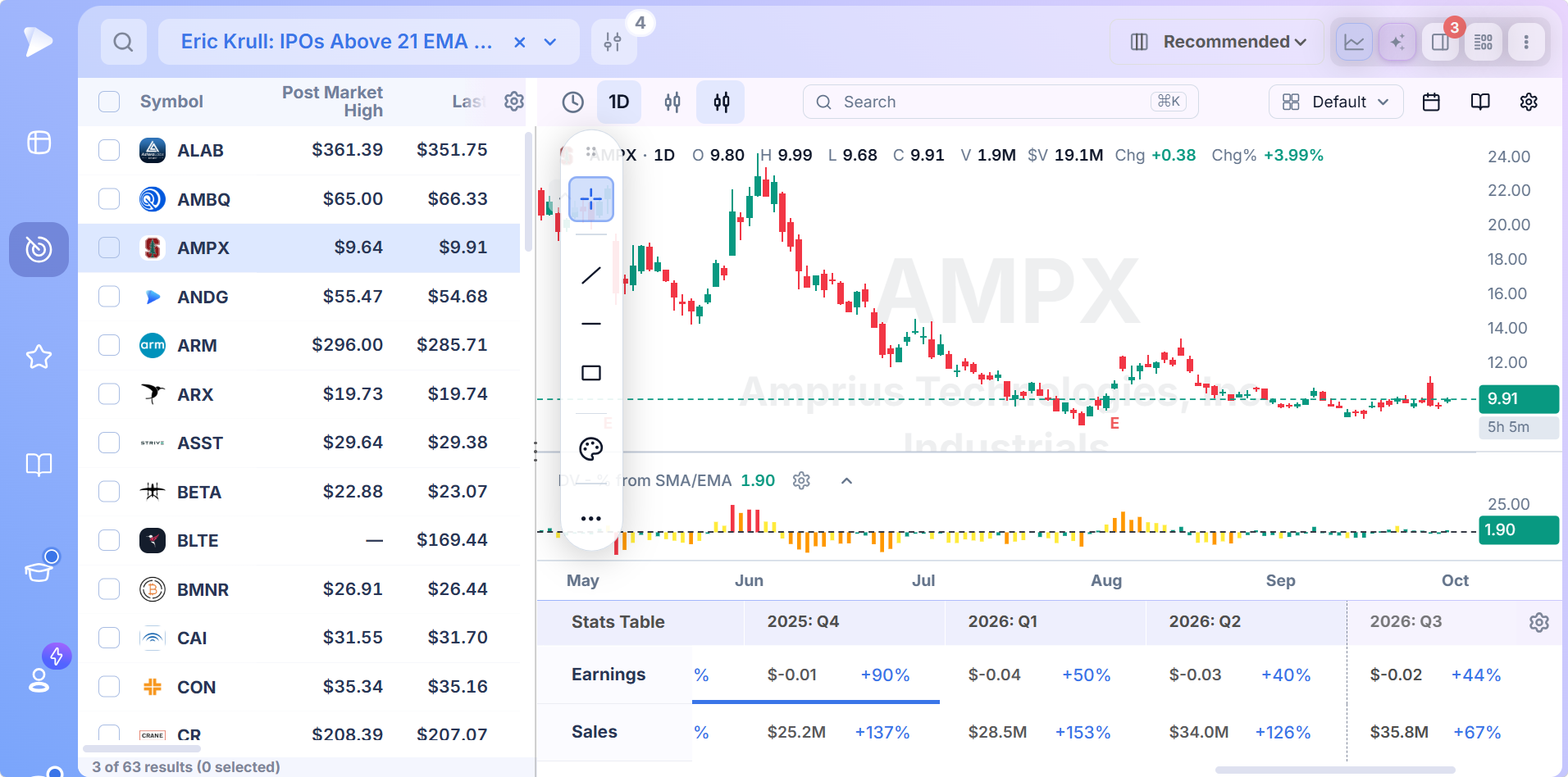
A preset can only confirm that its conditions are met. Whether the stock is worth buying is a chart question: where the base is, how far price has run from it and how volume behaved on the way. Clicking a result opens its chart in a split layout with the quarterly figures underneath, so growth traders see the numbers and swing traders see the structure without leaving the list.
Keep the Names That Pass
Names that pass go to a watchlist with a right click, and you can keep one list per strategy so the growth candidates never mix with the week’s gappers. An alert on the trigger price means the entry still reaches you while you work through the rest of the results.
Combine Two Stock Trading Strategies in One Screen
The strategies overlap, and some of the best screens borrow from two of them. Presets are locked so their definitions stay intact, but a saved copy opens every condition for editing.
Load the preset closest to your main strategy and save it as your own screen.
Add one condition from the second strategy, such as a quarterly EPS growth floor on a momentum screen or an RS Rating floor on a gap screen.
Add that measure as a column too, so you can rank the list by it.
Check the count. If nothing comes back, loosen the newest condition first.
File the screen in a folder named for the strategy so it runs again on live data each time you open it.
The AI Terminal gets you there from a sentence. Ask for “stocks up more than 4% today on rising volume with EPS growth above 25 percent” and it returns the conditions as a screen you can edit and save.
Beyond the Strategy Screens
Strategy is one way to organize the library. Four other hubs sort it by what a screen is built on.
- •Stock screener by pattern: formations such as the volatility contraction pattern, pocket pivots, buyable gap ups and green line breakouts.
- •Stock screener by indicator: one technical measure at a time, beginning with relative strength and the 21 EMA on recent IPOs.
- •Stock screener by trader: complete methods from named traders, including Qullamaggie’s episodic pivots, Minervini’s Code 33, Weinstein’s Stage 2 and Kell’s Bull Snorts.
- •Stock screener by market timing: scans built for a point in the session, from the premarket through after hours.
Several strategy pages rest on presets from named traders, which is why the swing trading and breakout screens also appear under Top Traders in the app.
Who Gets the Most From Strategy Screens
- •Traders who know their method and want the market filtered to match it
- •Newer traders comparing stock trading strategies before settling on one
- •Growth and momentum traders who want ready made screens with the reasoning spelled out
- •Traders running two approaches at once, such as position trades alongside short swing trades
Pricing
Join by November 12 and your $490/year rate stays locked for as long as your subscription is active. One $99 a month plan unlocks all seven strategies.
- •The presets behind every strategy page, plus the rest of the 169 in the library, each one editable once you save a copy
- •All 1,152 data points, usable as screen conditions and as sortable columns
- •Split view charts beside every result, ready to send names to a watchlist or an alert
- •568 fields streaming live, so each strategy screen refreshes while the market is open
MarketSurge, the platform many growth traders compare against, is $149 a month.
New accounts include a setup call, introductory emails and weekly webinars that each take one module apart.
Trade Your Method, Not a Generic List
A generic screen returns whatever happens to be moving. A stock screener by strategy returns the stocks that fit how you already trade, at the point in the session when you can act on them. Pick the page that matches your approach, load its preset and spend your time on charts instead of on the search.
Load your first strategy screen
↑ Back to contentsFrequently Asked Questions
What is a stock screener by strategy?
A stock screener by strategy is a group of screens organized around a way of trading, such as growth, momentum or gap trading, instead of around one indicator or chart pattern. Deepvue’s strategy hub links seven of them, each with a page explaining its presets, its thresholds and how to trade the results.
What are the most common stock screening strategies?
The most common stock screening strategies are growth, momentum, technical, fundamental, swing trading, breakout and gap screening. Growth and fundamental screens start from earnings and sales, technical and momentum screens start from price and volume, and breakout and gap screens catch a specific event. Deepvue ships presets for all seven stock screener strategies.
How do I choose a stock screening strategy?
You choose a stock screening strategy by answering three questions: how long you hold, whether your edge comes from the chart or the business, and which entry you actually act on. Holding period usually settles it. Deepvue’s presets let you test a strategy on live data before committing to it.
What are the main types of trading strategies?
The main types of trading strategies for stocks are growth, momentum, swing, position, breakout and gap trading, with technical and fundamental analysis as the two ways of picking names within them. Most traders blend two. In Deepvue each strategy has matching presets, and a saved copy can mix conditions from more than one.
Swing trading vs position trading: which screen suits each?
For swing trading vs position trading, the screen follows the holding period. Swing trades last days to a few weeks and depend on the chart setup, so Deepvue’s Swing Trading List and breakout scans suit them. Position trades last weeks to months and depend on the company growing, so the growth and fundamental screens suit them.
What types of traders use stock screeners?
The types of traders who rely on stock screeners most are swing traders, position traders, momentum traders and traders reacting to earnings or news. Each needs a different list: the swing trader wants setups forming now, the position trader wants growing companies in uptrends. Deepvue’s strategy hub gives each one a starting screen.
Can I combine two strategies in one screen?
Yes, you can combine two strategies in one screen in Deepvue by saving a copy of a preset and adding conditions from the second strategy, for example an EPS growth floor on a momentum screen. The combined screen keeps your name and updates on live data whenever you open it.
How do I screen stocks with a strategy in Deepvue?
To screen stocks with a strategy in Deepvue, open the screener, choose Screener Presets and pick the category or trader folder that matches your approach, or search the presets by keyword. Load the preset, sort by the column that matters, then open any result to check its chart without leaving the list.
Is the strategy hub a complete list of Deepvue’s screeners?
No, the strategy hub is not a complete list of Deepvue’s screeners. It covers screens organized by trading approach. Screens built on chart formations, single indicators, named traders and times of the session each have a hub of their own, and the full library holds 169 presets across nine categories.
Which stock screening strategy is best for beginners?
The best stock screening strategy for beginners is usually a growth or momentum screen, because both keep the list to stocks already leading and their rules are easy to check on a chart. Deepvue’s Seven Criteria Growth and 52 Week Highs presets make good first screens, and each strategy page covers how to use a stock screener for that approach.