How to Keep a Trading Journal
Last Updated:
November 19, 2026


How to Keep a Trading Journal You’ll Still Use in Six Months
A field list for positions you hold for weeks, with one trade logged in full and a review habit that lasts.
To keep a trading journal, write the setup, stop, size and reason for every trade before you enter, and update the record each time you add, trim or move the stop. At the exit, log the result in dollars and R with one lesson, then review open positions weekly and your results by setup monthly.
You sell the last 150 shares of a position you’ve held for six weeks, and the profit looks fine. Then you try to recall why you bought it, why you added in week two and where the stop was when the stock pulled back, and nothing comes back.
Never miss a Deepvue blog post.
A trading journal closes that gap. Knowing how to keep a trading journal for holds of weeks comes down to logging at fixed moments and booking the reviews, so the habit outlasts the first month.
Key Takeaways
- •Log by stage. Write the plan before entry, add a row at every add, trim and stop raise, and grade the trade the day it closes.
- •Pick a format you’ll keep. A notebook or spreadsheet covers a few positions a month; software pays off once broker sync and automatic R save you real time.
- •One position, five rows. The trading journal example turns a $600 initial risk into $2,150, about 3.6R, across a buy, an add, a stop raise and two sells.
- •Maintain it on a schedule. A two minute close out note, a weekly pass over open positions and a monthly playbook scorecard keep the record current.
- •Let Deepvue do the logging. The Deepvue Trading Journal pulls in your fills by broker sync and points you to trades still waiting on a stop or a review. Claim $490 for the year through December 4, regularly $99 a month or $990 a year.
Why Most Traders Stop Keeping a Trading Journal
Journals tend to stall early, and rarely for lack of caring. Twenty fields per trade feels thorough on day one and turns into homework by week three, especially when every fill gets typed by hand.
The other failures are quieter. Some traders log only losers, leaving nothing to compare against, and others log everything but never open the file again.
Logging pays off before any review happens. One trader described the effect plainly:
“Knowing I’ll have to write it down makes me pause before doing something impulsive.”
A Reddit user
That pause is a big part of what a journal does for your trading psychology. An impulsive buy has to survive being written down first. The rest comes from logging fewer fields at fixed moments and booking the reviews in advance.
What to Include in a Trading Journal
What to include in a trading journal depends on when you’re writing. Group the fields by the moment you fill them in, and each entry takes a minute or two instead of a whole sitting.
| Stage | What to log | Example for a stock trader |
|---|---|---|
| Before you enter | Setup, entry trigger, stop, share size, planned R, expected outcome, market condition | VCP breakout through the pivot on volume; stop $47; 200 shares; expect 3R in four to six weeks; market in an uptrend |
| While the trade is open | Each add, partial sell and stop move, with the date, price, shares and reason | Week 2: add 100 at $54 on a pocket pivot. Week 3: stop raised to $50.50 |
| After you exit | P&L in dollars and R, emotion, process grade, one lesson | +$2,150, or 3.6R; Confident; grade B; raise the stop before adding |
Before You Enter: The Plan
Write the plan before the order goes in. Name the setup, the trigger and the stop that proves you wrong, then let the Position Size Calculator work out shares from that stop so the dollars at risk are fixed before the first fill.
That amount is 1R: what you lose if the stop hits. Then write down planned R, meaning target distance over stop distance, and the outcome you expect. If the risk reward ratio falls short of your minimum, the trade never reaches the order ticket.
While the Trade Is Open: Adds, Trims and Stop Moves
Day trading guides skip this stage because their trades close by the bell. A position held for weeks changes shape as you add, sell a piece and raise the stop.
Log each change the day it happens, with the date, price, shares and one line of reasoning. Those rows show later if the add helped and if the raised stop was too tight.
After You Exit: The Result and the Grade
Record the result in dollars and in R, then pick the emotion that drove the exit. Grade the process apart from the result. A trade that followed every rule and lost 1R earns a better grade than a lucky 3R winner taken without a stop.
Finish with one lesson, a single sentence you’d act on next time. Three lessons per trade tend to turn into none.
Choose Your Trading Journal Format: Notebook, Spreadsheet or Software
Any trading journal format works if you keep using it. The trade offs show up in setup time, fill accuracy and how much math you do by hand.
| Notebook | Spreadsheet | Software | |
|---|---|---|---|
| Setup time | Minutes | An hour or two to build columns and formulas | Minutes once your broker connects |
| Fill accuracy | Copied by hand from statements | Typed or pasted from a broker export | Imported straight from the broker |
| R math | By hand on every trade | Formulas you maintain | Automatic once a stop is on file |
| Review by setup | Flipping back through pages | Filters and pivot tables | Reports by playbook, tag and emotion |
| Enough when | You trade a few positions a month and value the act of writing | You want full control over every column | You hold several positions and want stats without upkeep |
A notebook is plenty when you place only a few trades each month, and writing by hand slows you down in a useful way. A spreadsheet suits traders who like building their own tools.
Trading Journal Spreadsheet Columns That Work
Most trading journal spreadsheet templates use one row per trade. A position with an add and two sells then needs merged cells or a blended price that hides what happened. Use one row per action instead, tied together by a trade ID:
- •Trade ID and date so every row for one position groups together
- •Ticker and action: buy, add, trim, sell or stop move
- •Shares, price and the stop after the action
- •Playbook and tags chosen from a fixed list
- •Market condition and reason in a few words
- •Expected outcome on the opening row only
- •Realized P&L and R on each sell row
A pivot table on the trade ID rolls the rows into one result per position, while the action rows stay intact for review.
When Journal Software Pays for Itself
Software earns its cost when typing fills takes longer than reviewing them. Broker sync removes the data entry, and R calculates itself once a stop is on file.
If you’re comparing tools, the best trading journal roundup lays out the options for stock traders. Traders moving off one of the bigger names can start with TradeZella alternatives.
How to Create a Trading Journal in 6 Steps
Here’s how to create a trading journal that holds up past the first month, in any format. For the same setup inside Deepvue, follow the step by step walkthrough of each screen.
1. Pick a Format and Get Your Fills In
Choose your format first, then get fills in automatically wherever you can. Broker sync or a CSV import beats typing prices by hand, since one typo in a fill throws off every stat built on it.
2. Write a Short Playbook List
List the two to four setups you actually trade, such as a VCP breakout, a pocket pivot or an earnings gap. Every trade gets one playbook. Anything that fits none of them goes under Unplanned, and that group tells you plenty on its own.
3. Cap Your Tags at About Ten
Tags describe how you traded: Followed Plan, Chased, Moved Stop, Added Early. Keep the list near ten so filters stay readable, and retire any tag you haven’t used in a month.
4. Require a Stop and a Reason Before Entry
No stop, no trade. Without a stop the journal can’t compute R, and without a one sentence reason you can’t tell later if the setup failed or your execution did.
5. Log at the Close, Not From Memory
Fill in each day’s entries after the close, on the day they happen. Same day notes keep the emotion honest; by the weekend, a nervous exit gets remembered as a disciplined one.
6. Put Your Reviews on the Calendar
Book a weekly slot and a monthly slot before you need them, such as Saturday morning and the first Sunday of each month. A review with a fixed time gets done, and one saved for a quieter week rarely does.
Trading Journal Example: Logging One Position Over Six Weeks
Here’s a trading journal example for one hypothetical stock held about six weeks. The trader risks $600 on the first buy, so 1R is $600, and every figure in the log is measured against it.
| Week | Action | Shares held | Avg cost | Stop | Open risk at stop | Realized P&L | Note |
|---|---|---|---|---|---|---|---|
| 1 | Buy 200 at $50.00 | 200 | $50.00 | $47.00 | $600 (1.0R) | None | VCP breakout; expect 3R in four to six weeks; market in an uptrend |
| 2 | Add 100 at $54.00 | 300 | $51.33 | $47.00 | $1,300 (2.2R) | None | Pocket pivot; risk now above plan |
| 3 | Raise stop to $50.50 | 300 | $51.33 | $50.50 | $250 (0.4R) | None | Stop moved under the add |
| 5 | Sell 150 at $60.00 | 150 | $51.33 | $50.50 | $125 (0.2R) | +$1,300 (2.2R) | Sold half into strength |
| 6 | Sell 150 at $57.00 | 0 | Closed | Closed | $0 | +$850 (1.4R) | Closed below the 21 day EMA |
| Total | +$2,150 (3.6R) | Net profit on $15,400 of buys |
The add is the row worth studying. It lifted open risk to $1,300, more than double the plan, until the stop came up a week later. A trade log of fills alone would never show that.
Close out note. Expected 3R in four to six weeks and got 3.6R in six.
Process grade: B. The entry and both sells followed the plan, but the add came before the stop moved. Lesson. Raise the stop first, then add.
P&L here uses average cost, the way most journals display it. Your broker may match shares to specific tax lots for reporting, so keep its records alongside your own trade log.
How to Maintain a Trading Journal When You Hold for Weeks
How to maintain a trading journal changes when trades last weeks. There’s less to log each day and more that can drift, like a stop that never got raised. Three short habits cover it.
The Two Minute Close Out Note
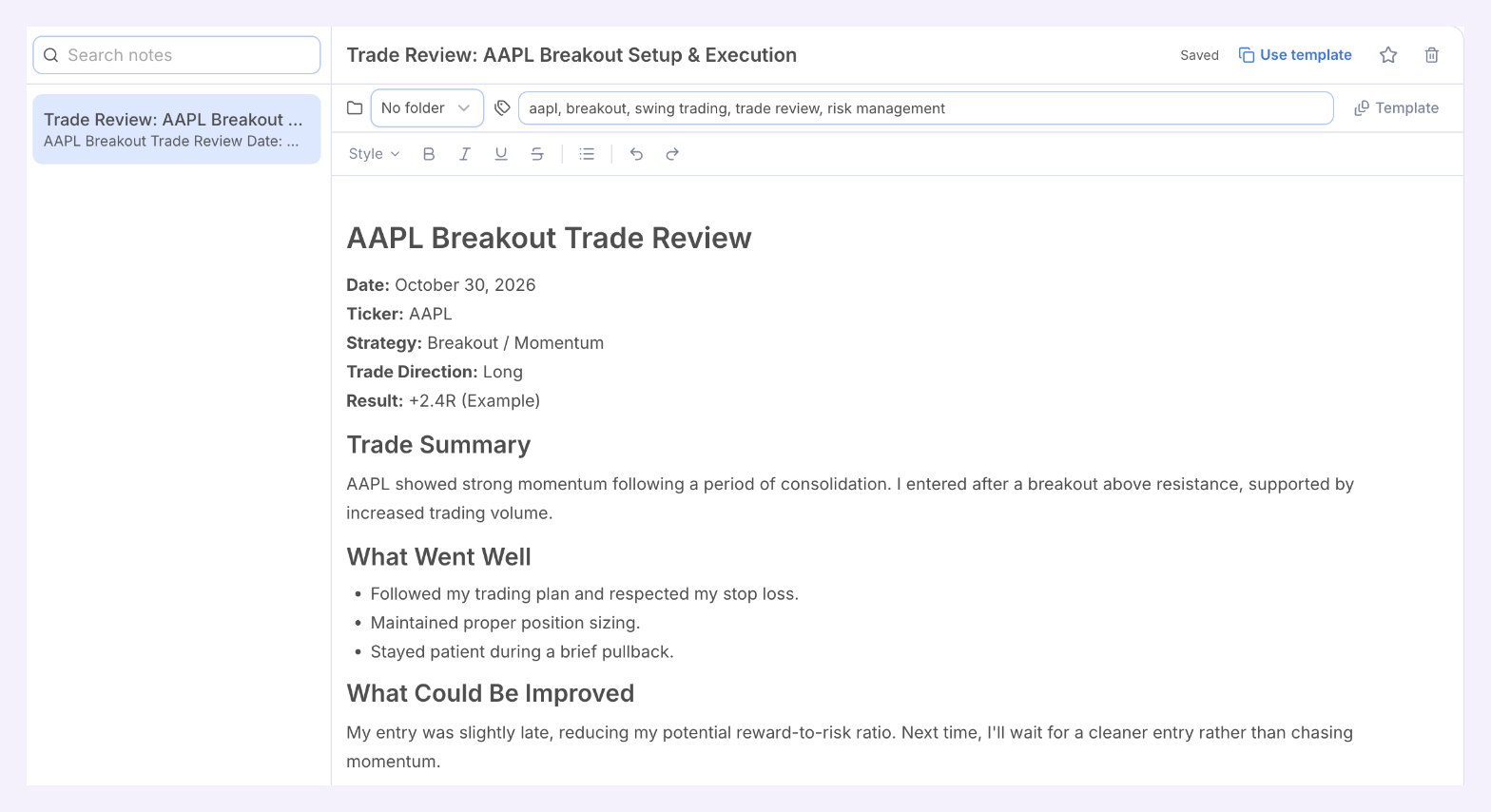
Write it the day the position closes. Set the outcome you expected at entry next to what happened, grade the process and add one lesson. A Notebook template means you fill in blanks rather than face an empty page.
A Weekly Pass Over Open Positions
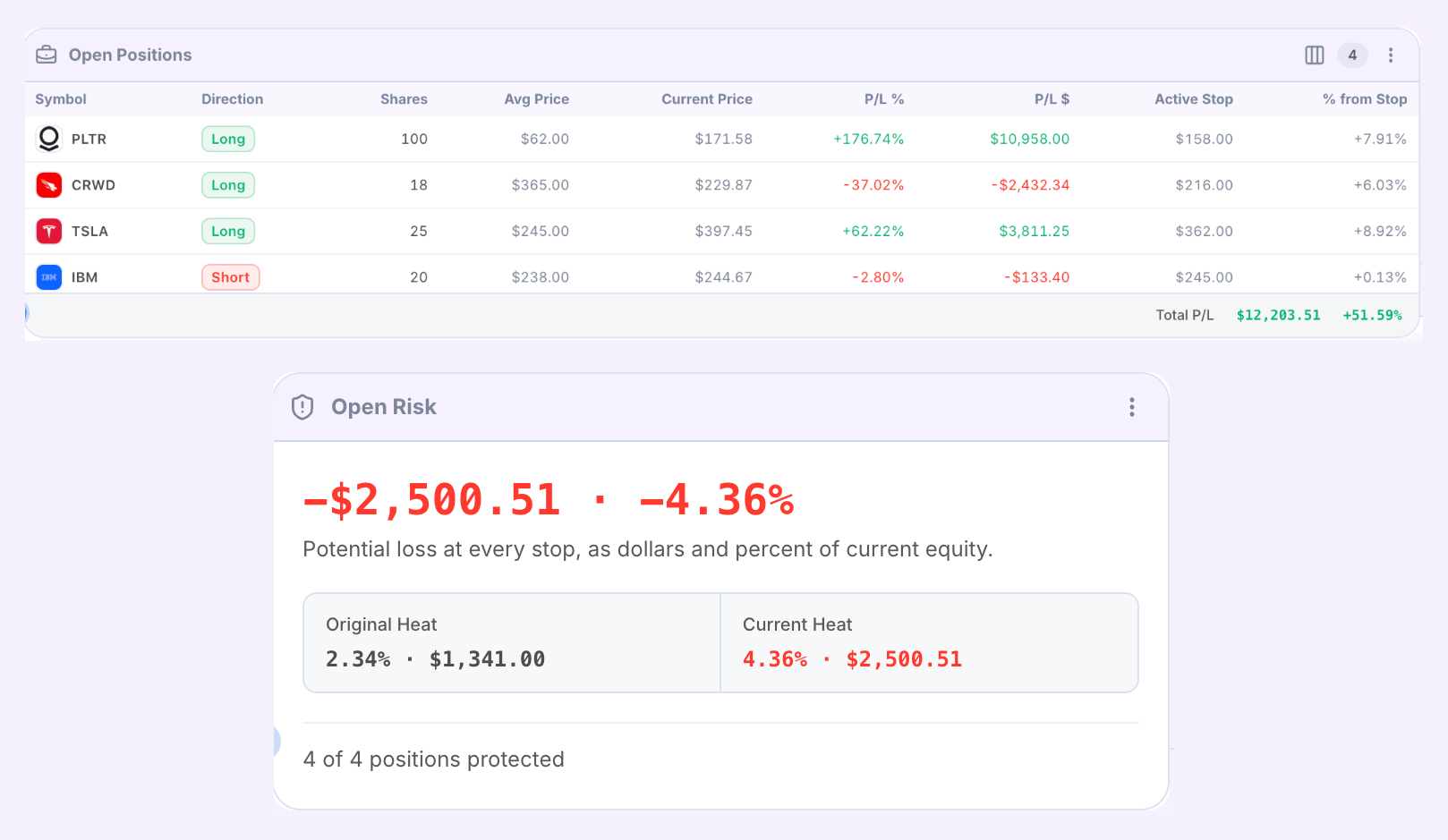
Once a week, check that every stop reflects the current chart, total your open risk and flag any position without a reason on file. A holding you can’t explain anymore is a candidate to sell.
A Monthly Playbook Scorecard
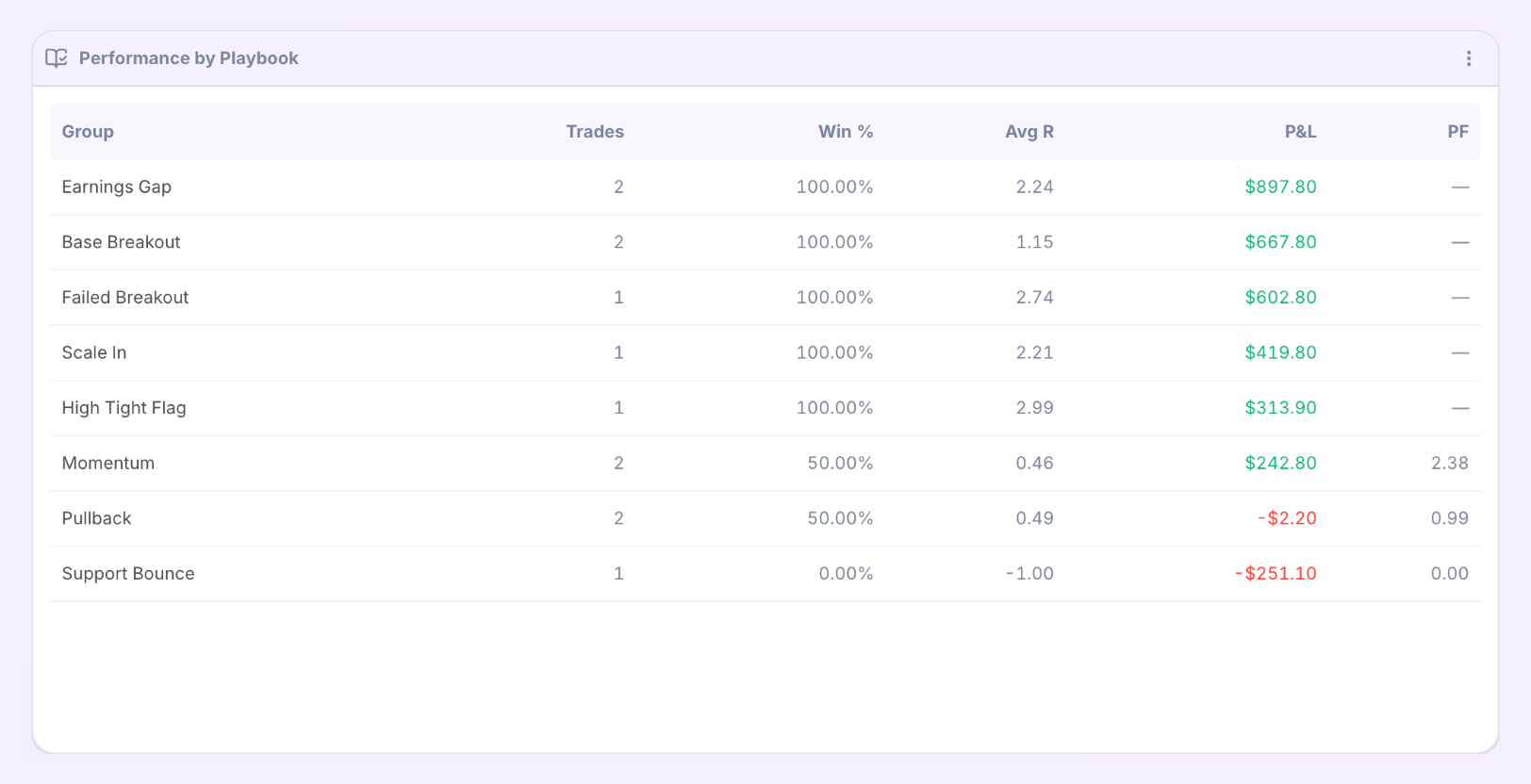
Once a month, sort closed trades by playbook and line up each setup’s win rate, P&L and average R. A setup that keeps losing money over a fair sample loses its spot, and one that pays earns full size. Change one rule at a time so you can see what moved the numbers; the post trade analysis guide goes deeper on reading them.
Log the Market Alongside the Trade
A setup that works in a strong market can fail in a weak one, and the journal can only show that if you record the backdrop at entry. Add two fields: the market condition (uptrend, under pressure or correction) and the theme leading at the time.
After a few months, sort your losers by market condition. If they cluster in weak markets, cut size when conditions turn before you rework the setup. The Theme Tracker shows which themes lead on the day you buy.
Set up your charts and the Theme Tracker once and both fields fill in seconds. In the clip below, Deepvue walks through the quick start, chart setup and the Theme Tracker.
Watch how to set up your charts and Theme Tracker in Deepvue here.
Common Mistakes When Keeping a Trading Journal
- •Logging only losers. Without the winners there’s nothing to compare against.
- •Editing old entries. Rewriting the reason after the fact erases the lesson, so add a dated note instead.
- •No stop on file. R, open risk and expectancy all depend on it.
- •Too many tags. With forty tags, no single tag has enough trades to read.
- •Reviewing mid trade. Grading an open position tempts you to manage it off the review instead of the plan.
- •Never changing a rule. A review that never changes anything is a diary.
Complete records also back up your taxes. The IRS Schedule D instructions require accurate basis records, and a loss can be disallowed as a wash sale if you buy substantially identical stock within 30 days before or after the sale. A row for every buy makes both easy to check, though a tax professional should confirm the details.
BLACK FRIDAY
Let the Journal Keep the Log for YouBroker sync, automatic R and a review queue, with the full Deepvue platform. Get the year for $490 through December 4, regularly $99 a month or $990 a year.
How to Keep a Trading Journal in Deepvue
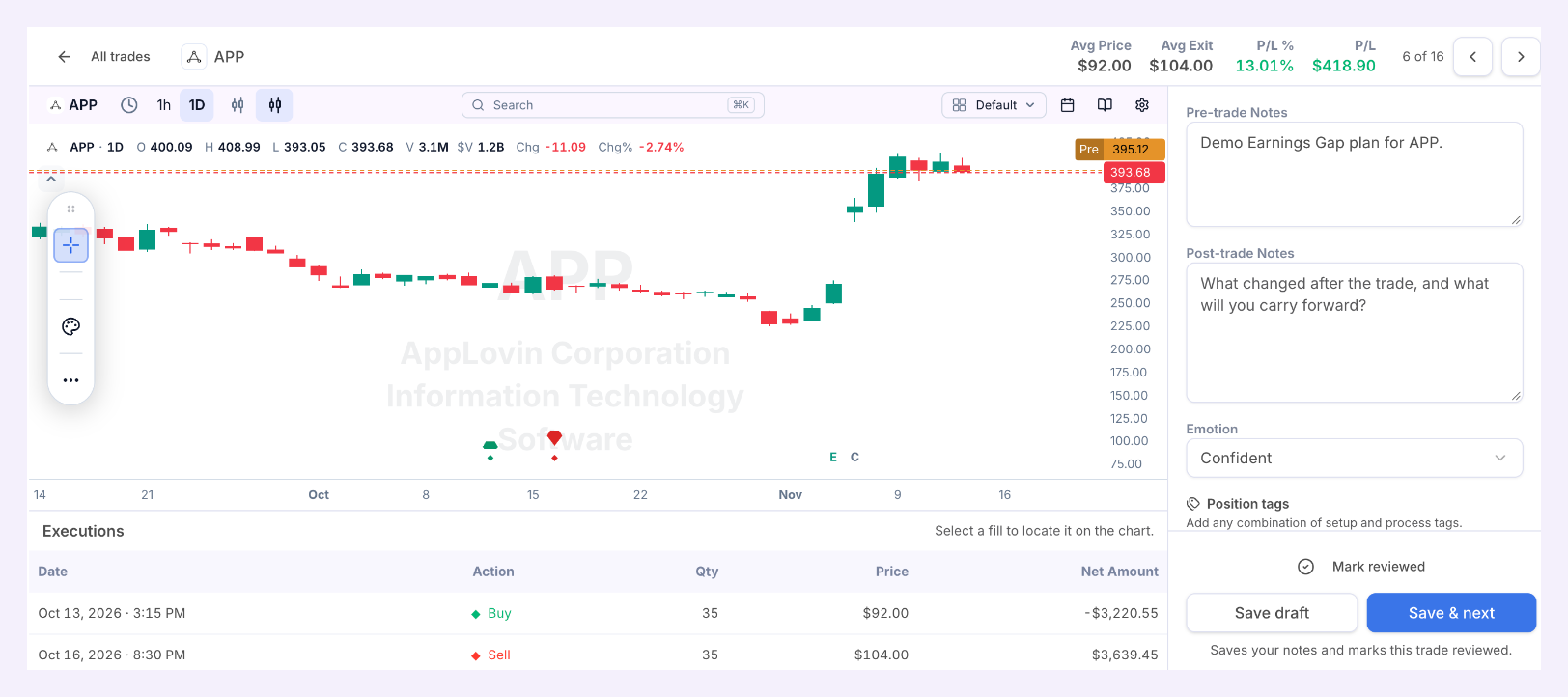
The Deepvue Trading Journal runs the same method with far less typing. Fills arrive by broker sync or CSV import, and each trade carries a playbook, tags, an emotion and notes from before and after the trade.
It comes with the Deepvue plan, and you can use it on desktop and mobile. Every app it offers is listed on the journal features page.
Catch Gaps With the Trades Tab Filters
The Trades tab handles the maintenance check for you. Untagged gathers trades with no tags yet, Needs Stop shows positions without a stop, and To Review lists trades you haven’t reviewed. Clear all three and the journal is current.
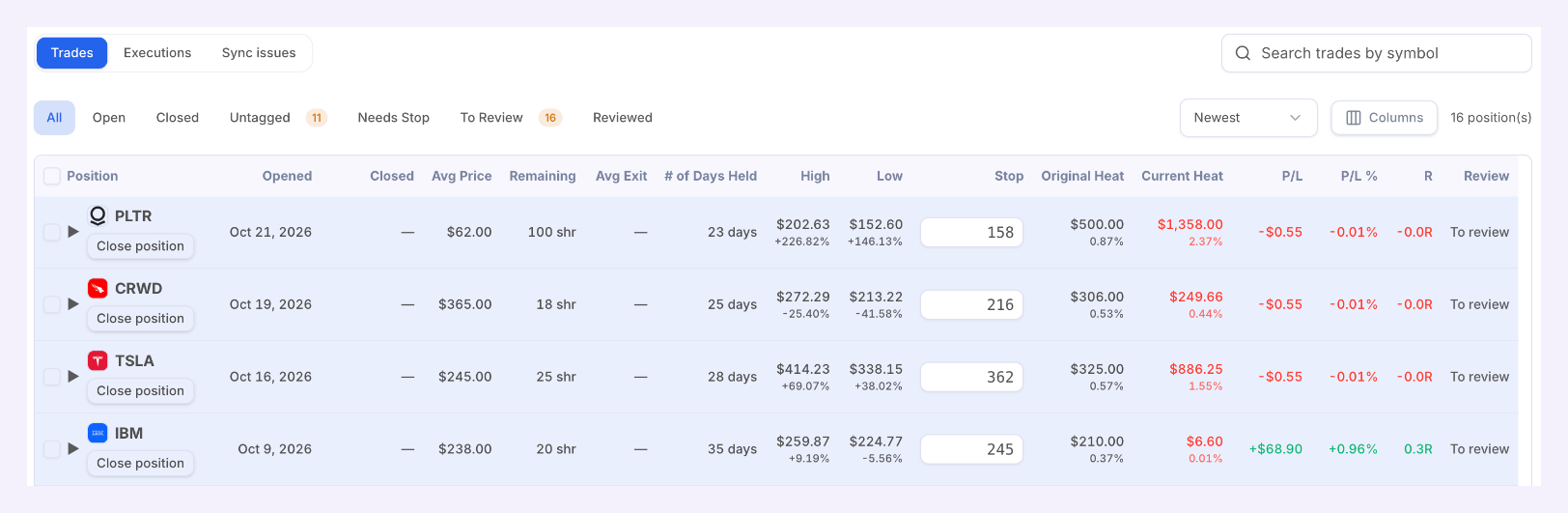
Opening a trade plots each buy and sell on Deepvue’s charts, and Save & next files the review and loads the trade after it.
Write the Expected Outcome Before You Buy
Use the pre trade note for the plan and the outcome you expect, and come back to the post trade note after the exit to grade it.
A Zacks column on journaling makes the case: writing down the expected next move, then checking it later, showed the author where the thinking held up. Once you’ve logged a few dozen trades, the opt in Journal Agent can read your record back and answer questions about your results.
What Traders Say About Deepvue
Deepvue holds 4.9 out of 5 from 589+ verified reviews, and members single out the process side of the platform:
“a full suite platform from screening, charting, trade management and post analysis”
Bhavin Patel, 5 star review on deepvue.com
“I use it every trading day and most weekends to plan my trading strategies.”
John Stame, 5 star review on deepvue.com
Log Your Next Trade Before You Buy It
That’s how to keep a trading journal without it turning into homework, and the place to start is your next trade. Before the order goes in, write the setup, stop, size, reason and expected outcome, then update the record at every add, trim and stop move.
Keep it up for a month and your first playbook scorecard will have real numbers behind it.
BLACK FRIDAY DEAL
Deepvue With the Journal Included, Plus 3 Live Bonuses
One annual plan covers the full platform, from screens and charts to the Trading Journal and analytics, plus two VIP Masterclasses and the December Live Bootcamp.
- Deepvue annual planScreener, charts, dashboards, Model Book, Deepvue AI and the Journal with analytics$990/yr
- Momentum Setups Mastery (VIP)3 webinars and a VIP Q&A$297
- Sell Rules Mastery (VIP)3 webinars and a VIP Q&A$297
- December Deepvue Live Bootcamp8 live sessions, December 7 to 14Included
- Total value
$1,584
Your $490 rate stays locked while your subscription is active. Join by December 4, 2026 at 11:59 PM ET.
Reading this on mobile? Join through the deal page in your phone’s browser, and once you’re in, install the Deepvue app to log trades away from your desk.
Frequently Asked Questions About Keeping a Trading Journal
Should you journal paper trades?
Should you journal paper trades? Yes, journal paper trades, but tag them separately so they never mix with live results. Simulated fills skip slippage and nerves, so their stats run high. In Deepvue, give practice trades their own tag and filter it out when you read your live numbers.
How long should you keep your trading records?
How long should you keep your trading records? Keep them as long as they could matter for a tax return, since basis and wash sale checks depend on every purchase and the IRS asks for accurate basis records. A tax professional can give your exact window. Deepvue keeps your synced history, but save broker statements too.
Can you keep a trading journal on your phone?
Can you keep a trading journal on your phone? Yes, you can keep a trading journal on your phone when the app carries the full record. The full Deepvue Trading Journal runs on both desktop and mobile, so a quick note and an emotion can go in right after a fill, with the deeper review saved for a bigger screen.
Should you log trades you didn’t take?
Should you log trades you didn’t take? Yes, log the setups you passed on as missed trades, with the date, the trigger and why you hesitated. After a few months, compare them with the trades you took. If the missed list keeps winning, hesitation is costing you, and Deepvue’s Notebook keeps that list next to your plan.
Is a trade log the same as a trading journal?
Is a trade log the same as a trading journal? No, a trade log records fills: ticker, date, shares and price. A trading journal adds the plan, the reason, the emotion and the review that turn those fills into lessons. Deepvue builds the trade log through broker sync and adds the journal fields on top.
Is a trading journal included in Deepvue?
Is a trading journal included in Deepvue? Yes, every Deepvue plan comes with the Deepvue Trading Journal, at the regular $99 a month or $990 a year. Join by December 4 and a full year costs $490, a price your renewals keep while you remain a member.
Sources
- •Zacks via Nasdaq, Most Traders Record Their Trades: The Best Predict Them