Best Trading Journal
Last Updated:
November 4, 2026


Best Trading Journal for Stock Traders: 9 Top Picks for 2026
Nine journals scored on what active stock traders need from a trade log: broker sync, R from your stops, risk on open positions, a review you’ll keep up and an app for your phone.
The best trading journal is Deepvue. Its Trading Journal syncs 20+ US and Canadian brokers without asking for a password, scores each trade in R from its stop, shows the risk on open positions, plots your equity curve against SPY and runs on desktop and phone, in the same plan as Deepvue’s screener and charts.
Most lists of the best trading journals are written with day traders and futures scalpers in mind. They grade tools on tick replay, prop firm tracking and time of day reports, while the things a stock trader leans on, like R from your stops or the risk you carry overnight, barely come up.
Never miss a Deepvue blog post.
We scored nine journals on what active stock traders need and checked every price and plan on each vendor’s own site. One of the nine is the Deepvue Trading Journal, which we built, so we held it to the same criteria and flagged where it falls short too.
Key Takeaways
- •The Deepvue Trading Journal ranks first for stock traders, pairing sync with 20+ brokers, R from your stops, live Open Risk, an included AI Journal Agent and full iOS and Android apps with Deepvue’s screener and charts in one plan.
- •TradesViz packs statistics into a low price, TraderSync and TradeZella lean toward active day traders, and Edgewonk centers on trading psychology.
- •Compare journals on the plan that includes what you need, since R reports, phone apps and AI often sit on the second or third tier.
- •Research backs the habit: a meta analysis of 138 studies found that tracking progress made goals more likely, especially when the progress was written down.
- •Lock in $490 a year for Deepvue Core + Journal by December 4, and join by November 12 for two free live masterclasses.
Best Trading Journal Software 2026 at a Glance
| Journal | Best for | Starting price | Free plan | Phone app |
|---|---|---|---|---|
| 1. Deepvue Trading Journal | Stock traders who want journal and research in one plan | $99 a month, or $490 a year with the Black Friday deal | No | iOS and Android |
| 2. TradesViz | Deep stats on a budget | $19.99 a month | Yes, stocks only, 3,000 executions a month | iOS and Android |
| 3. TraderSync | Active traders in several markets | $29.95 a month | No, 7 day trial | Elite plan only |
| 4. TradeZella | Day traders who want replay and AI | $35 a month | No | None listed |
| 5. Tradervue | Equity traders starting free | $29.95 a month | Yes, 30 trades a month | None |
| 6. Kinfo | Verified results on your phone | $24.90 a month | Yes | iOS and Android |
| 7. Trademetria | Low cost multi asset journaling | $19.95 a month | Yes, 30 orders a month | Web app |
| 8. Edgewonk | Trading psychology | $35 a month | No, 14 day money back guarantee | None |
| 9. Stonk Journal | Free manual logging | Free, or $10 a month for Pro | Yes, unlimited manual trades | Web app |
BLACK FRIDAY
Get the Journal and Research for $490 a Year The Trading Journal, the Journal Agent and the full research platform, locked at the Black Friday rate while you stay subscribed.
How We Picked the Best Trading Journal Software
We build trading software and trade with it ourselves, so we judged these journals the way an active stock trader would. The shortlist began with the journals traders name most often in search results, community threads and review sites.
Every price, plan limit and broker list came from each vendor’s own pricing pages and help docs, and app ratings came straight from the store listings. We compared Trustpilot scores built on more than 1,700 reviews and read Reddit threads for the problems marketing copy leaves out.
| Criterion | What we looked for |
|---|---|
| Broker sync | Automatic import from the big US and Canadian stock brokers, with a CSV fallback |
| R and expectancy | R worked out from each trade’s stop, plus expectancy and profit factor |
| Open risk | Open positions shown against their stops, with the total at risk |
| Review workflow | Playbooks, tags, emotions, notes and a queue of trades still to review |
| Desktop and mobile | Native iOS and Android apps that carry the journal itself |
| Research alongside | A screener, charts and alerts in the same platform |
| Full price | The cost of the plan that includes everything above |
Broker sync, R and open risk carried the most weight, since a journal missing any of them can’t answer the basic questions about a stock trade. AI review, data handling and community features broke ties.
The 9 Best Trading Journals for Stock Traders
Starting with Deepvue, these are the best trading journals for stock traders based on the criteria listed above.
1. Deepvue Trading Journal: Best Overall for Stock Traders
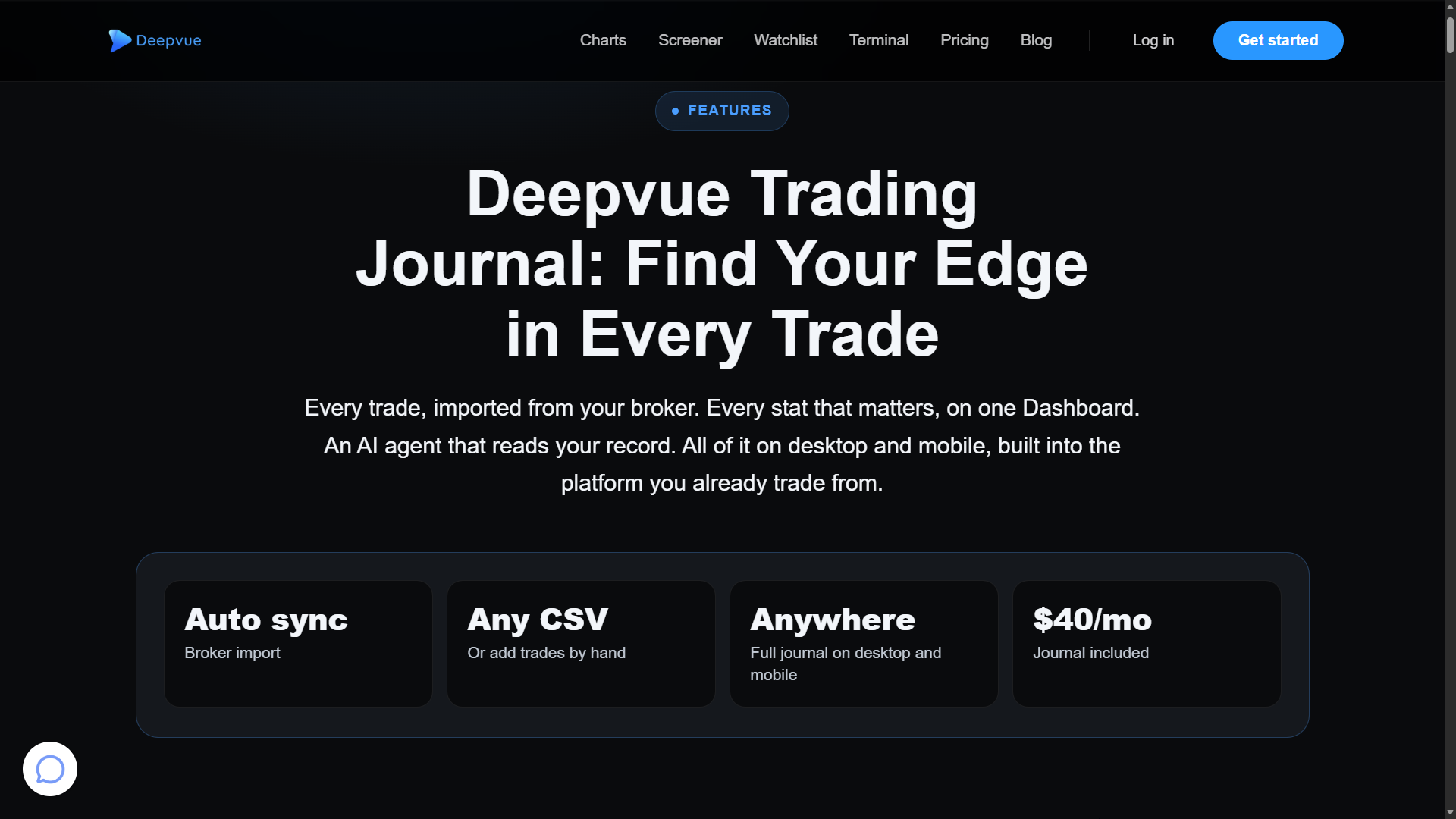
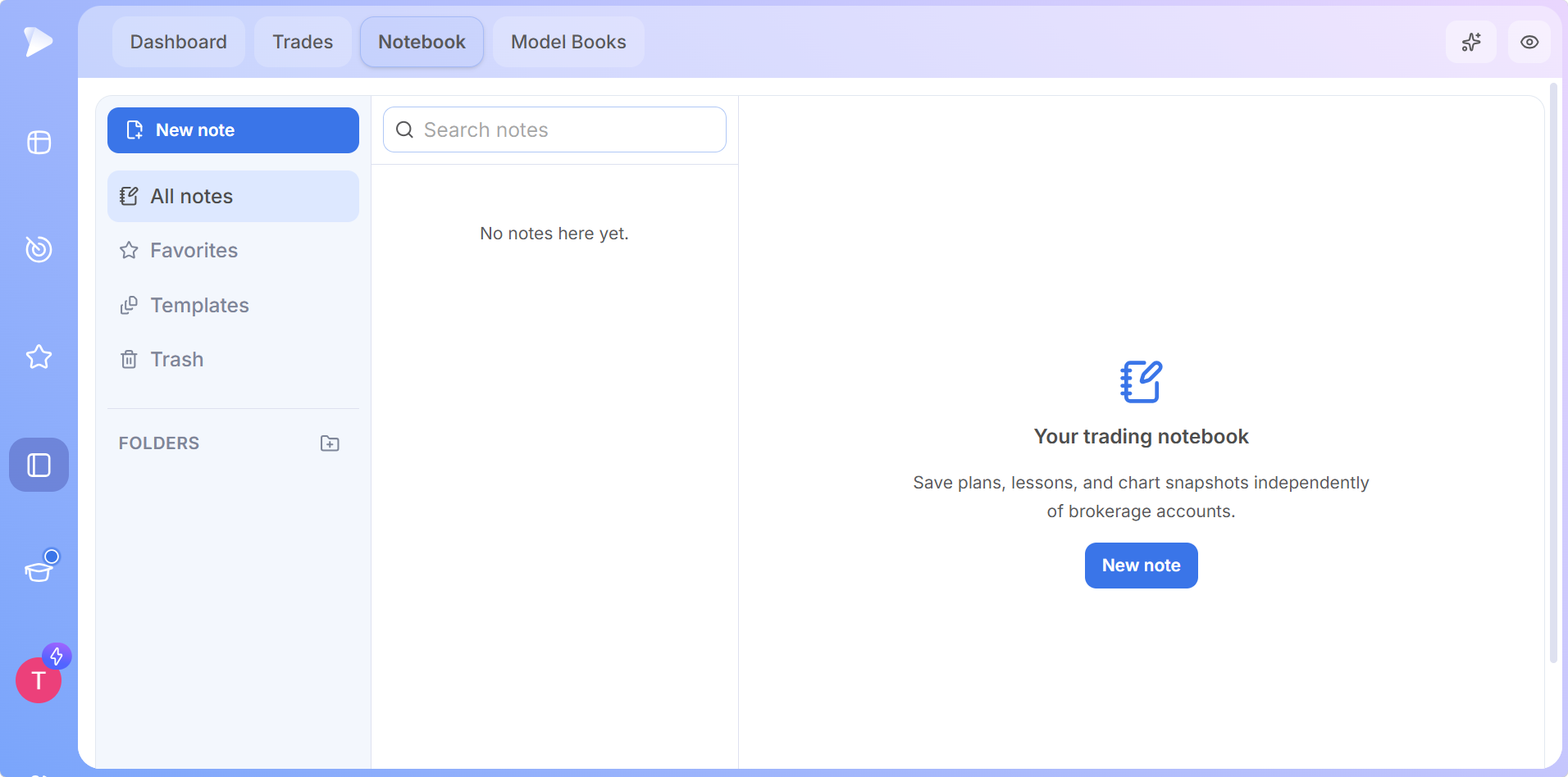
Deepvue is a research platform for growth and momentum stock traders, and its Trading Journal is built into the platform as a full module. Your broker’s trades land next to the same screener and charts you used to find them.
| Quick facts | |
|---|---|
| Best for | Stock traders who want their journal and research in one plan |
| Markets | Stocks, in USD and CAD accounts |
| Broker sync | 20+ US and Canadian brokers, including Fidelity, Schwab, Robinhood, E*TRADE, Vanguard and Wealthsimple, plus CSV imports in any layout |
| Mobile | Full journal in native apps for iOS and Android |
| AI | Journal Agent, opt in and included in the plan |
| Price | $99 a month or $990 a year, or $490 a year with the Black Friday deal |
Why It Ranks First
- •R from your stops, plus live risk. Every trade with a stop is scored in R, Open Risk adds up the loss if every stop triggered, and Near Stops flags holdings close to their exits.
- •Stats that answer real questions. Win rate, average winner against average loser, expectancy and profit factor, split by playbook, tag, symbol, weekday and emotion, with an equity curve benchmarked to SPY or QQQ.
- •Trades reviewed on the chart. Executions roll up into trades, and each review plots your buys and sells beside notes, an emotion, a playbook and tags.
- •Journal Agent. An opt in AI reads anonymized trade data under a zero data retention policy and suggests what to test next.
- •Research in the same plan. The screener, Deepvue charts, watchlists, alerts, Model Books and the AI Terminal come with Deepvue Core + Journal.
- •The whole journal on your phone. The iOS and Android apps carry the Dashboard, trade reviews, the Notebook and the Journal Agent, synced with desktop.
Every new member gets a one on one onboarding session, an email series and weekly live webinars, and demo trades let you explore the journal before you connect a broker.
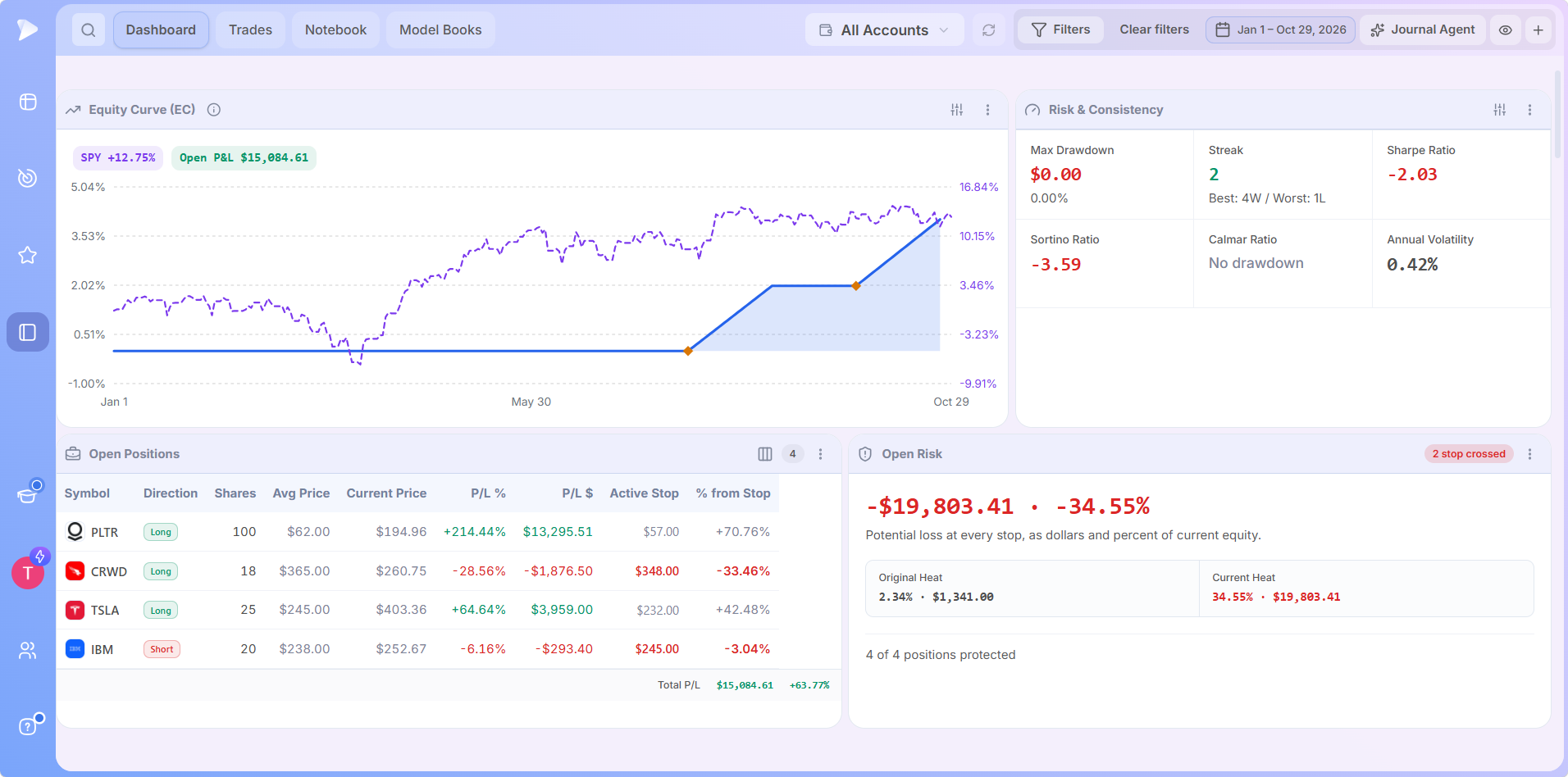
Every Dashboard app is explained in the journal features guide. To see them working on real positions, the launch webinar below has Deepvue’s team open the Dashboard and review a trade on the chart.
Where It Falls Short
- •Stocks only. It handles stock trades in US and Canadian dollar accounts only, which rules it out if most of your trading is in futures, forex, options or crypto.
- •Not a day trading tool. There’s no tick replay, backtester or prop firm tracking.
- •No free plan. The journal comes with the paid Deepvue plan only.
What users say: *Deepvue, the platform that includes the journal, averages 4.8 out of 5 from 220+ verified *Deepvue reviews, 97 percent would recommend it, and its iPhone app rates 4.7 from more than 440 App Store ratings.
“the product is incredible and it evolves each month!”
DFH6/9, review of the Deepvue app on the App Store
Who it suits: Stock traders holding for days, weeks or months who’d like one plan for spotting, sizing and reviewing every position, at the desk or on the go.
BLACK FRIDAY
Get the Journal and Research for $490 a Year The Trading Journal, the Journal Agent and the full research platform, locked at the Black Friday rate while you stay subscribed.
2. TradesViz: Best for Deep Stats on a Budget
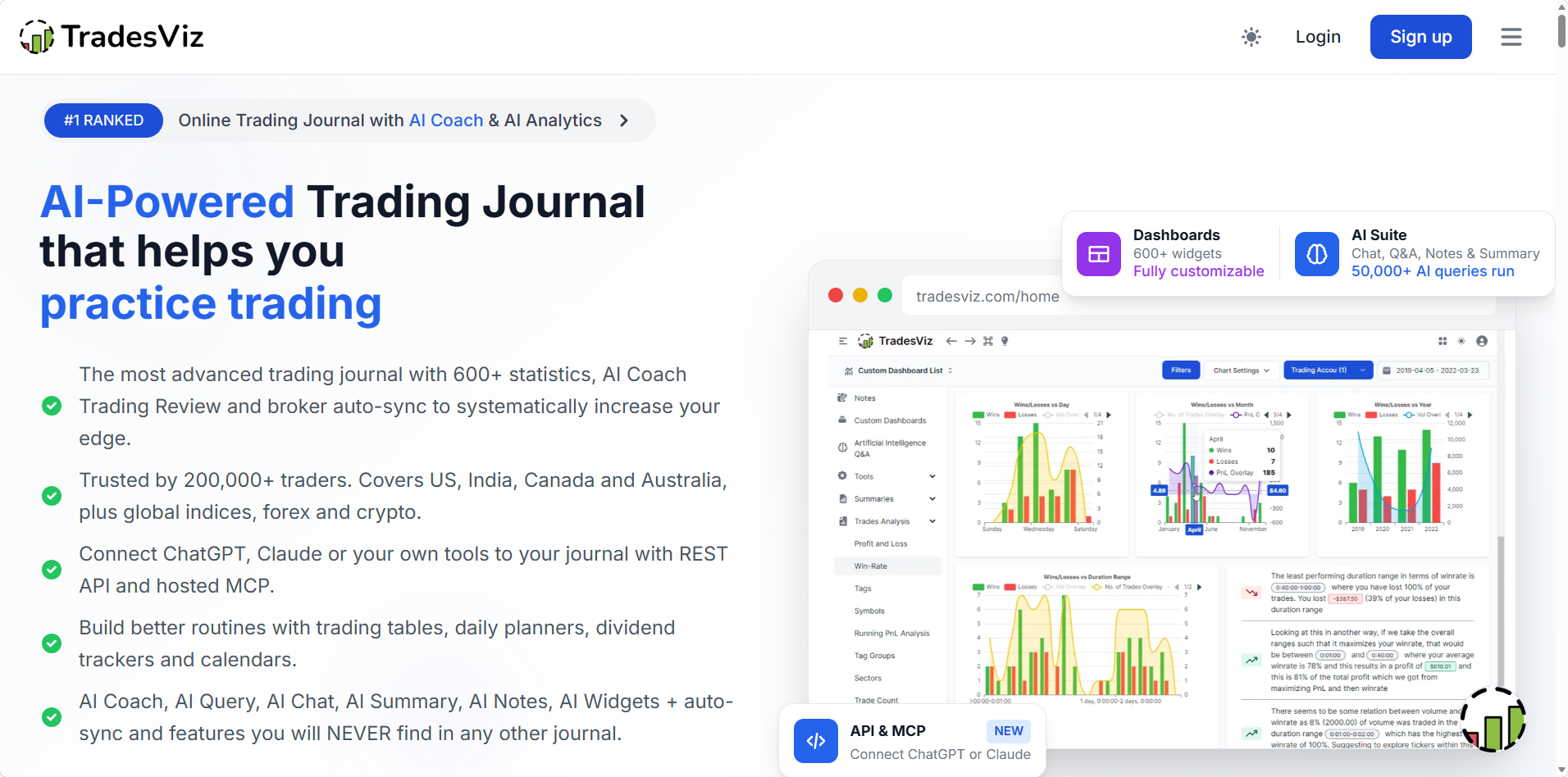
TradesViz is made for traders who like to slice their results in every possible way. It reports 200,000+ traders, and its free tier is roomy: one account, stocks only and up to 3,000 executions a month.
| Quick facts | |
|---|---|
| Markets | Stocks on the free tier, with options, futures, forex, crypto and more on paid plans |
| Broker sync | 250+ brokers and platforms, 70+ of them with automatic sync |
| Mobile | iOS and Android apps, free plan included |
| AI | AI Coach tools, including AI Query and AI Chat |
| Price | Free, then $19.99 or $29.99 a month, with a 7 day trial |
| Ratings | 3.9 on Trustpilot from 71 reviews |
Paid plans remove the import cap and open every asset type, with room for 10 accounts on Pro and 20 on Platinum. Paying yearly saves 25 percent, which brings Platinum down to $22.49 a month.
What Stands Out
- •Analytics depth, with hundreds of charts and reports and AI that answers questions about your stats.
- •A real time screener with 14 strategies, plus options flow tools, on the $29.99 Platinum plan.
- •The mobile app on the free plan, so you can review on iOS or Android without paying.
- •Practice tools, including a full simulator on Platinum and a backtester covering 30,000+ symbols.
Drawbacks
- •A crowded interface that takes time to learn.
- •A stripped back free tier, with two chart images per trade and candlesticks only.
- •One account on the free tier, so a second brokerage account means paying for Pro.
- •AI review depth depends on plan, with 16 automated checks on Pro and 21 on Platinum.
3. TraderSync: Best for Active Traders in Several Markets
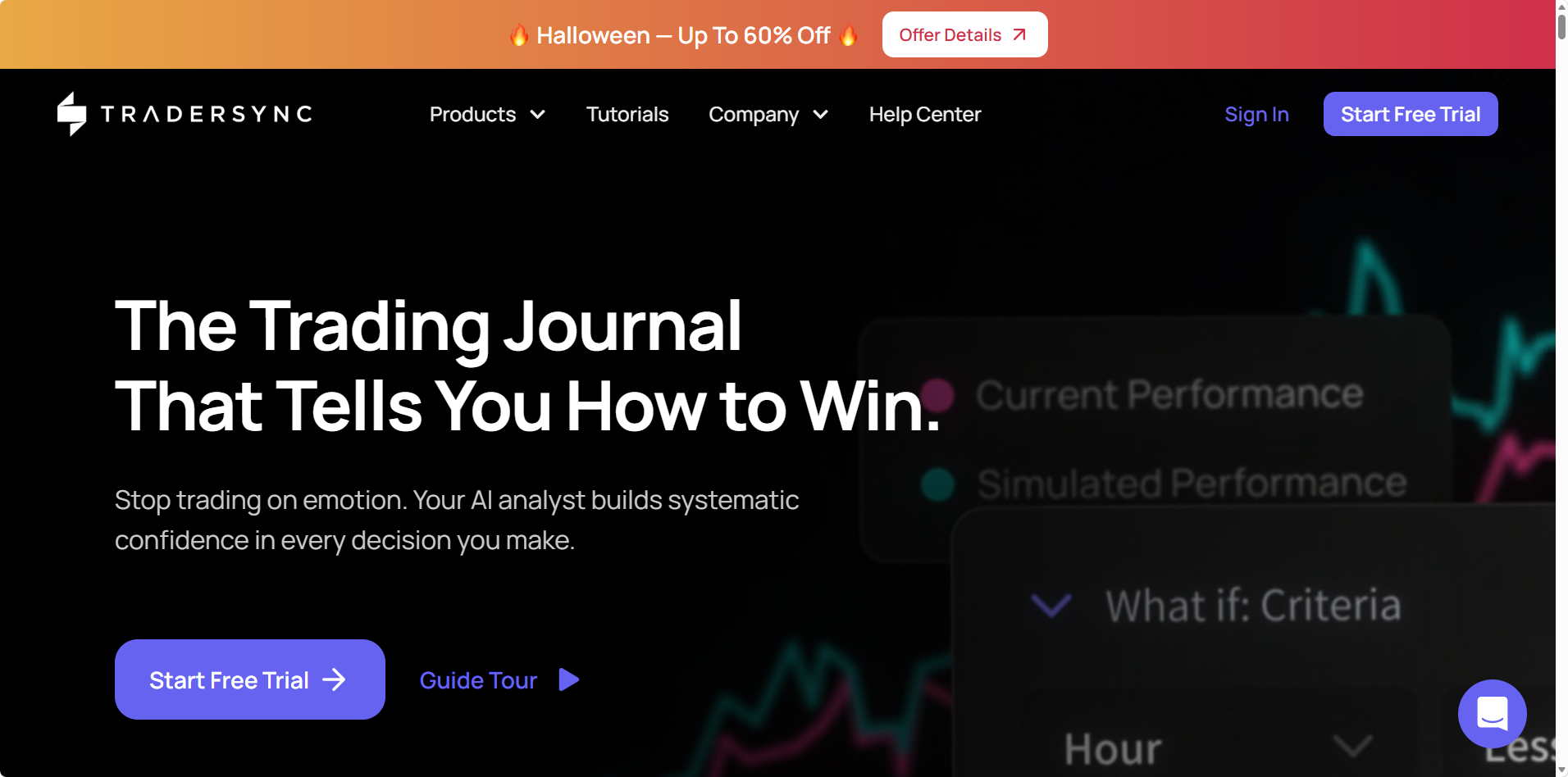
TraderSync supports 100+ brokers and journals stocks, options, futures, forex and crypto. Its AI analyst, Cypher, reviews trades against your plan, and the platform adds market replay and a simulator, a toolkit aimed at active traders.
| Quick facts | |
|---|---|
| Markets | Stocks, options, futures, forex and crypto |
| Broker sync | 100+ brokers |
| Mobile | iOS and Android apps, on the Elite plan only |
| AI | Cypher, an AI analyst and coach |
| Price | $29.95, $49.95 or $79.95 a month, with a 7 day trial |
| Ratings | 4.2 on Trustpilot from 325 reviews |
Cypher works like a small team of AI analysts: it helps you build a trading plan, sets risk rules from your real performance and flags trades that drift from the plan. Annual billing lowers the monthly rate on every tier.
What Stands Out
- •Cypher AI checks a trade against your plan, strategy history and risk profile.
- •Market replay and a simulator for reviewing and practicing past sessions.
- •Five asset classes, crypto and futures included.
- •A 7 day free trial before you pay.
Drawbacks
- •The app needs Elite, the $79.95 a month plan.
- •No refunds on any payment.
- •Trade charts cover US equities only, per TraderSync’s features list.
- •No trade export during the trial, so you can’t take your data with you if you walk away.
4. TradeZella: Best for Day Traders Who Want Replay and AI
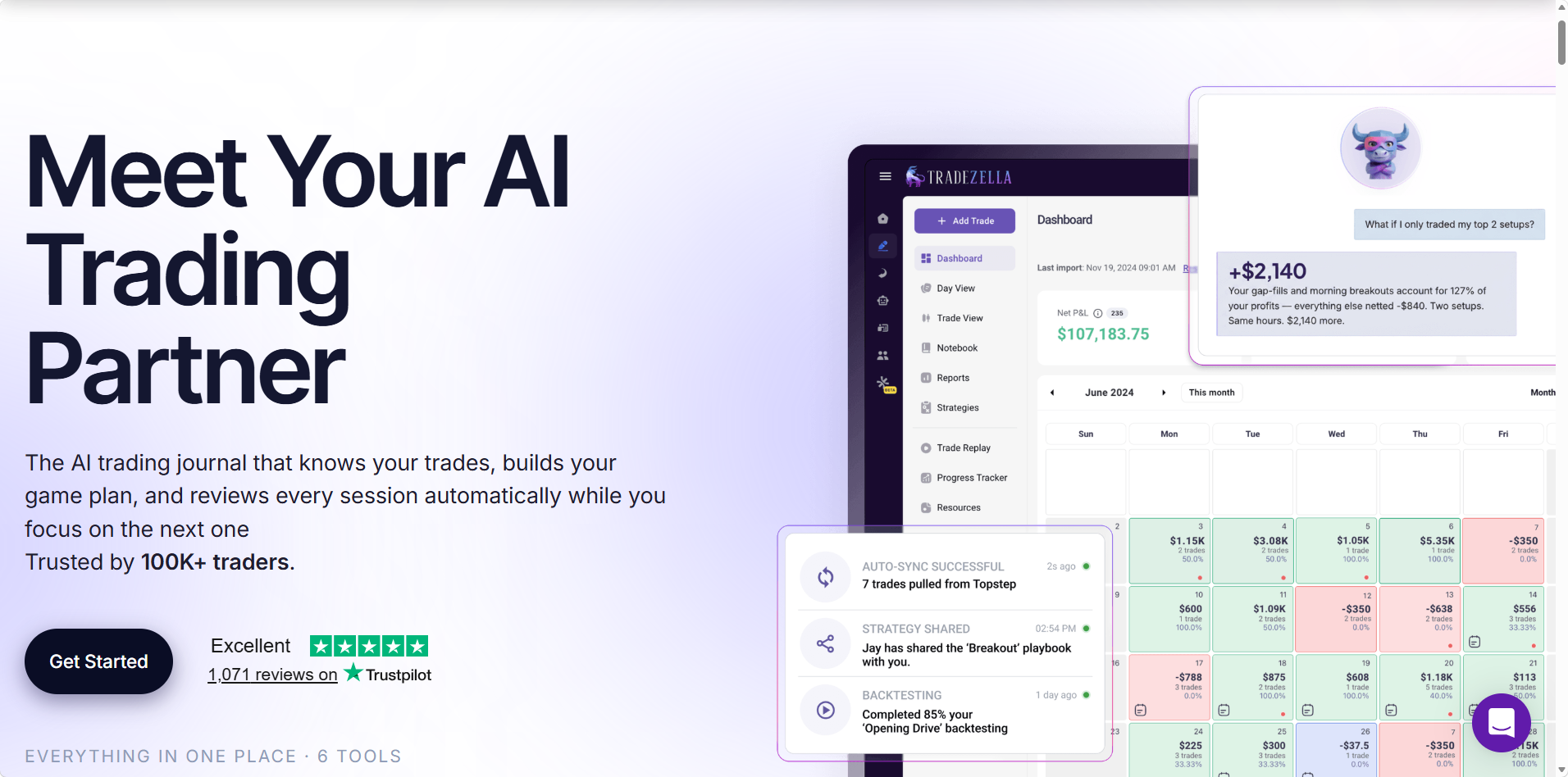
TradeZella draws more than 1,000 Trustpilot reviews and says 100K+ traders use it. Its strengths lean intraday: trade replay, backtesting, Prop Firm Sync and the Zella AI partner. Prices rose in July 2026, and our Deepvue vs TradeZella breakdown compares the two.
| Quick facts | |
|---|---|
| Markets | Stocks, options and forex, plus futures on select exchanges |
| Broker sync | 500+ brokers and prop firms, by automatic sync or file upload |
| Mobile | No iOS or Android app listed |
| AI | Zella AI, with 500, 1,500 or 3,000 credits a month by plan |
| Price | $35, $59 or $99 a month, or $26, $44 or $74 a month billed yearly |
| Ratings | 4.8 on Trustpilot from 1,000+ reviews |
Manual backtesting comes with every plan, capped at 10 strategies on Essential and unlimited on Pro and Ultra, while automated AI backtests start on Pro. Paying yearly cuts each tier by about a quarter.
What Stands Out
- •Trade replay on Pro and Ultra, plus bar by bar backtesting on every plan.
- •Prop Firm Sync for traders funded by FTMO, TopStep, Apex and a dozen more firms.
- •Zella AI on every plan, pitched as a partner that watches every trade.
- •Automated AI backtests, with 10 runs a month on Pro and 100 on Ultra.
Drawbacks
- •No free plan, no trial and no phone app listed.
- •Replay needs Pro, so the $35 Essential plan leaves it out.
- •AI credits run out, with 500 a month on Essential.
- •Crypto trades are manual, and futures import only from select exchanges.
5. Tradervue: Best for Equity Traders Who Want a Free Start
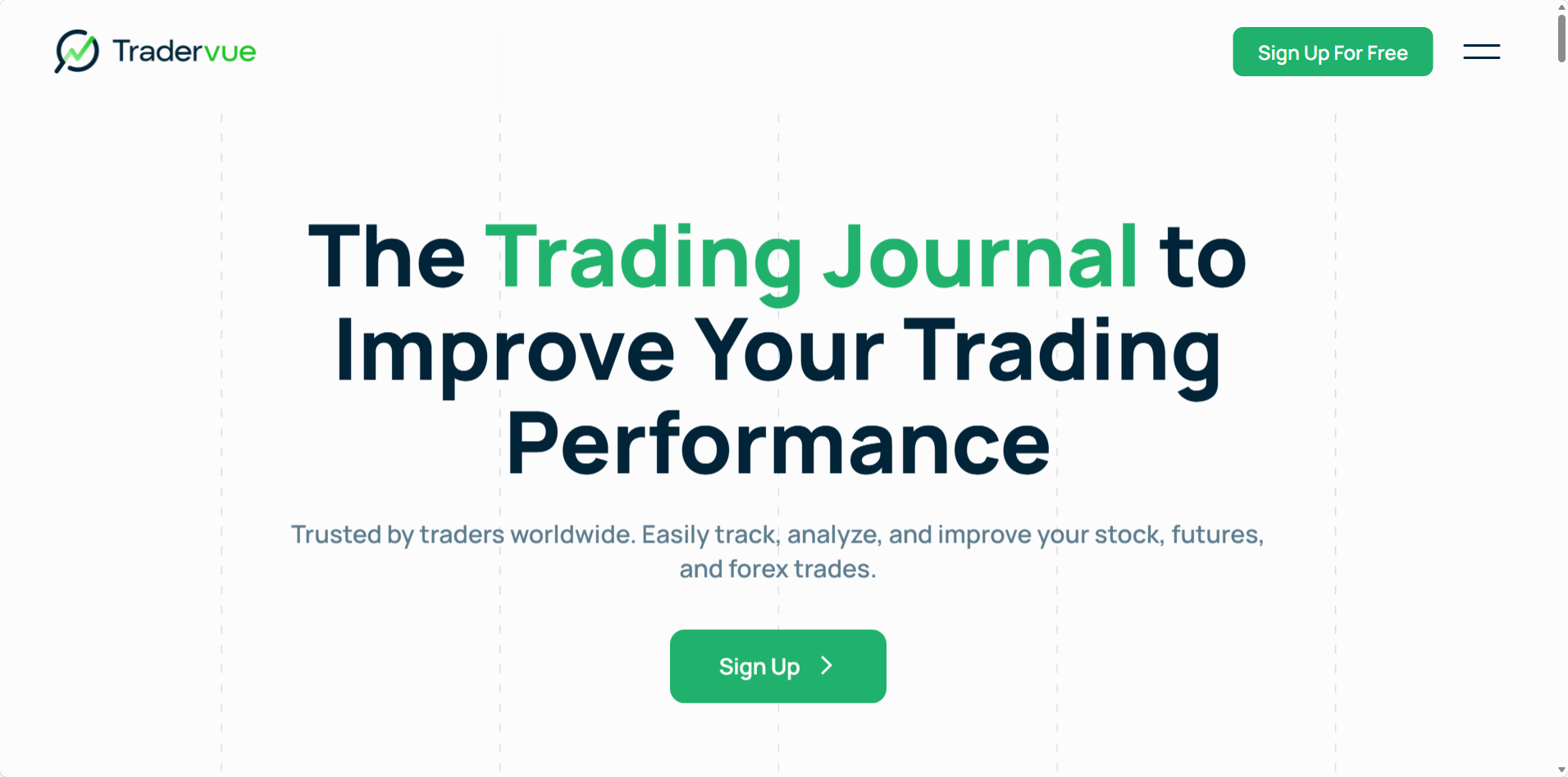
Tradervue is one of the longest running journals, known for deep equity reports and mentor sharing, and its free Basic plan takes 30 trades a month. For a closer look at how it compares, see Deepvue vs Tradervue.
| Quick facts | |
|---|---|
| Markets | Stocks, options, futures and forex |
| Broker sync | File import from 80+ platforms, with Broker Sync for some brokers on Silver and Gold |
| Mobile | Browser only |
| AI | None |
| Price | Free for 30 trades a month, then $29.95 or $49.95 a month |
| Ratings | 2.2 on Trustpilot from 11 reviews, and 4.5 of 5 from StockBrokers.com |
Gold is where the stock specific analysis sits, adding R reporting, exit analysis and liquidity reports to everything in Silver. Trials on both paid plans last 7 days and charge your card when they end unless you switch to the free plan first.
What Stands Out
- •A free tier for up to 30 trades a month.
- •Report depth, with MFE and MAE on Silver and Gold and trade exit analysis on Gold.
- •Unlimited mentors and mentees on both paid plans, handy if you trade with a coach.
- •Trade sharing with the wider Tradervue community.
Drawbacks
- •R needs Gold. R reporting and exit analysis sit on the $49.95 plan.
- •No app and no AI on any plan.
- •Billing complaints. Most of its Trustpilot reviews describe trouble canceling or unexpected charges.
- •Broker Sync doesn’t cover every broker, so some accounts still come in by file.
6. Kinfo: Best for Verified Results on Your Phone
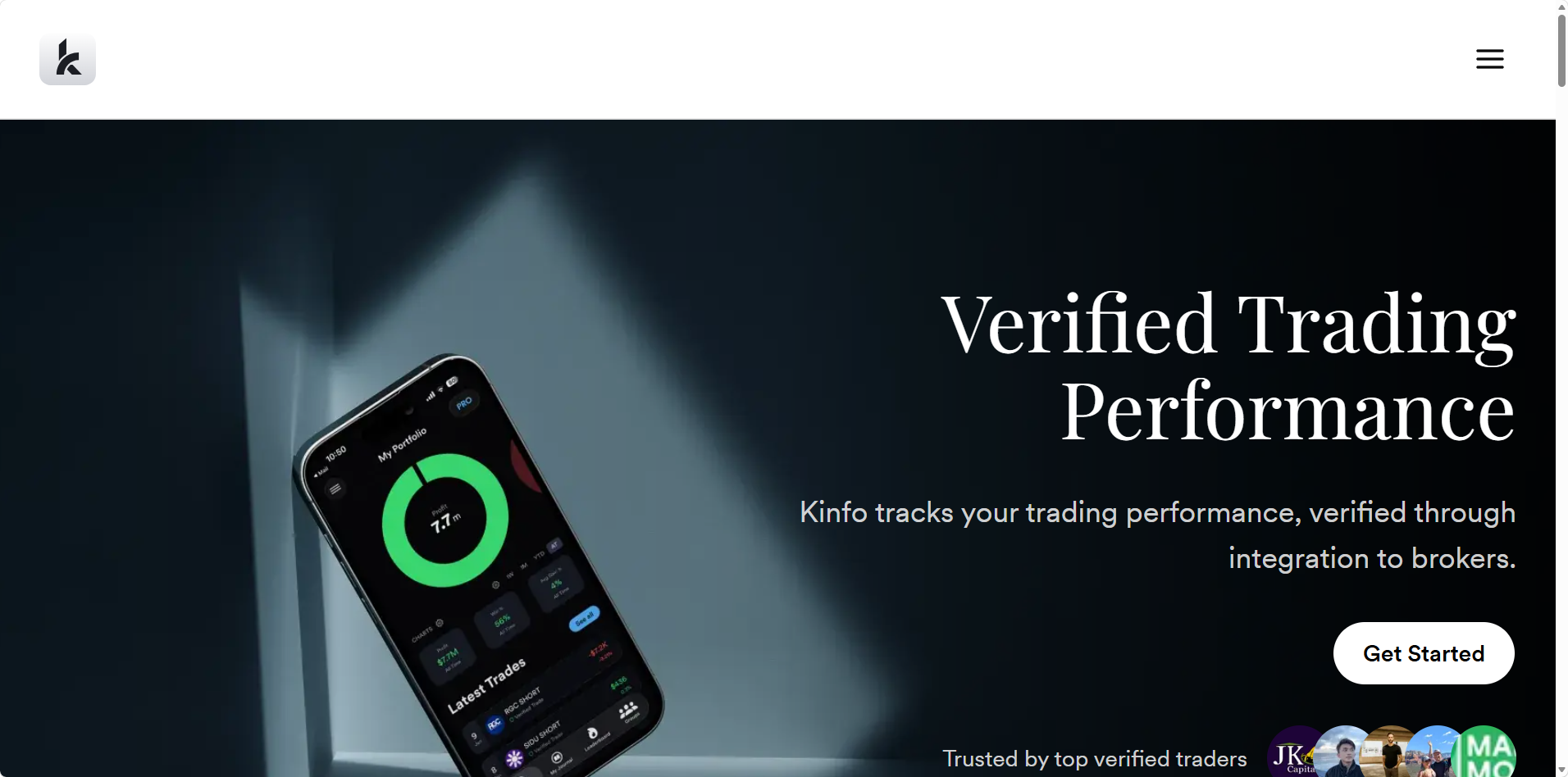
Kinfo is built phone-first, with apps for iOS and Android. It syncs with 22 brokers, and that broker data feeds a broker-verified profile that can stay private or go public, next to a leaderboard of verified traders.
| Quick facts | |
|---|---|
| Broker sync | 22 brokers, Fidelity, Webull, IBKR, E*TRADE, Schwab and Robinhood among them |
| Mobile | iOS and Android apps |
| AI | None listed |
| Price | Free, then $24.90 or $44.90 a month, with 25% off yearly |
| Ratings | 4.8 out of 5 from 474 ratings on the US App Store |
Its broker list leans toward active trading platforms, including Robinhood, Webull, TradeStation, NinjaTrader and Rithmic, and results come in automatically, so a profile reflects real fills. Paying yearly takes 25 percent off PRO and PRO+.
What Stands Out
- •Verified performance pulled straight from your broker.
- •A useful free plan, with broker auto sync, basic analytics and a verified profile.
- •Follow verified traders and compare results on the leaderboard.
- •Spreadsheet sync to Excel and Google Sheets on PRO+.
Drawbacks
- •Light review tools, with little for comparing setups.
- •No AI, replay or backtesting listed.
- •Basic analytics on the free plan, so most features need PRO or PRO+.
- •Spreadsheet sync costs extra, since it’s only on the $44.90 PRO+ plan.
7. Trademetria: Best for Low Cost Multi Asset Journaling
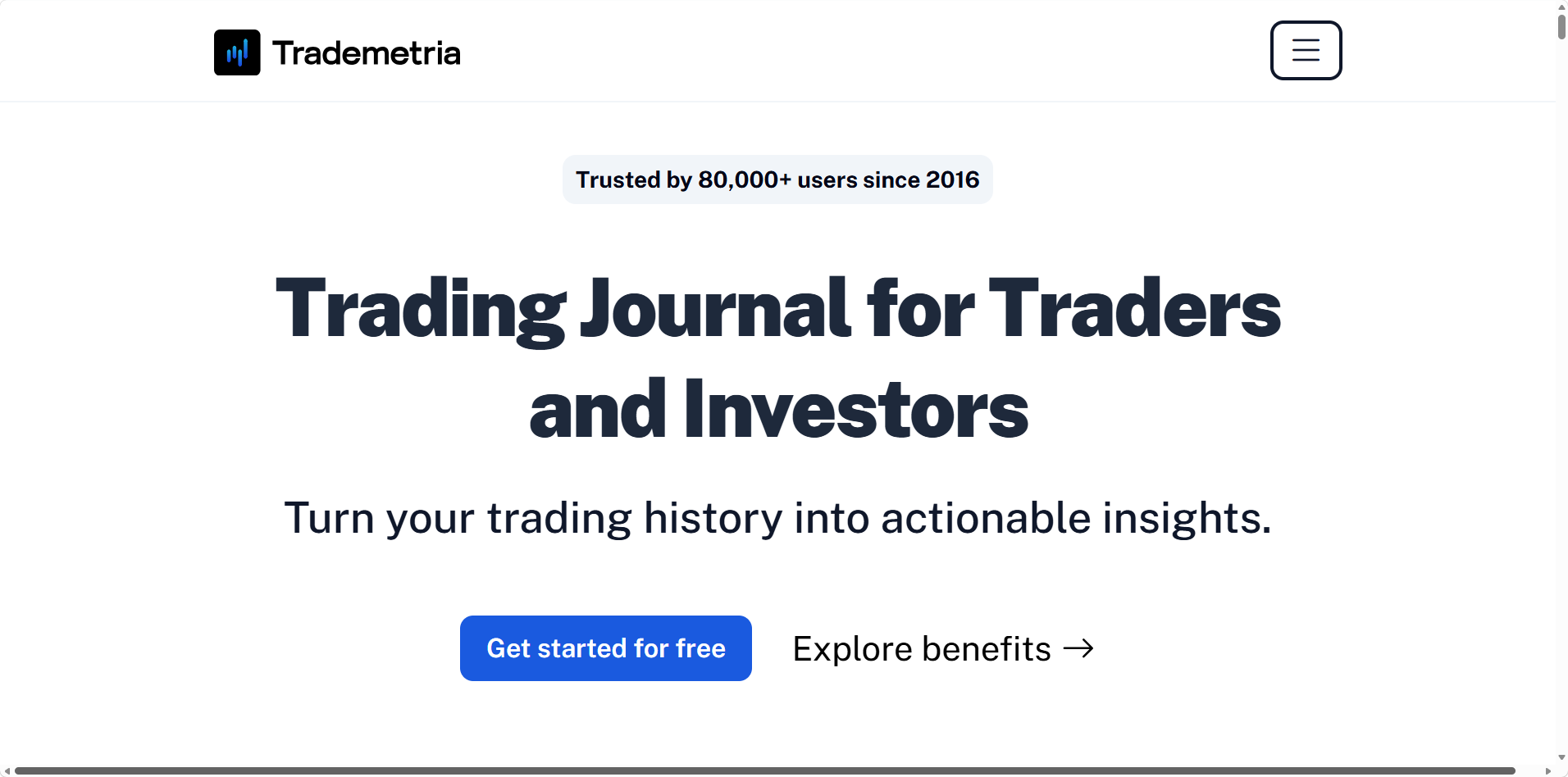
Trademetria covers six asset classes, CFDs among them, and lists 140+ brokers. It puts its AI Assistant and AI Insights on every plan, the free one included.
| Quick facts | |
|---|---|
| Markets | Stocks, options, futures, forex, CFDs and crypto |
| Broker sync | 140+ brokers, with automatic sync on every plan |
| Mobile | Installable web app |
| AI | AI Assistant and AI Insights on every plan |
| Price | Free for 30 orders a month, then $19.95 or $29.95 a month |
| Ratings | 4.0 on Trustpilot from 12 reviews |
Paying yearly brings Basic to $169 and Pro to $249, roughly 30 percent off the monthly rate. Pro lifts the limits to unlimited order imports, 50 accounts and unlimited open positions.
What Stands Out
- •AI without an upsell, free tier included.
- •A P&L simulator and fundamental research on every plan.
- •Room to grow on Pro, with up to 50 accounts.
- •Goal and habit tracking next to your trades.
Drawbacks
- •A tight free tier: 30 orders, one account and three open positions.
- •Basic stops at 500 orders a month and a single account.
- •Refunds only for unfixed bugs, per its terms.
- •Sync complaints. One Trustpilot reviewer says automatic sync didn’t work, which Trademetria put down to Fidelity’s data.
8. Edgewonk: Best for Trading Psychology
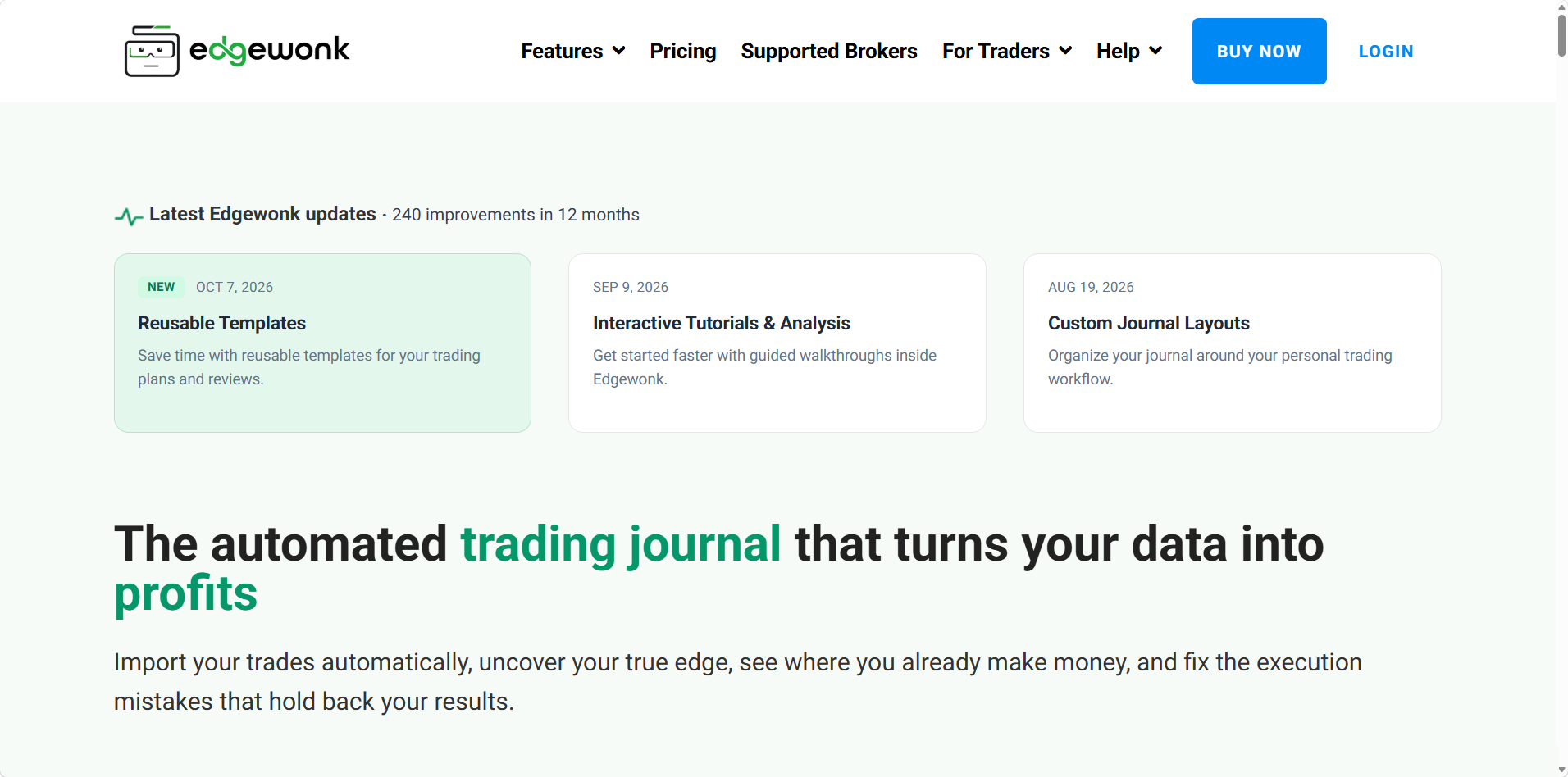
Edgewonk has spent more than ten years on the mental side of trading. Its Psychology Lab and Edge Finder look for patterns in your mistakes and results, and checklists keep your rules in front of you before each entry.
| Quick facts | |
|---|---|
| Markets | Forex, stocks, futures, crypto, options, indices and commodities |
| Broker sync | 200+ brokers, with automatic sync from MetaTrader 4 and 5 |
| Mobile | Browser based, on phone, tablet or computer |
| Price | $35 a month or $197 a year, with VAT added in the EU and UK |
| Ratings | 4.7 on Trustpilot from 44 reviews |
Paying yearly at $197 works out to about $16 a month, against $35 on the monthly plan. Prices in the EU and UK include VAT, so the UK yearly plan comes to $236.40.
What Stands Out
- •Psychology Lab and Edge Finder, with an automatic scan of your performance and mistakes every Sunday.
- •Mistake tracking and review report cards for spotting repeat errors.
- •Trade checklists and a built in diary in the same place as your stats.
- •A 14 day money back guarantee if it isn’t a fit.
Drawbacks
- •Automatic sync only for MetaTrader, so stock traders at US brokers import files.
- •No native app for iOS or Android.
- •No free plan or trial, only the refund window.
- •No trade replay or backtesting listed.
9. Stonk Journal: Best for Free Manual Logging
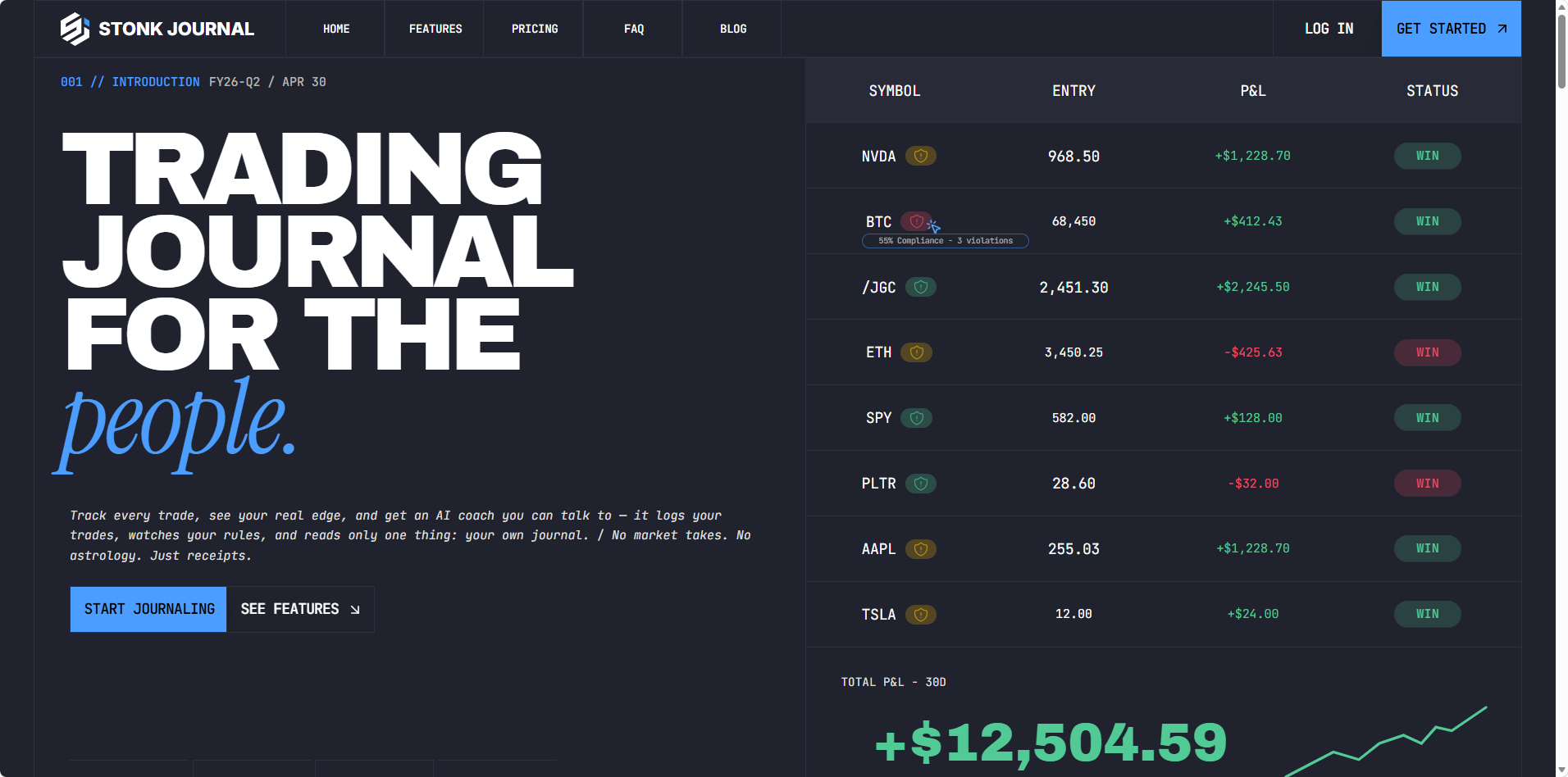
Stonk Journal is free with no cap on manual trades or accounts, and it counts 200,000+ traders since launching in 2021. The catch is that nothing syncs, so free users type every trade by hand.
| Quick facts | |
|---|---|
| Broker sync | None, with CSV import on Pro |
| Mobile | Installable web app |
| AI | AI Coach and chat on Pro |
| Price | Free, or $10 a month for Pro |
| Ratings | 4.6 on Trustpilot from 205 reviews |
The $10 Pro plan adds the AI Coach, a combined view across accounts and CSV import for files from Interactive Brokers, Robinhood, Webull, E*TRADE, Fidelity and Schwab, plus custom formats. Stonk Journal reports more than 10.8 million trades logged.
What Stands Out
- •Unlimited manual trades and accounts at no cost.
- •Risk rules and 30+ metrics, with ten rule types.
- •Fast manual entry, built to keep typing quick.
- •Works offline as an installable app on mobile or desktop.
Drawbacks
- •Everything typed by hand on the free plan.
- •No broker sync, even on Pro.
- •AI Coach is Pro only.
- •No app store app, and no free trial listed for Pro.
How to Choose the Best Trading Journal: What to Look For
Rankings help, but the best online trading journal for you depends on your broker, your markets and how long you hold. Check these in order and most journals rule themselves out.
Broker Sync for Every Account You Trade
Typing in fills is where most journaling habits die, so check the broker list for every account you hold, since a long list means little if yours only connects by file upload. Then confirm the journal covers your markets and account currency.
R Multiples Built From Your Stops
R is the amount you planned to lose on a trade, so it puts a $2,000 position and a $20,000 one on the same scale. Look for a journal that flags trades with no stop, and try Deepvue’s free risk reward calculator to see the win rate a ratio needs.
Live Risk on Open Positions
Day traders go home flat, and stock traders usually don’t. Look for a journal that lists open positions beside their stops and adds up the damage if all of them triggered at once. Many journals only score a trade once it closes.
Reports That Fit How Long You Hold
Top rated trading journal software with analytics can look alike on a features list, so judge reports by the questions they answer. Tick replay and minute by minute stats suit scalpers.
For trades held for days or weeks, the best trading journal with analytics features shows expectancy by playbook, results by weekday and an equity curve against SPY. Good stock trading journal software also groups fills from scaling in and out into one trade.
A Review You’ll Keep Up
Use a trial, free tier or demo account to review five trades: add the stop, pick a setup, note your emotion and mark each one reviewed. If that takes more than a couple of minutes per trade, the habit won’t last.
A Trading Journal App That Matches Desktop
A trading journal app for iOS and Android that carries the whole journal is a different thing from a mobile website that only shows the dashboard. Check the app store screenshots and recent ratings before you subscribe.
Clear Answers on Your Data
A sound broker connection routes you to the broker’s own website for approval, so the journal never sees your password. Look for encrypted data, a stated deletion window when you disconnect, and a plain answer on what any AI feature sees and keeps.
The Total Cost, Research Included
A standalone journal sits on top of the screener, charting and alert tools you already pay for, so add those subscriptions up before comparing. One platform that bundles research and journaling can cost less than a cheaper journal plus the rest.
The same questions, applied to two popular journals, are worked through in our TradeZella alternatives and Tradervue alternatives guides.
BLACK FRIDAY
The Whole Platform for $490 a Year Journal, screener, charts and AI in one plan, with the Black Friday price held on renewals while you stay subscribed.
Does a Trading Journal Make You a Better Trader?
No study has followed traders with and without a journal for a decade, but research on writing things down and reviewing your own work keeps pointing the same way:
- •Writing progress down helps you reach goals. A Psychological Bulletin meta analysis, Does Monitoring Goal Progress Promote Goal Attainment?, pooled 138 studies with 19,951 participants and found that monitoring progress helped people reach their goals, with a larger effect when progress was physically recorded or reported.
- •Attention to your account pays. A Review of Financial Studies paper, Does It Pay to Pay Attention?, followed about 11,000 brokerage customers and found that attention is positively related to investment performance.
- •Writing before a high stakes moment helps. In Writing About Testing Worries Boosts Exam Performance in the Classroom, anxious students who wrote about their worries for 10 minutes before an exam averaged a B+, against a B minus for equally anxious students who didn’t.
- •Regulators back the habit. FINRA’s guide, The Importance of Investment Recordkeeping, says good records give you a history of how your investments performed and calls reviewing your account information essential.
Traders agree, even if few follow through. At Deepvue’s journal launch webinar, 99 percent of polled attendees said journaling helps, yet only about one in five said they consistently review their trades.
Your Journal and Research Platform for $490
A full year of the Trading Journal, screener, charts and AI costs $490 instead of $990, and renewals keep that price while you stay subscribed. Sign up by November 12 to add both live masterclasses.
How to Get the Most From the Deepvue Trading Journal
Trading journal best practices apply to any tool, and these habits get the most out of Deepvue’s journal in the first month.
Connect Every Account on Day One
Link each brokerage account and let them combine under All Accounts. Most brokers deliver full history within 24 hours and IBKR within 48. The supported brokers list shows what connects, and the setup guide walks through the rest.
Give Every Trade a Stop
Filter the Trades tab to trades that need a stop and fill each one in. That single field turns on R, the Trading Edge stats and Open Risk, and the Position Size Calculator keeps new stops and share counts in line.
Name a Few Playbooks Before You Tag
Pick three or four setups you actually trade, say a base breakout, a gap up on earnings and a pullback to a rising moving average. Performance by Playbook only works when the names stay the same.
Write Notes Before and After Each Trade
Use the pre trade note to say why you’re buying and where you’d be wrong, so the review has a plan to check the result against.
Once a week, filter to trades still to review, add a post trade note and an emotion, and hit Save and next. The tags flow straight into Performance by Tag and by Emotion.
Check Open Risk Before the Bell
Make Open Risk and Near Stops part of your morning trading routine, so you know what a bad gap would cost and which positions need orders first.
Save Your Best Trades to a Model Book
When a trade works the way your playbook says it should, save the chart to a Model Book inside the journal and study it before the next one sets up.
Let the Journal Agent Take the First Pass
After the weekly review, ask the Journal Agent what it sees. Our guide to the AI trading journal covers the questions that get the most useful answers.
Feed What You Learn Back Into Your Screens
If your best trades share a pattern, build it into the Deepvue screener, set price alerts on the names that qualify and borrow ideas from proven swing trading screens.
Review Your Next Trade From Your Phone
Grab the Black Friday rate from your phone, install Deepvue on iOS or Android and link a broker. The whole journal comes with you, Open Risk and the Journal Agent included.
Win a Free Year of Deepvue by Sharing in the Community
Reviewing your own trades is half the learning, and seeing how other traders work is the other half. Deepvue’s community lets members share screens, watchlists, dashboards, indicators, model books and prompts, and each month one member who shares wins a free year of Deepvue.
- •Create a post. Open Community from the left navigation, attach what you’re sharing and explain how it fits your process.
- •Choose auto sync. Turn it on and other members are notified whenever you update the shared item.
- •Post once to qualify. The Deepvue team chooses a winner every month, weighing upvotes and how much the share helps other traders.
The announcement video walks through a real entry, sharing an IPO screen with a note on how it’s used in a weekly review.
Watch how to share in the Deepvue community and enter the monthly challenge here.
Our Verdict on the Best Trading Journal
For stock traders who hold for days, weeks or months, the Deepvue Trading Journal is the best trading journal on our list. It scores every trade in R, keeps the risk on open positions in view and runs on your phone, with an AI agent and a research platform in the same plan.
It isn’t for everyone. If you trade futures, forex, options or crypto, or you need tick replay for scalping, Deepvue isn’t built for that work.
The journal is only half the loop, though. Once it shows which setups pay, the rest of the plan helps you find the next one:
- •Industry Ranks point to the groups leading the market.
- •The Theme Tracker ranks the market themes moving stocks, such as AI and gold miners.
- •A watchlist keeps the names that qualify in one place.
- •The research hub, trading tools, visualizations and core features cover the rest, so your next trade starts on the platform you’ll review it in.
BLACK FRIDAY DEAL
Start Journaling Your Trades for $490 a Year
Connect your broker, see every trade in R, keep an eye on Open Risk overnight and do your weekly review from any device. It’s $490 for the year instead of $990, and that rate carries into renewals while you stay subscribed.
$990 $490 a year, locked in
Frequently Asked Questions
What is the best trading journal app?
The best trading journal app carries the whole journal on iOS and Android, with trade review and tagging beside the dashboard. Deepvue’s app does that, synced with desktop and with the Journal Agent included. TradesViz and Kinfo also have apps on both stores, TraderSync keeps its apps for Elite, and the rest run in a browser.
What is the best free trading journal?
The best free trading journal still gets your trades in without hours of typing, and every free tier on our list caps something. Stonk Journal takes manual entries only, TradesViz’s free tier covers one stock account and 3,000 executions a month, and Tradervue Basic stops at 30 trades. Deepvue has no free tier, but Black Friday brings a full year to $490.
What is the best trading journal software for beginners?
The best trading journal software for beginners imports trades automatically, explains every stat and keeps the review short enough to repeat each week. Deepvue suits newer stock traders: brokers sync on their own, hovering over a stat shows how it’s calculated, and demo trades let you explore before you connect an account.
What is the best rated trading journal software?
The best rated trading journal software depends on where you look. On Trustpilot, TradeZella scores 4.8, Edgewonk 4.7 and Tradervue 2.2 on a small sample. Deepvue, the platform that includes the Deepvue Trading Journal, averages 4.8 from 220+ verified reviews with 97 percent recommending it, and its app rates 4.7 on the App Store.
What is a trading journal?
A trading journal is a log of the trades you take, with the setup, entry, stop, exit, size and outcome of each, plus notes on why you took it. Reviewing it over weeks and months shows which setups pay and which habits cost you, and journal software fills in the numbers from your broker automatically.
What should you journal when trading?
When trading, you should journal the setup, entry, stop, exit, position size and result of every trade, a pre trade note on why you bought and a post trade note on what happened, plus an emotion and a tag or two. Journal software captures the numbers from your broker, so your time goes into the notes.
How much does trading journal software cost?
Trading journal software costs anywhere between nothing and about $100 a month. Free tiers cap trades or skip broker sync, most entry plans run about $20 to $35 a month, and plans with full analytics, apps or AI cost more. Deepvue’s one plan is $99 a month or $990 a year, or $490 a year on the Black Friday deal.
Which brokers does the Deepvue Trading Journal support?
The Deepvue Trading Journal syncs automatically with 20+ US and Canadian brokers, including Fidelity, Charles Schwab, Robinhood, E*TRADE, Vanguard, Interactive Brokers, Webull and Wealthsimple. Most deliver full history within 24 hours and IBKR within 48. Other brokers come in by CSV in any layout or by hand.
Does the Deepvue Trading Journal have a mobile app?
Yes, the Deepvue Trading Journal has native apps for iOS and Android. On your phone you can check the Dashboard, review and tag trades, write in the Notebook and ask the Journal Agent, with everything synced to the browser version on desktop. The Deepvue app rates 4.7 on the App Store.
Sources
- •Harkin, B., Webb, T. L., Chang, B. P. I., Prestwich, A., Conner, M., Kellar, I., Benn, Y. and Sheeran, P. (2016). Does Monitoring Goal Progress Promote Goal Attainment? A Meta-Analysis of the Experimental Evidence. Psychological Bulletin, 142(2). Summary from the American Psychological Association.
- •Di Stefano, G., Gino, F., Pisano, G. P. and Staats, B. R. Learning by Thinking: The Role of Reflection in Individual Learning. Harvard Business School faculty research.
- •Gargano, A. and Rossi, A. G. (2018). Does It Pay to Pay Attention? The Review of Financial Studies, 31(12).
- •Ramirez, G. and Beilock, S. L. (2011). Writing About Testing Worries Boosts Exam Performance in the Classroom. Science, 331(6014). Reported by UChicago News.
- •FINRA (2024). The Importance of Investment Recordkeeping. FINRA Investor Insights.