1. Accessing the Industry Ranks Widget
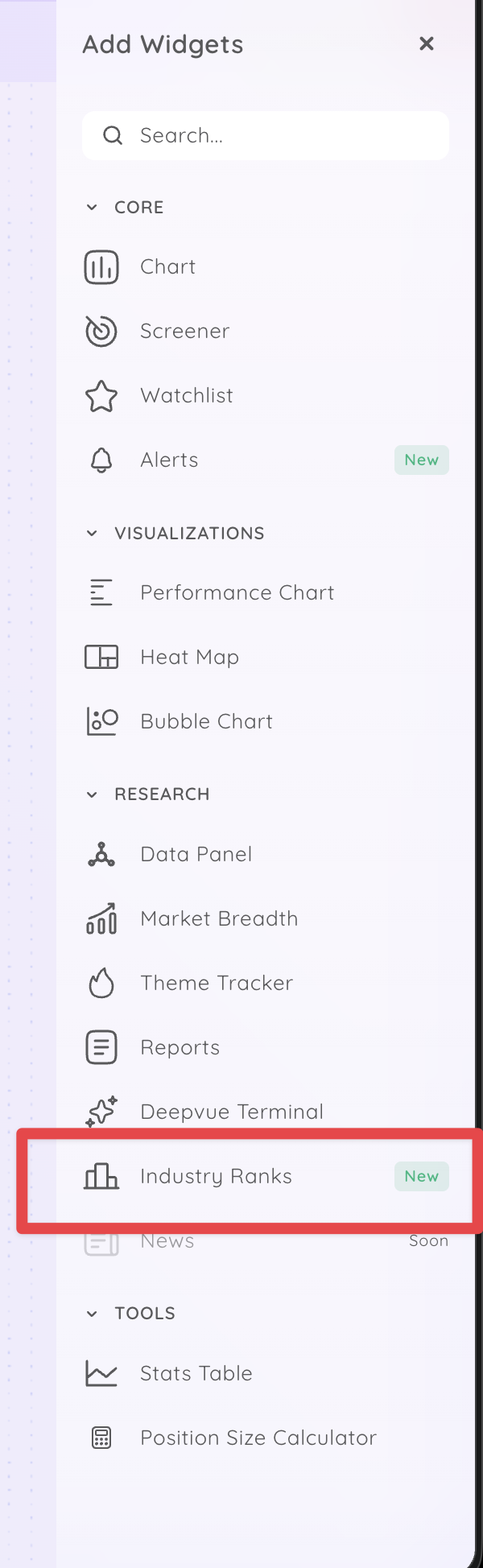
- Navigate to the Dashboard module.
- Click on ‘Add Widget’.
- Look for the ‘Industry Ranks’ widget, which is marked as new.
2. Understanding the Industry Ranks
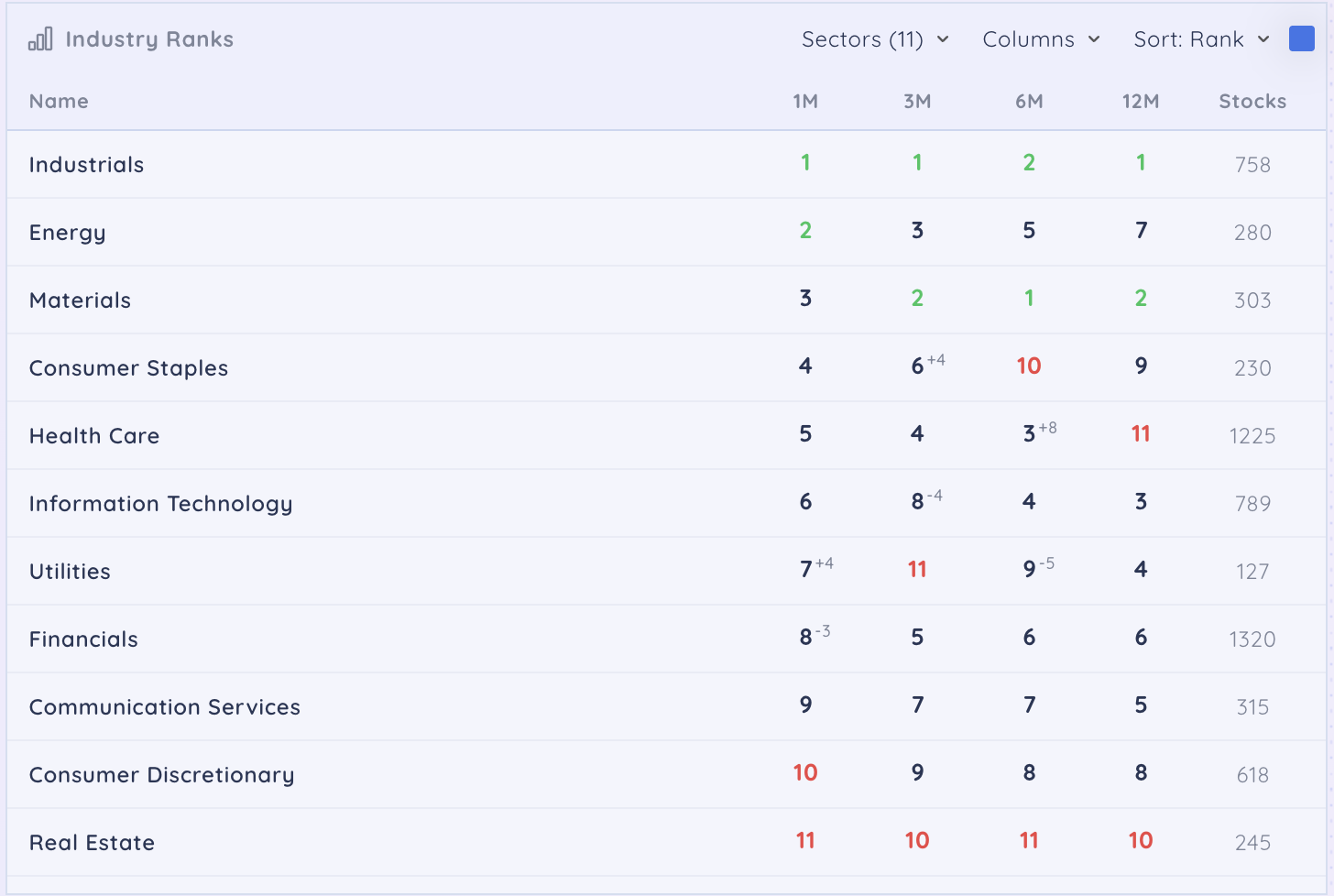
- The Industry Ranks widget displays rankings by sector.
- You can customize the view by adding columns of your choice.
3. Ranking Options
- Choose how to rank the data:
- Rank
- Rank Change
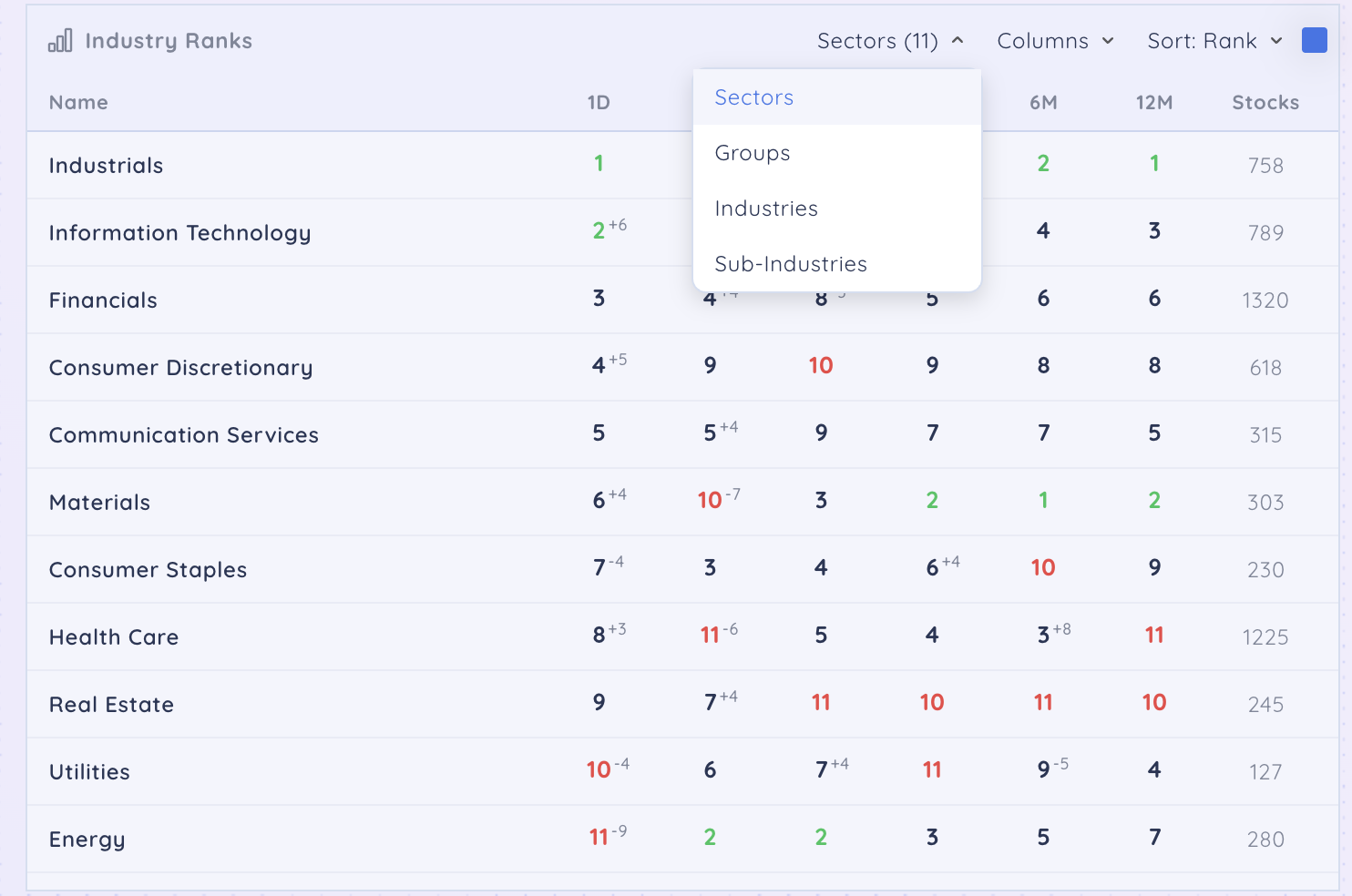
- Explore further options to view data by:
- Sectors
- Groups
- Industries
- Sub-Industries.
- Explore more columns:
- 1 Day
- 1 Week
- 1 Month
- 3 Month
- 6 Month
- 12 Month