Best AI Trading Tools for Stock Traders
Last Updated:
November 25, 2026


Best AI Trading Tools for Stock Traders
Nine tools sorted by the job their AI does, with the plan that carries it and what that plan costs. BLACK FRIDAYGet the Black Friday Deal →
Deepvue is the best AI trading tool for stock traders who hold for weeks: its AI Terminal researches stocks and its Journal Agent reviews your trades, both on one plan at $99 a month or $490 for a Black Friday year. Danelfin fits a ready made AI score, Trade Ideas fits intraday signals, and TrendSpider fits strategy bots.
You have a chatbot in one tab, a scanner in another and a journal in a third. The chatbot doesn’t know your watchlist, the scanner doesn’t know why a stock gapped, and the journal has never seen the screen that found your last trade.
Never miss a Deepvue blog post.
Subscribed!
Thanks for joining. You’ll get our next post straight to your inbox.
Many AI trading tools solve one of those jobs and charge separately for it. This list sorts the best AI trading tools by what their AI does for a stock trader, which plan you need to reach it and what that plan costs.
Deepvue is our product. We held it to the same standard and checks as the other eight, and every competitor’s price and feature comes from that company’s own site.
Key Takeaways
- •Four different jobs. AI trading tools research stocks, score them, send signals or run bots, or review your own trades, and few cover more than one.
- •AI often costs extra. Holly AI signals need TI Premium at $254 a month, TrendSpider caps Sidekick at 25 messages before a $49 add on, and Zella AI runs on monthly credits.
- •Regulators warn about bot claims. The CFTC says AI can’t predict the future or sudden market changes, and flags promises of guaranteed returns.
- •Day trading odds are poor. In the FGV study, 97% of people who day traded for 300+ days lost money.
- •Research and review on one plan. Get Deepvue’s AI Terminal and Journal Agent for $490 a year through December 4.
Best AI Trading Tools at a Glance
The table lines up the AI stock trading tools on this list by the work their AI does and where it appears in each price plan. Deepvue comes first because it’s the one tool here that covers research and trade review in a single plan.
| Tool | AI job | What the AI does | Plan with the AI | Price from | Best for |
|---|---|---|---|---|---|
| Deepvue | Research and trade review | Answers stock questions, builds screens from plain English, reviews your journal | The one plan | $99 a month | Stock traders holding for weeks |
| TrendSpider | Research and bots | Sidekick assistant, plain English conditions, strategy bots | Every plan, 25 messages a month | $82 a month | Strategy testers |
| Trade Ideas | Signals | Holly AI picks strategies overnight and sends signals the next day | TI Premium | $127 a month | Intraday traders |
| MarketSurge | Pattern detection | Flags bases as they form, with buy and sell zones on the chart | Standard plan | $149.95 a month | Pattern focused traders |
| TradingView | Research | AI Copilot on charts, AI filing summaries, AI screener requests | Paid plans | $12.95 a month, billed yearly | Multi market chartists |
| Danelfin | Scores | A 1 to 10 AI Score per stock for the next three months | Free, fuller on Plus | $29 a month | Investors wanting a ranking |
| WallStreetZen | Scores | A to F Zen Ratings from 115 factors | Premium | $19.50 a month, billed yearly | Longer term stock pickers |
| Tickeron | Signals and bots | Pattern engines, trend forecasts and AI Robots | Priced per tool | $20 a month per tool | Signal library users |
| TradeZella | Trade review | Zella AI reads your journal; agents tag and review sessions | Every plan, metered by credits | $35 a month | Day traders reviewing trades |
What AI Trading Tools Do: The Four Jobs
Most roundups of AI stock trading tools mix crypto bots, stock ratings and journals in one list, then rank them as if they compete. They don’t. Each one does a different job, and the right pick depends on which job you need done.
| Job | What the AI does | Where it helps a stock trader | Tools on this list |
|---|---|---|---|
| Research assistant | Answers questions about stocks, news, earnings and themes, and builds screens | Finding and vetting ideas faster | Deepvue, TrendSpider, TradingView |
| Stock scores | Rates each stock from many factors so you start from a ranked list | Narrowing a universe before you chart it | Danelfin, WallStreetZen, MarketSurge’s pattern flags |
| Signals and bots | Generates entries or places orders from rules | Testing systems; execution if you automate | Trade Ideas, Tickeron, TrendSpider |
| Trade review | Studies the trades you logged and points to the habits behind your results | Fixing what costs you money | Deepvue, TradeZella |
For a growth stock trader, the first and last jobs carry the most weight. Research decides what you buy, and review shows which of those decisions paid.
How We Chose the Best AI for Trading Stocks
Which AI is best for stock trading depends on what you trade and how long you hold. So we set the criteria first and applied them the same way to every tool, Deepvue included, to find the best AI for stock trading for one reader.
Who This List Is For
It’s built for US stock traders who hold positions for days to months and research their own ideas. If you scalp intraday, trade crypto or forex, or want an account managed for you, tools built for those jobs will serve you better, and we name the strongest of them below.
The Seven Criteria and How Much Each Counted
| Criterion | Weight | What we looked for |
|---|---|---|
| What the AI does for a stock trader | 25% | A job that saves time in research or review, not a generic chat window |
| Data the AI can see | 20% | Live market data, fundamentals, your watchlists and your trades |
| AI included or gated | 15% | AI on the base plan, without caps that cut daily use |
| Research and review covered | 15% | Help finding trades and help learning from them |
| Accuracy safeguards | 10% | Clickable tickers, sources and charts beside each answer |
| Desktop and mobile | 5% | The same AI on your phone as at your desk |
| Total price | 10% | The cost of the plan that carries the AI you need |
How We Checked Each Tool
Prices, plans and AI limits come from each vendor’s own pricing and product pages, as of November 2026. Where a tool offers a free tier or trial, that’s the version a new user meets first, so it’s the version we describe.
For tools with a chat assistant, five prompts show the most in the least time. Run them in any trial before you pay:
- 1.Why did the stock on my chart gap up today?
- 2.Which themes show up most in my watchlist right now?
- 3.Build a screen for liquid stocks near 52 week highs with rising earnings.
- 4.Summarize the last earnings report for the stock on my chart.
- 5.Which of my setups earned the most R last quarter?
What We Left Out and Why
- •Crypto bots. They automate coin trades and don’t cover US stocks in any depth.
- •Managed accounts. Handing money to an algorithm is a different decision from choosing research software.
- •Signal sellers promising returns. Any tool that guarantees profits fails the first test regulators apply.
- •Tools without US stock coverage. They can’t serve the reader this list is written for.
How the Ranking Works
Each tool earned a score per criterion, the weights above set the total, and the totals set the order. Ties went to the lower price for the full AI feature set. Deepvue was scored on the same sheet as everyone else.
The 9 Best AI Trading Tools for Stock Traders
Every entry covers the same ground: what the AI does, which plan carries it, the price, who it fits and one limit worth knowing before you subscribe.
1. Deepvue: AI Research and an AI Journal Agent on One Plan
Deepvue is a research platform for growth stock and momentum traders, and its AI covers both ends of a trade. The AI Terminal handles research, and the Journal Agent reviews what you did with it.
That pairing is why Deepvue ranks first here. It’s the one tool on this list that covers research and trade review, reads your own lists and trades, and keeps its AI on its one plan with no cap.
The Terminal opens beside your screener and watchlist or as a dashboard app. Type @ to hand it a watchlist, a screen or a data panel, and it reads every symbol and value inside.
Its prompt library holds 50+ prompts that fill in the stock you’re viewing, and every ticker in an answer becomes a button that opens the chart, an alert or a watchlist.
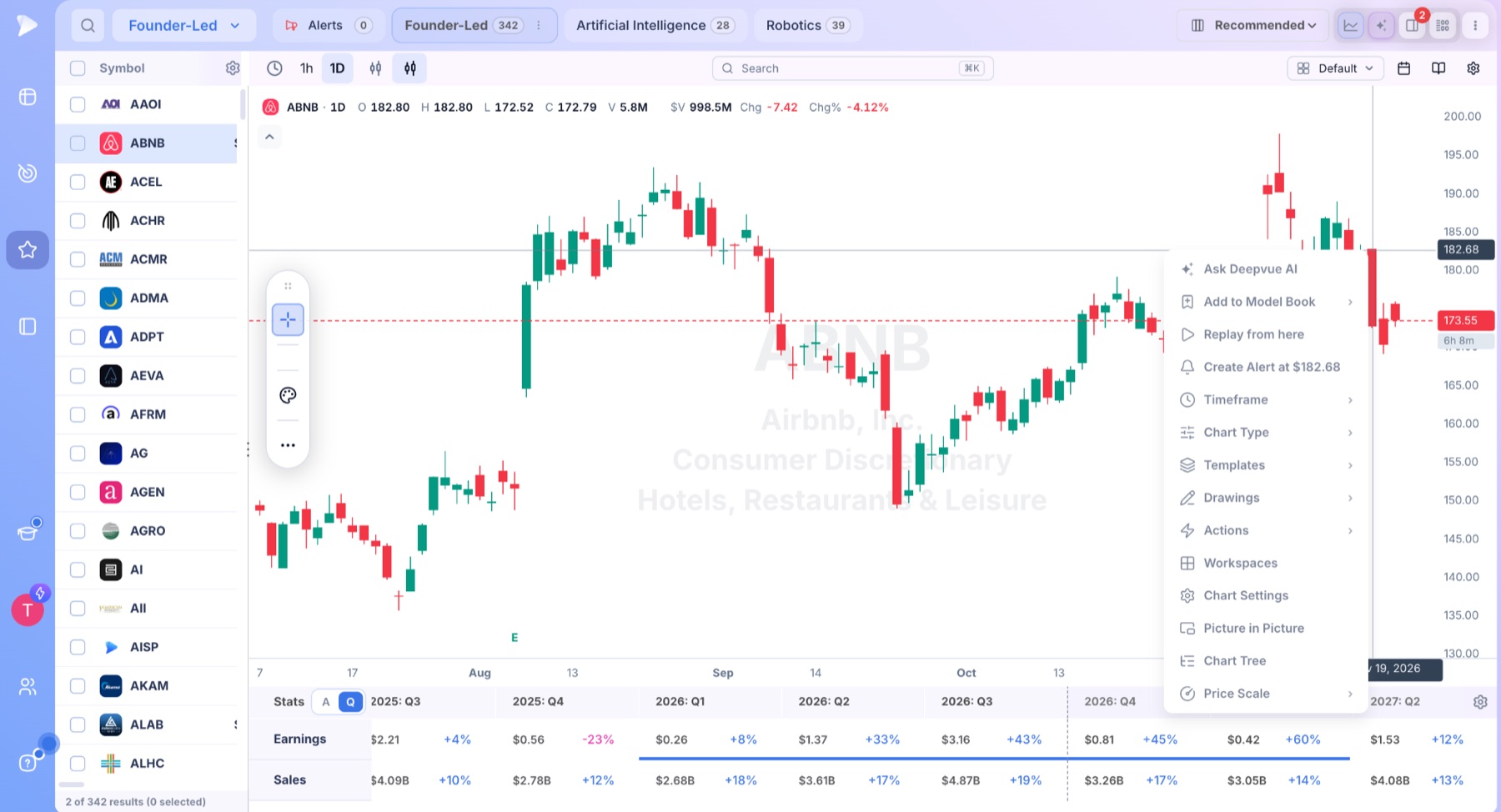
On a chart, a right click on any gap opens Ask Deepvue AI, and the Terminal explains the catalyst behind that move, on old bars as well as today’s. In the clip below, Deepvue walks through that right click research on a live gap.
Watch how to research a gap in seconds in Deepvue here.
The Journal Agent is part of the Deepvue Trading Journal. It stays off until you opt in, then reads your stats and executions as anonymized numbers and symbols, with no name or account details attached. The AI provider keeps nothing under a zero retention policy.
- •Which plan has it: both AI tools come with Deepvue’s one plan, with no credits, meters or daily quota.
- •Price: $99 a month or $990 a year.
- •Best for: stock traders holding for weeks who want research and review on one account, desktop and mobile.
- •One limit: Deepvue doesn’t place trades or run bots, and its journal tracks stocks only, in USD and CAD accounts.
BLACK FRIDAY
Ask Deepvue AI About Your Next GapA full year of Deepvue, with the AI Terminal and Journal Agent included, costs $490 instead of $990, and renewals stay at $490.
2. TrendSpider: AI Strategy Building and Automated Chart Analysis
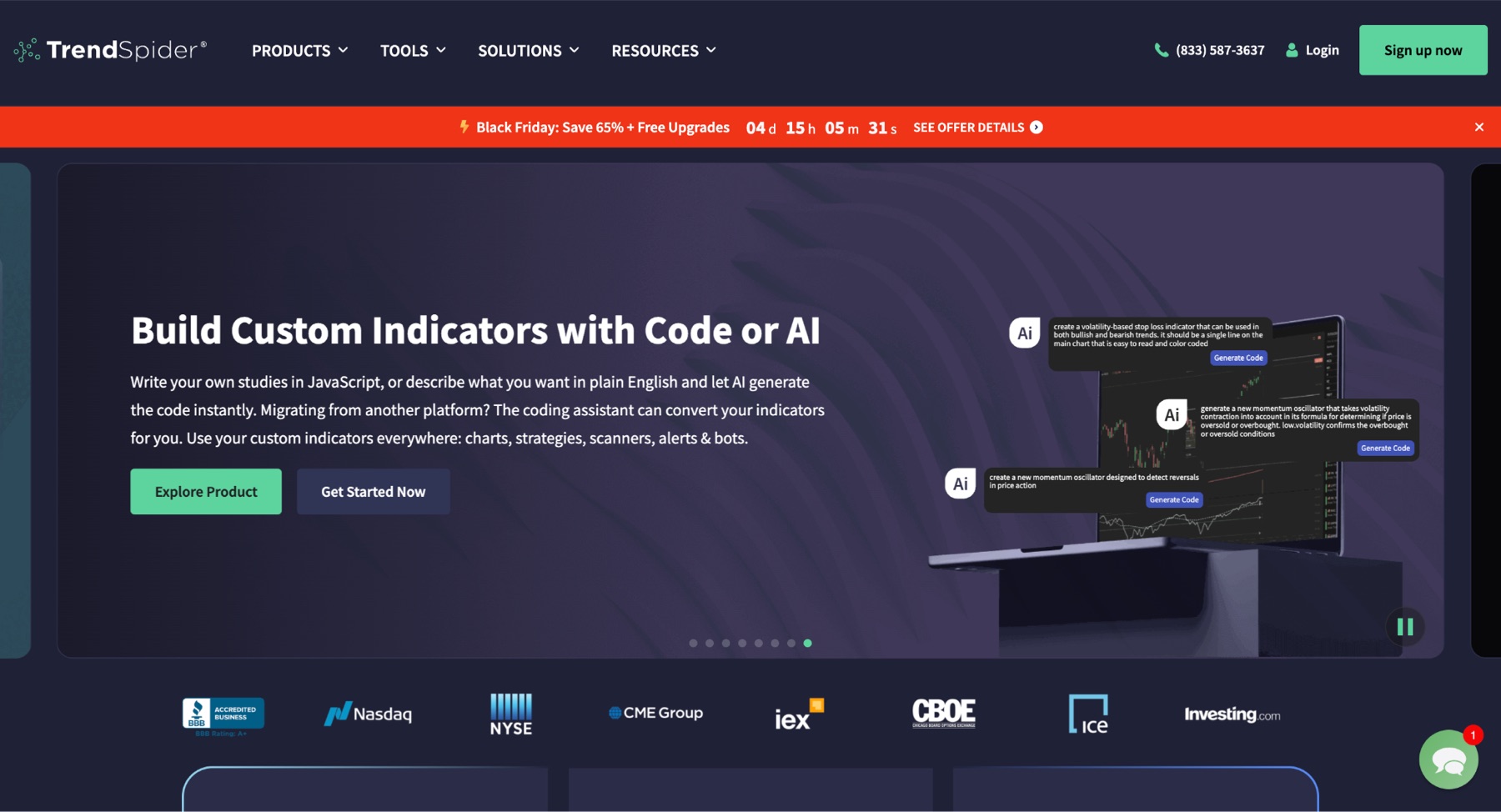
TrendSpider combines automated chart analysis with Sidekick, an AI trading assistant that can analyze charts, summarize filings and compare fundamentals inside your workspace. AI Condition Entry turns a plain English description into scan or alert conditions, and its Quant Model Lab trains models you can deploy on charts and bots.
- •Which plan has it: every plan includes 25 Sidekick messages a month; more takes a Sidekick add on at $49 for 100, $129 for 300 or $349 for 1,000.
- •Price: regular rates list Standard at $82 a month and Advanced at $321.
- •Best for: strategy testers who backtest and automate entries.
- •One limit: heavy Sidekick use means a second monthly bill. See Deepvue vs TrendSpider for the full comparison.
3. Trade Ideas: AI Signals for Day Traders
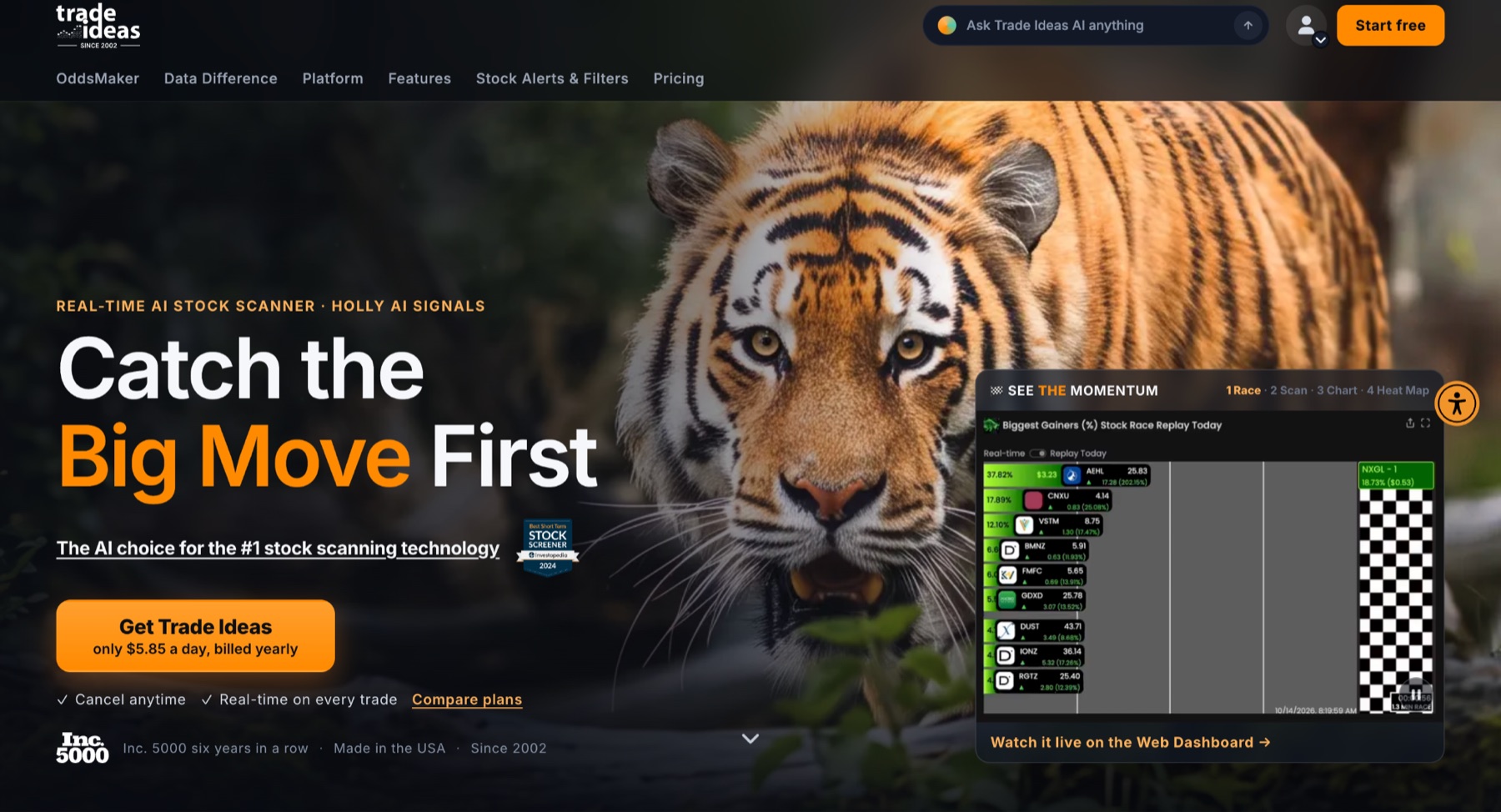
Trade Ideas is a real time scanner whose Holly AI tests a large set of strategies against recent data each night. The strategies that pass are allowed to send signals during the next session, and OddsMaker backtests your own alert ideas.
- •Which plan has it: Holly AI Signals, OddsMaker and auto trading come only with TI Premium.
- •Price: TI Standard costs $127 a month or $1,068 a year; TI Premium costs $254 a month or $2,136 a year.
- •Best for: intraday traders working US stocks and ETFs.
- •One limit: the full TI Pro desktop app is built for Windows, so Mac users work through a browser.
4. MarketSurge: Automated Pattern Recognition
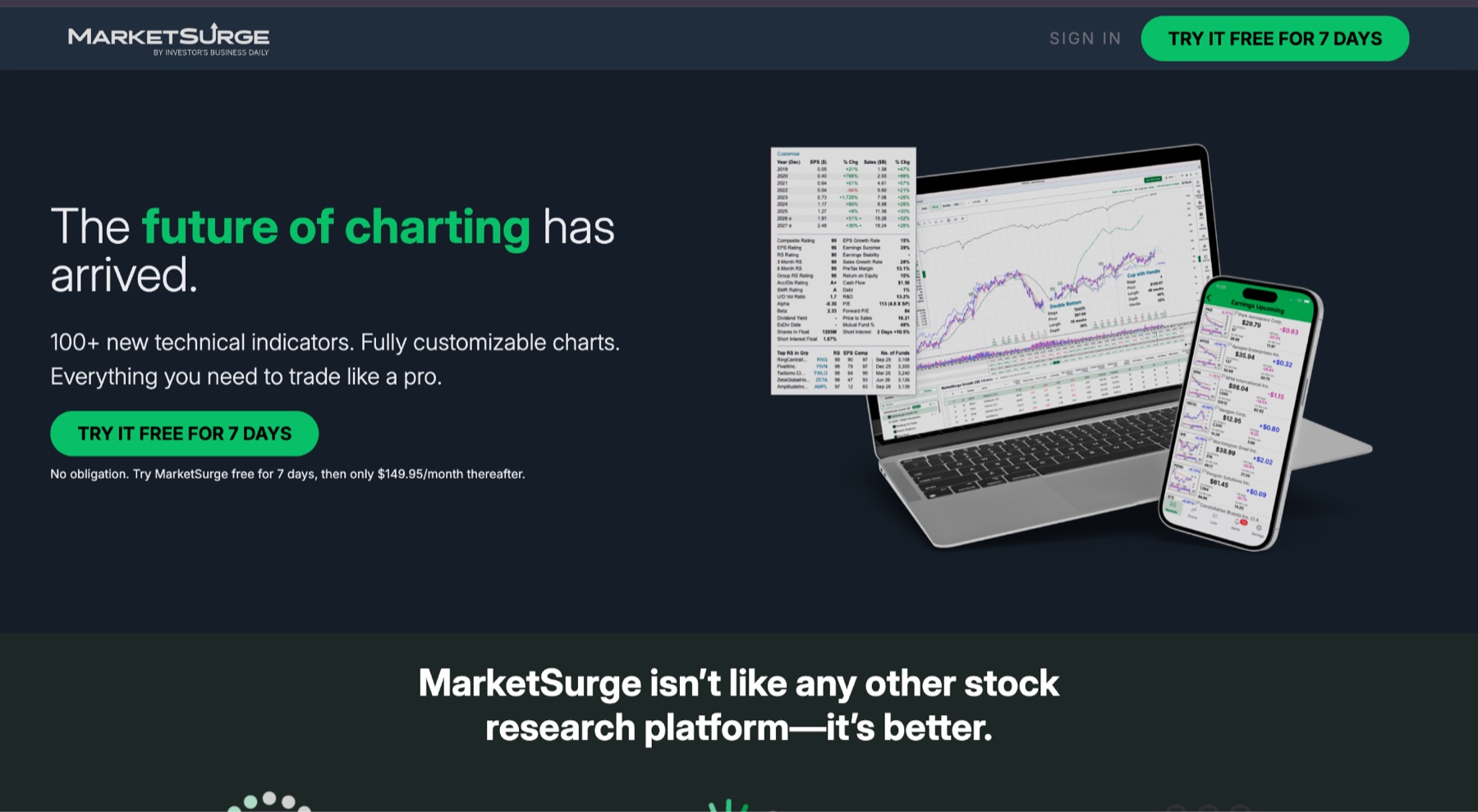
MarketSurge’s AI powered Pattern Recognition finds base patterns as they form and marks color coded buy and sell zones on the chart. Its AI does that work in the background on every chart you open.
- •Which plan has it: Pattern Recognition is part of the standard subscription.
- •Price: $149.95 a month.
- •Best for: traders who want bases flagged for them.
- •One limit: its AI is focused on chart patterns rather than questions you type. Compare it in Deepvue vs MarketSurge.
5. TradingView: AI Features on a Charting Giant
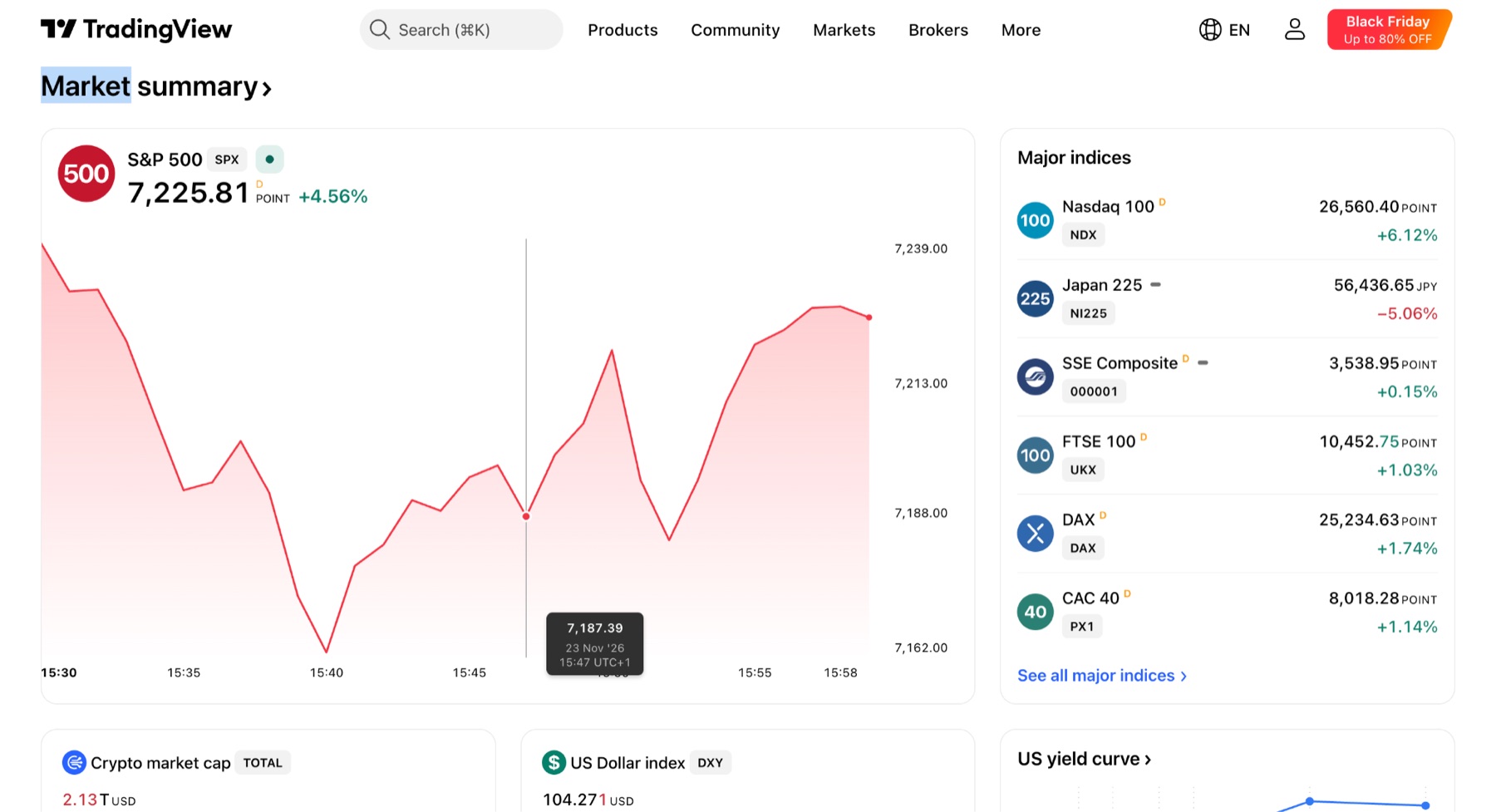
TradingView added AI research tools in 2026: AI powered document summaries of company filings, AI corporate news written within minutes of a filing, AI screener requests and an AI Copilot that works on your charts. Copilot can set up a chart from a description, mark support and resistance and pull technicals, fundamentals and news into one view.
- •Which plan has it: AI Copilot needs an active paid plan, and trial plans work too.
- •Price: a free Basic plan, with paid plans from $12.95 a month billed yearly.
- •Best for: chartists trading several markets.
- •One limit: the tools are built for every market at once, so none is tuned to growth stock setups. See Deepvue vs TradingView.
6. Danelfin: AI Stock Scores
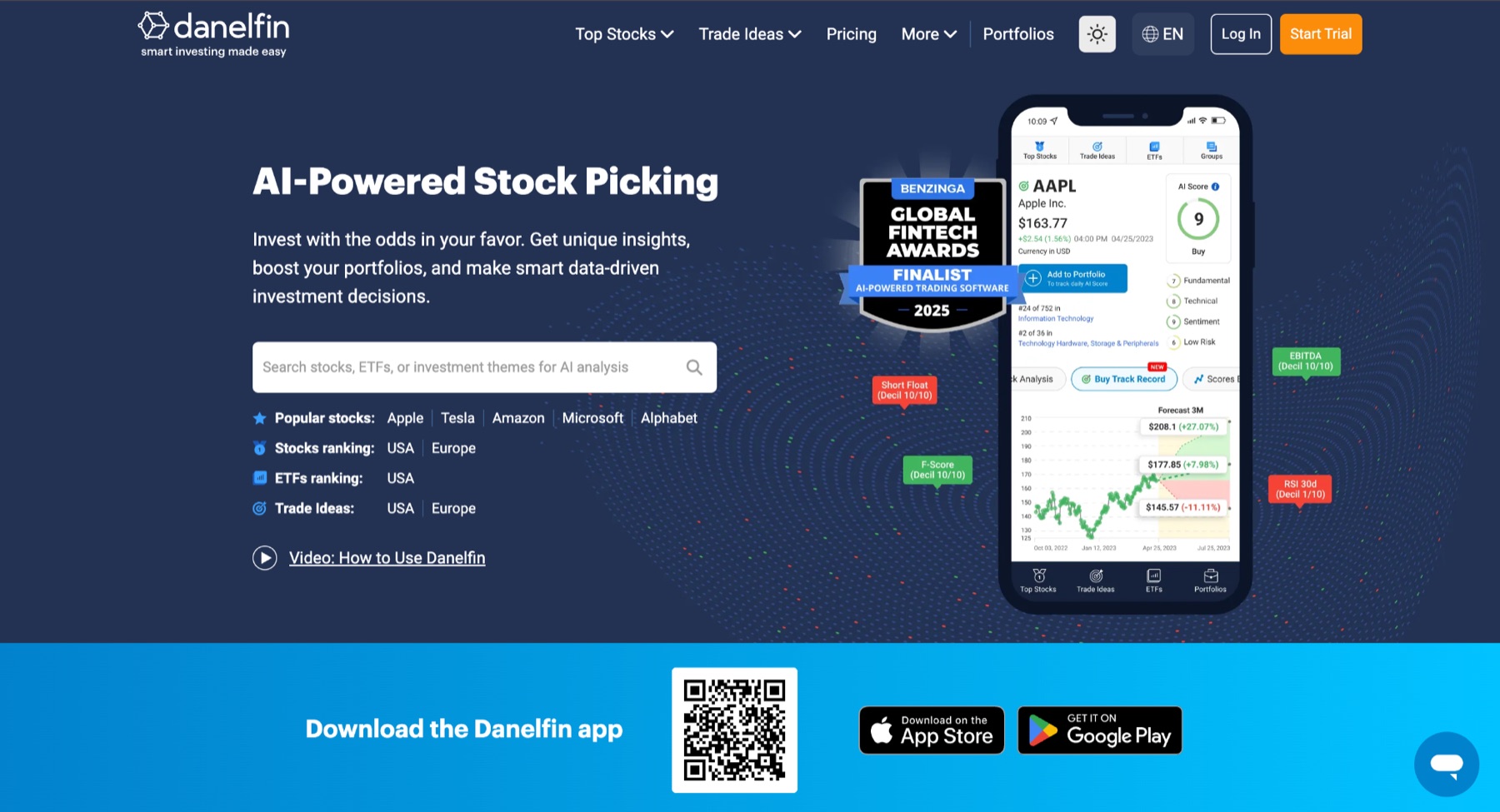
Danelfin gives each stock an AI Score of 1 to 10 for its odds of beating the market over the next three months. The score draws on about 10,000 features a day per stock from 900+ technical, fundamental and sentiment indicators, and it shows which features moved it.
- •Which plan has it: the free plan shows limited scores; Plus and Pro unlock the full rankings.
- •Price: Plus from $29 a month.
- •Best for: investors who want a ranked list to start from.
- •One limit: the score sets a three month horizon and comes without charts or a journal.
7. WallStreetZen: Zen Ratings
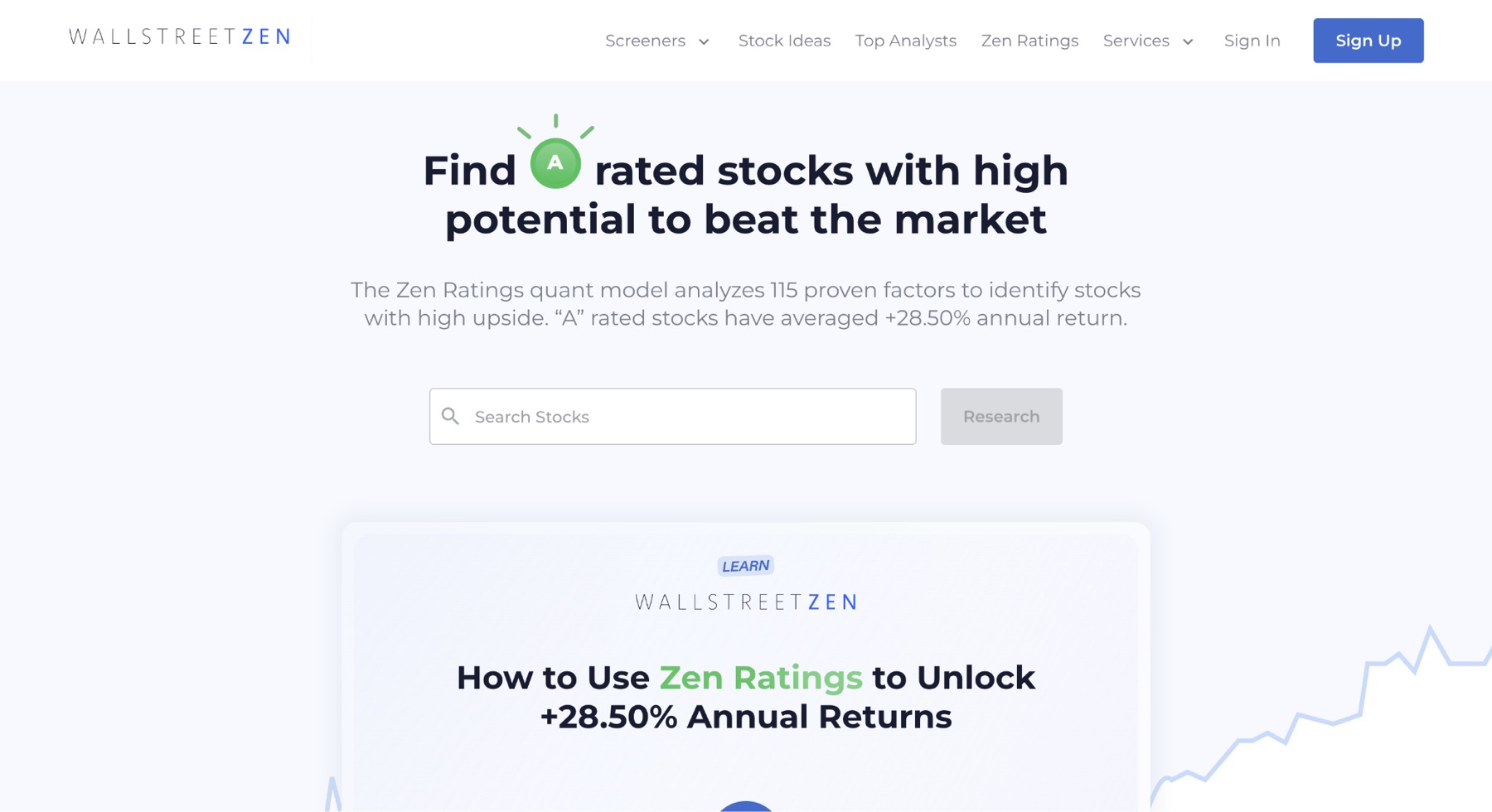
WallStreetZen grades stocks A to F with Zen Ratings, built from 115 factors, and shows component grades that include an AI factor. Premium adds analyst forecasts and one sentence explanations of why a stock’s price moved.
- •Which plan has it: full Zen Ratings come with Premium.
- •Price: $19.50 a month, billed yearly at $234.
- •Best for: longer term stock pickers who lean on fundamentals.
- •One limit: it’s built for fundamental research, with little for reading charts.
8. Tickeron: AI Patterns and Trading Robots
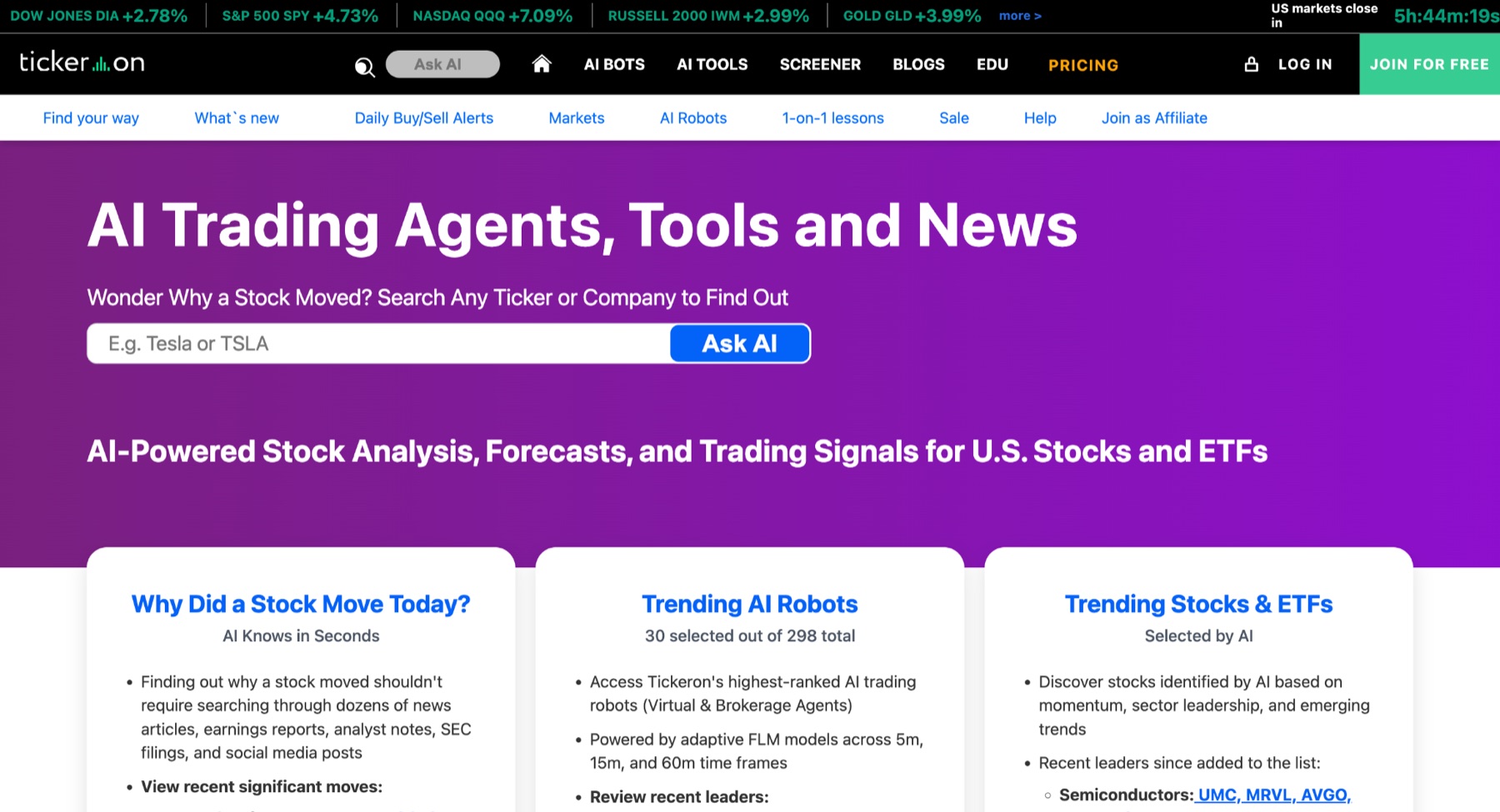
Tickeron sells AI tools one at a time. Real Time Patterns scans for chart patterns as they form, the Pattern Search Engine checks end of day charts across 39 pattern types, the Trend Prediction Engine gives a bullish, bearish or sideways outlook, and AI Robots generate trade signals.
- •Which plan has it: each engine is its own subscription with a 14 day free trial.
- •Price: individual engines from $20 a month, with AI Robots priced higher.
- •Best for: traders who want a library of ready signals.
- •One limit: buying several engines adds up quickly.
9. TradeZella: Zella AI for Trade Review
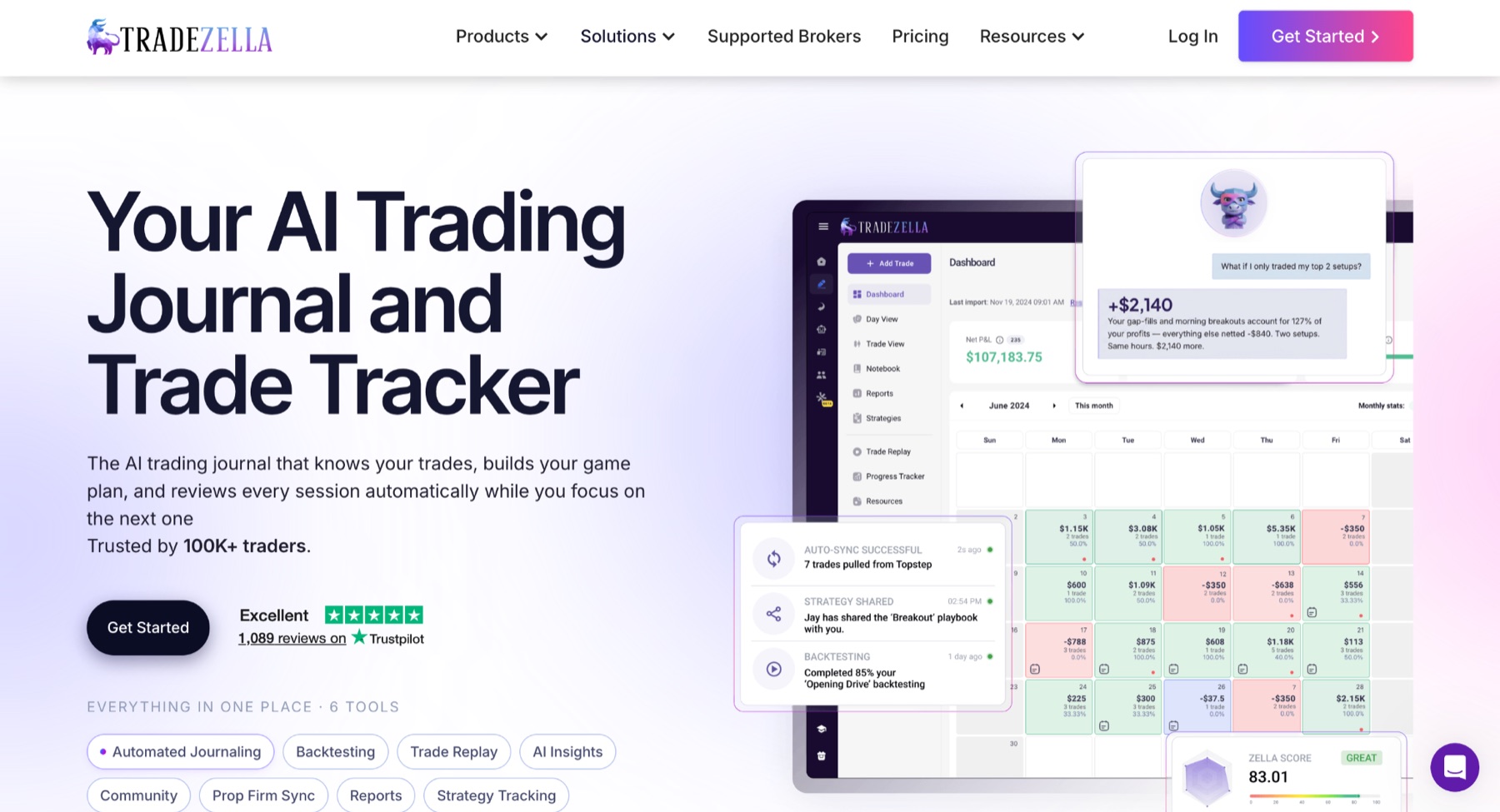
TradeZella is a trading journal whose Zella AI chats about your performance, reviews sessions, tags trades and writes weekly and monthly reports. Each action spends credits, and the balance resets every billing month.
- •Which plan has it: Essential carries 500 AI credits a month, Pro 1,500 and Ultra 3,000, with Zella Agents from Pro up.
- •Price: Essential costs $35 a month or $315 a year.
- •Best for: day traders reviewing their own trades.
- •One limit: it reviews trades but offers no research AI for finding stocks. See Deepvue vs TradeZella.
Deepvue’s AI in Practice: AI Terminal and Journal Agent Examples
Three prompts go to the AI Terminal, Deepvue’s AI trading assistant for research, and three go to the Journal Agent for review. Each shows what you type and what the AI does with it.
AI Terminal: Ask Why a Stock Moved
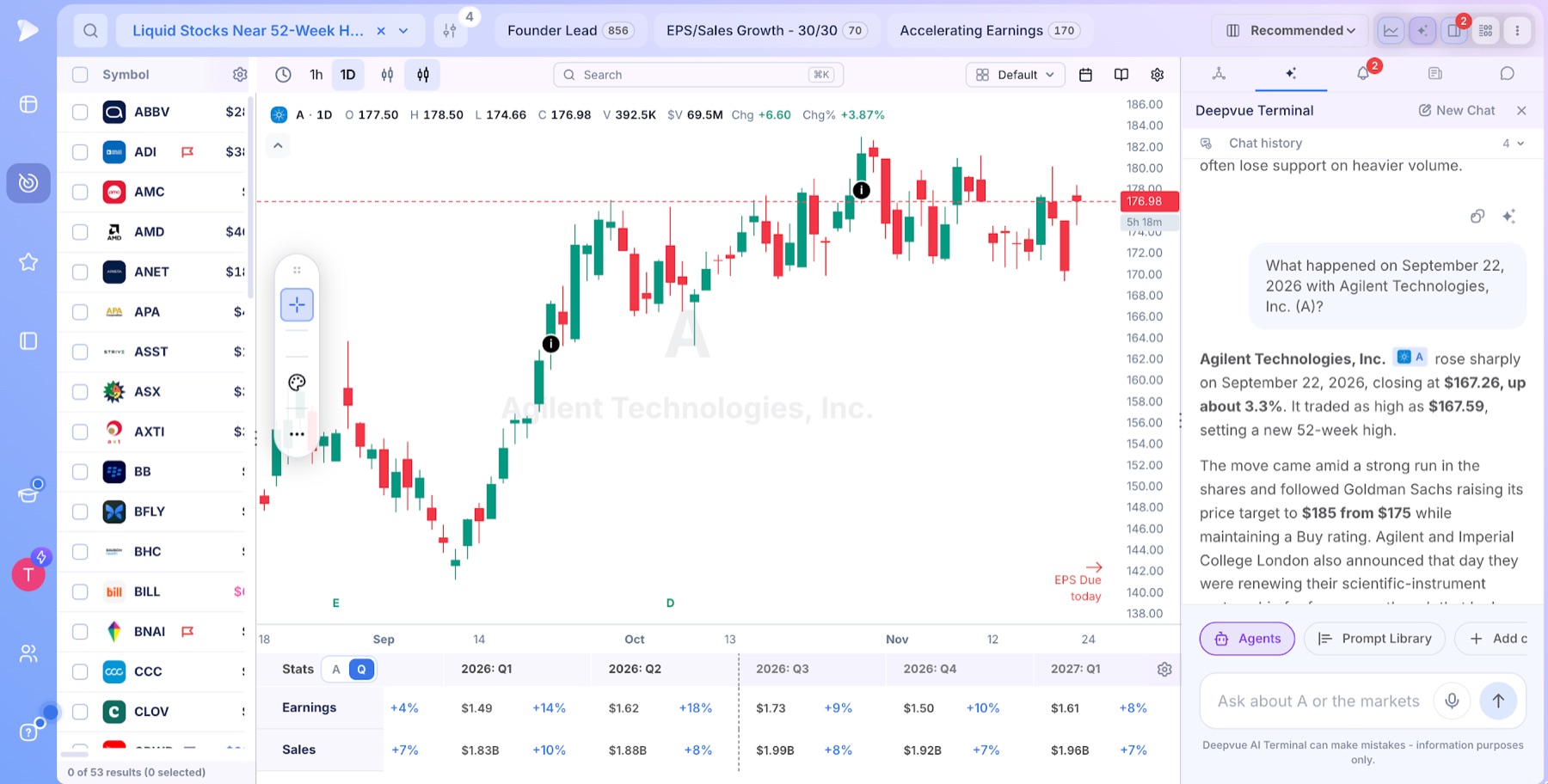
Right click the gap day on any chart, then pick Ask Deepvue AI from the menu. The Terminal fills in the company and date from the bar you clicked and explains the move beside the chart, so you skip the news search entirely.
AI Terminal: Build a Screen in Plain English
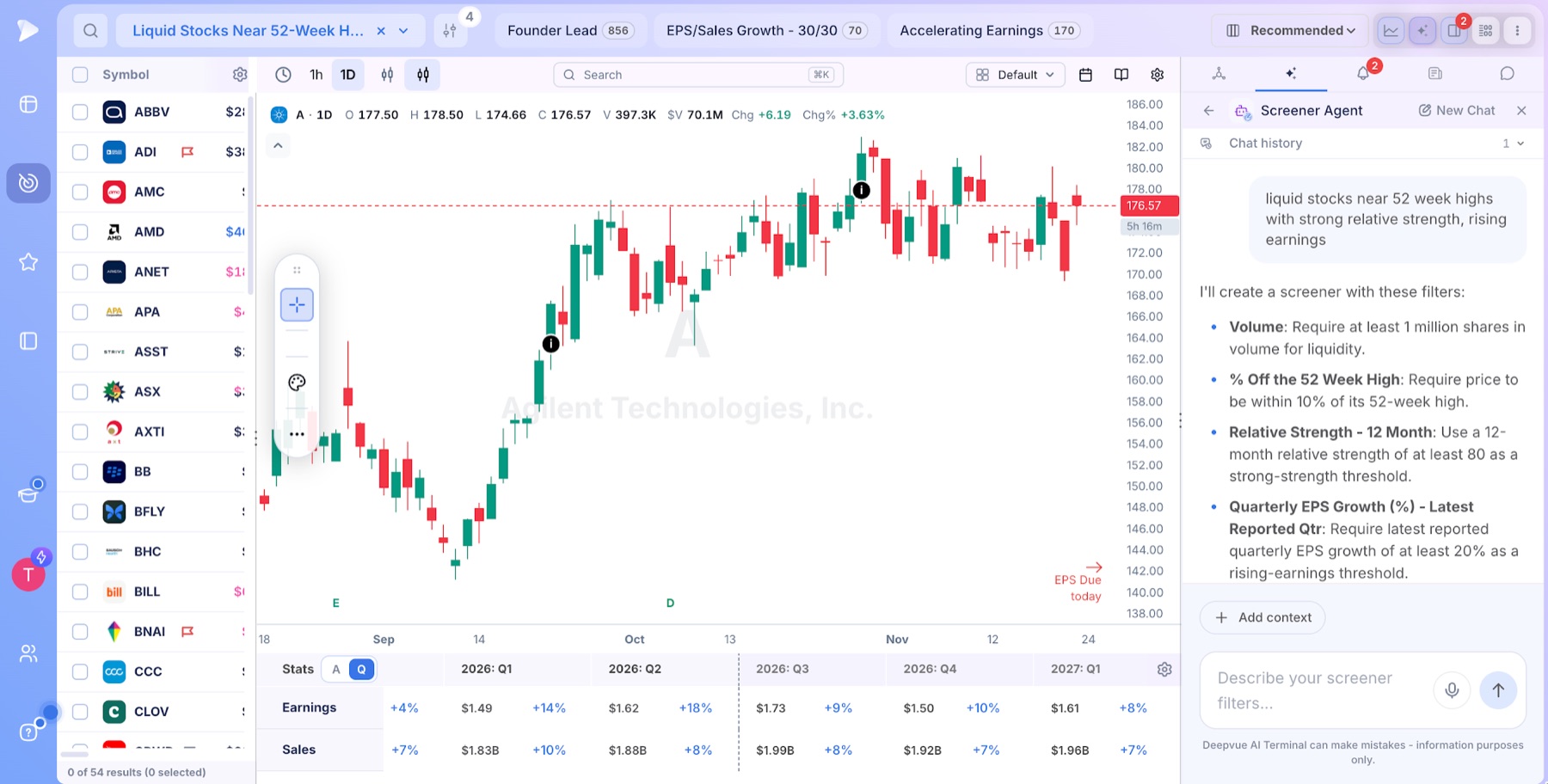
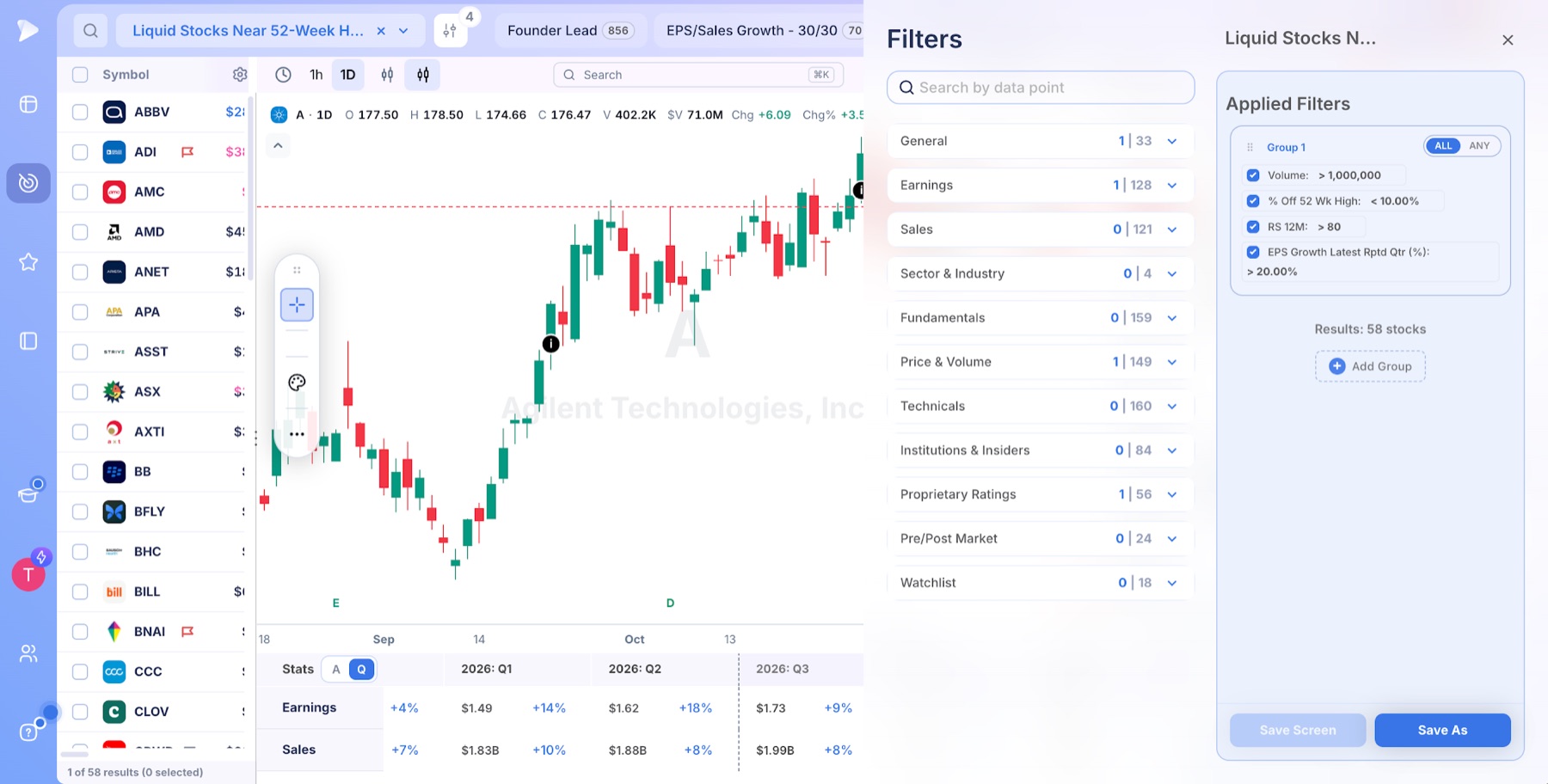
This is the AI stock screener side of the Terminal. Type a request such as liquid stocks near 52 week highs with strong relative strength and rising earnings, and the Screener Agent lists the filters and thresholds it plans to use. Reply yes and it creates the screen in the Deepvue screener.
Every filter it applied appears in the Filters panel, so you can change a threshold by hand before you save. Plain English can be read more than one way, so check each filter before you trust the results.
AI Terminal: Review a Whole Watchlist
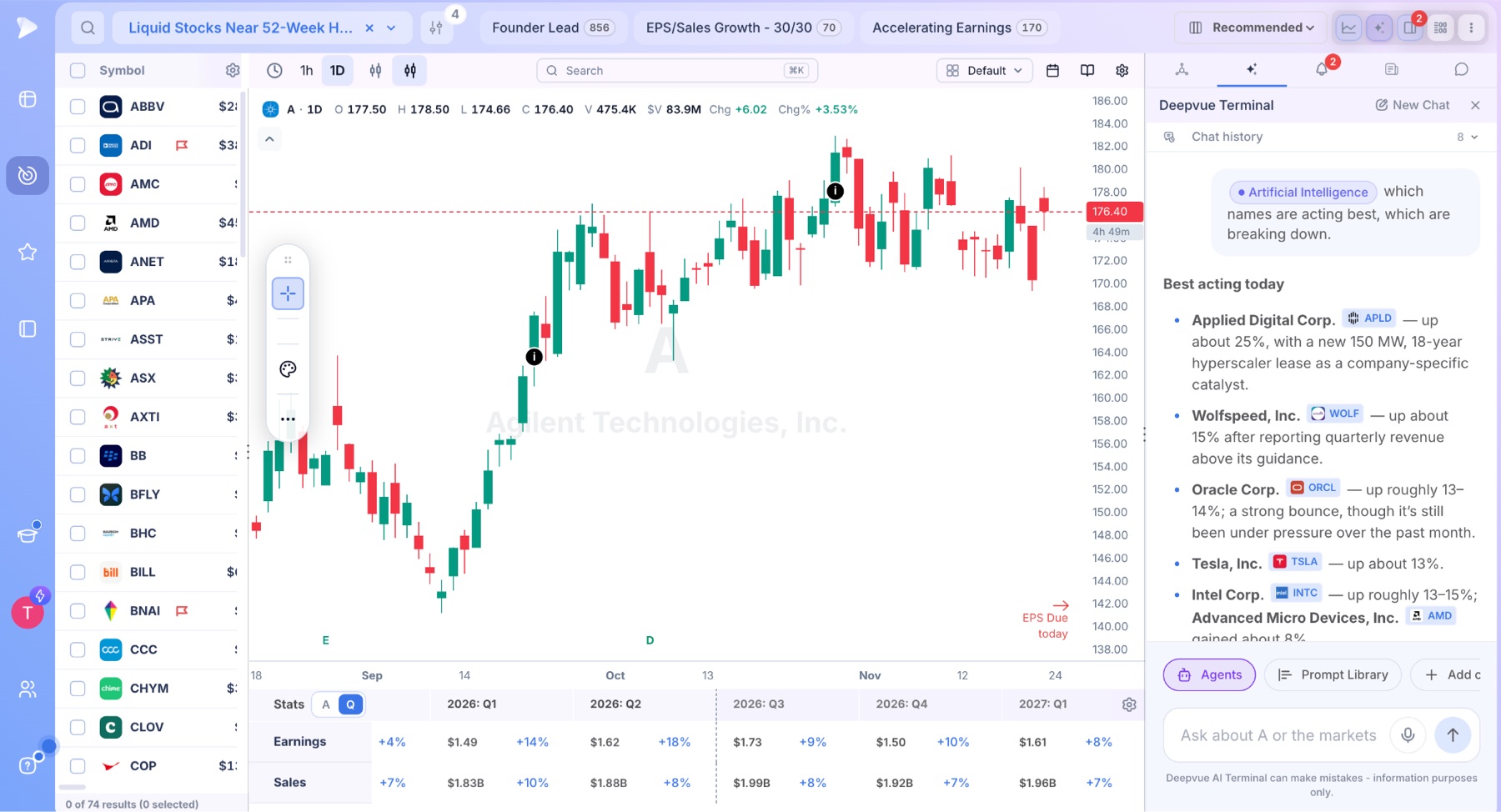
Type @, pick a watchlist, and ask which names are acting best and which are breaking down. The Terminal reads every symbol in the list, splits the names into the strongest and the most vulnerable with a reason for each, and turns every ticker into a clickable chip.
Journal Agent: Which Setup Pays Best
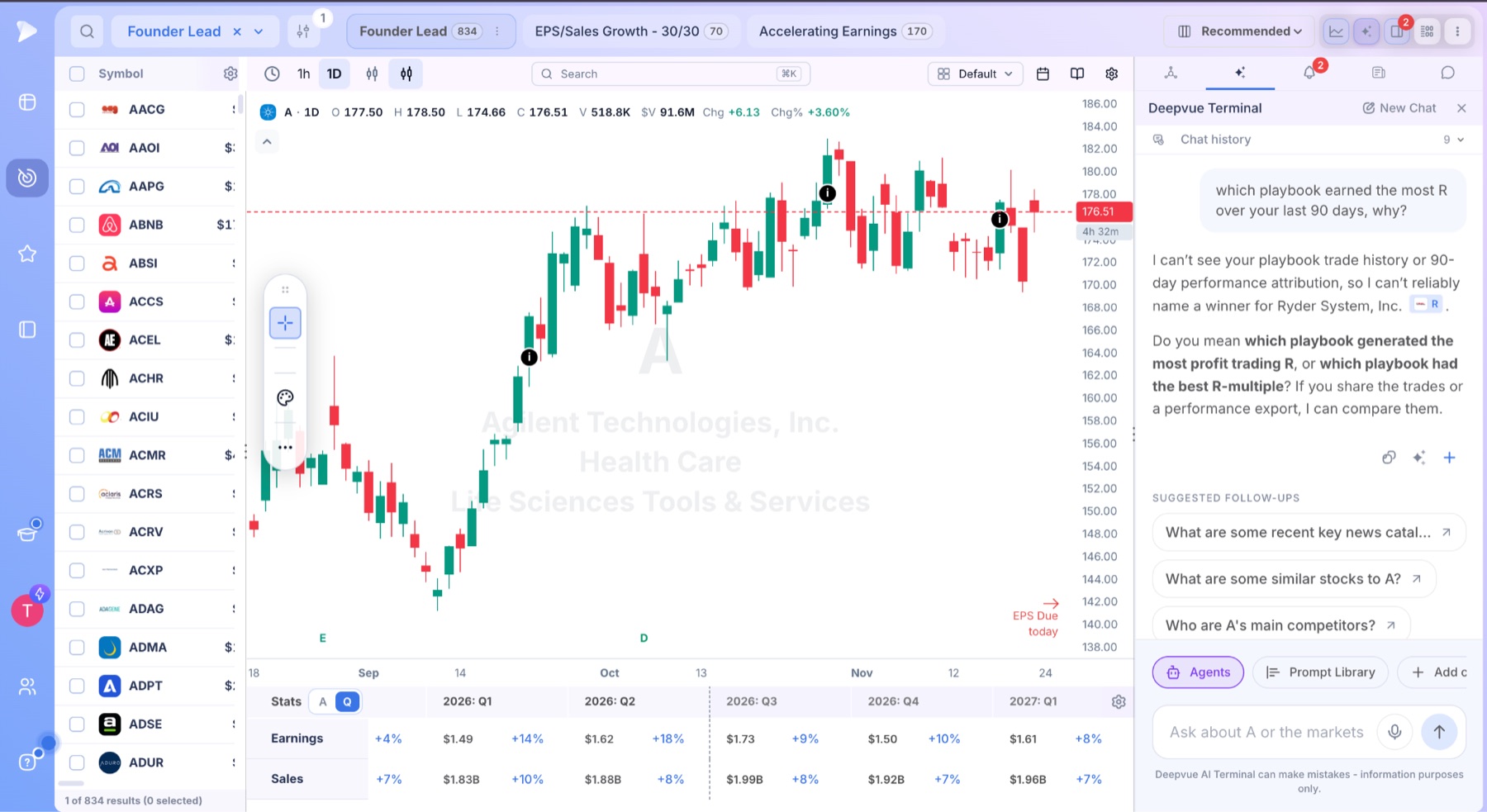
Ask which playbook earned the most R over your last 90 days and why. The agent answers only from your own record, so when playbook tags or R values are missing, it says what to add instead of guessing. The journal features guide covers the Dashboard apps it reads.
Journal Agent: Where Losses Come From
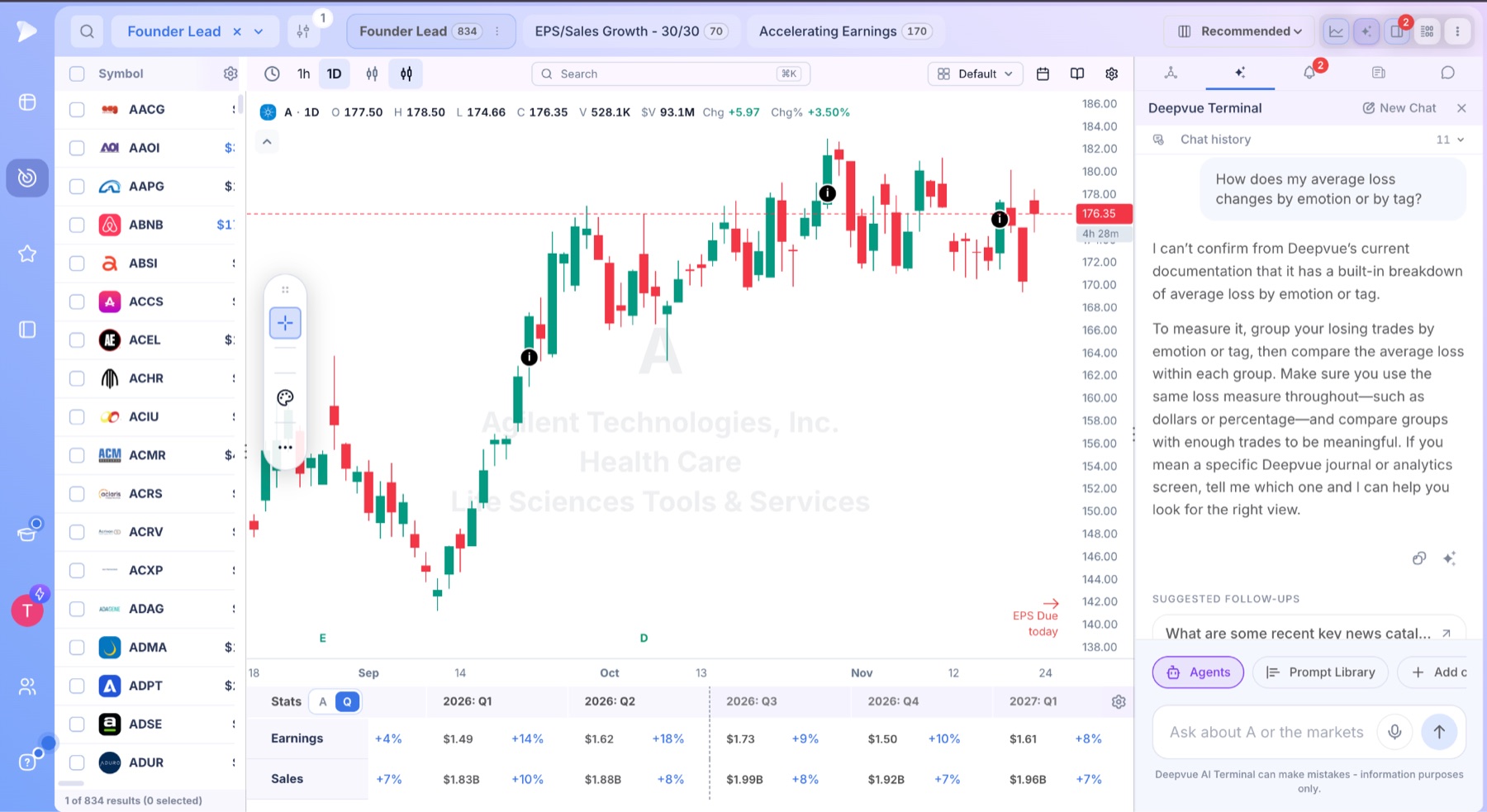
Ask how your average loss changes by emotion or by tag. With emotions and tags logged at entry, the agent compares loss size and frequency across them. Without them, it tells you which labels to add, and those labels are where losses tied to trading psychology tend to show up.
Journal Agent: Sum Up the Week
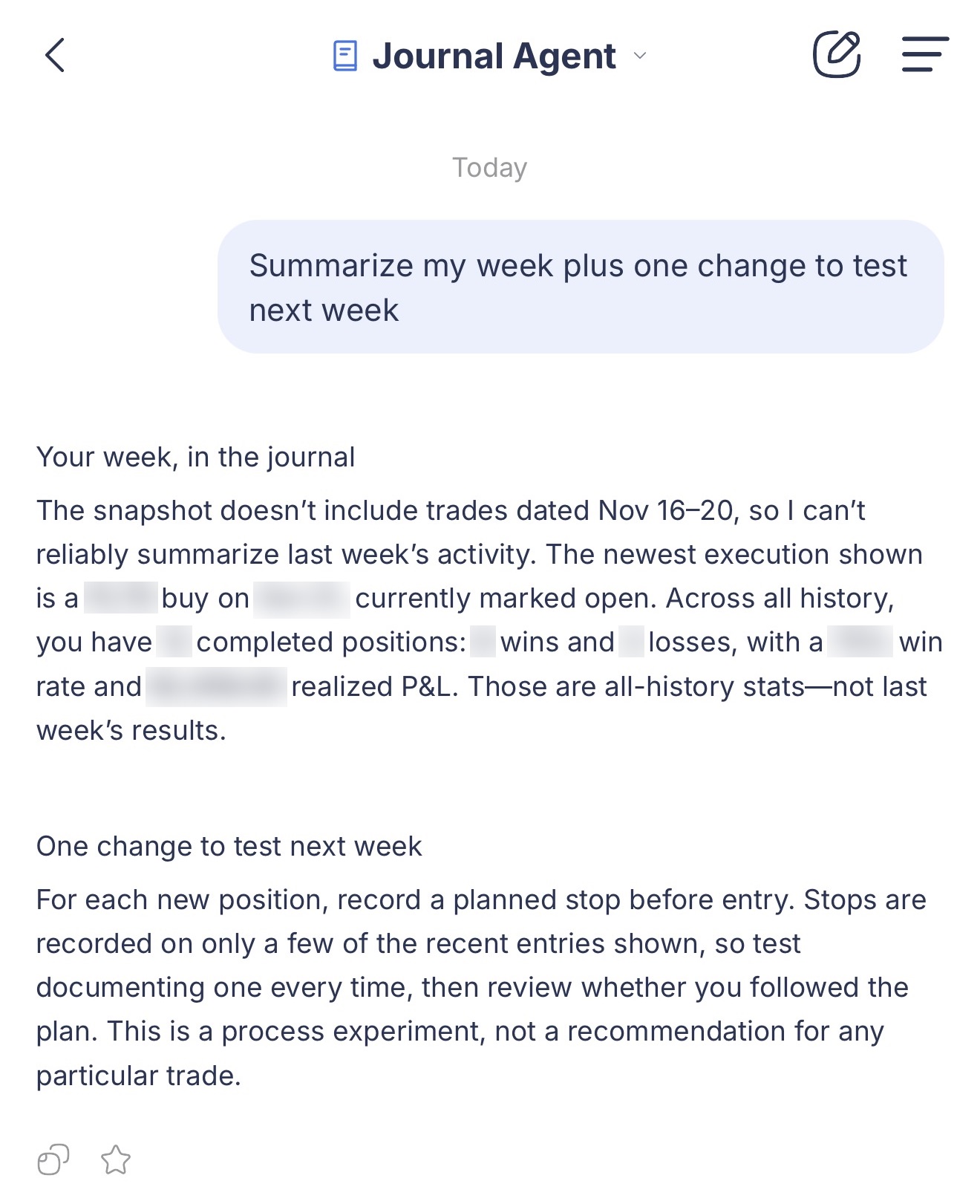
On the phone app, tap the microphone and ask for a summary of the week plus one change to test next week. Speaking right after the close captures details you’d lose by Sunday, and the habit makes it easier to keep a journal going.
Why Stock Traders Choose Deepvue’s AI
- •The only tool covering research and review. Seven tools on this list help you find trades, and TradeZella only reviews them. Deepvue’s AI does both jobs on one account.
- •AI that starts from your work. Tag a watchlist, screen or data panel with @ and the Terminal reads every symbol and value in it, while the Journal Agent reads your synced trades. A general chatbot starts from an empty box.
- •No meter on the AI. TrendSpider includes 25 Sidekick messages a month, Trade Ideas keeps Holly signals for its $254 Premium tier, and Zella AI spends credits that reset monthly. Deepvue’s AI has no credits or quota.
- •Less to pay for the same coverage. Matching it elsewhere means stacking tools: TrendSpider Standard at $82, a $49 Sidekick plan for 100 messages and TradeZella Essential at $35 come to $166 a month, against $99 for Deepvue.
- •Private by design, on desktop and mobile. The Journal Agent sees anonymized numbers and symbols, its AI provider keeps nothing, and both AI tools run in the browser and in the iOS and Android apps.
- •Built by traders who use it. The prompt library follows the questions growth stock traders ask about markets, themes, earnings and risk, and Deepvue’s founders use the platform in their own trading every day.
If AI review is the piece you want most, our AI trading journal guide shows what to log so the agent has a clean record to read.
BLACK FRIDAY
Put Both AI Tools on Your Watchlist TonightResearch with the AI Terminal and review with the Journal Agent for $490 a year instead of $990, on desktop and mobile.
One Stock Idea Through Deepvue’s AI, Start to Finish
The value of AI for stock trading grows when each step hands context to the next. Here’s one idea run through Deepvue’s AI from screen to review:
- 1.Describe the screen. Use the Terminal as an AI stock screener: describe the setup you trade in plain English and open the screen it builds.
- 2.Open a result. Spacebar through the names and load the one that stands out on the chart.
- 3.Ask why it moved. Right click the latest gap or volume spike and read the catalyst.
- 4.Check the list. Tag your watchlist with @ and ask how the name compares with the others you’re tracking.
- 5.Review after the exit. Once the trade closes, ask the Journal Agent how it measured against your playbook and what to change.
Catalyst research is the step most traders still do by hand. The clip below shows the Terminal pulling catalysts for a stock in seconds.
Watch how to research trading catalysts in Deepvue here.
BLACK FRIDAY
Run Your Next Idea Through Deepvue’s AIScreen, research and review on one plan for $490 a year, then keep that rate at every renewal.
AI Trading Bots vs AI Research Tools
Two kinds of AI for trading get confused most often. An AI trading bot executes rules: it watches for a condition and places an order through a broker connection. An AI research tool informs a decision: it reads data, explains a move or reviews a record, and you place the trade.
If you are asking can AI trade stocks for me, a bot can, in the narrow sense of sending orders. The CFTC advisory on trading bots is blunt about what it can’t do. It says AI can’t predict the future or sudden market changes, and warns that scammers advertise returns in the tens of thousands of percent or 100 percent win rates.
One case it describes ran a bot program that guaranteed at least 10 percent a month and took more than $1.7 billion in bitcoin from at least 23,000 people. Very little money was ever traded.
| AI research tool | AI trading bot | |
|---|---|---|
| What it does | Explains, screens, scores and reviews | Places orders when its rules trigger |
| Who decides | You | The rules you or a vendor set |
| Main risk | A wrong answer you act on without checking | Losses at machine speed, plus vendor fraud |
| What protects you | Sources, charts and tickers beside each answer | Position limits, stops and vetting the vendor |
Most AI trading software falls on one side of that line, so the better question than can AI trade stocks for me is which decisions you want to keep. Neither kind removes risk. A stop you size in advance does more for your account than any signal, and our risk management guide shows how to set one from your open heat.
ChatGPT for Trading vs a Trading Specific AI
ChatGPT for trading works well for explaining a concept or drafting a rule set. The gap is context: a general chatbot can’t see your watchlists, your screens or your trade record unless you paste them in, and it may not have current market data.
| What the AI can see | General chatbot | Deepvue’s AI |
|---|---|---|
| Live market data | Depends on the model and its web access | Built on Deepvue’s platform data |
| Your watchlists and screens | Only what you paste in | Tag any list with @ |
| Your trade record | Only what you upload | The Journal Agent reads it after you opt in |
| Tickers in the answer | Plain text | Buttons that open the chart or an alert |
| Cost | A separate subscription | Included in the one plan |
Uploading a broker export to a chatbot also hands your account details to another company. The Journal Agent sends anonymized numbers and symbols only.
Factors to Consider Before You Pay for an AI Trading Tool
Each factor below comes with the question to put to the vendor before you sign up for any AI trading software.
What Data the AI Can See
An AI that reads live prices, fundamentals and your own watchlists and trades can answer questions about your process, not just the market. In Deepvue, typing @ hands the Terminal a whole watchlist or screen.
Ask the vendor: Can the AI read my lists and trades, or only tickers I type?
Included AI or Gated AI
Many vendors cap AI use with message limits, credits or a top tier, and caps bite hardest during earnings season. Price the plan you’d actually use.
Ask the vendor: What happens when I hit the limit halfway through earnings season?
Privacy and Data Retention
A trade log shows your account size and every position. Deepvue’s Journal Agent is opt in, sends anonymized numbers and symbols, and its AI provider keeps nothing. The AI trading journal guide covers the setup.
Ask the vendor: Is my data anonymized, and does the AI provider store it?
How You Check Its Answers
AI can be confidently wrong, so look for clickable tickers, visible filters and a chart beside each answer. For example Deepvue’s Journal Agent says which tags to add when data is missing instead of guessing.
Ask the vendor: Can I see the filters or sources behind each answer?
Market and Holding Period Fit
Intraday signal engines, crypto bots and three month score models each suit a different style. If you hold growth stocks for weeks, you need AI built around bases, relative strength and earnings.
Ask the vendor: Which markets and holding periods was the AI built for?
Desktop and Mobile
Plenty of reviews happen after the close or away from your desk. Deepvue’s AI Terminal and Journal Agent run in the browser and in the iOS and Android apps.
Ask the vendor: Does the phone app include every AI feature?
Total Cost
Add the AI plan, any add ons and the journal or screener you’d still pay for separately. For example, TrendSpider with a Sidekick add-on plus TradeZella runs close to $2,000 a year, while Deepvue covers both jobs for $990.
Ask the vendor: What’s the yearly cost of everything I’d need?
How to Choose the Best AI for Trading
Which AI is best for stock trading for you comes down to fit with your process. Work through five steps before you pay:
- 1.Name the job. Research, scores, signals or review; pick the one costing you the most time.
- 2.Check what the AI sees. Prefer a tool that reads your lists and trades over one that only takes typed tickers.
- 3.Find the AI in the pricing. Note which plan unlocks it and any caps or credits.
- 4.Test it on your own work. Run the five prompts above on your watchlist or last month’s trades during a trial.
- 5.Match your holding period. Intraday signals and positions held for weeks need different tools.
If review matters most, our best trading journal roundup compares journals by broker sync, AI and price. Pair the result with a written trading plan, so the AI has rules to check your trades against.
Get Deepvue’s AI Research and Journal Agent for $490 a Year
The best AI trading tools save you time on the work you already do. For a stock trader holding for weeks, that’s finding the next setup and learning from the last one, and Deepvue covers both on one plan with no AI meter. That’s why it ranks as the best AI for stock trading on this list.
BLACK FRIDAY DEAL
Deepvue With the Journal Included, Plus 3 Live Bonuses
One annual plan covers the full platform, from screens and charts to the Trading Journal and analytics, plus two VIP Masterclasses and the December Live Bootcamp.
- Deepvue annual planScreener, charts, dashboards, Model Book, Deepvue AI and the Journal with analytics$990/yr
- Momentum Setups Mastery (VIP)3 webinars and a VIP Q&A$297
- Sell Rules Mastery (VIP)3 webinars and a VIP Q&A$297
- December Deepvue Live Bootcamp8 live sessions, December 7 to 14Included
- Total value
$1,584
Your $490 rate stays locked while your subscription is active. Join by December 4, 2026 at 11:59 PM ET.
On your phone? Sign up for the deal in your phone’s browser, then download the Deepvue app and log in.
Frequently Asked Questions About AI Trading Tools
Can I make $100 in a day trading?
Nothing guarantees it, and the odds are poor: in a study of Brazilian day traders, 97 percent of those who kept at it for 300+ days lost money. Deepvue is built for stock positions held for weeks, where research and review matter more than daily targets.
Can AI really trade stocks for me?
A bot can place orders through a broker connection, but the CFTC warns AI can’t predict the future or sudden market changes. Deepvue’s AI informs your decisions by explaining moves, building screens and reviewing trades, and you place every order yourself.
How do you earn $5,000 per day from the stock market?
No tool or strategy can promise that figure. Set a fixed risk per trade, size positions from your stops and judge results over many trades, which is the process Deepvue’s screener, Position Size Calculator and Journal Agent support.
Can I make $1,000 per day from trading?
A daily target tends to push overtrading, because a red morning tempts you to force the afternoon. Judge your trading by expectancy across dozens of trades instead. The Deepvue Trading Journal measures expectancy in dollars and R, and the Journal Agent explains it.
Which AI is the best for stock trading?
The best AI for stock trading depends on the job. For stock traders who research ideas and review their trades, Deepvue covers both with the AI Terminal and Journal Agent on one plan. Danelfin and WallStreetZen score stocks, Trade Ideas sends intraday signals and TrendSpider builds strategy bots.
Can you make $200 per day in day trading?
The same study is sobering: only 1.1 percent of persistent day traders earned more than Brazil’s minimum wage, about $16 a day. Deepvue isn’t built for day trading; it serves traders holding stocks for weeks to months.
Does AI trading really work?
AI works well at speeding up research and review: explaining a gap, summarizing earnings, building a screen or reading your trade record. It doesn’t remove risk or predict prices. Deepvue’s AI is built for those research and review jobs, and every decision stays with you.
Is Deepvue’s AI included in the plan?
Yes, the AI Terminal and the Journal Agent both come with Deepvue’s one plan, with no credits or daily quota. It costs $99 a month or $990 a year, and Black Friday brings a full year to $490 through December 4.
Sources
- •Commodity Futures Trading Commission. Customer Advisory: SI Won’t Turn Trading Bots into Money Machines. CFTC Office of Customer Education and Outreach.
- •Chague, F., De-Losso, R. and Giovannetti, B. (2020). Day Trading for a Living? SSRN working paper 3423101, FGV Sao Paulo School of Economics.