Deepvue Trading Journal Broker Integrations: Your Trades, Synced Automatically
Pick your broker, sign in, and your full trade history fills the journal, with new trades following on their own, on desktop and mobile.
Deepvue Trading Journal broker integrations connect your brokerage account in a few clicks, and most brokers deliver your full trade history automatically in under 24 hours.
An automated trading journal starts with the broker connection. Deepvue Trading Journal broker integrations link the Deepvue Trading Journal to Charles Schwab, Fidelity, E*TRADE, Robinhood, Interactive Brokers, Webull and many more, so your buys, sells, deposits and withdrawals arrive without a keystroke. Your P&L stats are ready from the first sync, and R fills in as soon as you add your stops.
Pick your broker. Sign in. Start syncing.
Get 2 months for the price of 1. Open Connect a brokerage and most brokers hand over your full trade history in under a day.
How Deepvue Trading Journal Broker Integrations Work
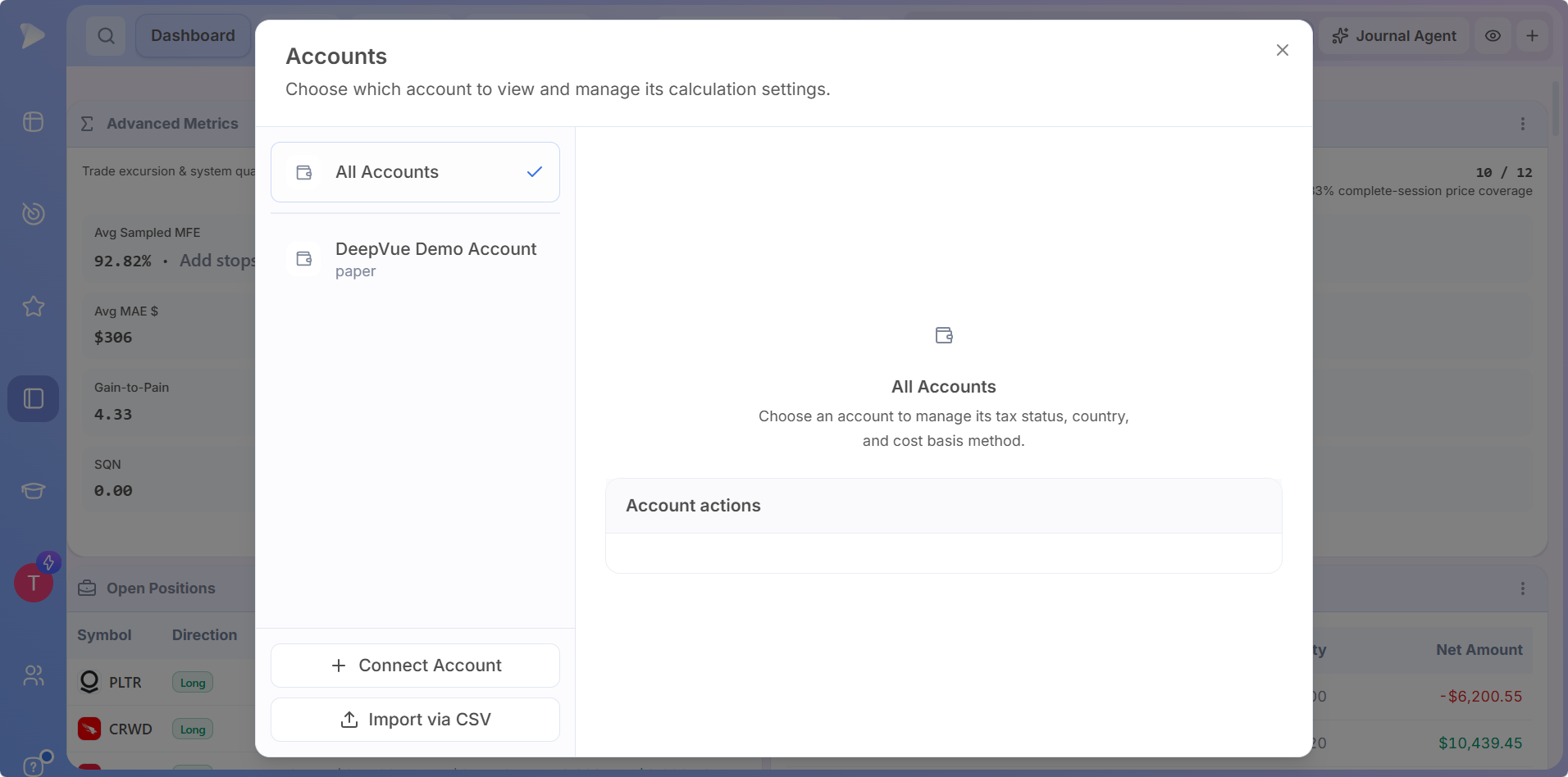
Open Accounts
In the journal, click All Accounts, then Connect Account.
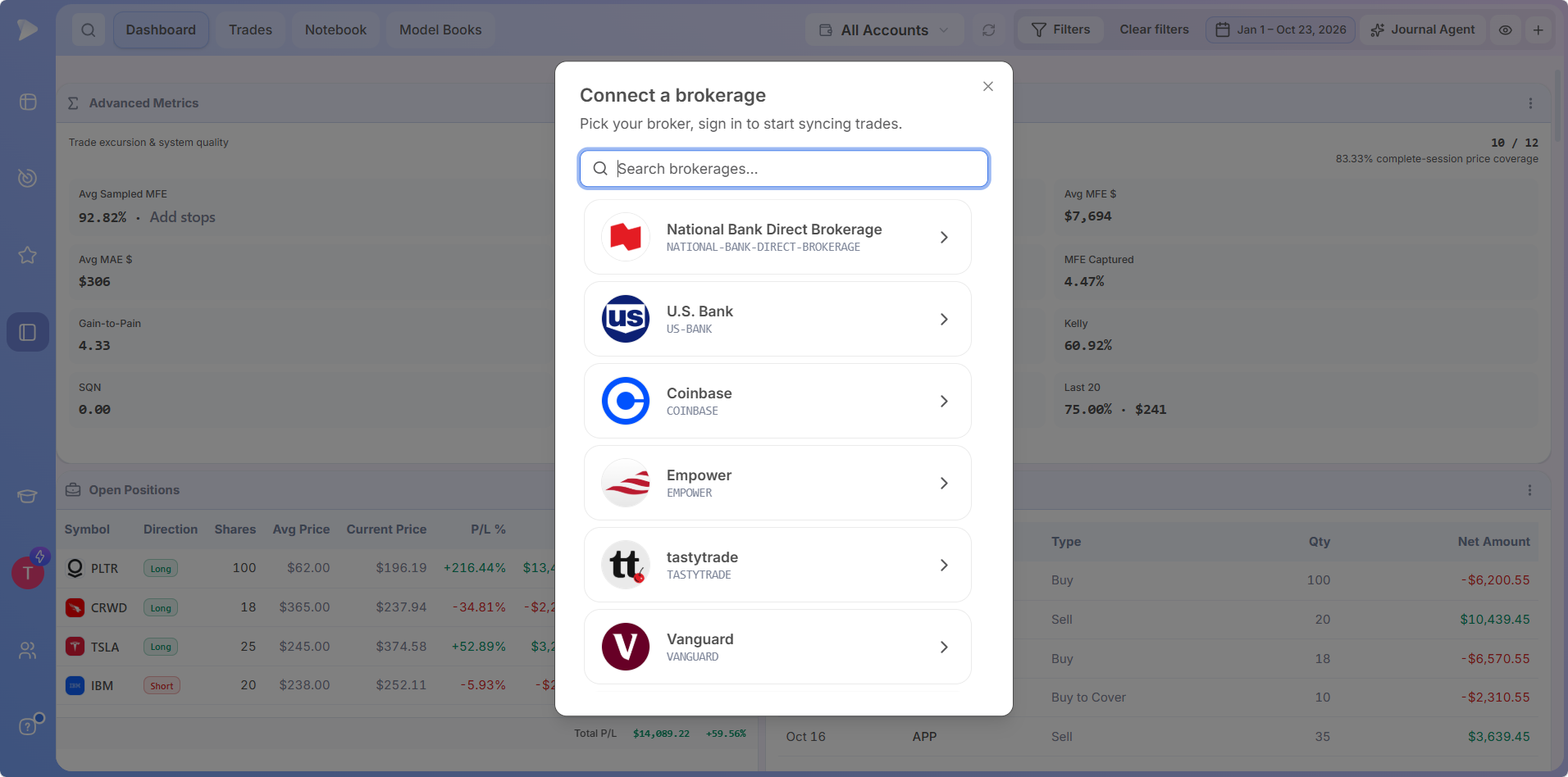
Find your broker
Search the Connect a brokerage list by name and pick your broker.
Sign in and sync
Sign in with your broker to approve the link, and your trade history starts syncing.
Because you sign in on your broker’s side, your broker password never reaches Deepvue. Once the link is live, the journal reads the ledger items that affect performance, from trades and fees to deposits, withdrawals and interest.
| What syncs from your broker | What the journal does with it |
|---|---|
| Buys, sells, short sales and buys to cover | Groups executions into open and closed trades automatically |
| Commissions and fees | Counts them in P&L and in your fee totals |
| Deposits, withdrawals and interest | Keeps returns and percentages accurate |
| Your full trade history | Fills your P&L and win/loss stats as soon as it lands, with R and playbook stats following as you add stops and tags |
Sync Timing for Your Automated Trading Journal
| Sync | Timing |
|---|---|
| Most brokers, first full sync | Inside 24 hours |
| Interactive Brokers, first full sync | Between 24 and 48 hours |
| Each new trade after that | Depends on your broker: real time on some, an hour or more on others |
That timing is what makes an automated trading journal work: new trades arrive on their own, with no export or upload in between.
Join Deepvue from your mobile browser to claim 2 months for the price of 1, then download the Deepvue app on iOS or Android and the whole journal is in your pocket.
Brokers You Can Connect
Connect a brokerage covers a long list of brokers and banks, and the list keeps growing. Start typing in Search brokerages to find yours. The Deepvue Trading Journal tracks stock trades in US and Canadian dollar accounts, and the brokers below are a strong place to start.
United States
- Charles Schwab
- Chase
- E*TRADE
- Edward Jones
- Empower
- Fidelity
- Interactive Brokers
- Moomoo
- PNC
- Public
- Robinhood
- tastytrade
- Transamerica
- U.S. Bank
- Vanguard
- Webull
- Wells Fargo
Canada
- National Bank Direct Brokerage
- Qtrade Direct Investing
- Questrade
- TD Direct Investing
- Wealthsimple Trade
- Webull Canada
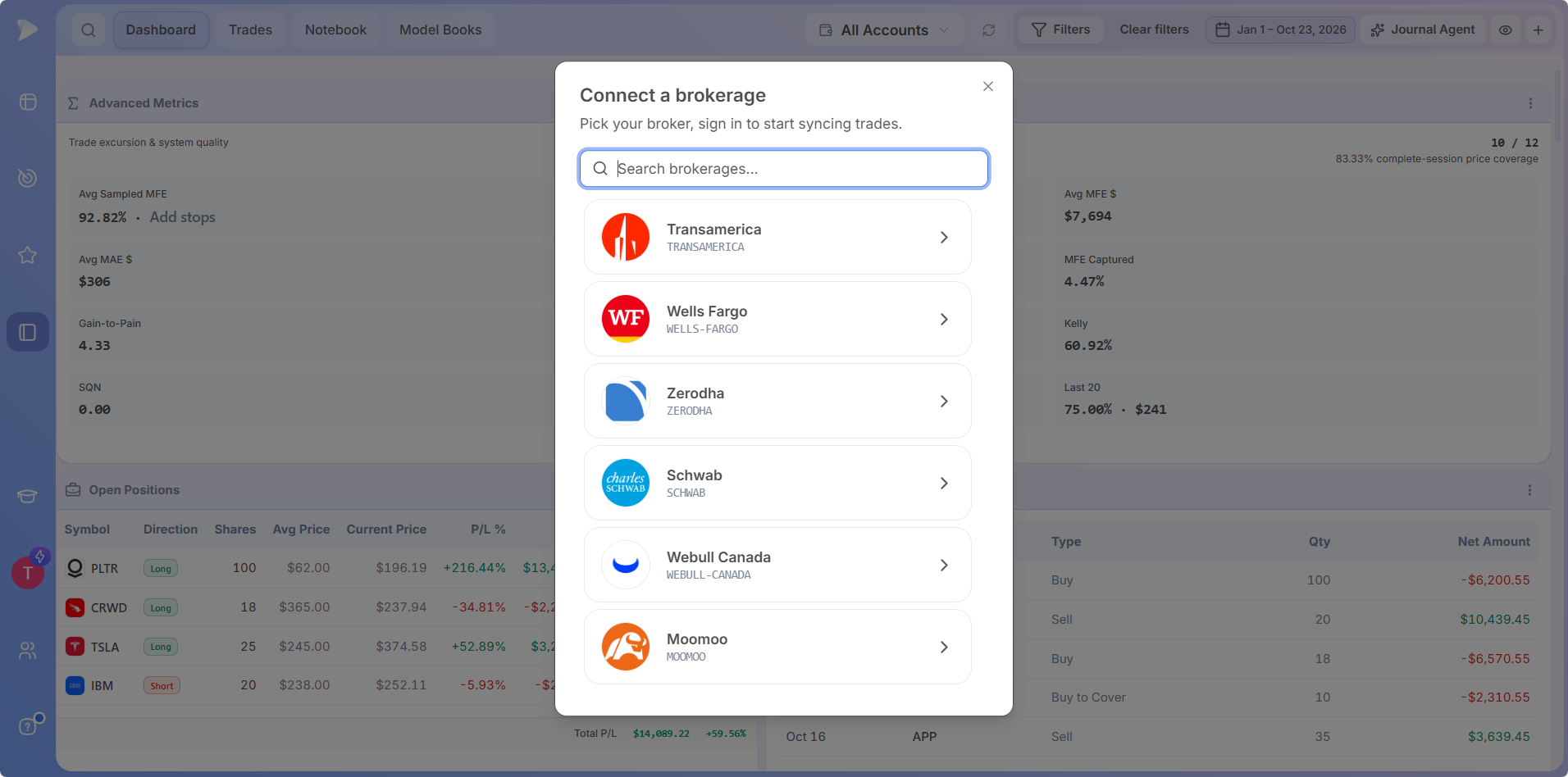
Find your broker in seconds.
Get 2 months for the price of 1, type your broker into Search brokerages and connect in a few clicks.
Broker Guides: Journal Trades From the Platforms You Use
Charles Schwab and thinkorswim Trading Journal
thinkorswim is Charles Schwab’s trading platform, so the trades you place in thinkorswim land in your Schwab account. Connect Schwab in Connect a brokerage, and the Deepvue Trading Journal becomes your thinkorswim trading journal, with your stock trades synced and ready to tag.
Interactive Brokers Trading Journal
Search for Interactive Brokers in Connect a brokerage and follow the prompts to authorize the link from your IBKR account, and the Deepvue Trading Journal works as your Interactive Brokers trading journal. The first full history sync takes 24 to 48 hours for IBKR accounts, and each IBKR account you connect appears under All Accounts.
Robinhood Trading Journal
Robinhood holds your orders, and the Deepvue Trading Journal turns them into a full Robinhood trading journal with stops, R, playbooks, emotions and trade review. Connect Robinhood and your history syncs in, typically within 24 hours, as with most brokers.
Etrade Trading Journal: Sync Your E*TRADE Account
Traders often ask, does E*TRADE have a built-in trading journal? Its own tools focus on P&L and account history, and E*TRADE appears in Connect a brokerage, so setting up an etrade trading journal takes one sign in. Your E*TRADE trades, fees and cash movements sync into the Deepvue Trading Journal, ready for tagging and review on your desktop or phone.
TradeStation Trading Journal
TradeStation traders can build a TradeStation trading journal today with Import via CSV. Export your trade history from TradeStation, upload it, confirm the Mapping and Preview & Select steps, and your TradeStation trades join the rest of your record.
Fidelity, Vanguard, Webull, tastytrade and Questrade
Each of these connects the same way: search, pick and sign in. Questrade, Wealthsimple Trade, Webull Canada and the other Canadian brokers bring in CAD accounts alongside any USD accounts you hold.
Import via CSV for Every Other Broker
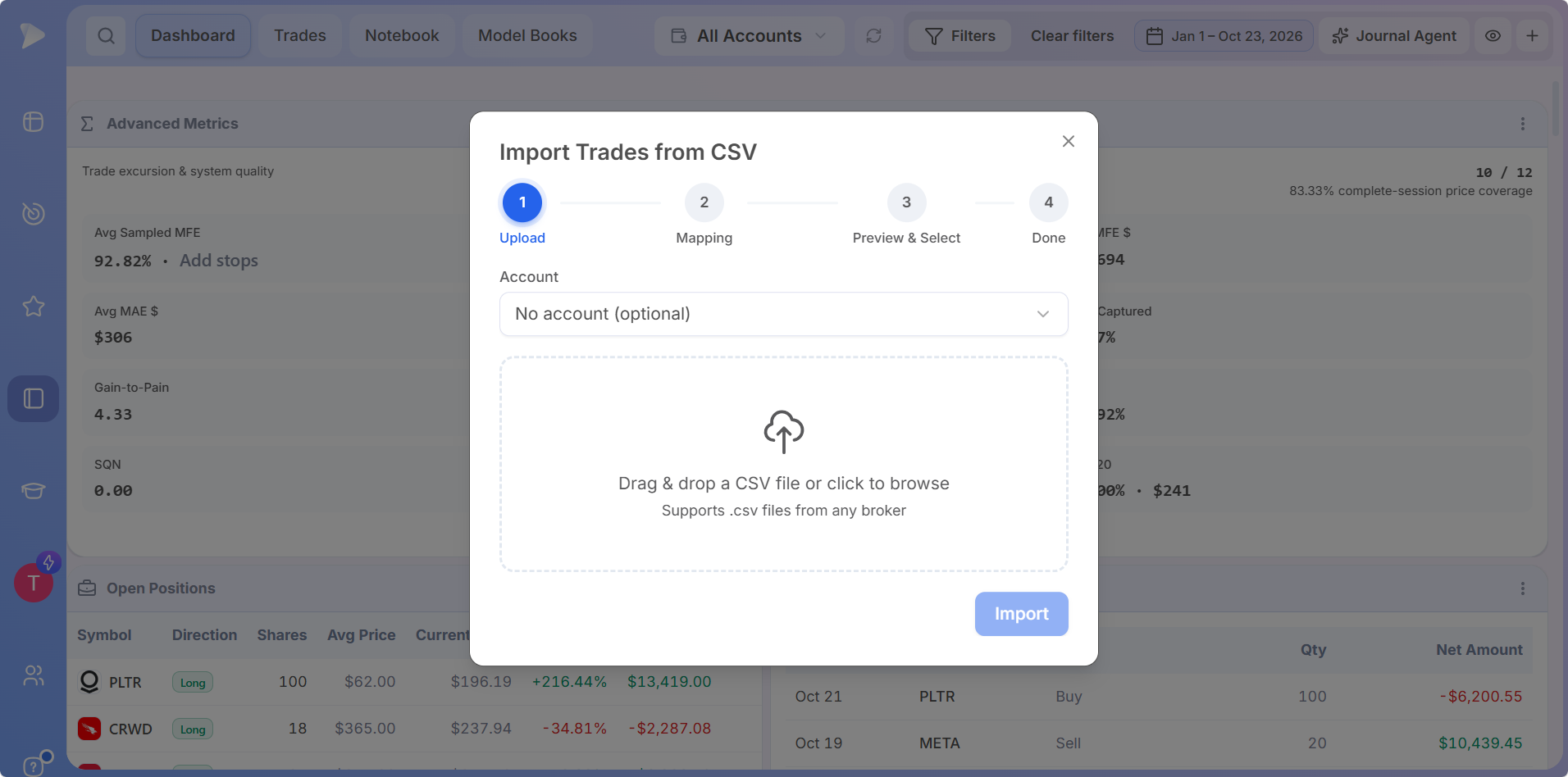
Any broker outside the list can still feed the journal through a CSV upload. Open All Accounts and pick Import via CSV, or go to Trades > Executions and click Import CSV.
Upload
Pick an account if you want one, then drop in the CSV or browse for it.
Mapping
Any CSV layout works, and Deepvue matches the columns for you.
Preview & Select
Check the trades and pick the ones to import.
Done
Your trades join the journal, ready to tag.
A CSV import also sets up a manual account, and Add Trade in Trades > Executions logs a single trade by hand. To request a new broker, click Help at the bottom left of the Deepvue app.
All your accounts. One journal.
Get 2 months for the price of 1 and bring in every account: your main broker by sync, the rest by CSV.
Managing Connected Accounts
Connect every brokerage account you trade. In the Accounts window, All Accounts combines your stats across accounts on the fly, and each account can be viewed on its own.
- •Calculation settings. Select an account to set its cost basis method, tax status and country.
- •Account actions. Disconnect or delete any account from the same window.
- •The ledger. Trades > Executions shows every synced record, original broker rows stay intact, and Sync issues lets you repair an import yourself.
Broker Connections Built for Security
✓ Login stays private
You sign in on your broker’s side, and Deepvue never asks for or keeps your broker password.
✓ Encrypted connections
The connections that load your data, and the data on Deepvue’s servers, are both encrypted.
✓ Clean disconnects
Three days after you disconnect an account, Deepvue erases its data for good.
Passkey sign in is available on your Deepvue account for an extra layer of protection.
After You Connect: Turn Synced Trades Into an Edge
Synced trades are the starting point. Add stops so R calculates, give each trade its playbook, tags and emotion, and open its review on the chart. The how to use guide walks through each step, and Deepvue Trading Journal features covers every Dashboard app.
Broker Integrations Come With the $49 Deepvue Plan
New member offer: Two months for the price of one, so $49 covers your first two full months. Deepvue Trading Journal broker integrations come with the single Deepvue plan at $49 a month, with a discounted annual option.
The $49 Deepvue plan covers:
- •The Deepvue Trading Journal, with broker import, every Dashboard app, the Notebook, Model Books and the Journal Agent, on desktop and mobile.
- •The screener, with 1,152 data points and 169 presets.
- •Charts, watchlists and alerts, all of them unrestricted.
- •The AI Terminal, Theme Tracker and Market Brief, with no cap on usage.
New Deepvue subscribers get a one on one onboarding session, an onboarding email series and weekly live webinars that each go deep on one part of the platform.
2 MONTHS FOR THE PRICE OF 1
Sync Your Broker and Get 2 Months for the Price of 1
Your stock trades, synced and ready to review on desktop and mobile, with 2 months for $49.
Frequently Asked Questions
What do the Deepvue Trading Journal broker integrations do?
Deepvue Trading Journal broker integrations are secure connections between your brokerage account and the journal, so trades, fees, deposits and withdrawals sync automatically. Brokers such as Charles Schwab, Fidelity, E*TRADE, Robinhood and Interactive Brokers connect from the Connect a brokerage window in a few clicks.
What is an automated trading journal?
An automated trading journal imports your trades automatically from your broker, so there is no manual entry between placing a trade and reviewing it. The Deepvue Trading Journal is an automated trading journal that syncs your full history and then your new trades, ready for stops, tags and review.
Does E*TRADE have a built-in trading journal?
E*TRADE’s built-in tools focus on P&L and account history rather than a dedicated trading journal. Connecting E*TRADE to the Deepvue Trading Journal syncs your trades automatically and turns them into an etrade trading journal, where you add stops, playbooks and emotions, review each trade and ask the AI Journal Agent about your results.
Is there a thinkorswim trading journal?
Yes, a thinkorswim trading journal is easy to run with the Deepvue Trading Journal. thinkorswim is Charles Schwab’s trading platform, so connecting your Schwab account syncs the stock trades you place in thinkorswim into the journal automatically.
How do I set up an Interactive Brokers trading journal?
To set up an Interactive Brokers trading journal, click All Accounts in the Deepvue Trading Journal, choose Connect Account, search for Interactive Brokers and follow the prompts to authorize the connection from your IBKR account. The first full history sync for IBKR accounts takes 24 to 48 hours.
How do I create a Robinhood trading journal?
To create a Robinhood trading journal, connect Robinhood through Connect a brokerage in the Deepvue Trading Journal and sign in. Your Robinhood history typically syncs within 24 hours, as with most brokers, ready for stops, playbooks, tags and emotions.
How do I keep a TradeStation trading journal?
To keep a TradeStation trading journal, export your trade history from TradeStation as a CSV, then upload it through Import via CSV in the Deepvue Trading Journal. The import accepts any CSV layout and matches the columns automatically, so TradeStation trades sit right next to the rest of your record.
How long does it take for broker trades to sync?
Broker trades sync into the Deepvue Trading Journal quickly: most brokers deliver your full history within a day, Interactive Brokers takes between 24 and 48 hours, and new trades follow on a schedule that varies by broker, from real time on some to an hour or more on others.
Is broker syncing in the Deepvue Trading Journal secure?
Yes, broker syncing in the Deepvue Trading Journal is secure. You sign in on your broker’s side, so Deepvue never stores your broker password, synced data is encrypted, and a disconnected account’s data is deleted three days later.
Does the Deepvue Trading Journal work with any broker?
Yes, any broker can feed the Deepvue Trading Journal, as long as the account holds stock trades in USD or CAD. Listed brokers in Connect a brokerage sync automatically, and every other broker’s trades arrive through Import via CSV, which reads any CSV format, or through Add Trade for single trades.
Which broker is best for trading in the USA?
The best broker for trading in the USA depends on what you trade, the platform you prefer and the costs you pay. Widely used choices include Fidelity, Charles Schwab, Interactive Brokers, E*TRADE, Robinhood and Webull, and each of them links to the Deepvue Trading Journal through Connect a brokerage.
Who is the #1 broker in the US?
By total client assets, Fidelity is the largest broker in the US, followed by Charles Schwab. Both Fidelity and Charles Schwab link up with the Deepvue Trading Journal through Connect a brokerage.
What are the top 10 brokers in the USA?
Rankings vary by source, but ten widely used brokers in the USA are Fidelity, Charles Schwab, Vanguard, E*TRADE, Chase, Wells Fargo, Edward Jones, Interactive Brokers, Robinhood and Webull. All ten appear in the Deepvue Trading Journal’s Connect a brokerage list.
Can I make $500 a day trading?
Making $500 a day trading depends on account size, risk per trade and an edge that holds up over many trades, so the answer starts with your own numbers. The Deepvue Trading Journal shows your expectancy in dollars from your real record, and in R once your trades have stops, which tells you what your average trade makes.