The Gaps Stock Screener: A Gap Scanner for Every Size of Move
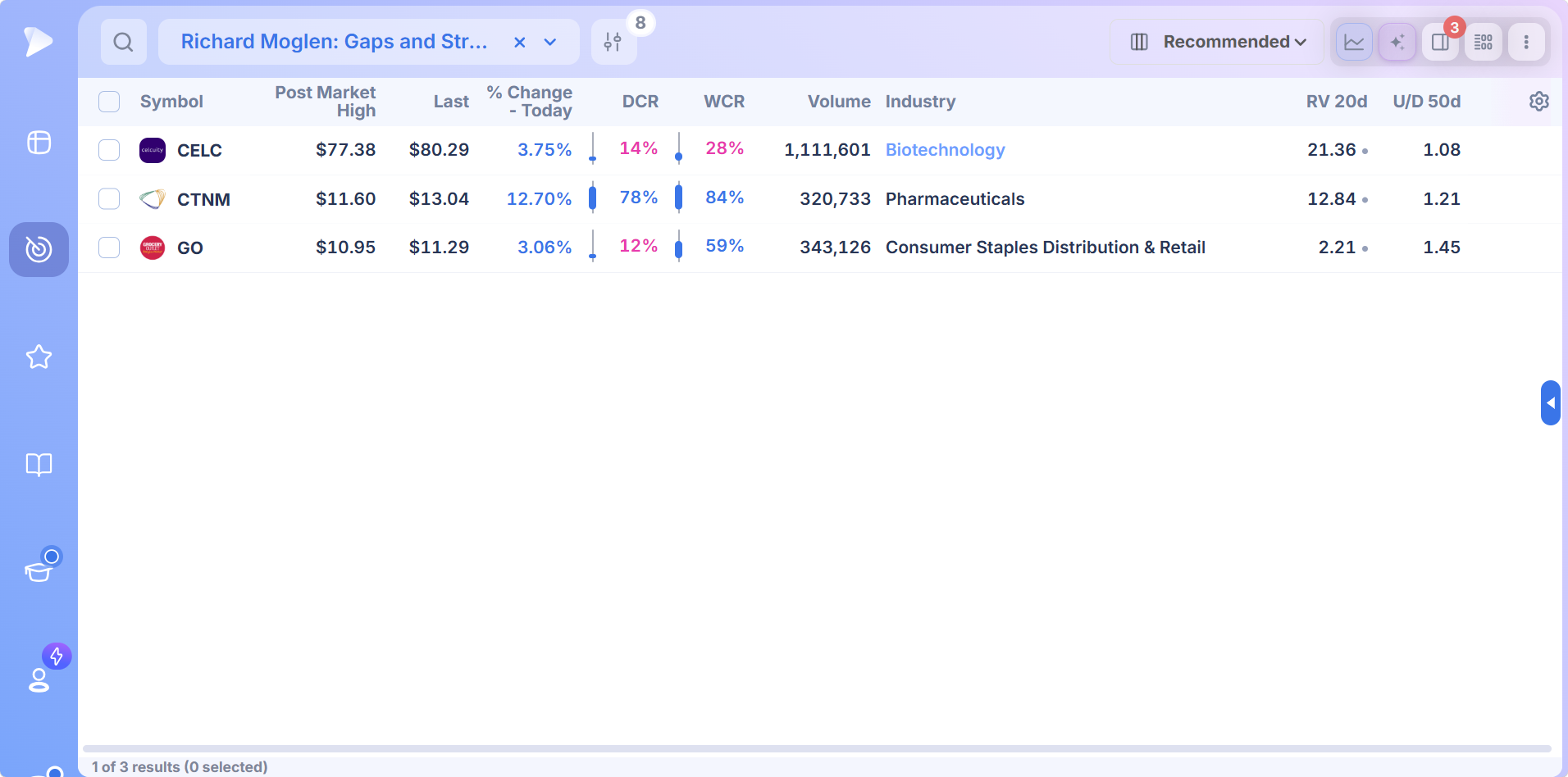
A gap scanner finds stocks opening well away from the prior close, and Deepvue’s gaps stock screener sorts them by how large and how well supported the gap is. Oliver Kell’s Gappers preset catches liquid stocks opening more than 3% higher. Richard Moglen’s Gaps and Strong Moves and the Day Traders version of Gaps & Strong Moves require gaps above 5% with volume expansion in liquid names above $10. The 10% Gap preset flags the largest opening moves of the session. Search “gap” in Screener Presets and they all appear. $49 a month.
Key Takeaways
Every morning a few hundred stocks open somewhere other than where they closed. Some moved on earnings, some on an upgrade or a contract, some because the whole sector jumped overnight, and some for no reason anyone will ever find. By 9:31 the first question is already answered: which of them are worth watching? The second question, which of them are worth trading, takes the rest of the morning.
Deepvue’s screener answers the first one with a ladder of gap scans. Each rung asks for a bigger gap and more proof behind it, from a broad 3% opener list to a tight set of liquid stocks gapping more than 5% on expanding volume. Pick the rung that matches how you trade, and the list is ready as the bell rings.
- ✓A gap is an open above the prior high or below the prior low, leaving a blank space on the chart where no trades took place
- ✓Deepvue’s gap presets step up from 3% to 5% to 10%, and the stricter ones add price, liquidity and volume tests
- ✓The size of a gap says how surprised the market was; the volume and the close say whether it believed the news
- ✓Gap and go, gap fill and waiting for the opening range are three different trades from the same list
- ✓Broad gap lists include plenty of gaps that fail by midday, so the ranking columns matter as much as the scan
- ✓One $49 a month plan covers every gap preset, streaming quotes, charting and alerts
What Is a Gap in Stocks?
A gap forms when a stock opens beyond the previous session’s range, so that no shares changed hands between yesterday’s high and today’s low (a gap up) or between yesterday’s low and today’s high (a gap down). Traders also use the word loosely for any large difference between the prior close and the open, which is how most gap scanners measure it: the percentage from last close to this open.
Gaps happen because news arrives while the regular market is closed. Earnings reports, guidance changes, drug trial results, mergers and analyst calls mostly land outside the 9:30 to 4:00 session, so the first regular trade has to reflect them all at once.
The Four Classic Gap Types
Chart technicians have sorted gaps by where they occur for a century, and the category tells you how likely the gap is to hold.
| Gap type | Where it appears | What usually follows |
|---|---|---|
| Common gap | Inside a trading range, on ordinary volume | Often filled within days; little information in it |
| Breakaway gap | Out of a base or range, on heavy volume | The start of a new trend; tends not to fill |
| Continuation gap | Midway through an established trend | More of the same trend; a sign buyers are still aggressive |
| Exhaustion gap | After a long, steep run, often on climactic volume | The last burst before a top; frequently filled quickly |
A scanner can measure size and volume, but only the chart shows which of the four you are looking at, which is why every gap preset in Deepvue opens beside a chart.
The Gap Scans in Deepvue
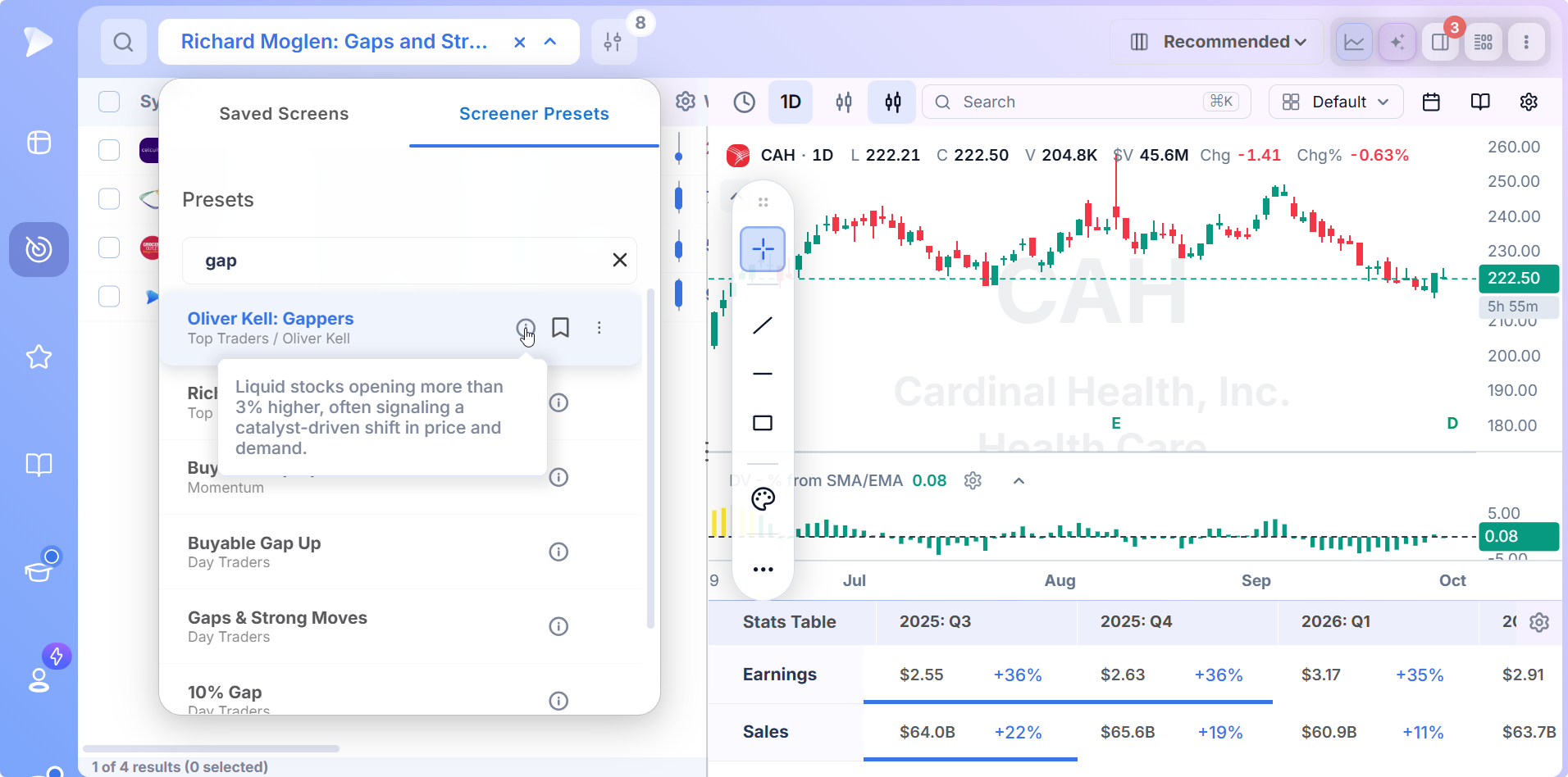
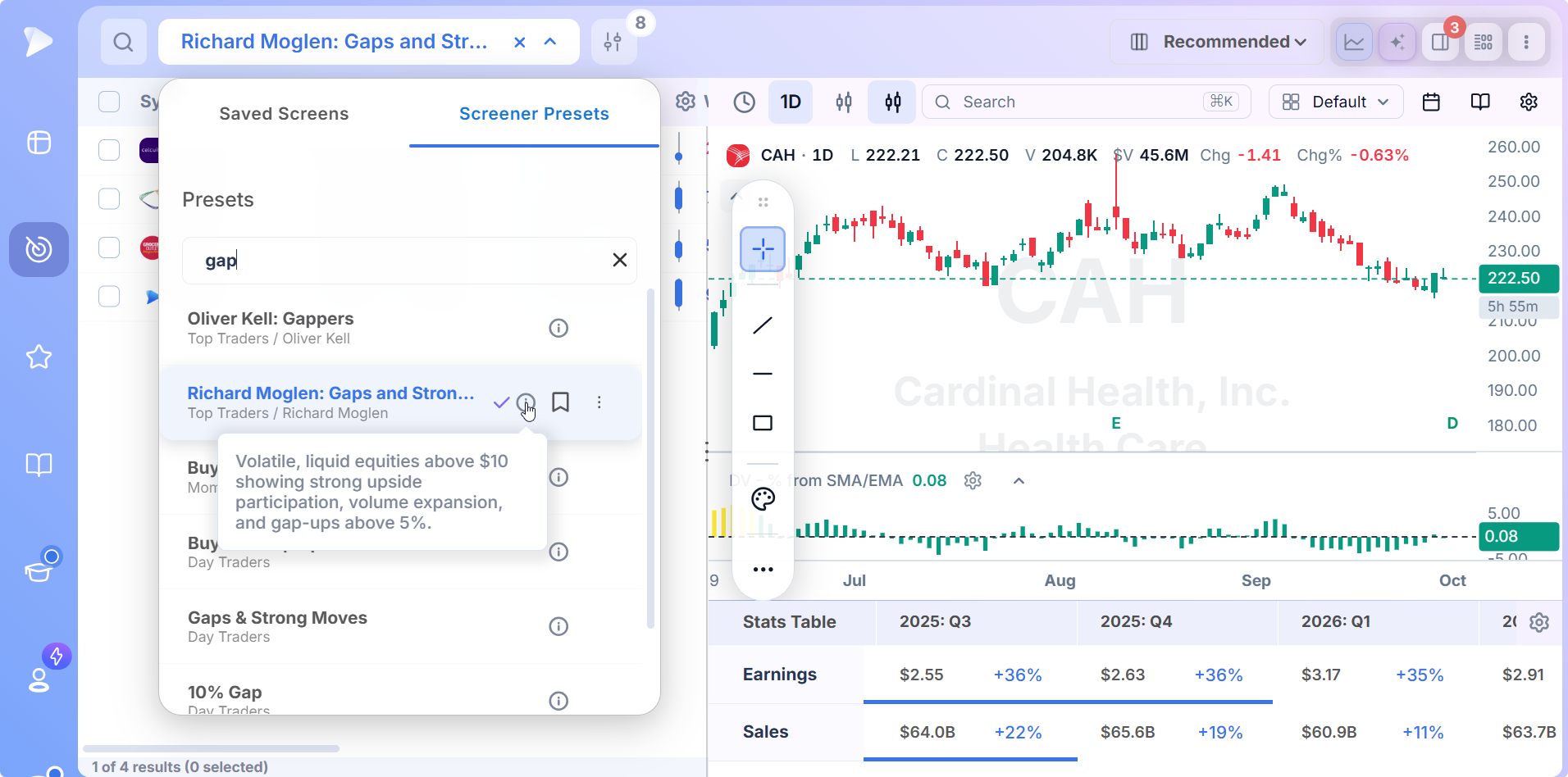
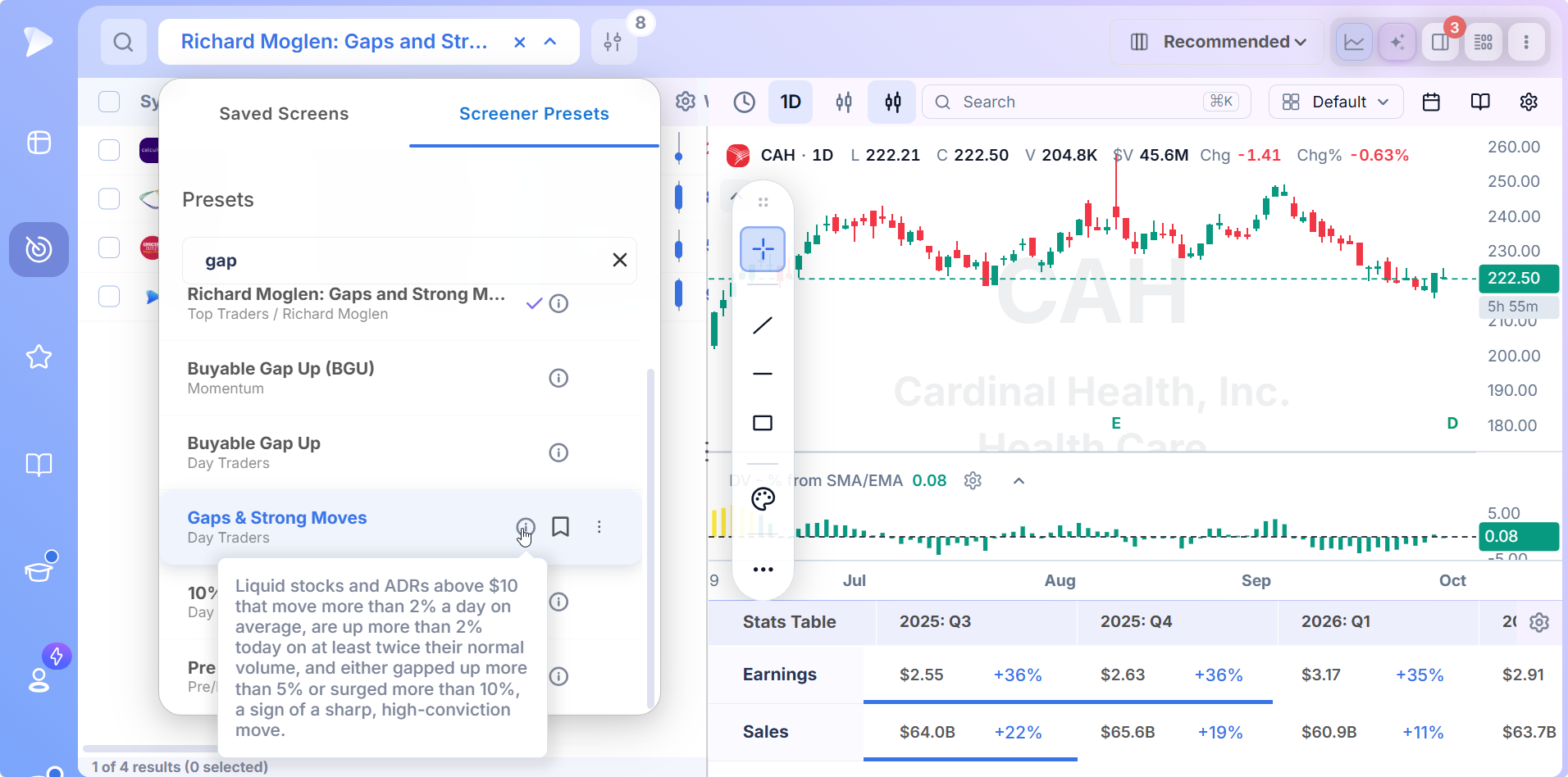
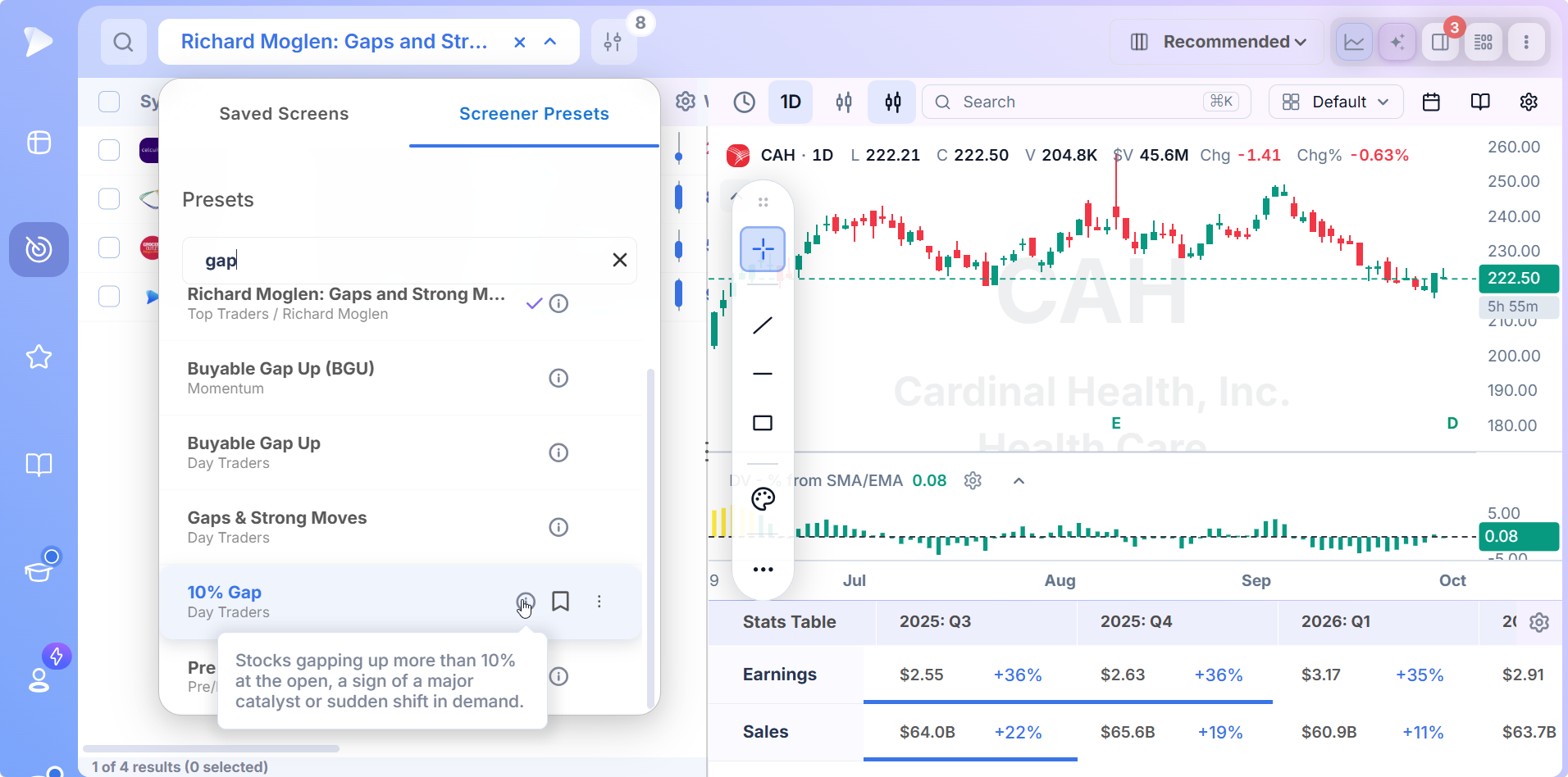
Type gap into the Screener Presets search box and the scans appear together, with the category or trader each belongs to shown under the name. The descriptions below are the ones in the app.
| Preset | Where it is | What it asks for |
|---|---|---|
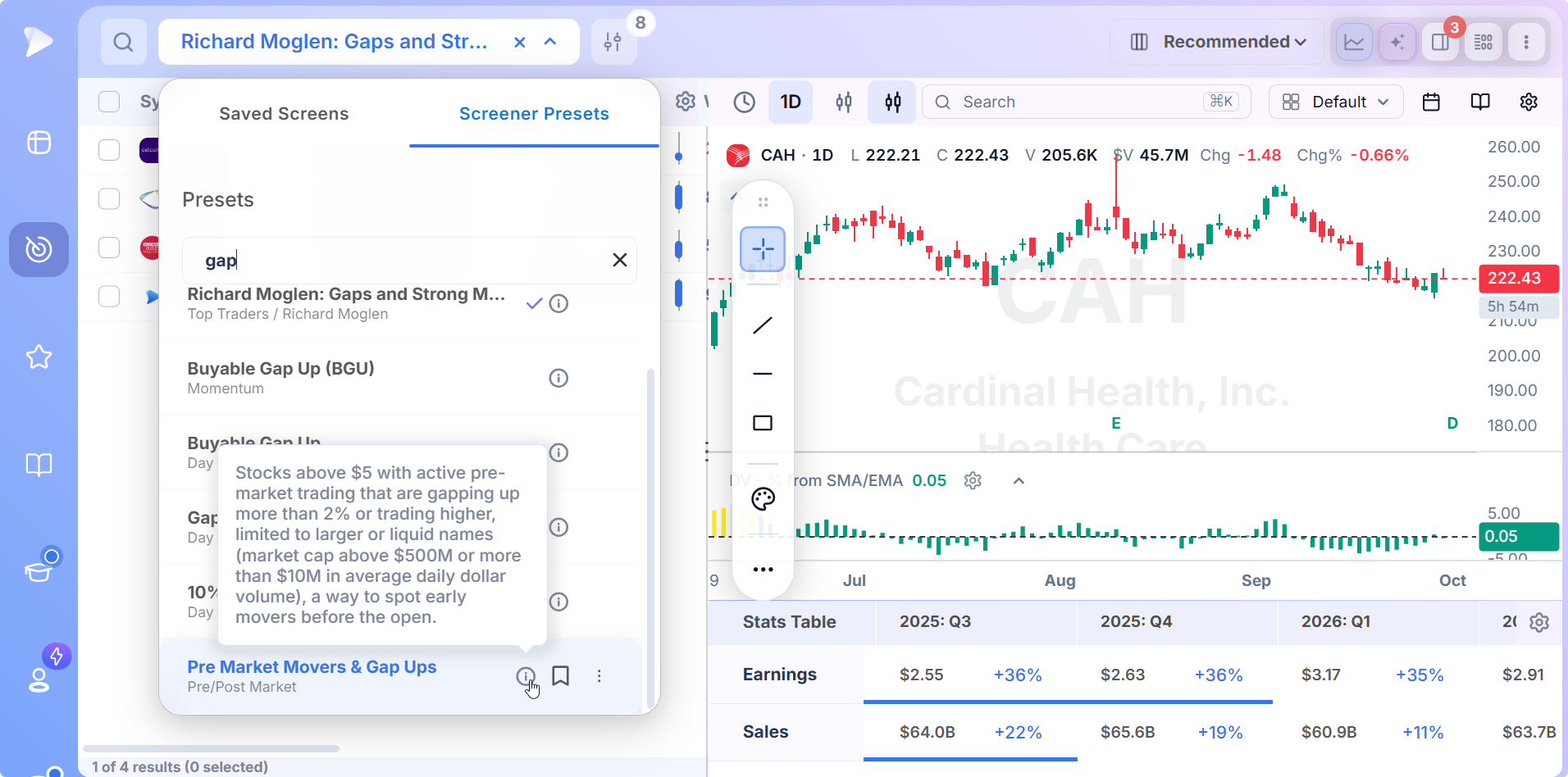
| Pre Market Movers & Gap Ups | Pre/Post Market | Stocks above $5 gapping more than 2% or trading higher before the open, in names with a market cap above $500M or more than $10M a day in dollar volume |
| Oliver Kell: Gappers | Top Traders | Liquid stocks opening more than 3% higher, often a catalyst driven shift in price and demand |
| Richard Moglen: Gaps and Strong Moves | Top Traders | Volatile, liquid stocks above $10 with strong upside participation, volume expansion and gaps above 5% |
| Gaps & Strong Moves | Day Traders | Stocks and ADRs above $10 averaging 2% daily moves, up more than 2% today on twice normal volume, after a gap above 5% or a surge above 10% |
| 10% Gap | Day Traders | Stocks gapping up more than 10% at the open, a sign of a major catalyst or sudden shift in demand |
Read top to bottom, the table is a ladder: the gap threshold rises from 2% to 10%, and the middle rungs add the price, liquidity and volume tests that separate a tradable gap from a noisy one.
Oliver Kell’s Gappers: The Wide Net
Kell’s preset sets the lowest bar of the regular session scans: liquid stocks opening more than 3% higher. That is broad on purpose.
Kell uses it as a daily census of where overnight money went, then reads each chart to decide which gaps land at a meaningful point in his price cycle framework. A 3% gap out of a tight base means something very different from the same gap on a stock already stretched far above its averages. His other daily scans, including the volume based bull snort screener, work the same way.
Gaps and Strong Moves: Size, Liquidity and Volume Together
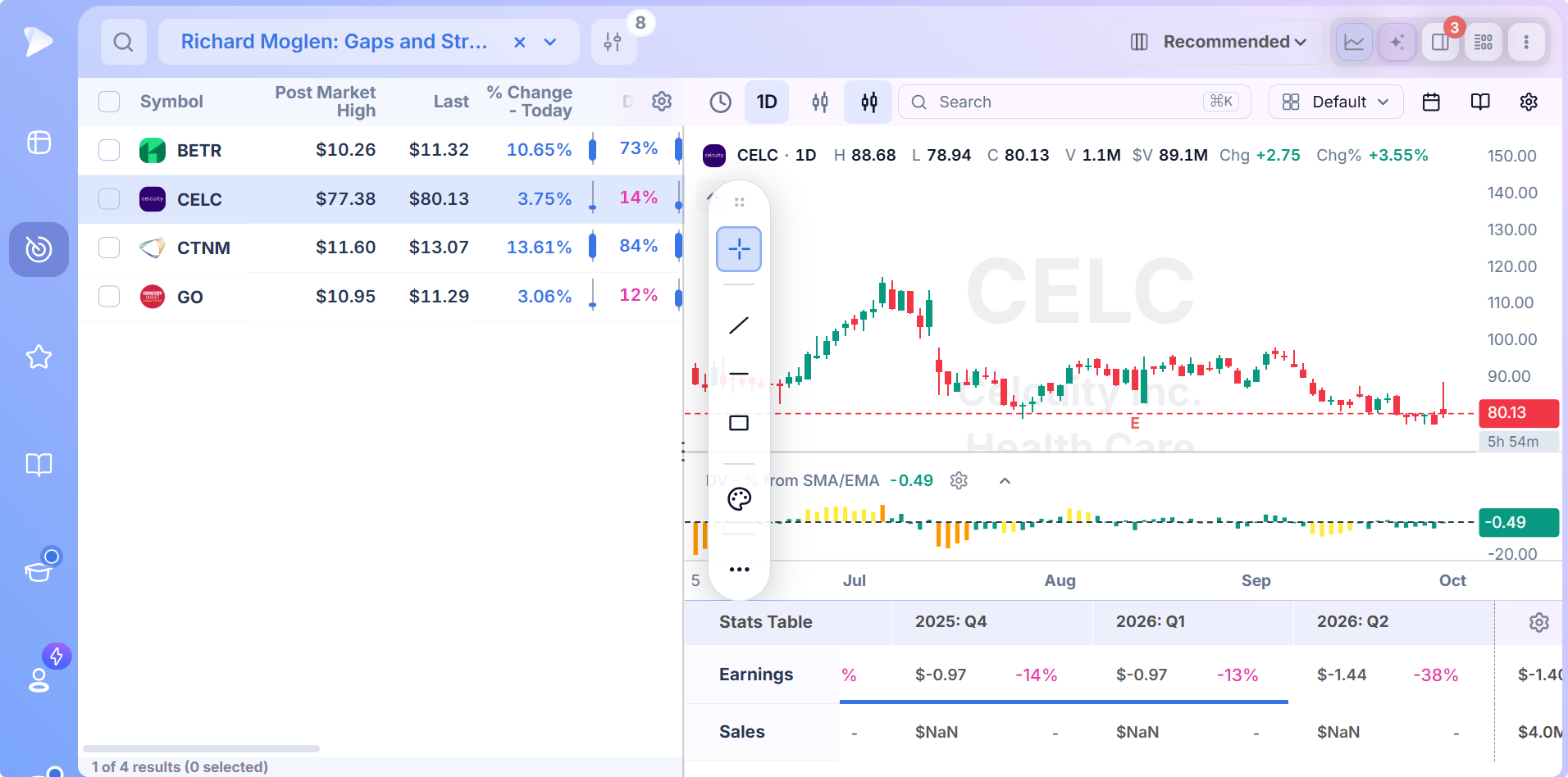
Two presets share the name and the idea. Richard Moglen, who leads education at TraderLion, built his version for volatile, liquid stocks above $10 showing strong upside participation, volume expansion and gaps above 5%. The Day Traders version spells out the mechanics: stocks and ADRs above $10 that normally move more than 2% a day, are up more than 2% today on at least twice their usual volume, and either gapped more than 5% or surged more than 10%.
The combination is what makes these the core scans. The $10 floor removes most promotional names. The average daily range condition keeps stocks that move enough to trade. The requirement to be up on the day filters out gaps already failing, and doubled volume shows the market is doing more than reacting to a headline. The results are short lists, often a handful of names, which is the point.
10% Gap: The Biggest Opening Moves
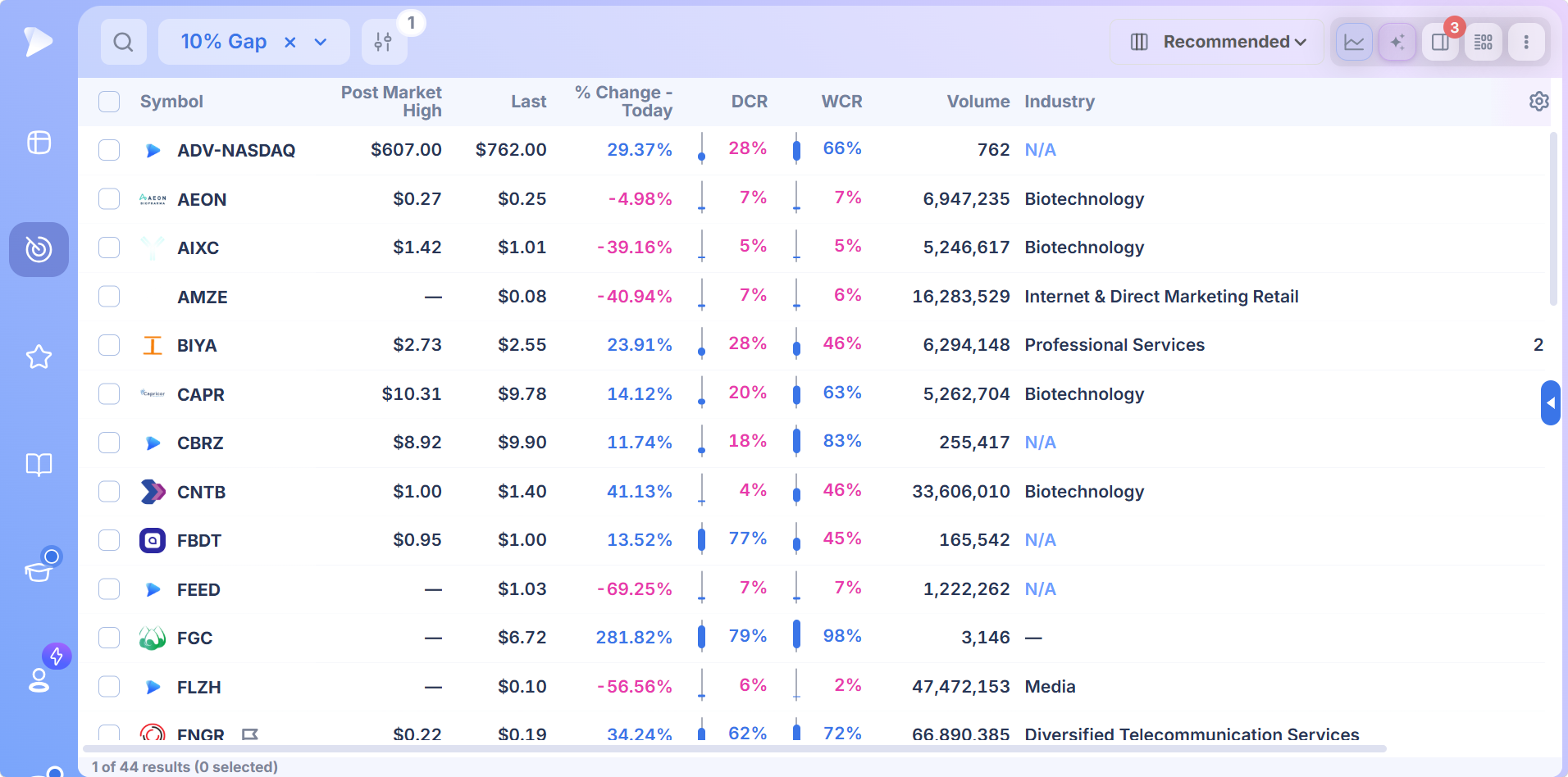
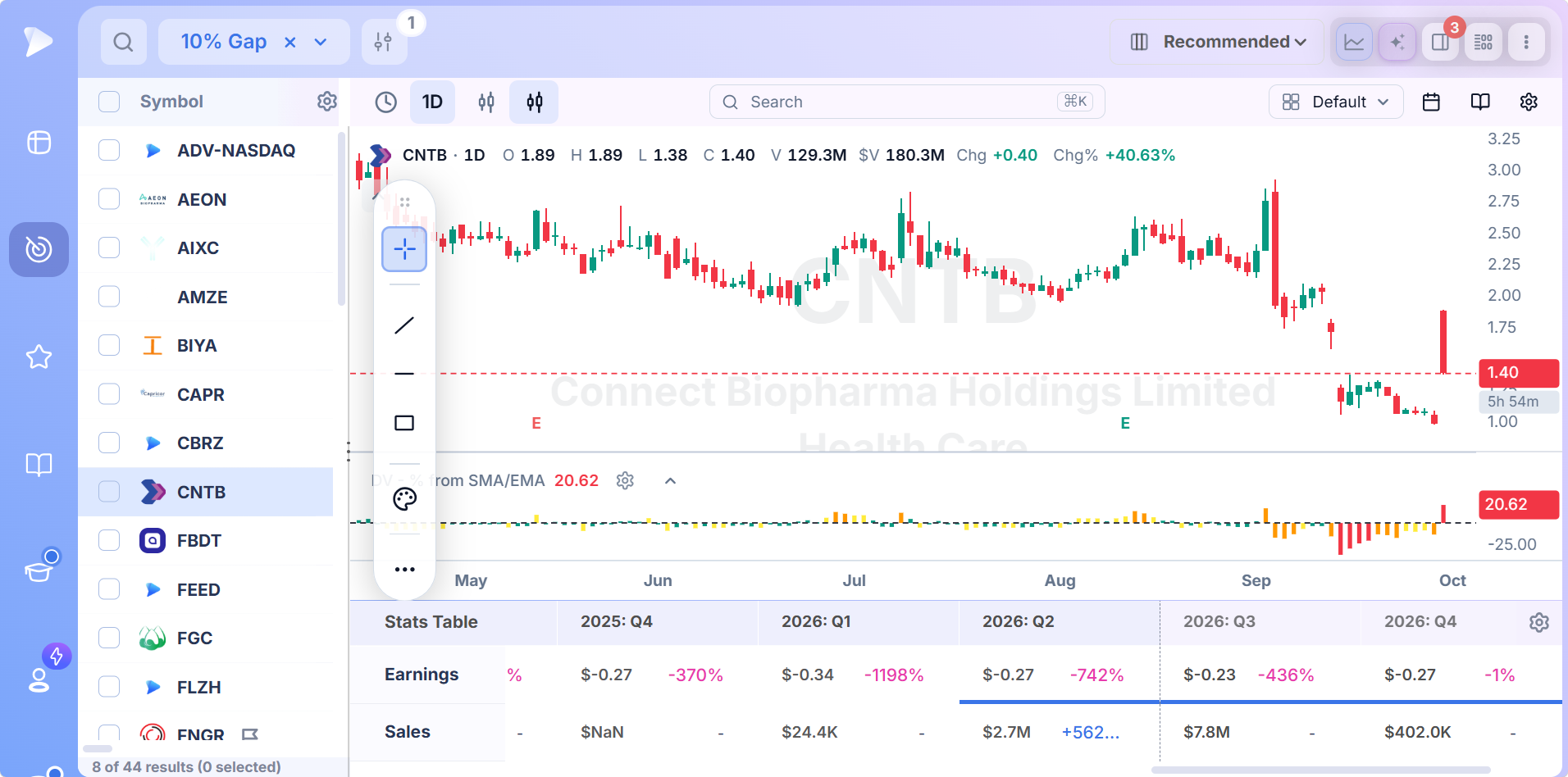
The 10% Gap preset has a single condition, a gap above 10% at the open, and that simplicity is both its use and its limit. It finds every stock the market repriced dramatically overnight, including the ones worth trading and plenty that are not: thinly traded names, low priced stocks and gaps that reverse below the prior close by midmorning.
Treat it as the raw feed. A 10% gap in a neglected stock on a major catalyst is the setup the Qullamaggie episodic pivot screener is built to trade; most other names on the raw list need the filters the stricter scans add.
Before the Open: Pre Market Movers & Gap Ups
For traders who build the list before 9:30, the Pre Market Movers & Gap Ups preset applies a $5 price floor and a size or liquidity test to stocks gapping more than 2% in early trading. It is the first pass of the morning, and the premarket stock screener covers how to read premarket volume and which extended hours fields to add.
Where the Buyable Gap Up Fits
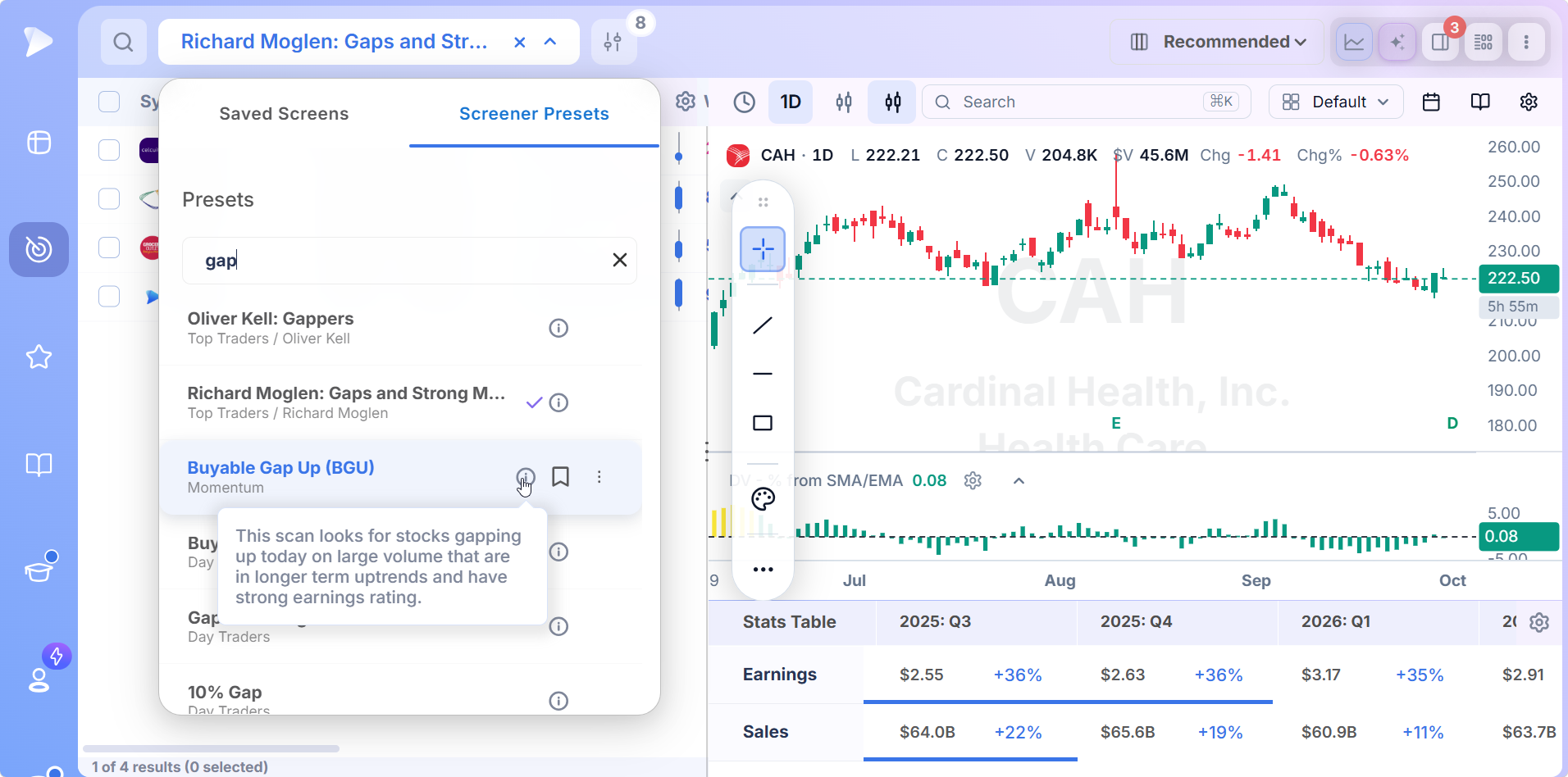
The same search also returns two Buyable Gap Up presets, one under Momentum and one under Day Traders. They answer a narrower question than any scan above: not which stocks gapped, but which gaps in quality leaders are worth buying with a stop at the gap day low. That setup has its own page, the buyable gap up screener. Think of the gap scans as the full morning census and the buyable gap up as one specific trade drawn from it.
Why Gap Scanning Is a Race Against the Open
Gaps are the most visible move in the market and the most time sensitive. The information behind them is public the moment the stock opens, and the best opportunities usually come in the first hour, when the gap either extends or starts to fill. A list that arrives at 10:30 is a list of what already happened.
The other problem is volume of candidates. On an earnings heavy morning, hundreds of stocks can open 3% or more away from their close. Without liquidity and volume filters, a trader spends the first hour reading charts of stocks nobody can trade in size. The value of a gap scanner lies in getting to a short list fast, not in catching every single opener.
Why Deepvue Is the Best Gap Scanner for Active Traders
Deepvue puts five gap scans of different strictness in one search, streams the quotes they depend on, and gives each result the columns and chart needed to judge it in seconds.
Five Gap Scans, One Search
Open Screener Presets and type gap. Every preset with the word in its name appears, labeled with its category or trader, and the info icon on each shows the definition. Choosing one loads it against live data. The shipped versions are read only, which keeps the thresholds consistent from day to day; save a copy to change them.
Grade Each Gap in the Table
Size alone does not separate a strong gap from a weak one. The daily closing range column does: a gapper trading in the top of its intraday range is holding the move, while one near the bottom is filling. The relative volume column, measured over 20 days, reveals whether this session’s participation is extraordinary for that stock.
Accumulation history comes from the 50 day up/down ratio, since a gap in a stock that was already under accumulation has a better chance of carrying through than one that appears out of a long decline.
A quick routine: sort by relative volume, drop anything with a daily closing range below 50%, and chart what remains.
See What the Gap Jumped Over
Clicking a row opens the chart in split view. The first thing to check is what the gap cleared: a prior high, a base, a long downtrend line, or nothing in particular. The earnings markers on the chart and the stats table below show whether a report drove the move and whether the numbers justify it. A gap on a profitable quarter with rising sales reads very differently from a gap on a loss making company with no revenue history.
Alert the Opening Range, Then Size It
Most gap trades are triggered after the first few minutes, not at the bell. Put the candidates on a watchlist and place an alert at the high of the opening range so you hear about the stocks that push higher instead of watching all of them. When one triggers, the position size calculator turns a stop at the opening range low into a share count.
How to Build Your Own Gap Scanner
Start from the rung of the ladder closest to your style, then tune it.
Save a copy of Gaps & Strong Moves, or Kell’s Gappers if you want a broader list to begin with.
Set the gap threshold that suits your timeframe: 3% for swing candidates, 5% or more for day trades that need a fast move.
Raise the dollar volume minimum until every result can absorb your position size in the first hour.
Add a relative volume condition of two times normal or more, so only gaps with real participation remain.
For gap downs, reverse the gap condition below zero, for example a gap of more than 5% lower.
Require an existing uptrend or a leadership rating if you only want gaps in stocks the market already favors.
The AI Terminal accepts the same idea in words: “stocks above $10 gapping more than 5% today on at least twice average volume, trading above the open, $20 million average dollar volume” comes back as a condition set ready for editing.
How to Trade the Gappers on Your List
The same gap can be traded three ways, and the scan does not choose between them. Your read of the first few minutes does.
Gap and Go
The gap and go strategy buys a gapper that keeps going after the open, typically on a break above the high of the first five or fifteen minutes, with a stop below that range. It works best on gaps with a clear catalyst, heavy relative volume and a chart with little overhead supply above the open.
Gap Fill
The gap fill strategy bets the other way: that a stock will trade back toward the prior close. Common gaps and exhaustion gaps fill most often, and the setup looks best when the stock fails to hold the opening range and volume fades. Fading a gap is a counter trend trade, so size stays small and the stop goes above the morning high.
Wait for the Setup
Many swing traders do neither on the gap day. They note the gapper, let it settle for several days, and buy the first tight consolidation above the gap, with the stop under the low of that consolidation. It gives up the first move in exchange for a much clearer read on whether institutions are supporting the new price.
Matching the Gap Scan to How You Trade
| Your approach | Scan to run first | Reason |
|---|---|---|
| Day trades in the first hour | Gaps & Strong Moves, 10% Gap | Large gaps with volume move quickly and give clear opening ranges |
| Swing trades over days | Oliver Kell: Gappers | A broad list to study against the chart and hold through a multiday move |
| Selective, liquid names only | Richard Moglen: Gaps and Strong Moves | Tight conditions produce a short list of stocks above $10 with volume expansion |
| Pre open preparation | Pre Market Movers & Gap Ups | Builds the watchlist before regular trading begins |
| Buying gaps in proven leaders | Buyable Gap Up presets | Adds trend and earnings quality to the gap itself |
When a Gap Should Be Ignored
A gap and crap, the open that becomes the high of the day, is the most common way gap trades go wrong. The warning signs show up early:
- •It cannot hold the open. A gapper that trades below its opening price in the first half hour is being sold into.
- •The catalyst is thin. A vague press release or a sympathy move with a sector peer rarely sustains a large gap.
- •Volume is light for the size. A 10% gap on barely normal volume is a price change without a crowd behind it.
- •It gapped into resistance. An open straight into a prior high or a heavy trading zone meets sellers waiting to break even.
- •It is already extended. A gap after a long run is often an exhaustion gap, the final burst rather than the beginning.
Who Gets the Most From These Scans
- •Day traders who work the first hour and need a ranked gapper list at the bell
- •Swing traders who use gaps to find stocks with fresh institutional interest
- •Earnings season traders sorting dozens of report driven gaps each morning
- •Followers of Oliver Kell and Richard Moglen who want their scans running without rebuilding them
- •Anyone replacing a free top gappers list with one that filters for liquidity and volume
Pricing
Everything comes on one $49 a month plan.
- •All five gap scans and every other preset in the library, editable once saved as your own
- •Streaming quotes and 24 pre and post market fields, so gap lists update from the early session through the open
- •Closing range and relative volume columns, to grade each gapper at a glance
- •Split view charts with earnings markers and quarterly results, plus lists and alerts for the opening range
MarketSurge, a common alternative for gap traders, is $149 a month.
New accounts include a setup call, introductory emails and weekly webinars that each take one module apart.
The Market Reprices Overnight, Every Night
Gaps are the market’s verdict on everything that happened while it was closed. A gap scanner puts those verdicts in front of you as a ranked list, and the ladder of presets lets you choose how much noise you are willing to sort through. Pick a rung, grade the gaps by volume and close, and let the first few minutes of trading tell you which way to take them.
Every other approach based screen is indexed under stock screener by strategy. Kell’s and Moglen’s folders are listed with 26 other traders at stock screener by trader. Chart setups are collected at stock screener by pattern, single signal screens at stock screener by indicator, and scans organized by session at stock screener by market timing.
Run the gap scans before tomorrow’s open
↑ Back to contentsFrequently Asked Questions
What is a gap scanner?
A gap scanner is a tool that lists stocks opening significantly above or below the previous close, usually measured as a percentage, so traders can see the day’s biggest overnight moves at the open. Deepvue’s gap scanner adds price, liquidity and volume conditions so the list holds tradable gaps rather than every stock that moved.
Is there a gap up and gap down stock screener?
Yes, a gap up and gap down stock screener can be built in Deepvue. The shipped gap presets look for upside gaps, and a saved copy of any of them can reverse the gap condition below zero to find stocks gapping down by 5% or more.
How do you find stocks that will gap up?
You find stocks that will gap up by watching the after hours and premarket session, where overnight news first moves the price. Deepvue’s Pre Market Movers & Gap Ups preset scans that session for liquid stocks already up more than 2% before the open.
What are gappers in stocks?
Gappers in stocks are shares that open well above or below the prior close, typically after news released outside regular hours. Top gappers lists rank them by gap size; Deepvue’s gap presets also filter them by price, liquidity and volume.
What does the Oliver Kell Gappers screen look for?
The Oliver Kell Gappers screen looks for liquid stocks opening more than 3% higher than the prior close, often a sign of a catalyst driven shift in price and demand. Kell uses the list as a daily starting point and judges each gap against its chart.
What does the Gaps and Strong Moves screen look for?
The Gaps and Strong Moves screen looks for stocks and ADRs above $10 that usually move more than 2% a day, are up more than 2% today on at least twice their normal volume, and gapped up more than 5% or surged more than 10%. Richard Moglen’s preset of the same name targets the same volatile, liquid names.
What is the gap and go strategy?
The gap and go strategy is buying a stock that gaps up and keeps rising after the open, usually entering on a break above the first five or fifteen minute high with a stop below that opening range. It works best on gaps with a strong catalyst and heavy relative volume.
What is a gap fill strategy?
A gap fill strategy is trading a gapped stock back toward the previous close, on the idea that gaps without strong support tend to close. Traders look for a failure to hold the opening range and fading volume, keep the size small and place the stop above the morning high.
Is gap trading profitable?
Gap trading tends to pay for traders who filter for liquidity and volume and keep strict stops, because gaps produce some of the fastest moves of the day. Unfiltered gap lists include many moves that reverse quickly, so the scan and the risk rules matter more than the gap size.
Which four gap types do chart technicians recognize?
Chart technicians recognize four gap types: common gaps, which form inside a range and often fill; breakaway gaps, which start a new trend out of a base; continuation gaps, which appear midway through a trend; and exhaustion gaps, which come after a long run and often mark a top.
What is a gap and crap?
A gap and crap is a stock that gaps up at the open and then sells off, so the opening price turns out to be the high of the day. Failing to hold the open in the first half hour is the most common early warning.
Can I edit Deepvue’s gap presets?
Yes, you can edit Deepvue’s gap presets by saving a copy; every condition becomes adjustable while the original stays unchanged. Common edits are a different gap threshold, a larger liquidity requirement, a relative volume minimum and a gap down version.