Stock Screener by Market Timing
A stock screener by market timing organizes screening around when you are asking rather than what you are asking for. The same query returns three different markets at 8am, at 11am and at 8pm, because the sessions behave differently and the data behind them has a different age. Deepvue covers all three windows on a single platform for $49 monthly, with a dedicated page below for each.
Key Takeaways
Screening has a clock inside it whether you notice or not. The same query run against last night’s close, a delayed feed, or the live market hands back three different lists.
Deepvue’s screening engine was designed around that clock: extended hours fields for the sessions either side of regular trading, earnings fields carrying report timing so causes stay attached to effects, and charts, watchlists and alerts sharing one table with the results.
- ✓Three windows, three jobs: the evening identifies, the premarket revises, regular hours confirm
- ✓Two clocks decide every result, the age of the data and the session it describes
- ✓Session timing is not market forecasting, and the distinction separates responding from predicting
- ✓One platform covers all three, so session, structural and fundamental conditions run in the same query
- ✓Each window has a dedicated page going into how to screen it properly
- ✓Every window included for $49 monthly, against $149 for MarketSurge
Pick Your Window
Each session has its own page covering what that hour’s data can and cannot tell you, and how to build a screen that suits it.
Live Stock Screener
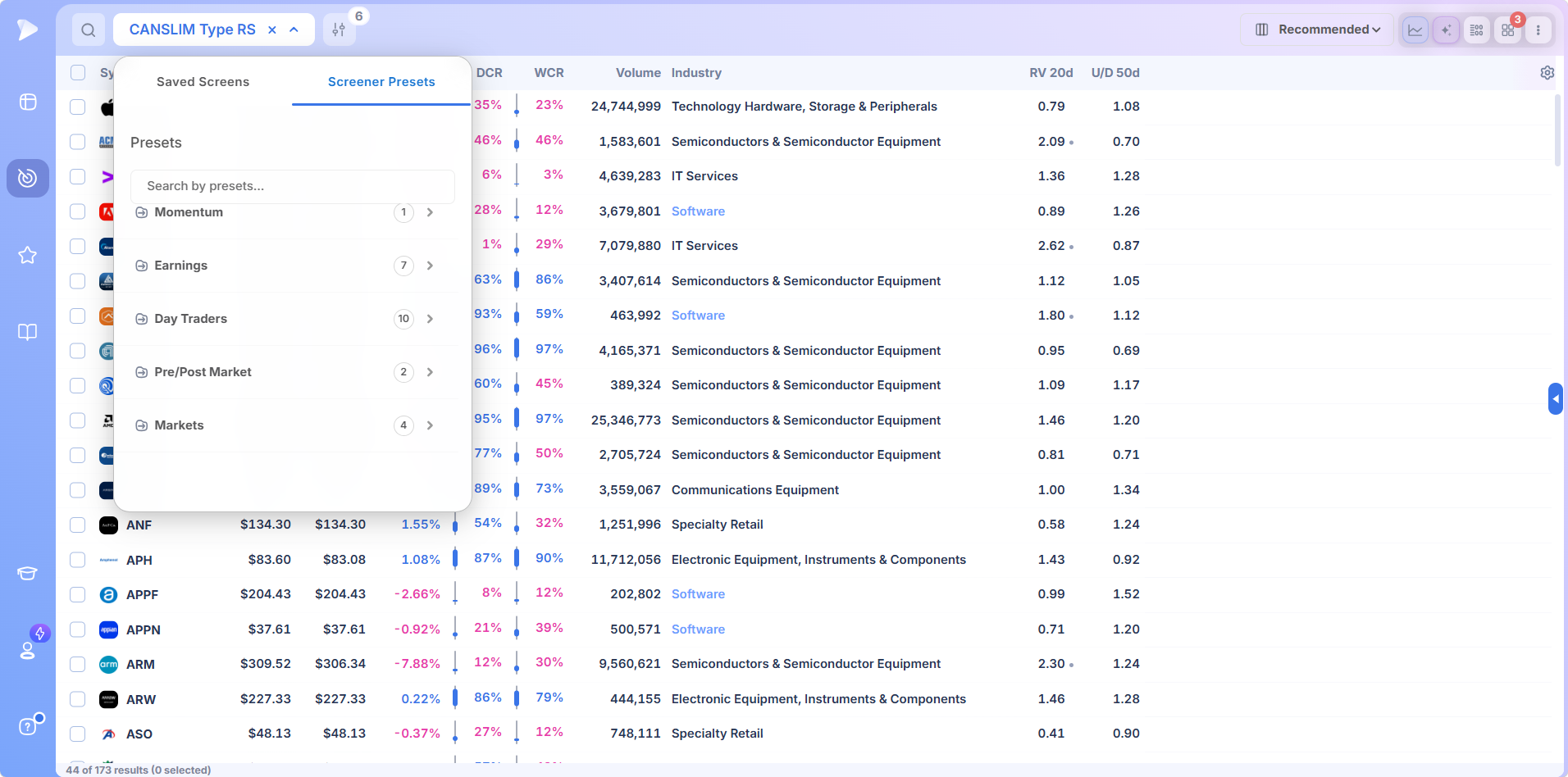
Regular hours, where the screen reads current values instead of a stored snapshot. Covers where a delay genuinely costs you, which fields need to be current, six way sorting and three layouts for reading a live list.
Premarket Stock Screener
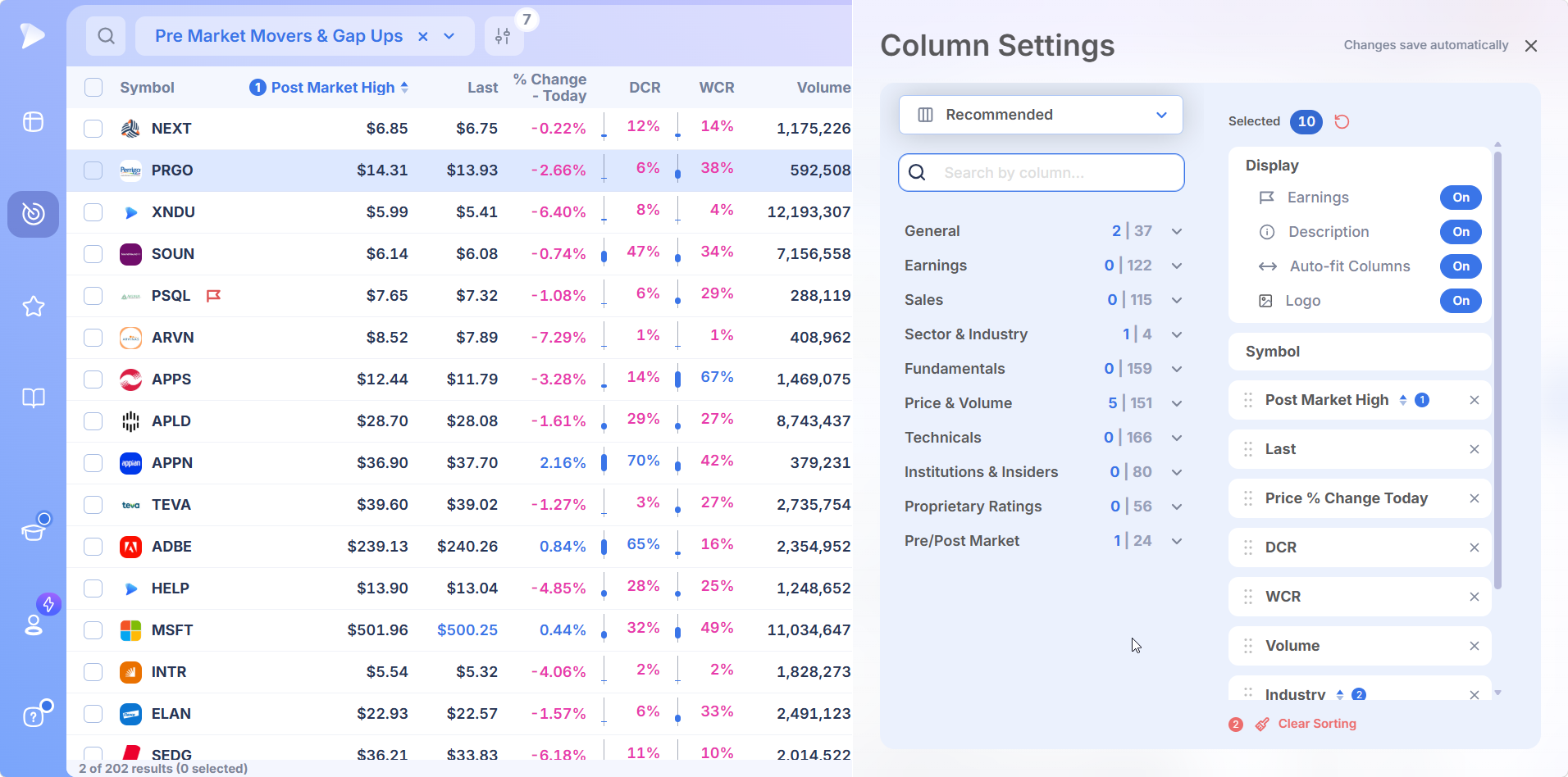
The 4:00am to 9:30am window, where overnight news gets its first price. Covers the morning preset and its filter logic, measuring thin session volume against something meaningful, and treating morning readings as hypotheses the open will test.
After Hours Stock Screener
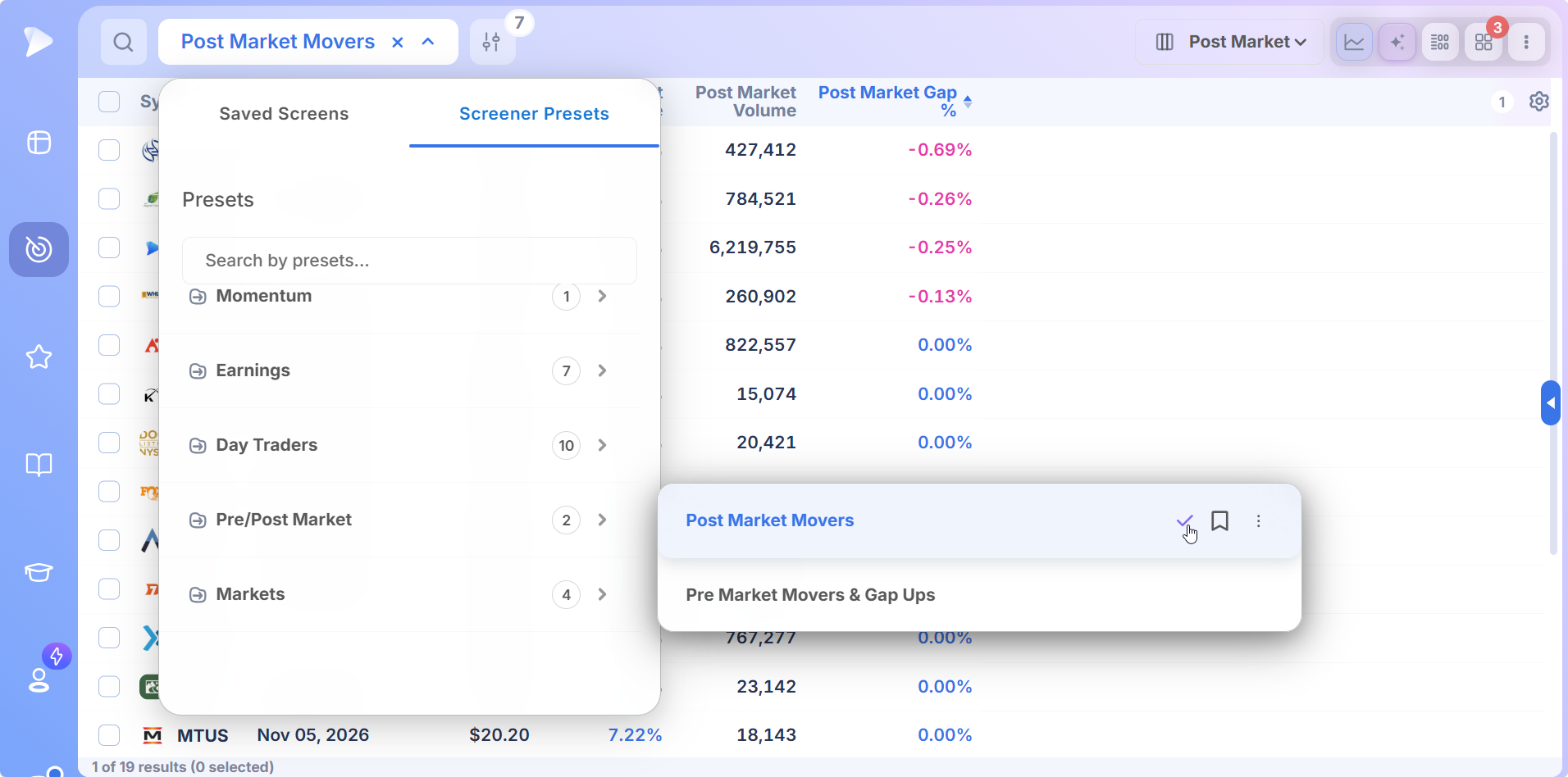
The 4:00pm to 8:00pm session, when most reports land and the call rewrites the first reaction an hour later. Covers the evening preset, why most stocks print nothing after four, and the nightly routine on the day’s one finished dataset.
What Makes the Best Stock Screener for Your Method
Search for the best stock screener and you get feature tables. The useful question is narrower: best for what, at which hour, and for whose method.
For traders holding weeks to months, three things decide it. A customizable stock screener beats a rigid one, since your criteria change as your process does. A stock screener with alerts beats one without, since finding a candidate is half the job. And covering every session beats covering one.
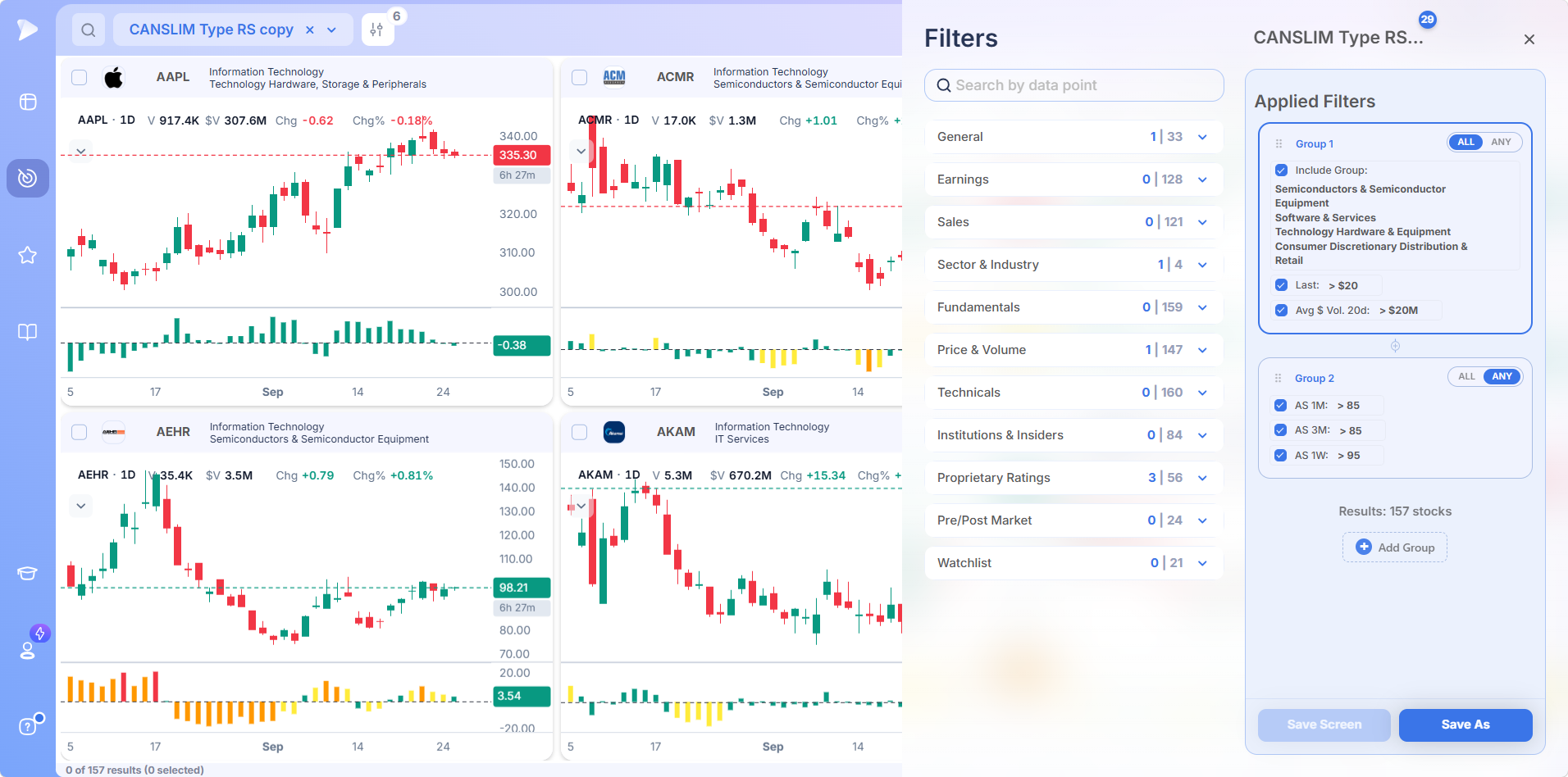
Free tools answer the first badly and the other two not at all. The best free stock screener still shows delayed prices and leaves you stitching sessions together by hand, which is the honest case for paying.
The Two Clocks Inside Every Screen
A market timing stock screener answers two separate questions that get conflated constantly.
The first is the age of the numbers. Completed day, delayed feed, or live market? That decides whether clearing a level on heavy volume describes something in progress or already finished.
The second is which slice of the day the numbers came from. Regular trading behaves nothing like the thin electronic sessions either side, so a volume threshold calibrated for one is wrong for the others. Four percent at seven in the morning and four percent at two in the afternoon are differently sized events wearing the same number.
Most screening frustration traces back to ignoring one of them: acting on old data believing it current, or judging an extended hours move by regular hours standards.
The Trading Day as Three Markets
It helps to treat the windows as three different markets that happen to share tickers.
- •The premarket is anticipatory and thin. Participants respond to overnight information first, prices are estimates with wide error bars, and the value is early identification rather than levels you can lean on.
- •Regular hours are the market in full. Depth, institutional participation, and an auction that settles what the estimates were worth. The only window where volume confirms anything, which is why entry disciplines wait for it.
- •After hours is reactive and concentrated. Almost nothing trades except names carrying news, most reports land here, and the spikes are informative in direction and exaggerated in size.
A trader holding for weeks touches all three in a day while transacting in one. Identified in the evening, revised before the open, executed once real volume arrives.
Timing the Market Versus Timing the Trade
Market timing carries baggage worth separating out. In its forecasting sense, predicting index direction and moving fully in and out on those calls, it has a famously poor record. Nothing here asks you to guess where the market goes next.
What growth traders practice is narrower. Market condition filters how aggressive to be rather than forecasting, using the follow through day and distribution day framework to judge whether the market supports new buying. Exposure scales with the reading instead of being bet on it.
Trade timing is narrower still: entering a stock at a structural point on confirming volume, since the same name ten percent higher is a different risk. Session timing is doing each part of the work in the hour whose data suits it. None requires knowing the future. All three require knowing what time it is.
One Platform Behind All Three Windows
Screening by session only works if the rest of the workflow follows you between them. Every module shares the same data and conventions, so habits built in one hour still apply in the next.
Screens You Load in One Click
Presets split between the ones Deepvue built and ones contributed by named traders, Stan Weinstein, Oliver Kell, Mark Minervini and Jim Roppel among them. Deepvue Leaders is the usual starting point, returning a few hundred names with strong momentum and CANSLIM® characteristics.
Presets cannot be edited in place. Duplicate one and the copy is yours. Any screen you use daily can be bookmarked to the top bar, which matters when the morning window is thirty minutes wide.
A Table You Shape Around the Hour
Columns drag into the order that suits how you read, the most actionable fields left where your eye lands first. Several sets can be saved and swapped, which lets a morning table and an afternoon table be the same table wearing different fields.
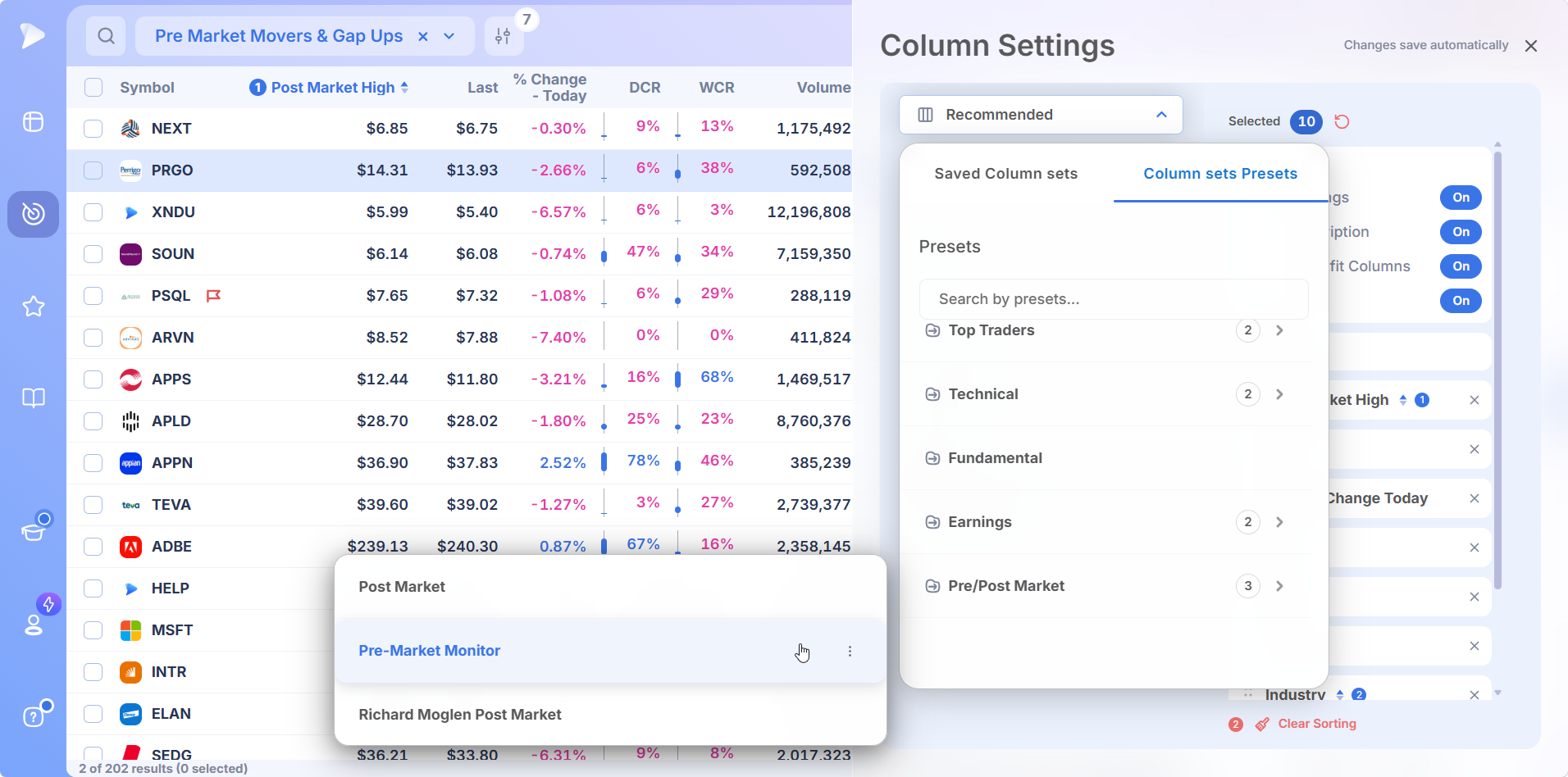
Sorting works on the header: one click high to low, a second reverses, a third clears, with a badge showing how many sorts are stacked. Names can be checked by mouse or by holding shift while spacing through, then pushed into a list in a batch.
One Name, Fully Described
The stats table holds earnings and sales history, estimates for coming quarters right of the divider. Hovering a quarter shows the reported figure, the estimate and the surprise in percentage and dollars. A line beneath a run of quarters flags accelerating growth, one of the more durable winning characteristics.
The data panel describes only the name on the chart. Ratings, relative strength, stage, up down volume, ownership and margins update as you space through, and the sector and industry entries are clickable, so moving from a stock to its peers takes one click.
Charts Set Up Once
Indicators are searchable, including proprietary ones that exist nowhere else: the EPS and sales lines, market cycle, relative measured volatility. Arrange a chart the way you like and the whole arrangement saves as a template.
Timeframes sit side by side with symbol and crosshair synced, so spacing through a list shows daily and weekly together.
Dashboards Built for a Specific Job
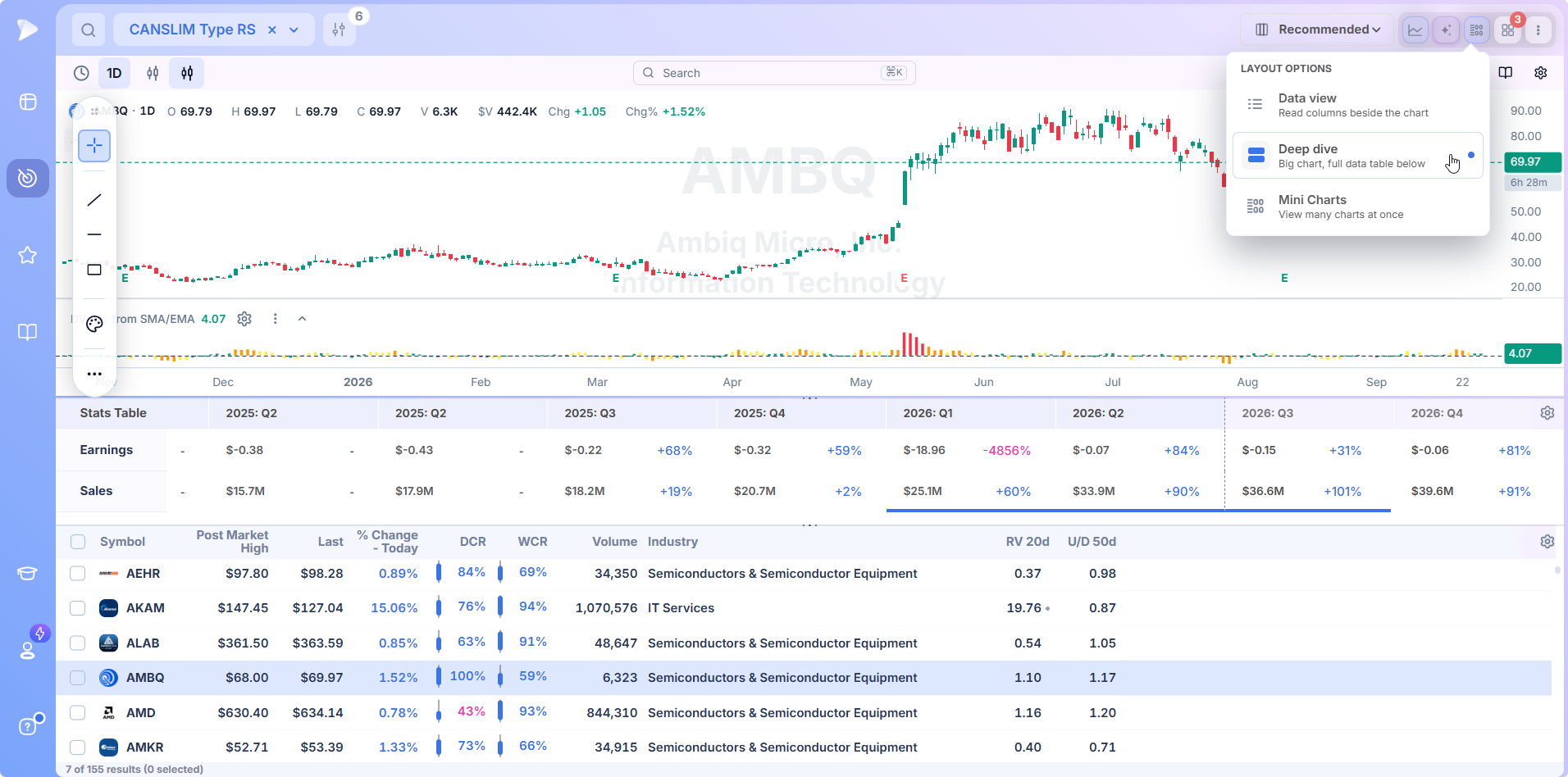
Dashboards are where the timing idea becomes concrete. Apps include charts, screeners, watchlists, alerts, heat maps, bubble charts, RRG, market breadth, the theme tracker, industry ranks and stage analysis, arranged however the job requires.
Apps in the same color group share a symbol, so clicking a name in one moves the chart in another. The pattern worth copying is one dashboard per purpose: an evening layout pairing the post market screen with its fields and a chart, and a matching one for the morning.
Asking in Plain Words
The AI Terminal knows which stock you have selected, so research starts without typing a ticker. Right click the bar where a stock gapped and it finds the catalyst, then keeps that answer pinned to the chart so you can recall why it moved weeks later.
It also takes a whole screen or list as context, making questions like identify the themes running through this list answerable in a sentence. Screens can be built by describing them rather than assembling filters by hand.
Pricing
A single subscription, $49 a month, clock included.
- •All three sessions, with extended hours fields filterable rather than merely viewable
- •The full column library, every preset and every saved layout, with no timing feature held back for a higher tier
- •Dashboards, lists and alerts, plus screen building by description, every part drawing on the same data
- •Regular updates, with new fields and features shipping most weeks
The comparable platform charges $149 a month.
Know What Time It Is
None of this requires predicting anything. It requires matching the question to the hour, a much smaller ask and a considerably more reliable one.
Where the setup counts for more than the clock, the other hubs sort the same library along different lines: chart formations under screener by pattern, signal based scans in screener by indicator. For the complete catalogue of screens by strategy, see screener by strategy.
Start screening with Deepvue today
↑ Back to contentsFrequently Asked Questions
What is a stock screener and how does it work?
A stock screener applies your conditions to the whole market and returns only the names that pass. Deepvue draws those conditions from a categorized field library and groups them with ALL and ANY logic, so several ideas run as one query.
How do you use a stock screener?
Knowing how to use a stock screener starts with writing your criteria down, translating them into conditions, then running it at the hour those conditions make sense. Most people do it backwards. In Deepvue the fastest way to learn is opening a preset built by a named trader and reading the filters behind it.
When is the best time of day to run a stock screener?
The best time of day to run a stock screener depends on the screen. Structural work belongs to the evening, when nothing shifts underneath the query. Event work belongs to the premarket and the first hour. Both come from the same Deepvue library, so switching costs one click rather than one subscription.
Do swing traders really need live data?
Swing traders need live data less than they fear and more than they admit. Evening research and multi week holds are fine on completed daily data. The need concentrates at transitions: the pivot entry, the failed stop, catalyst mornings. Thirty minutes a day, and they decide the month.
What is a follow through day?
A follow through day comes from the O’Neil methodology for judging whether a correction has ended. After an index makes a low and starts an attempted rally, it is a strong advance on the fourth day or later, on heavier volume than the day before. Deepvue’s breadth and index screens are where you watch for one.
What is a distribution day?
A distribution day is a decline in a major index on heavier volume than the day before, read as institutional selling. One means little. Five or six inside a few weeks has often preceded corrections, so traders cut exposure step by step. Keep the count on a Deepvue dashboard beside your screens.
Does timing the market work?
Timing the market works poorly in its forecasting sense, since returns concentrate into a handful of days clustering near the worst ones. Conditioning works better: adjust how aggressively you deploy based on what the market is observably doing. Deepvue puts the condition tools and the screens on one platform.
Should I screen before the open or after the close?
You should screen before the open and after the close, for different halves of the job. The evening is for depth: reading reports, running structural screens on finished data, hanging alerts on tomorrow’s prices. The premarket is for revision. Deepvue is one subscription covering both ends.
Do I need three separate tools for three sessions?
You do not need three separate tools for three sessions, and using three is where the time goes. One platform buys continuity. A list built at nine at night carries into the morning screen, an alert set then fires during regular hours, and a condition means the same thing in every window.
Is a stock screener worth it?
A stock screener is worth it if you have written criteria. Pointed at a vague idea it returns a vague list. Pointed at a defined process it removes hours of chart review a week and applies your rules identically on a tired day. At $49 a month, Deepvue clears that bar.
What is a good stock screener?
A good stock screener passes three tests. It carries the data your method needs. Its filter logic expresses a real idea, meaning grouped conditions rather than a flat list. And enough workflow is attached that a result leads somewhere. Deepvue built for one audience instead of everybody.
What is the best stock screener app?
The best stock screener app depends what you mean by app. Phone apps are fine for checking a list and poor for building one, since screening is a wide screen activity. Deepvue runs in the browser on any machine, and alerts reach you wherever you are.
What is the best screener for swing trading?
The best stock screener for swing trading does two things an intraday tool never needs to: judge structure across weeks rather than minutes, and weigh it against the business underneath. Deepvue was built around that combination, which is why it suits swing and position traders.
Is there a good stock screener free of charge?
There are stock screener free options worth using while you work out which filters matter. You give up current data, depth of fundamental coverage, and the ability to stack conditions into a real idea. Anyone searching best stock screener free hits those three walls, usually in the same week.
What are the top 10 stocks on a screener?
There is no fixed answer to what the top 10 stocks on a screener are, since a screener holds no opinion until you supply one. A list identical all week means the data is stale. Deepvue stacks six sorts at once, so your top ten can be the strongest movers that also carry real relative volume.
CAN SLIM® is a registered trademark of O’Neil Capital Management, Inc. (U.S. Reg. No. 3,081,940). Deepvue is not affiliated with, sponsored by, endorsed by, or licensed by O’Neil Capital Management, Inc., Investor’s Business Daily, MarketSurge, or their affiliates. Any reference to CAN SLIM® is for descriptive purposes only. Deepvue’s scores, ratings, and screeners are independently calculated by Deepvue and are not the proprietary ratings of MarketSurge or IBD.